Below are guideline(s) to Unmatch Receipt or Credit Note.
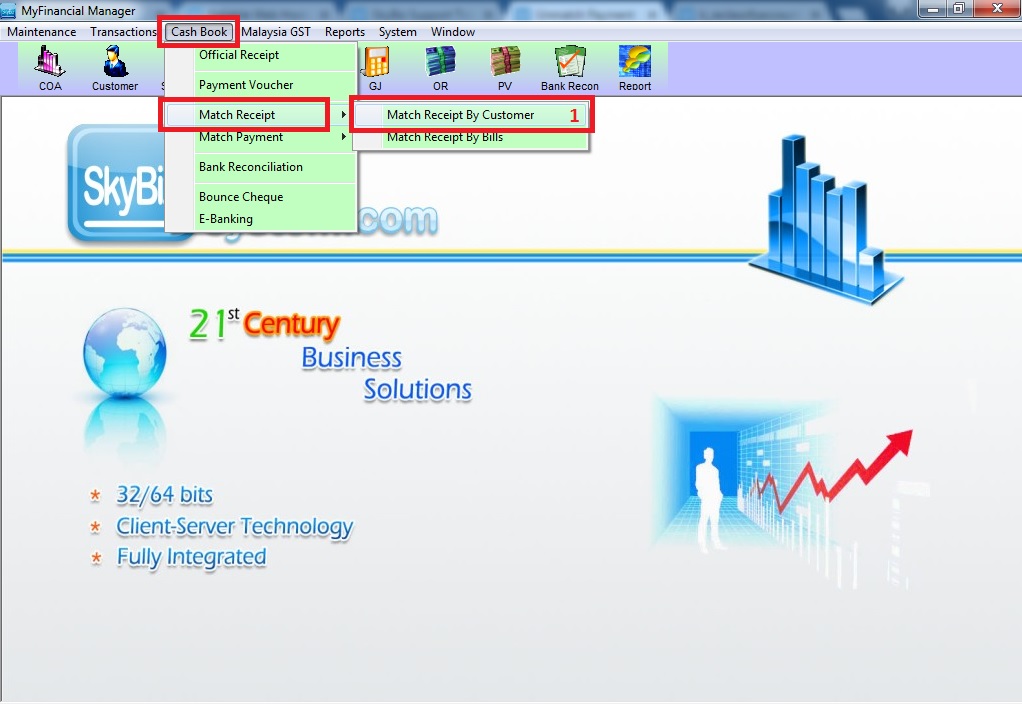
Step 1:Go to Cash Book – Match Receipt – Match Receipt By Customer
Accounting
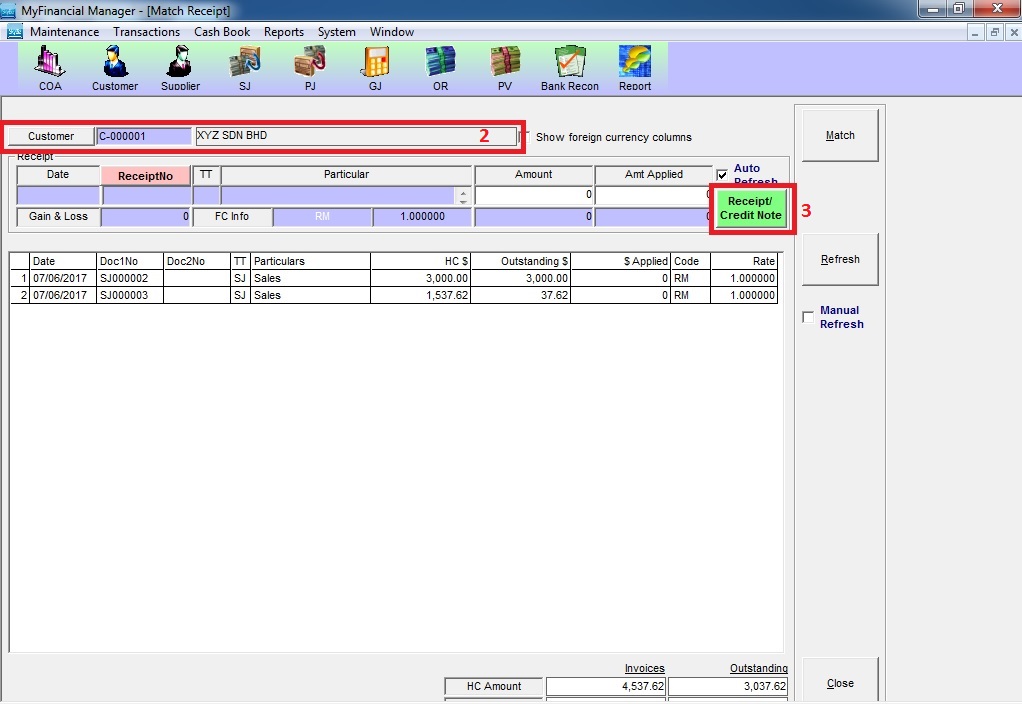
Step 2: Choose the “Customer” >> click “Receipt/Credit Note”
Accounting
Step 3: Tick “Show All” >> click “Refresh” >> tick the receipt or credit note to unmatch >> click “Unmatch”

Accounting
Powered By : SKYBIZ ® Beyond Cloud ™