Below are guideline(s) to view Bank Reconciliation report :
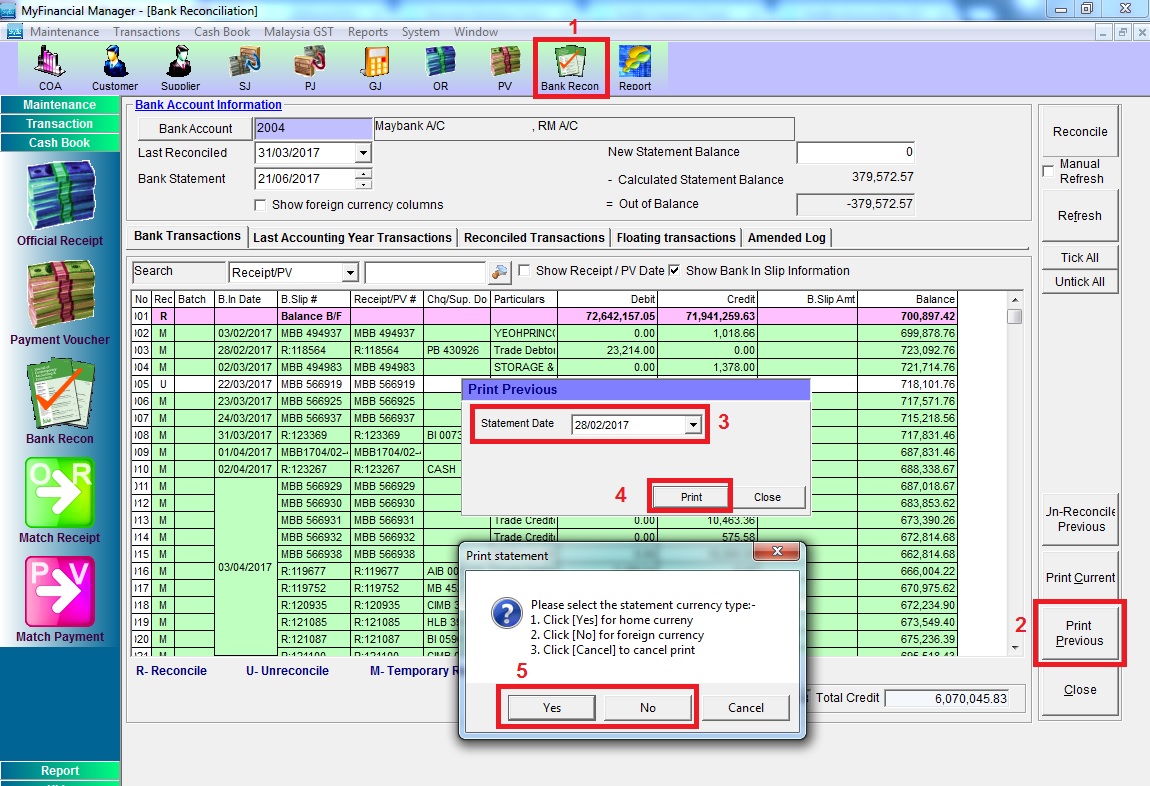
Step 1: Go to “Bank Recon” >> click “Print Previous” >> select statement >> click “Print” >> select the statement currency Y/N
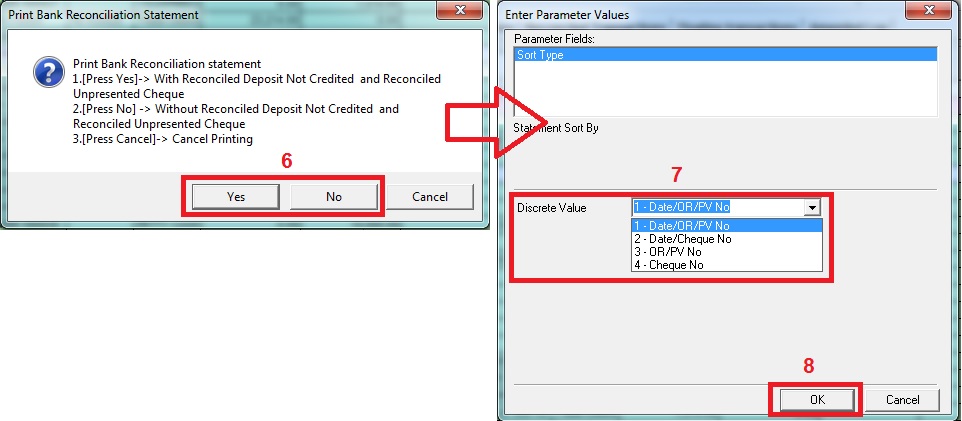
Step 2: Choose Y/N for With / Without Reconciled … >> choose discrete value for the report >> click “OK”
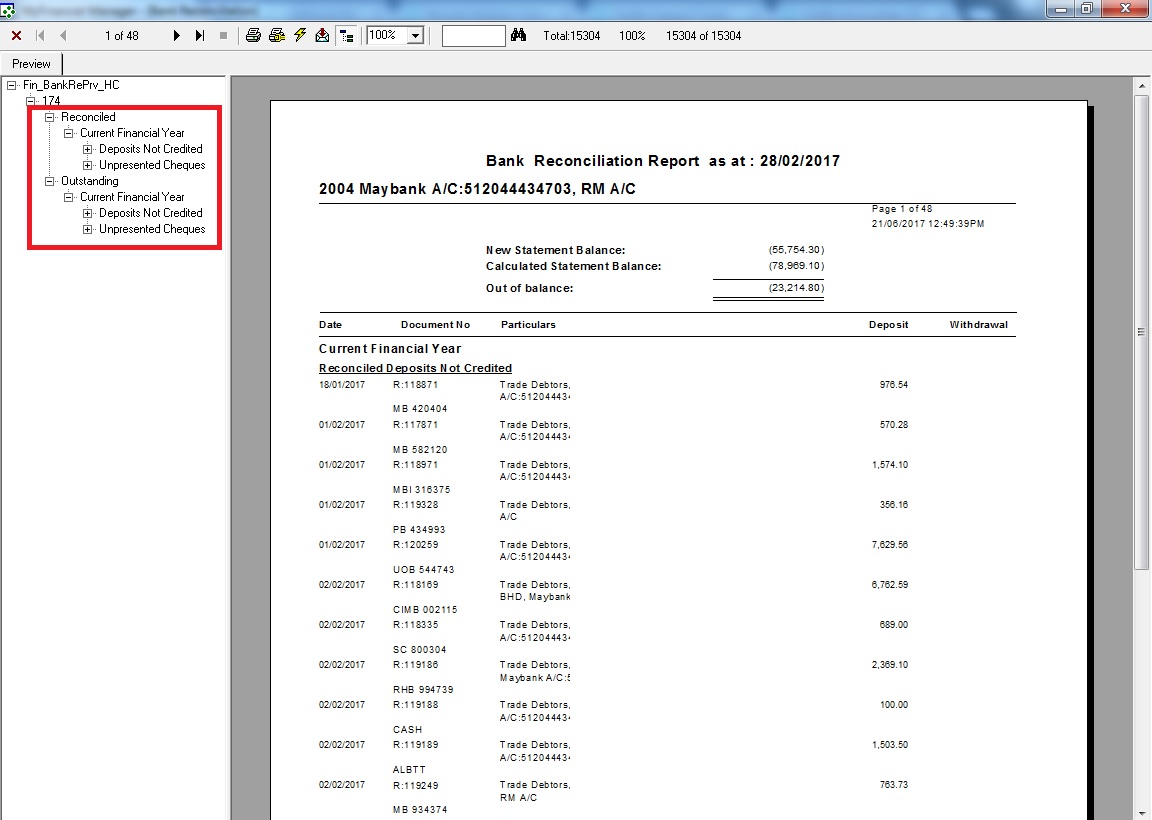
Step 3: You can view both Reconciled and Un-Reconciled (Outstanding) from this report