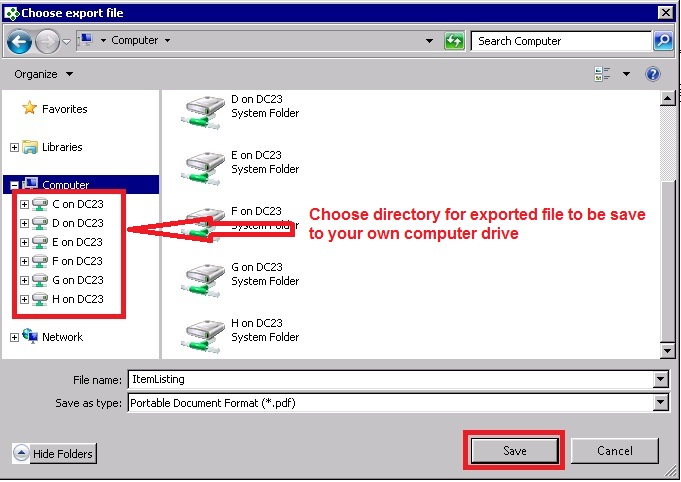
Below are Guideline(s) to Export Report/Document from Remote server to local drive (Through shared drive):
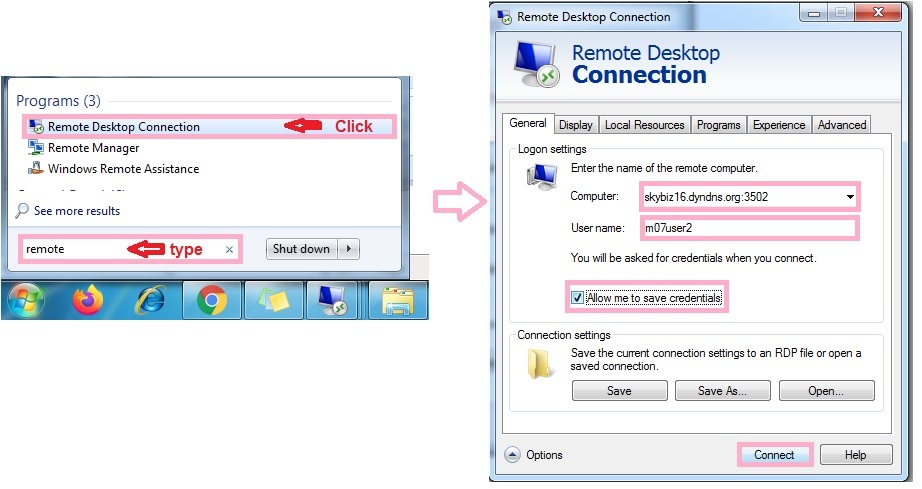
Step 1 : Go to Remote > Click “Option”
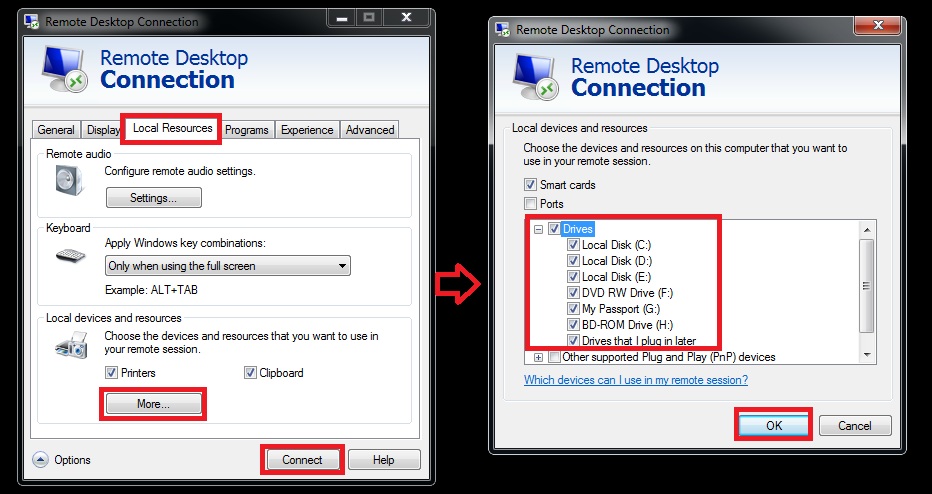
Step 2 : Go to Local Resources >> Click More>>tick Drive and click Ok>>Press “Connect“.
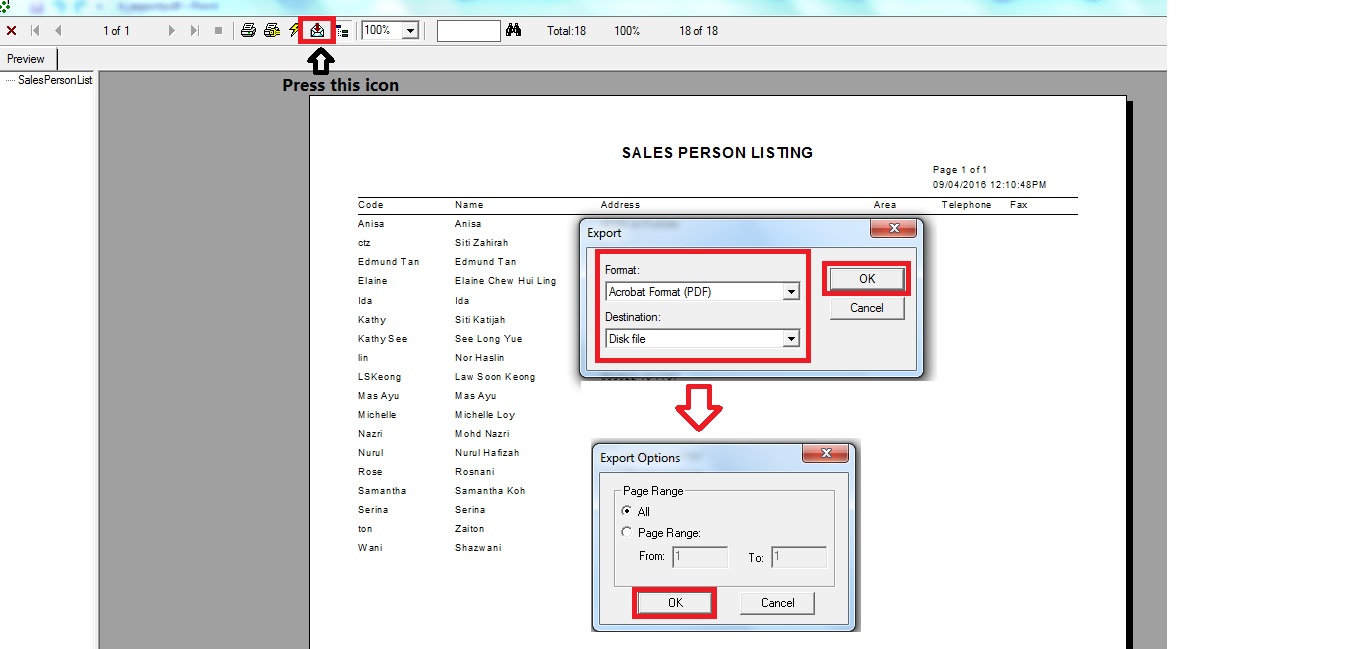
Step 3 : Click “icon” export and choose format you want to export.
Step 4 : Choose “directory” folder to exported file to save.