Below are guideline(s) to view Stock Balance Report :
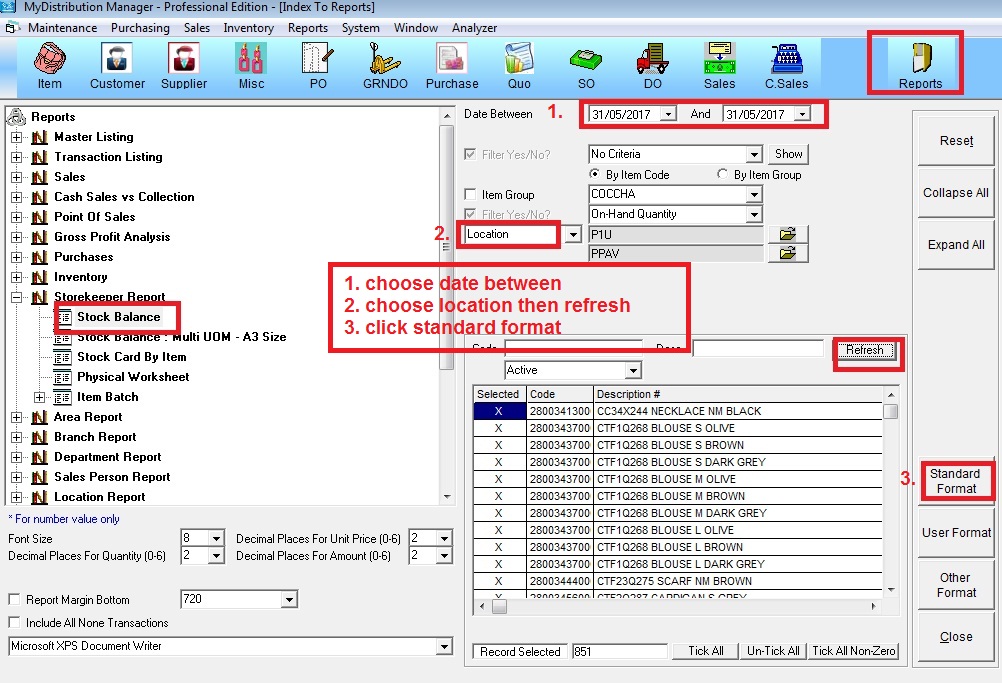
Step 1: Go to report >> Storekeeper Report >> Stock Balance
Choose date between >> choose location >> click “Refresh” >> click “Standard Format”
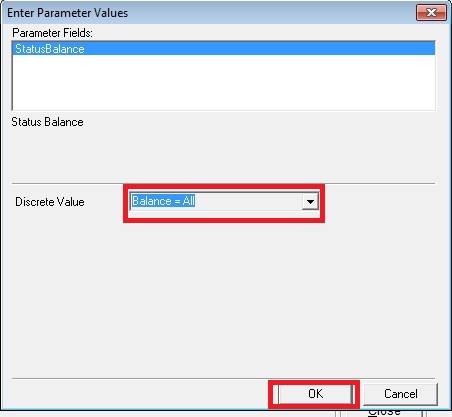
Step 2: Balance = all
Below are guideline(s) to view Stock Balance Report :
Step 1: Go to report >> Storekeeper Report >> Stock Balance
Choose date between >> choose location >> click “Refresh” >> click “Standard Format”
Step 2: Balance = all