Introduction to SKYBIZ Shift Setup
The Shift Setup module in SKYBIZ Cloud Payroll allows organizations to define and manage employee working schedules with precision and flexibility. It enables the configuration of shift details such as working hours, break times, overtime rules, grace periods, and rest days to align with operational requirements and labor policies. By properly setting up shifts, the payroll system can accurately calculate attendance, lateness, overtime, and payroll entitlements based on actual working patterns. This ensures fair compensation, consistent enforcement of company policies, and compliance with labor regulations.
How to Assign the Shift Time to an Employee?
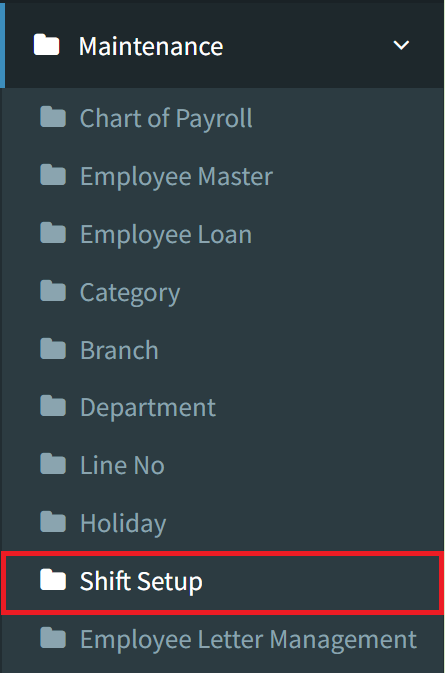
Step 1: To assign the shift time to an employee, navigate to Maintenance > Shift Setup
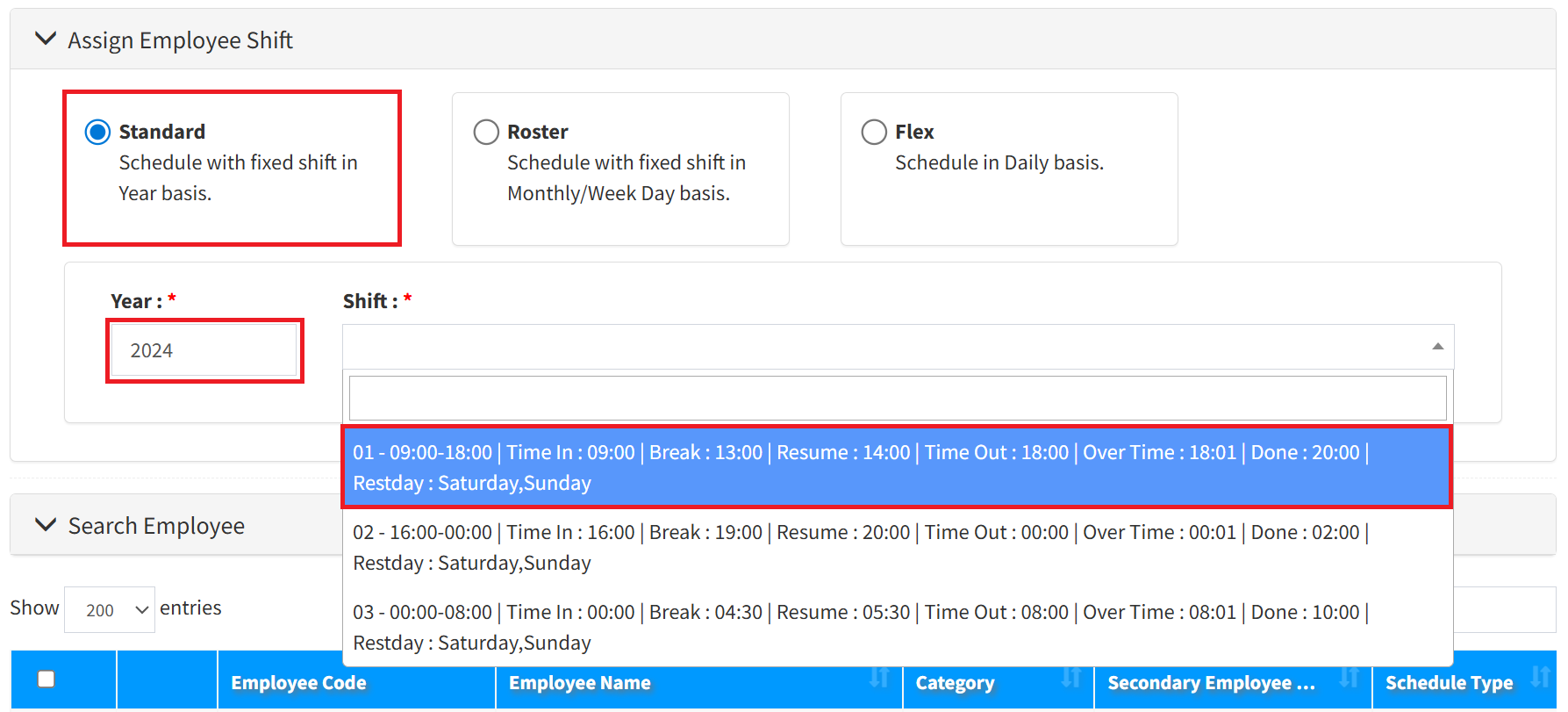
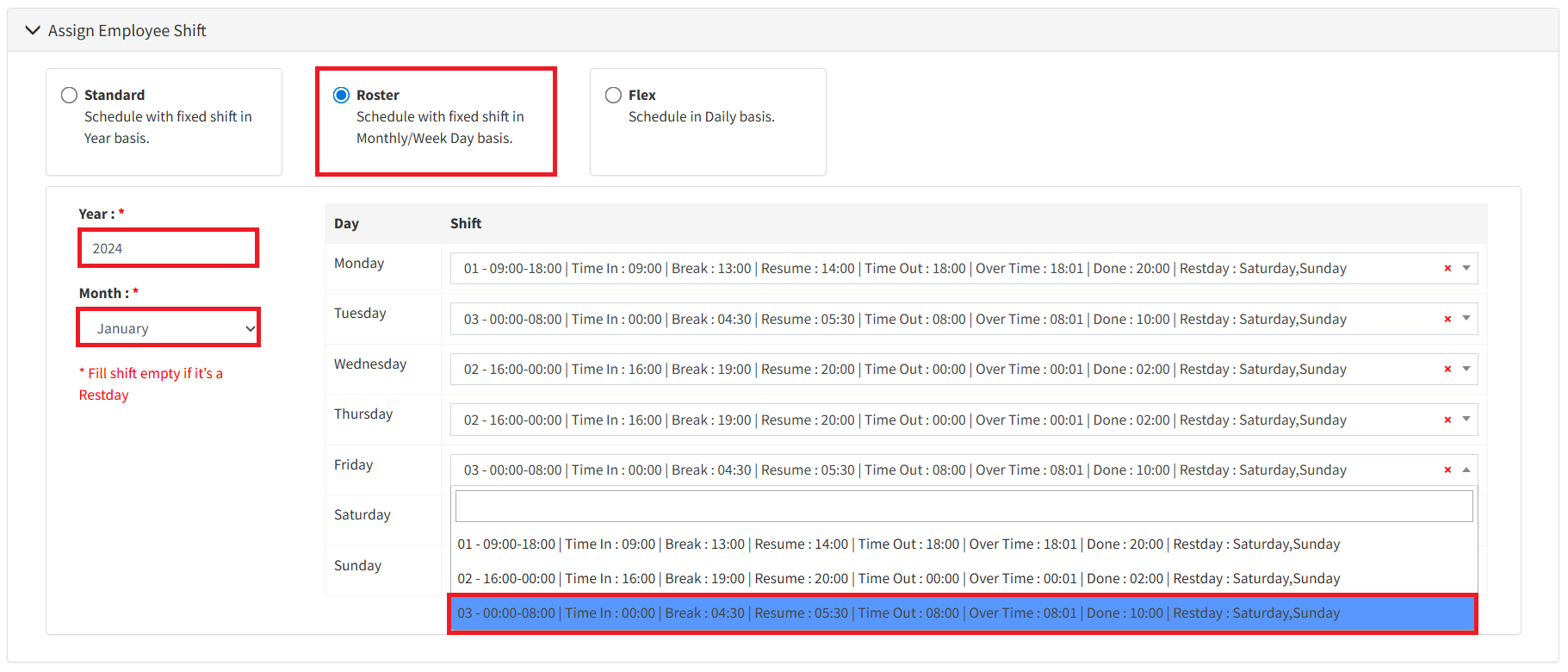
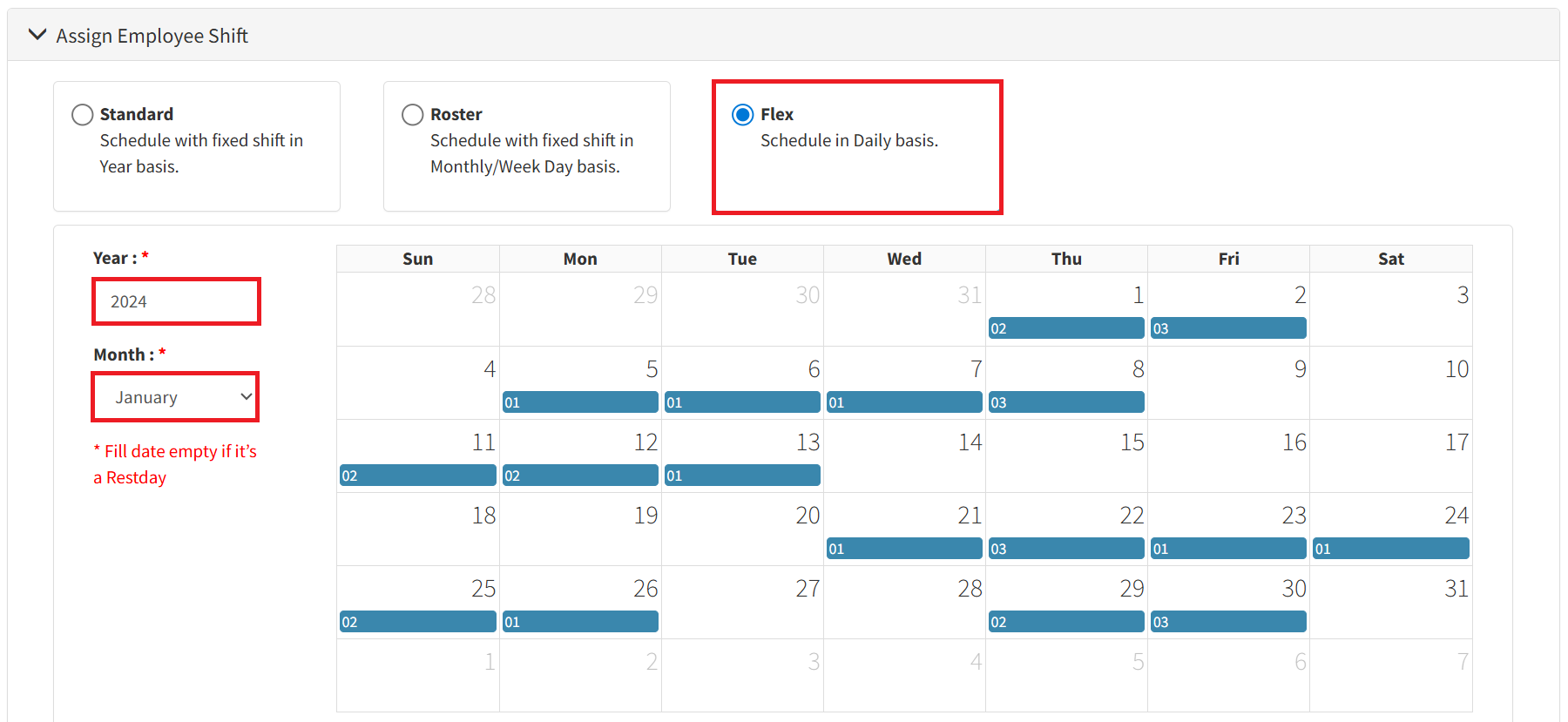
Step 2: Now, there are 3 types of shifts that you can assign to your employee. Select the type of shift, then complete all required fields.
- The Standard Shift is designed for office-based employees whose working schedule remains consistent and does not change. Enter the year, then select the shift.
- The Roster Shift is intended for employees who work multiple shifts with schedules that change over time. It allows shifts to be scheduled on a fixed basis by month or week.
- The Flex Shift is scheduled on a daily basis and is suitable for employees with highly dynamic working hours. Similar to the Roster Shift, but it offers more flexibility by allowing shifts to be assigned individually for each day.
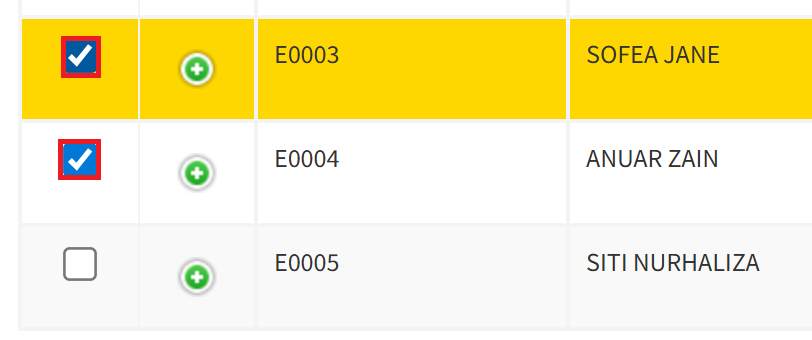
Step 3: Select the employees who will be assigned to this shift.
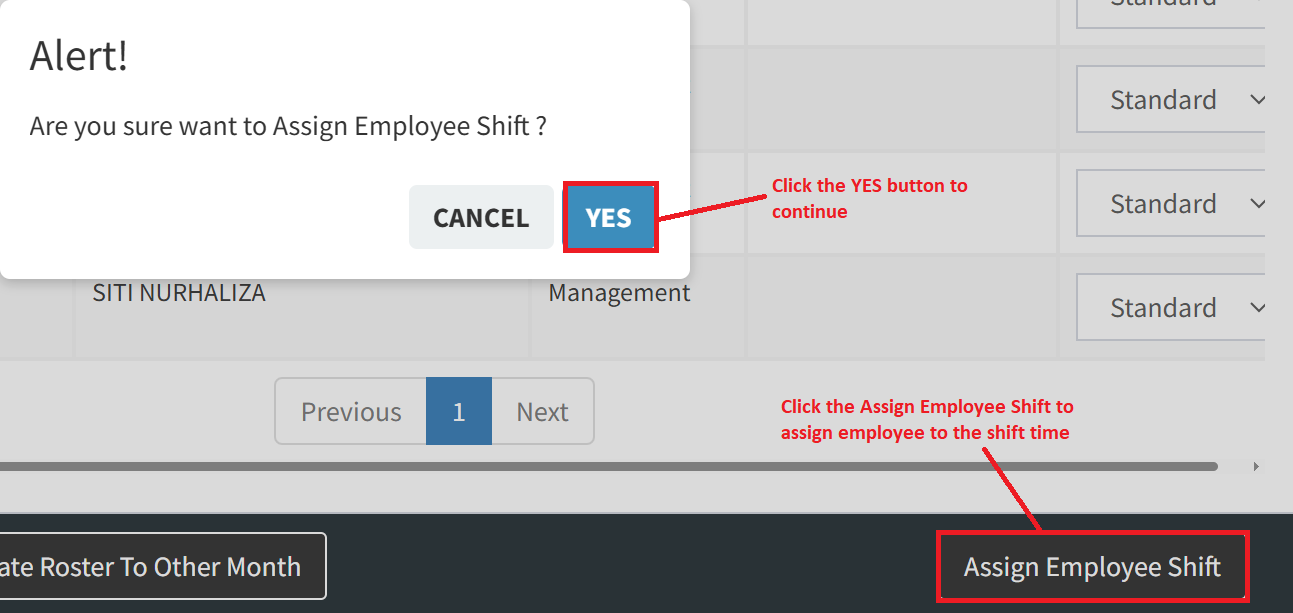
Step 4: Click the Assign Employee Shift button on the bottom right, then click the YES button to continue.
Conclusion
Properly configuring Shift Setup in SKYBIZ Cloud Payroll ensures that employee working hours are accurately recorded and reflected in attendance, overtime, and payroll calculations. Well-defined shift rules help eliminate manual adjustments, reduce payroll discrepancies, and promote consistency across departments. By maintaining accurate and up-to-date shift configurations, organizations can better manage workforce schedules, comply with labor regulations, and ensure fair and transparent employee compensation. This concludes the Shift Setup tutorial and prepares you to manage work schedules and payroll processing more efficiently within SKYBIZ Cloud Payroll.
Powered By: SKYBIZ ®