Below are guideline(s) to activate posting “cash receipt” collection by individual branch account setting :
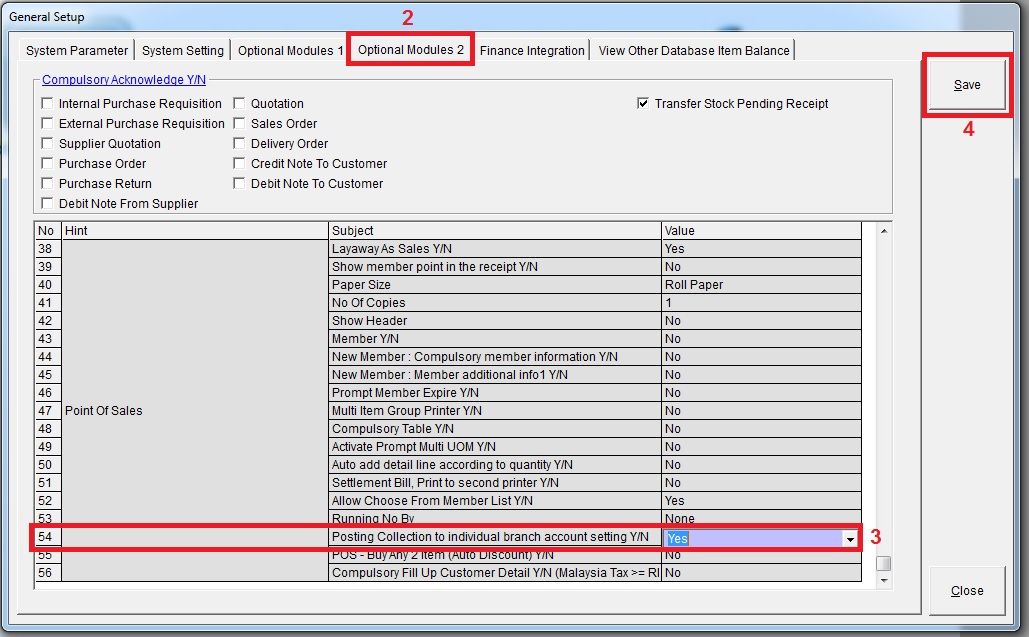
Step 1 : Go to System>>Administrator Menu>>General Setup

Step 2: Go to Optional Modules 2 >> pick “Yes” for “Posting collection to individual branch account setting Y/N)
Step 3 : Go to Maintenance >> Branch

Step 4 : Fill in the account setting according to branch
