Below are Guideline(s) to Key In Invoice From Supplier for Landing Cost
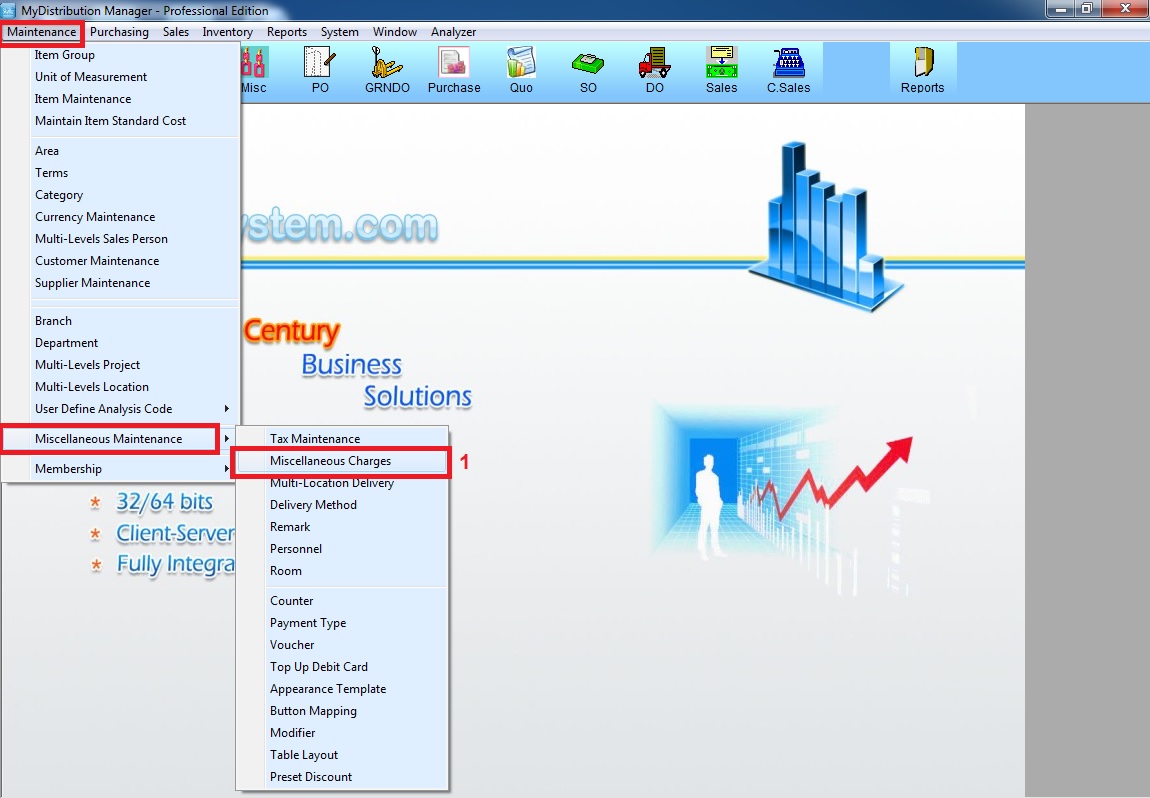
Step 1:Go to Maintenance >> Miscellaneous Maintenance >> Miscellaneous Charge
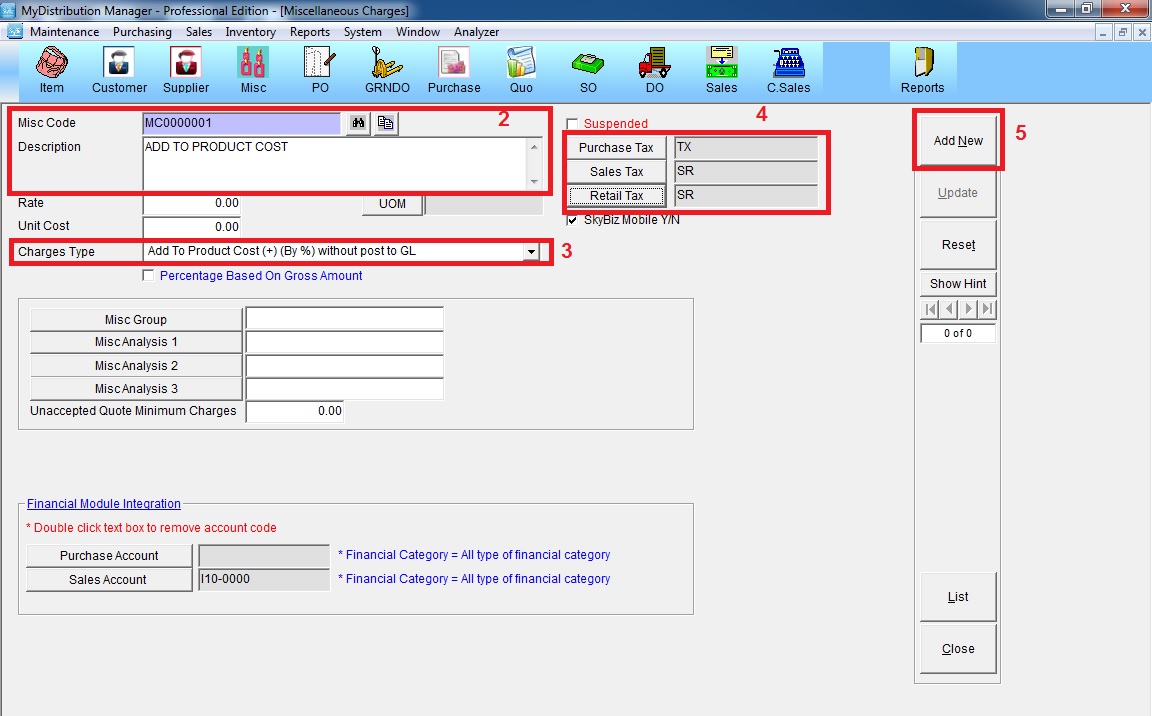
Step 2: Create New Miscellaneous Code >> key in the description >> choose the charges type >> set the tax code >> click “Add New”
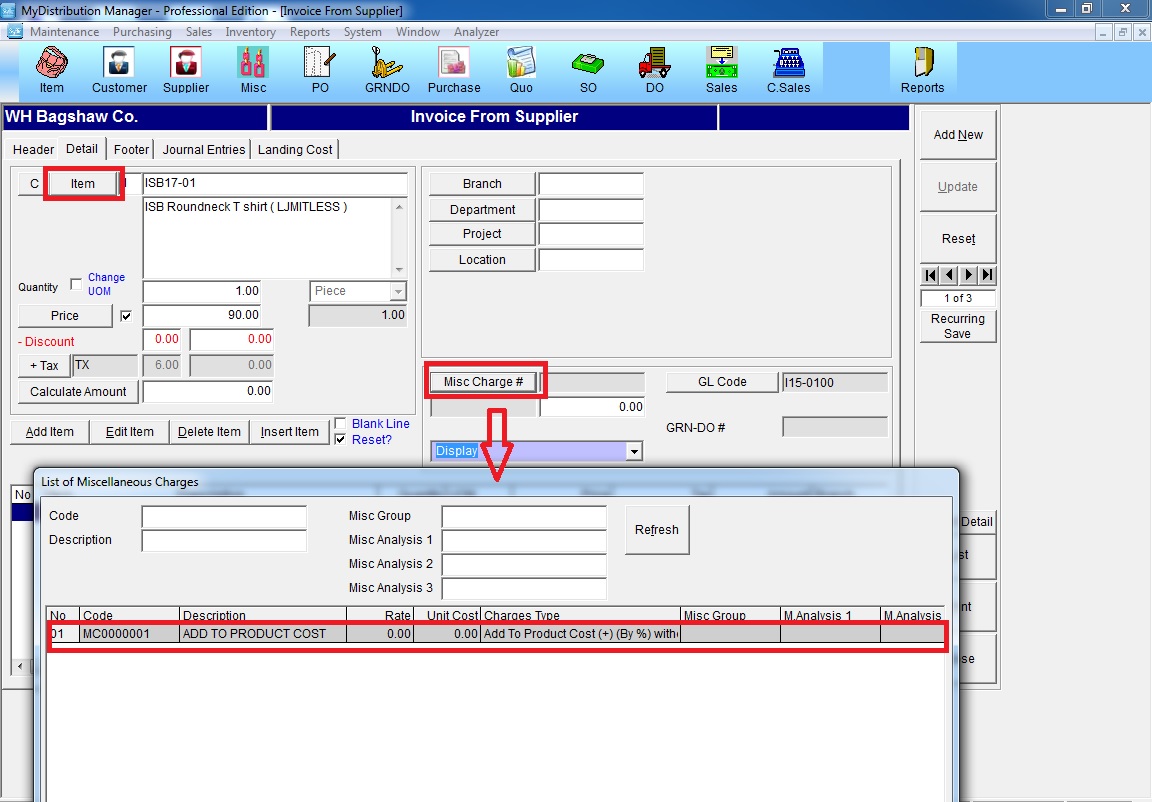
Step 3: Key In purchase transaction >> select item >> click “Misc Charges #” >> select the Misc Code >> Add Item
N/B: Landing Cost Part No Need to Use/Key in, Because Now Got GST Already