Below are guideline(s) to Add New Invoice From Supplier :
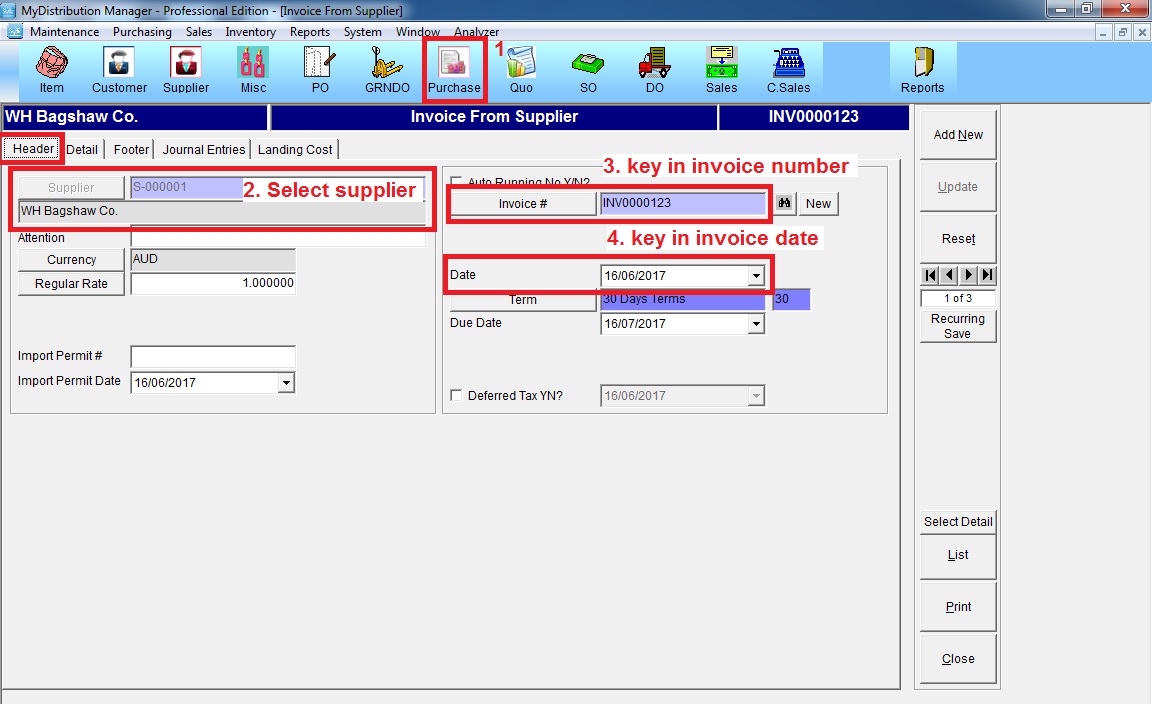
Step 1: Go to “Purchase” >> select supplier >> key in invoice number >> key in invoice date
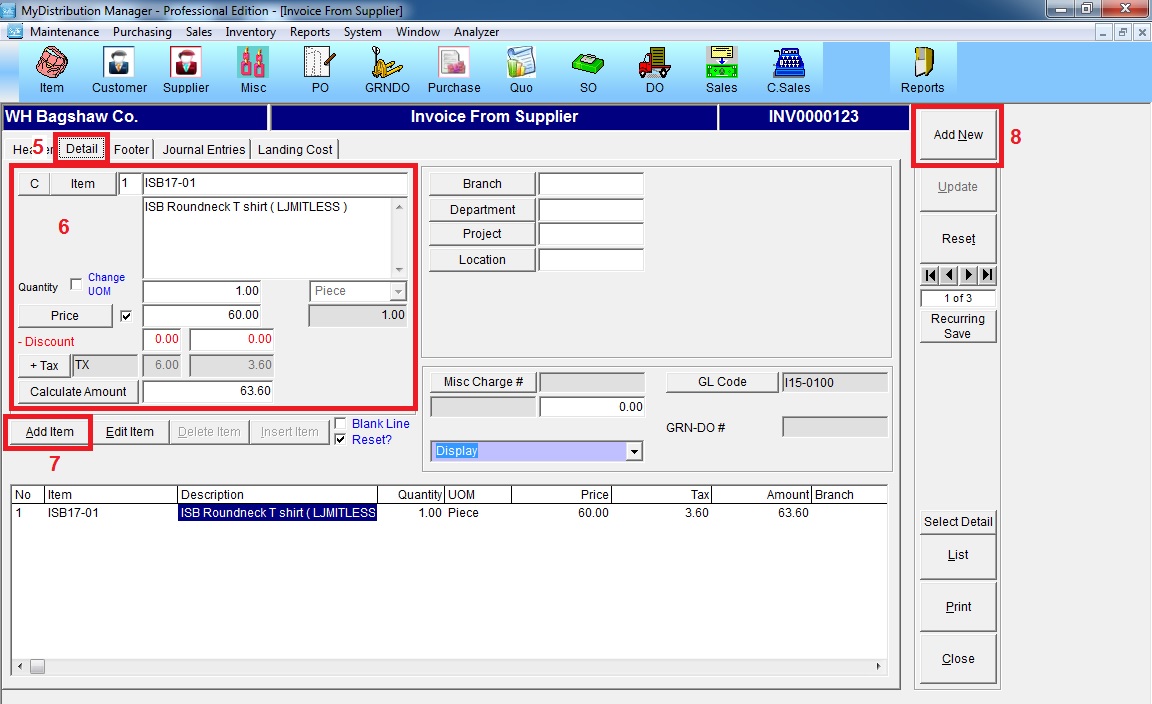
Step 2: Go to “Detail” >> fill in the item, quantity and price >> click “Add Item” >> click “Add New”