Below are guideline(s) to process Normal Pay:
- Login to Payroll Management portal and then go to menu “Payroll >> Normal Pay“.
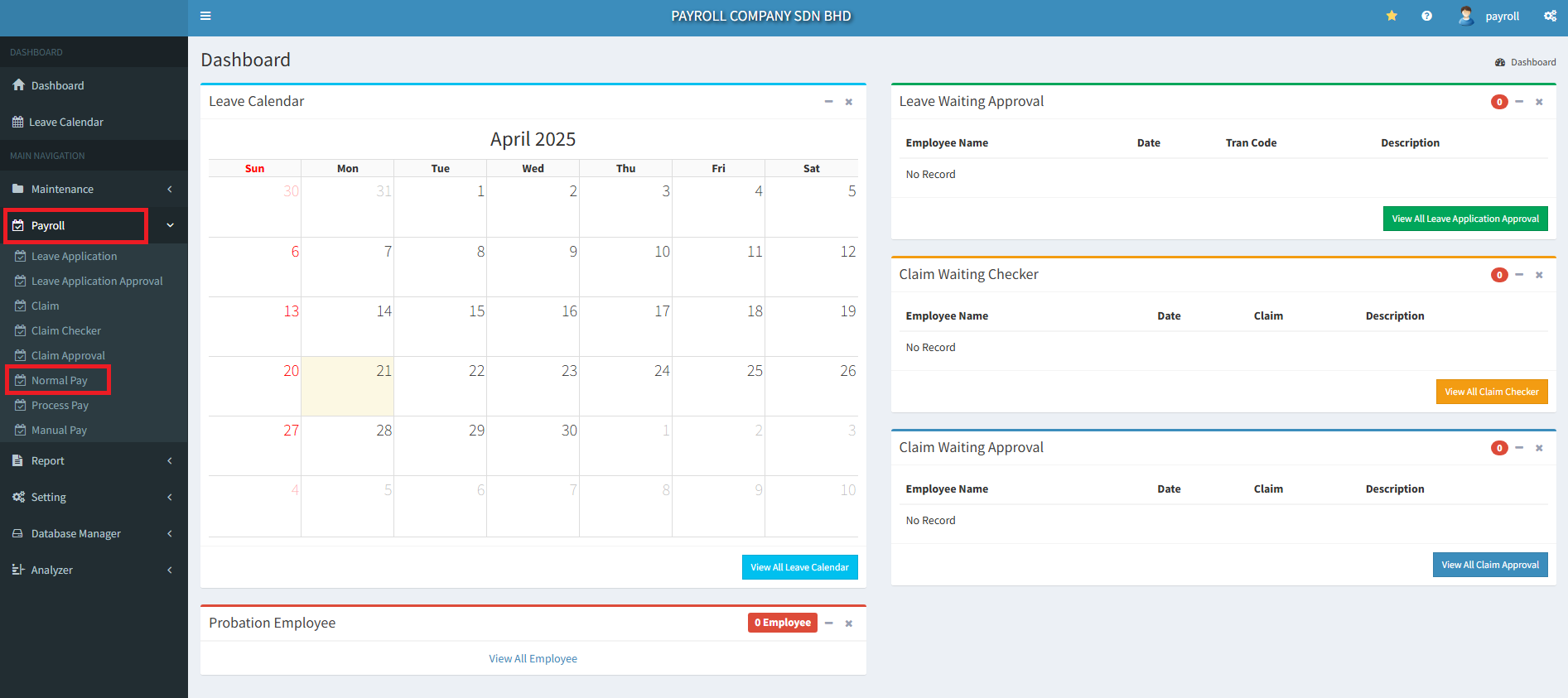
2. Select Employee name or code and key-in the details of staff salary.
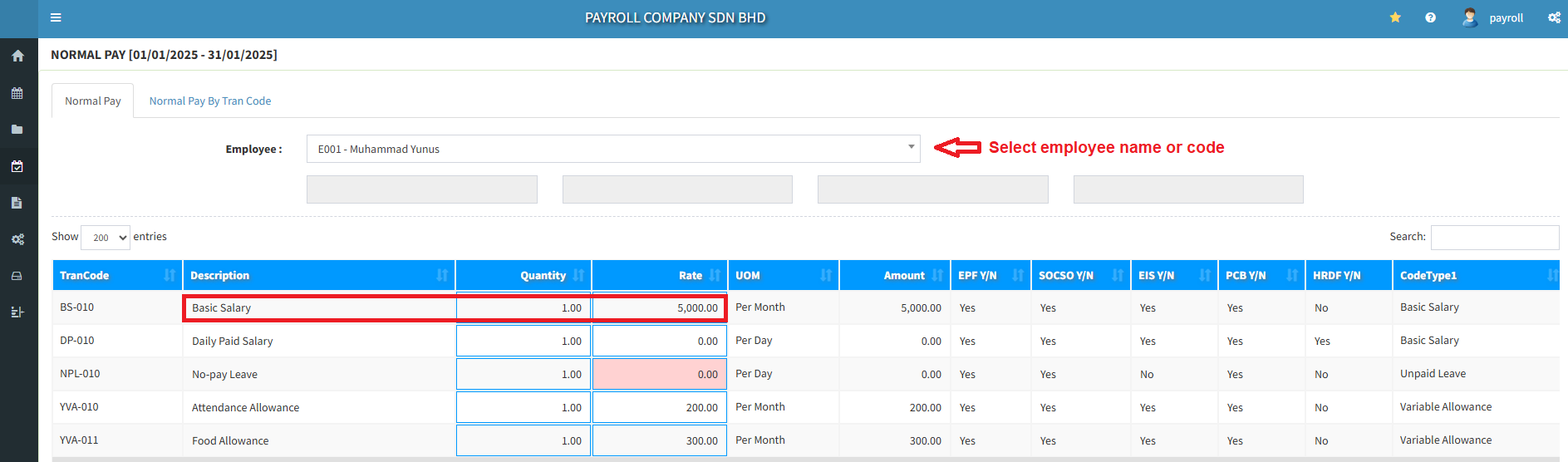
3. Fill up all information Allowance, Overtime and Deductions for Employee.

.
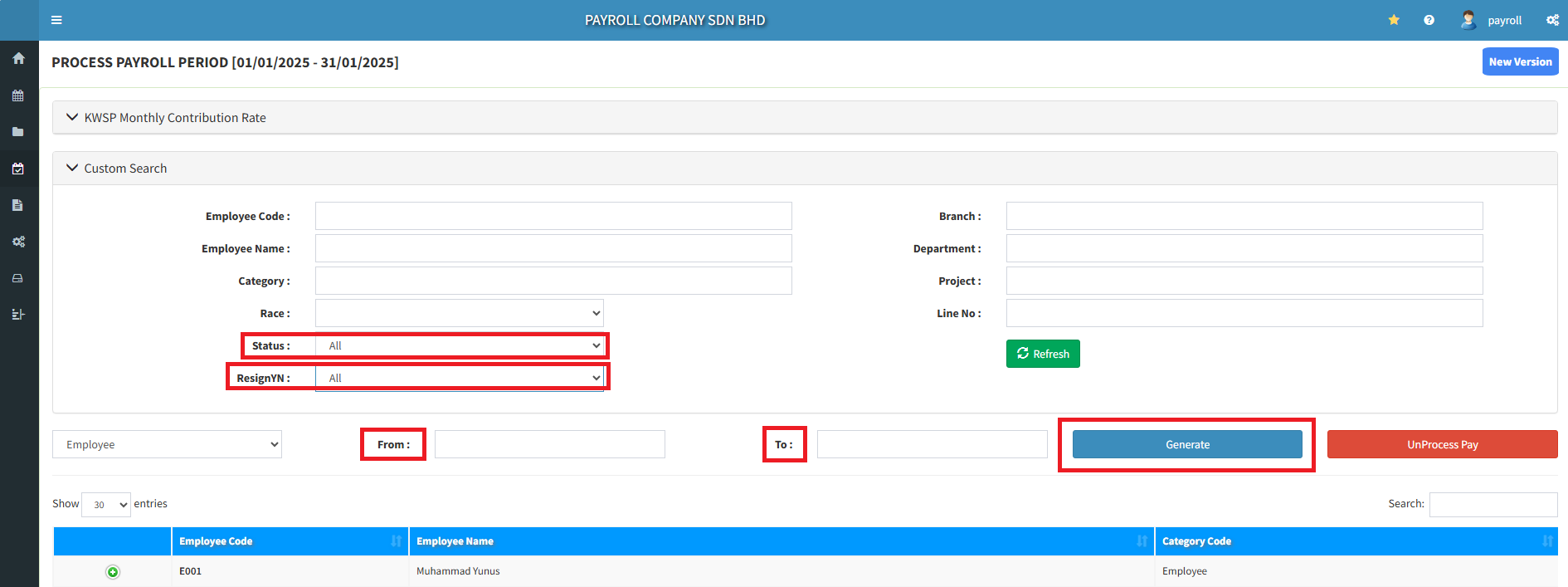
4. Select Payroll >> Process Pay.
In case you had keyed wrongly, click “Normal Pay” icon to amend data. Then go to “Process Pay“.
.
5. Go to ”Status>> Click All >> Select Date and Generate.
In case you had keyed wrongly, click “Normal Pay” icon to amend data. Then go to “Process Pay” again.
6. Go to Report >> Payslip >> Status “All“ >> Resign “All“ >> Select Date and Print.

7. The payslip can view details employee and employer. (example: Gross Pay and Net Pay)
