Below are guideline(s) to generate non-fixed allowance(s) and deduction(s):
- Click “Payroll>>Normal Pay>>Select an Employee“.
- Example : Below screen shot is assumed you would like to amend commission rate for the month.
-
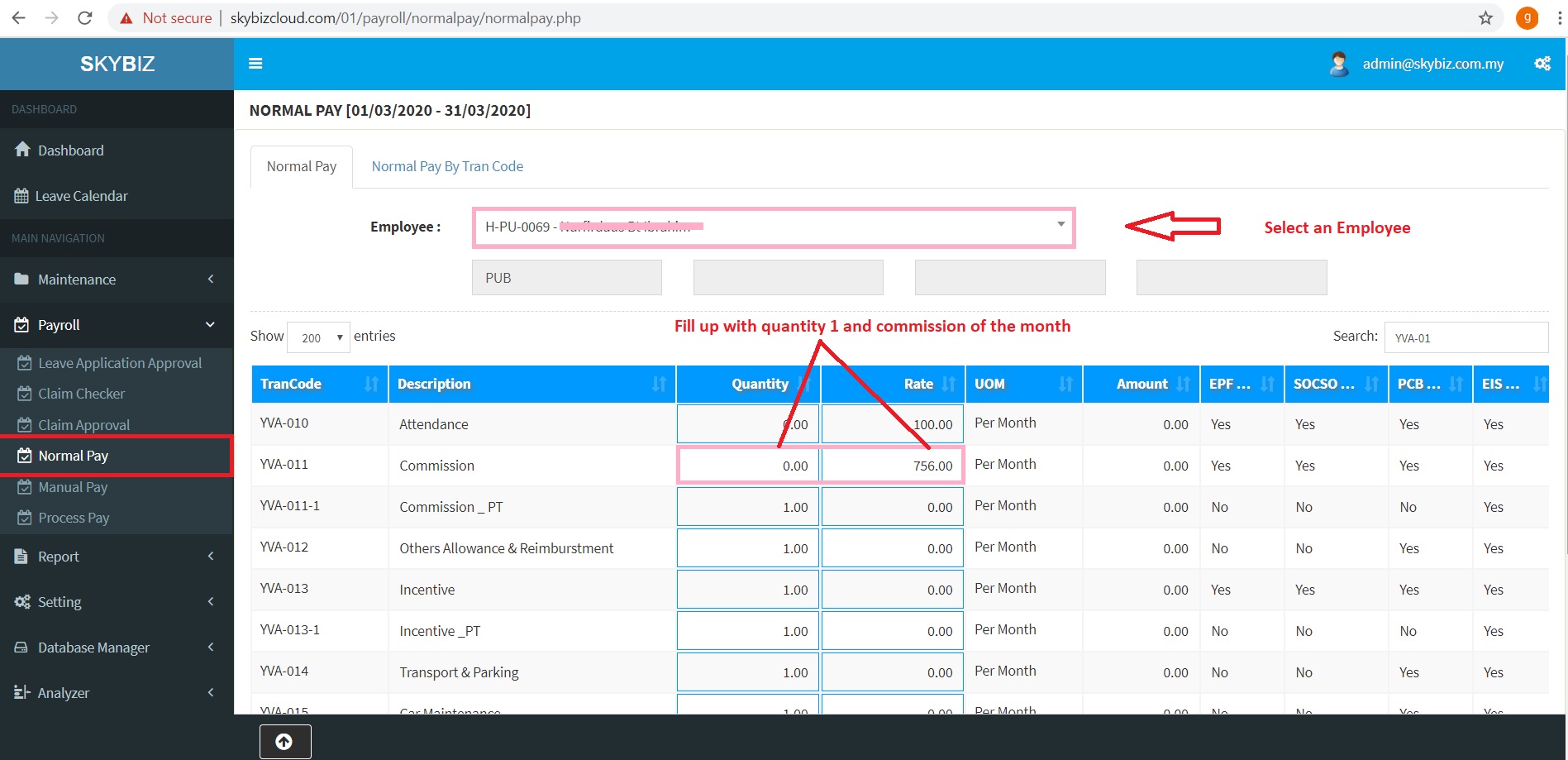
Non Fixed Allowances
- Example : Below screen shot is assumed you would like to amend short hour deduction for the month.
-
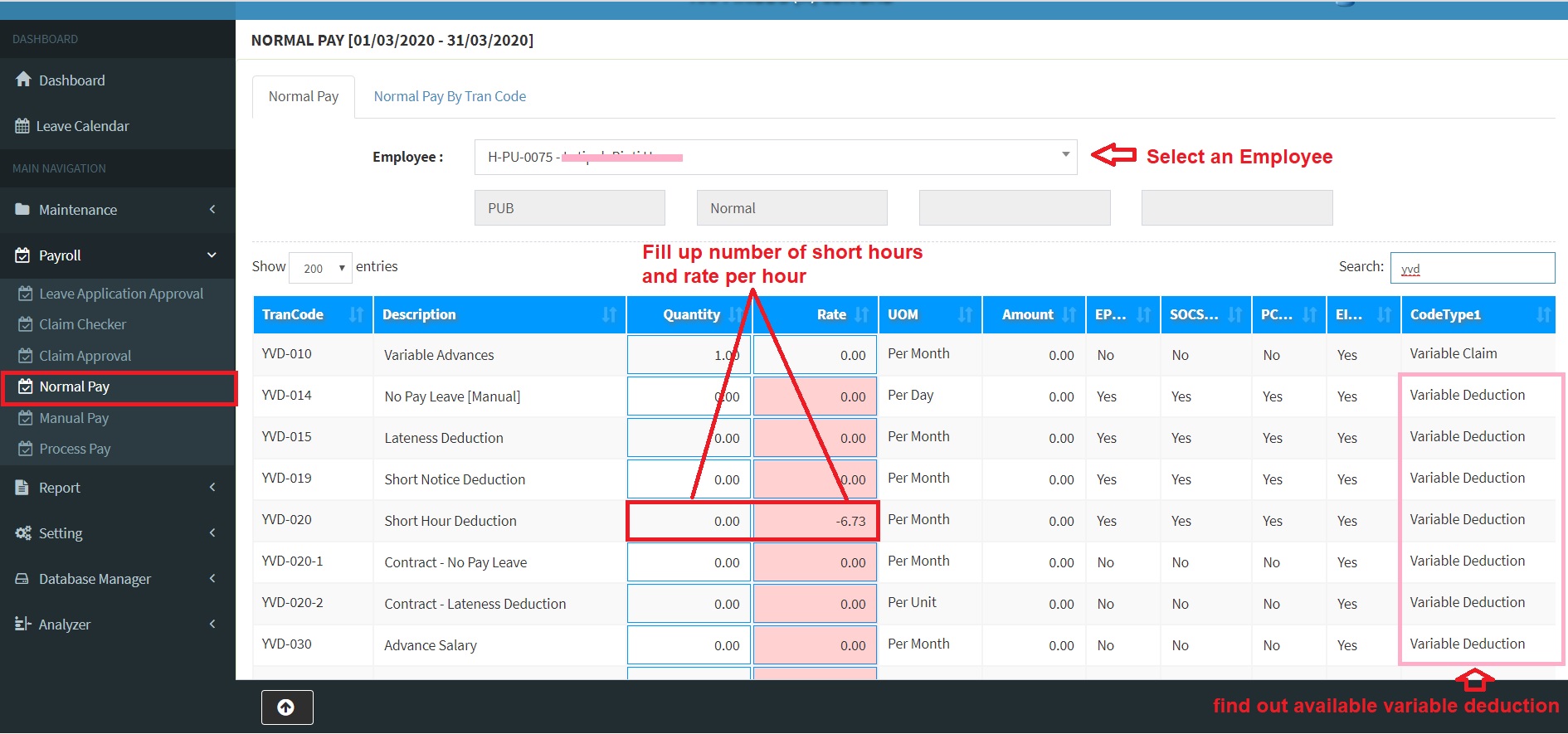
Non Fixed Deduction(s)
- Example : Below screen shot is assumed you would like to salary increment for the month.
-
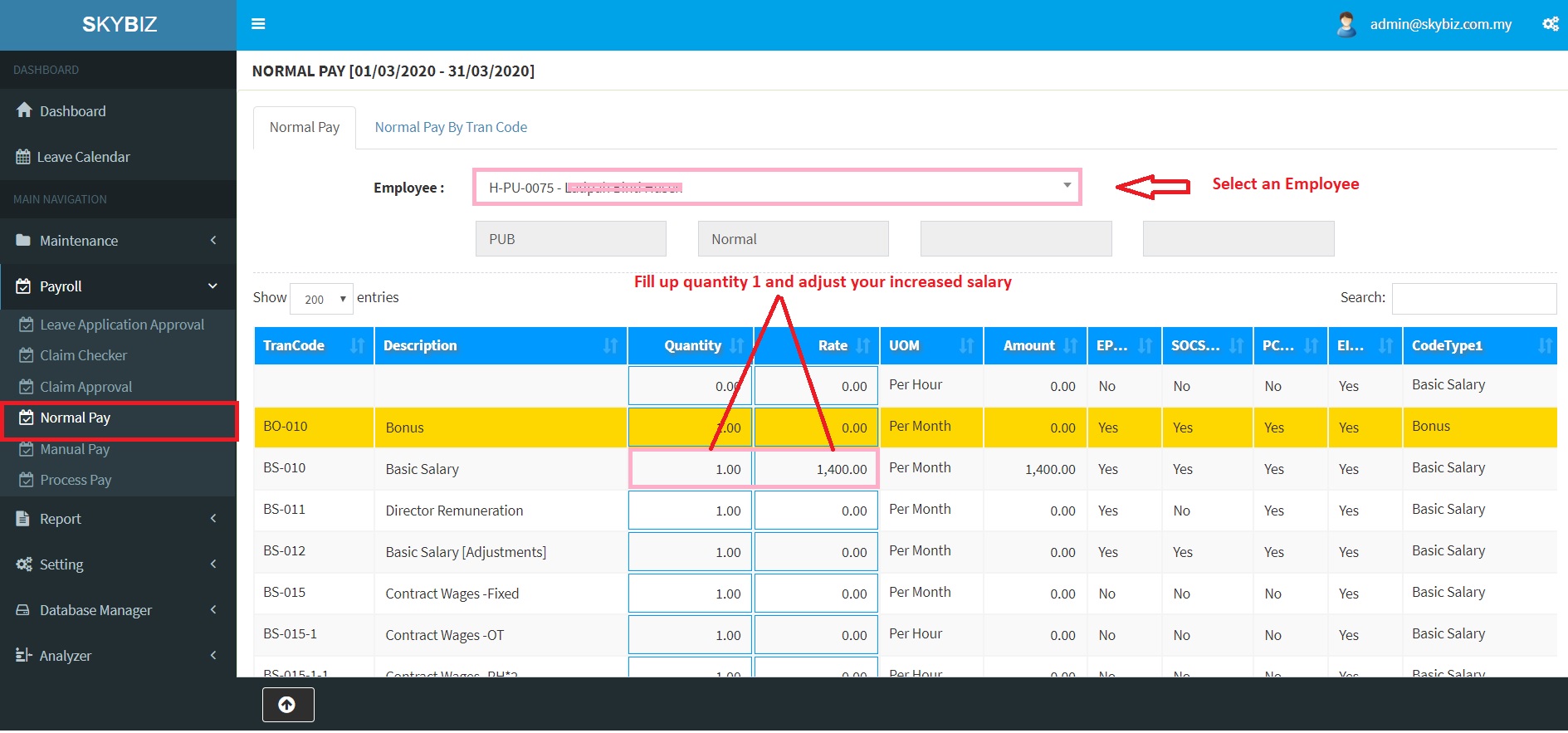
Basic Salary Increment / Adjustment
- Please note that, an amendment will reflect to the payroll month after done process pay.
Powered By : SKYBIZ ® Beyond Cloud ™
E-Leave Management System|e-Data PCB