Purpose of category is for employee classification. This is more related to security access to different level of employee category. Click for more detail
Below are guideline(s) to create new category:
- Click “Maintenance>>Category>>“.
- Press +Create to create new category.
-
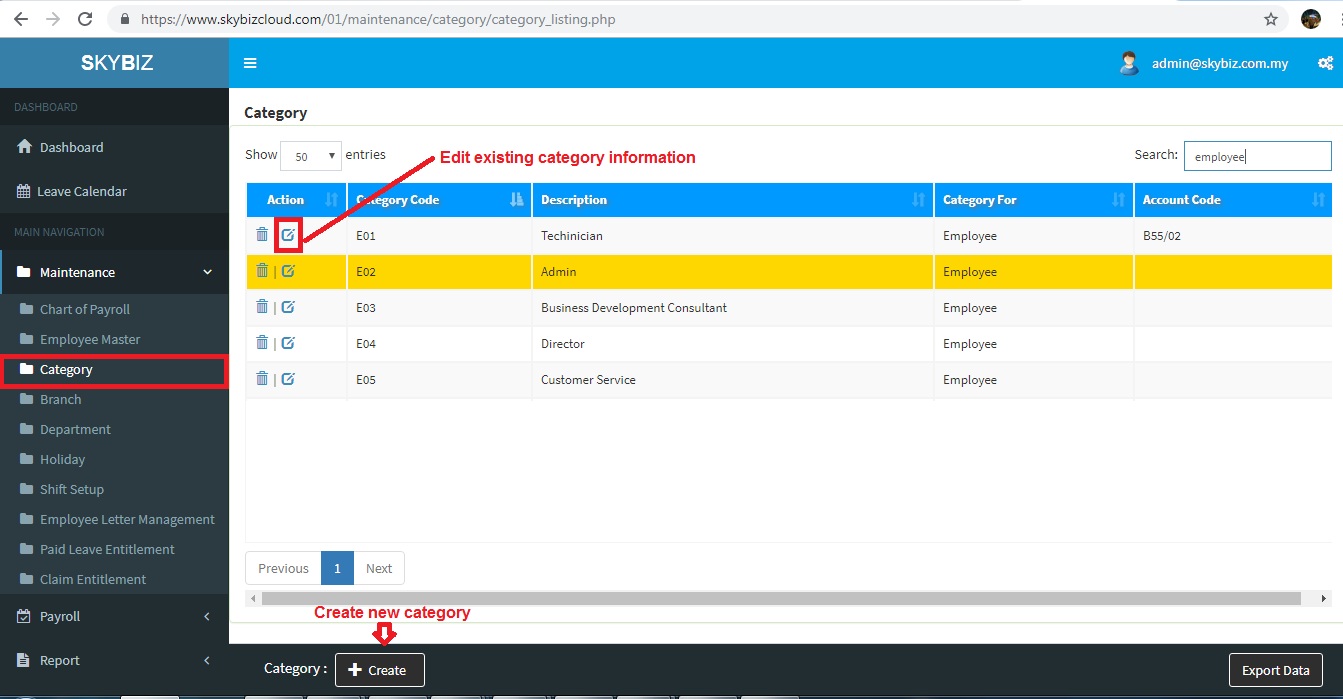
Category Listing
- Fill up all information Category Code , Description, Category For is Employee.
-
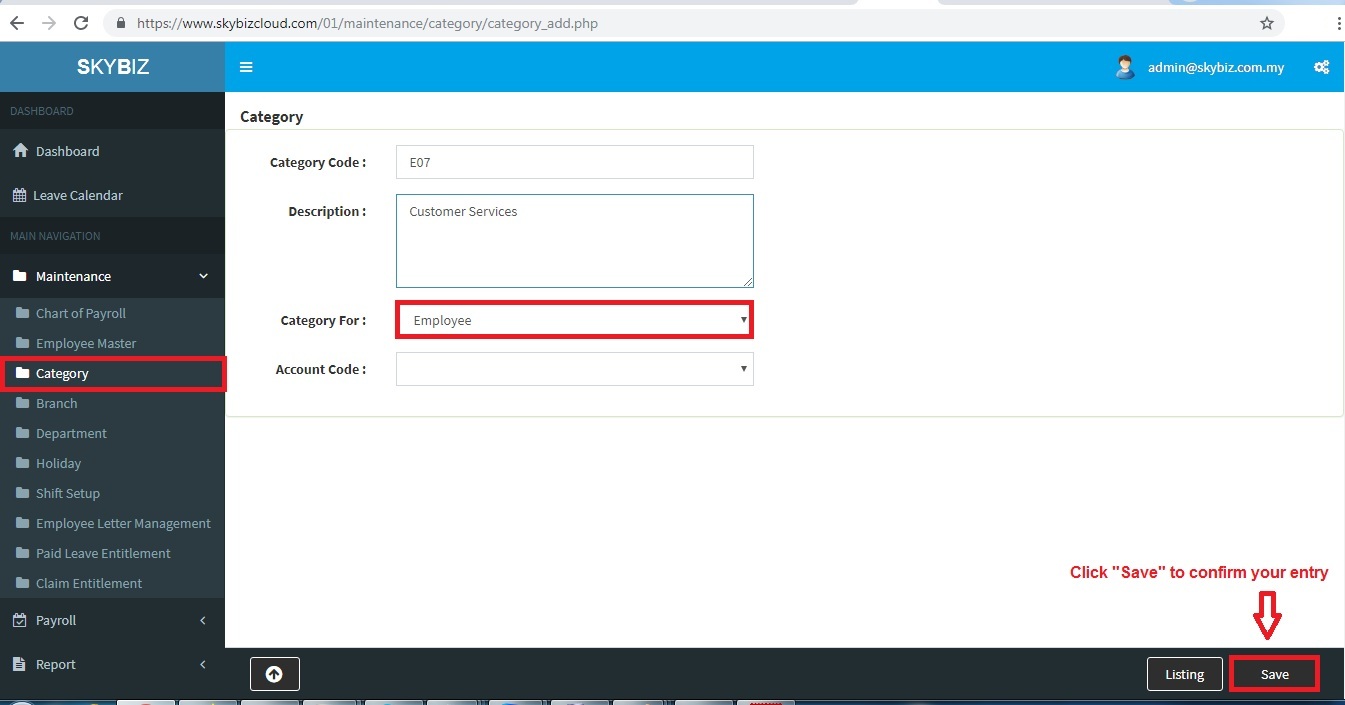
Create new category
- Click “Save” to confirm your entry.
Powered By : SKYBIZ ® Beyond Cloud ™
E-Leave Management System|e-Data PCB