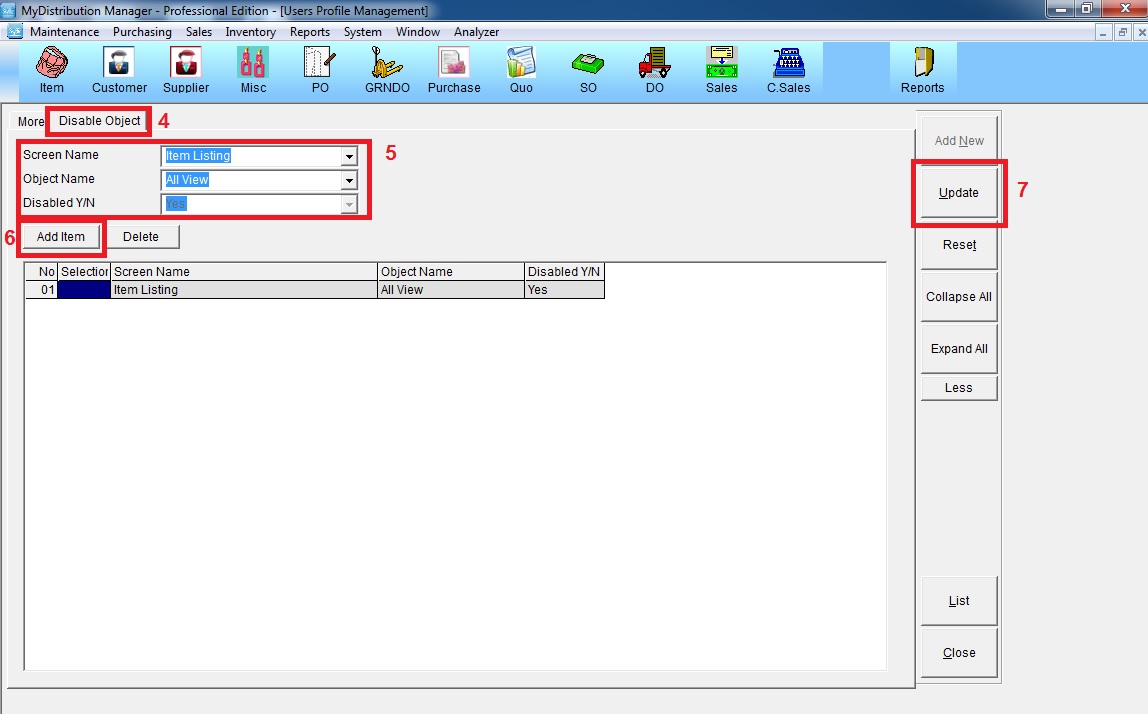
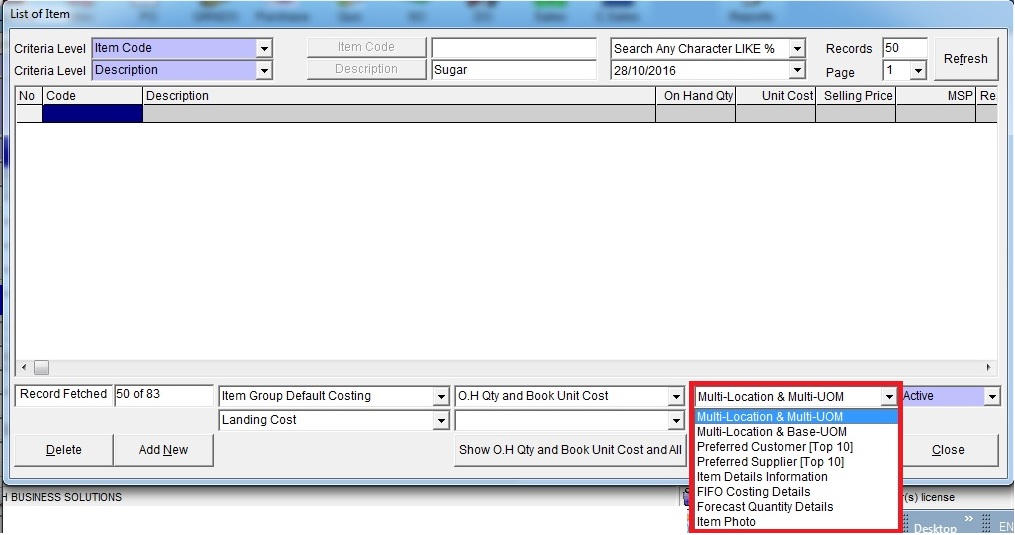
Below are guideline(s) to Disable View Object at Item Listing :
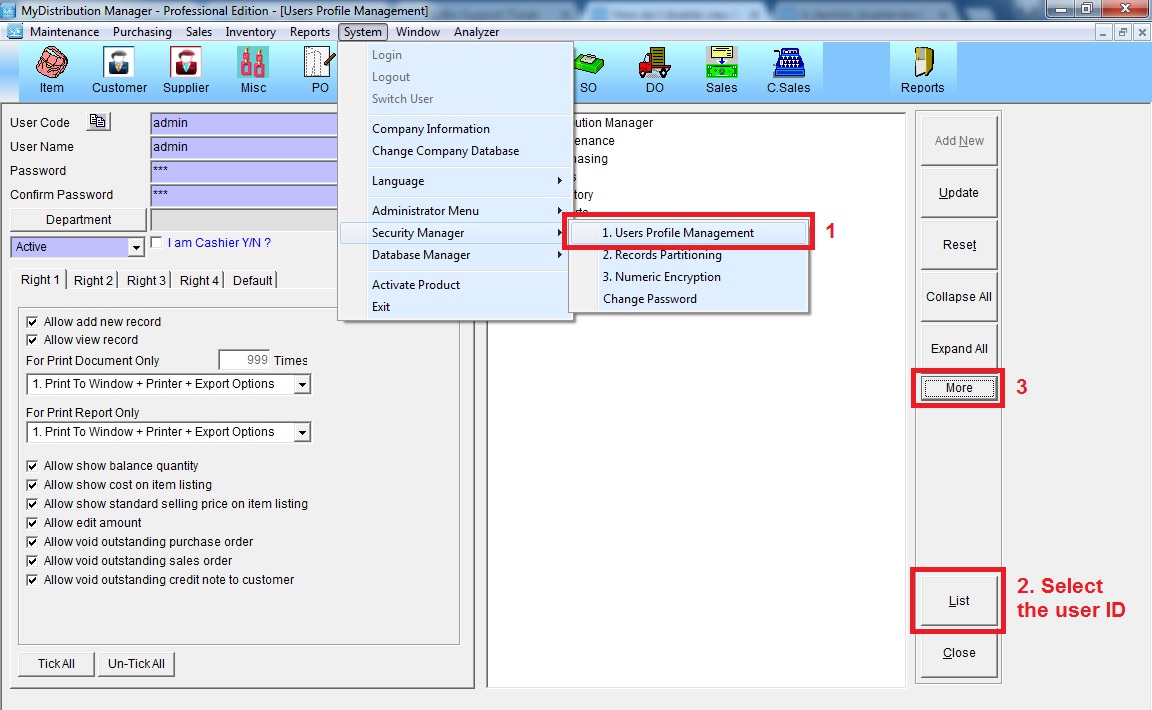
Step 1 : Go to System >> Security Manager >> User Profile Management
Click “List” >> select the user ID >> click “More”
Step 2 : Disable Object
Go to “Disable Object” >> make selection as shown below >> click “Add Item” >> click “Update”