Below are guideline(s) to create Employee Code
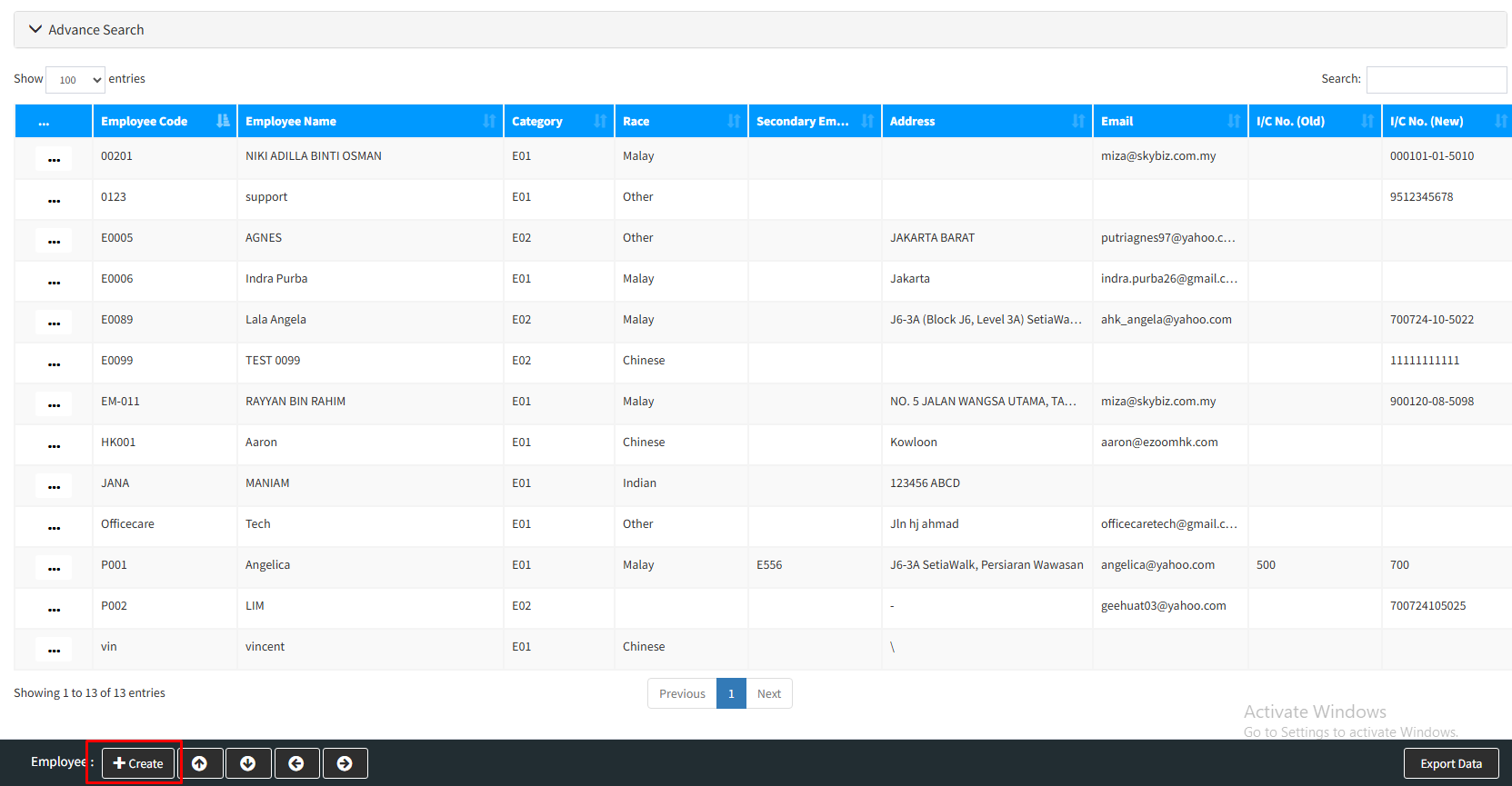
Step 1 : LOGIN SKYBIZ PAYROLL >> go to [ Maintenance ]>> [ Employee Master ]>> [ + Create ]
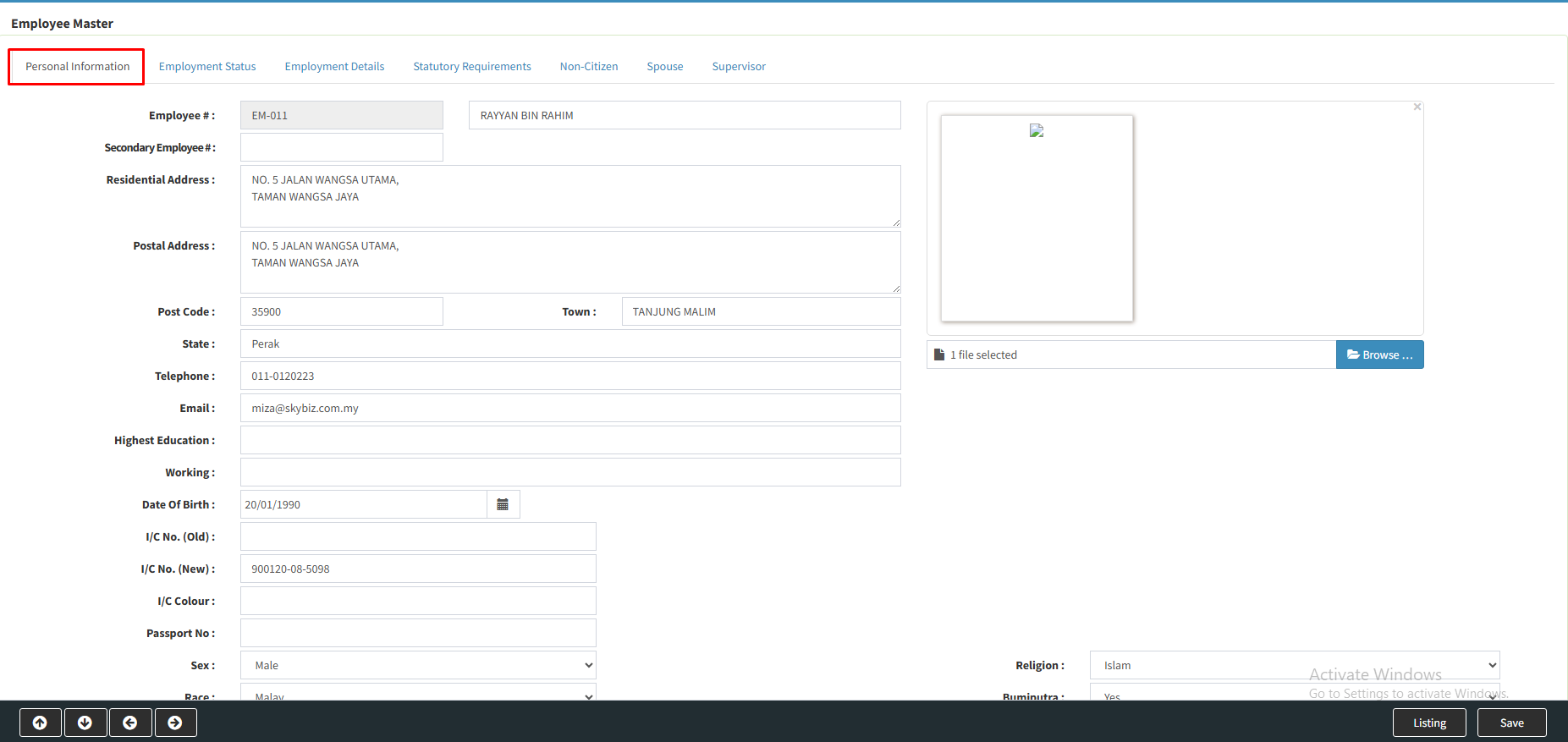
Step 2 : [ Personal Information ] >> Fill in employee code and employee personal information
Step 3 : [ Employment Status ] >> Fill the position of employee in the company

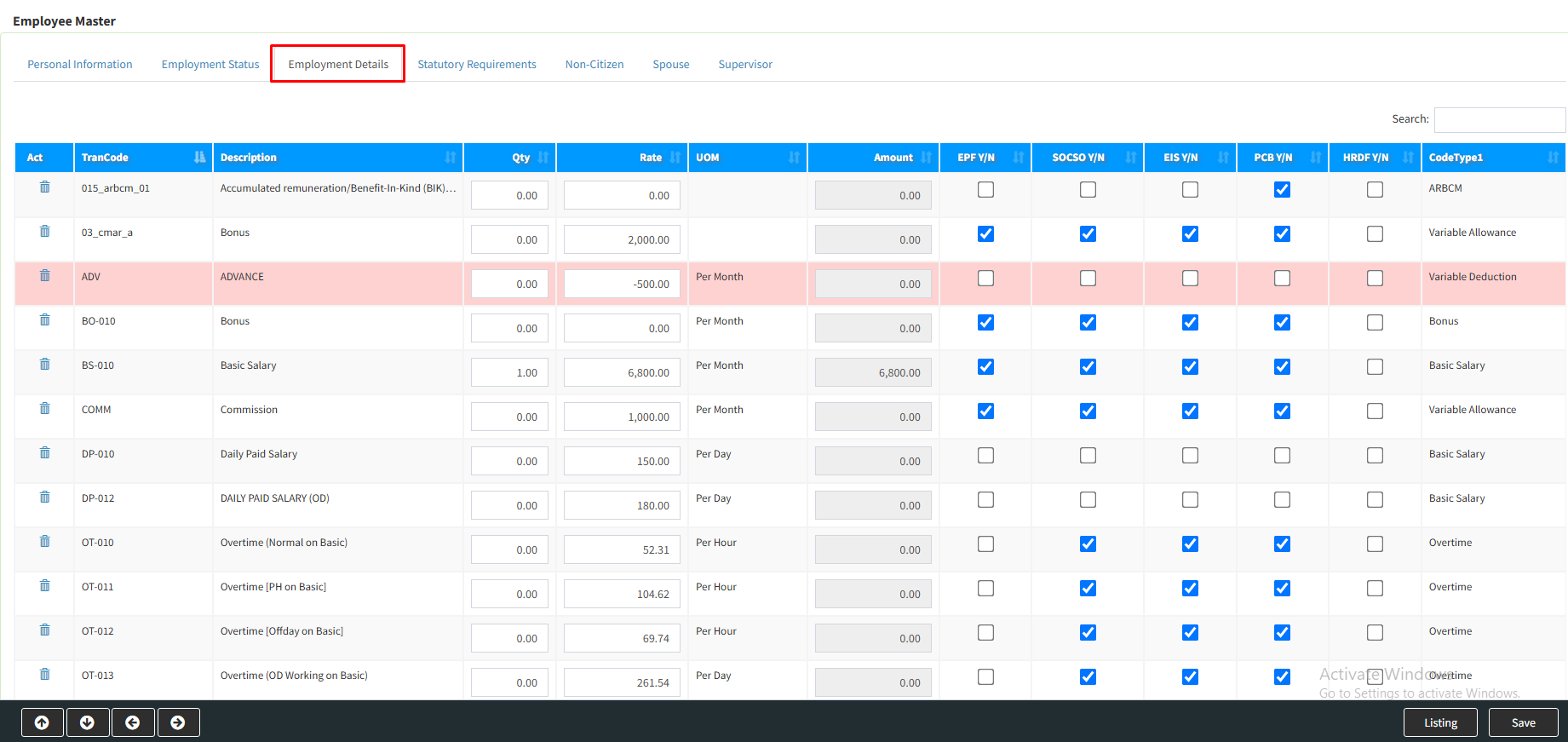
Step 4 : [ Employment Details ] >> Tick 1 or more than 1 benefit(s) that applied to this employee
Step 5 : [ Statutory Requirements ] >> Employee bank and tax information

Step 6 : [ Non Citizen ] >> Nationality Status

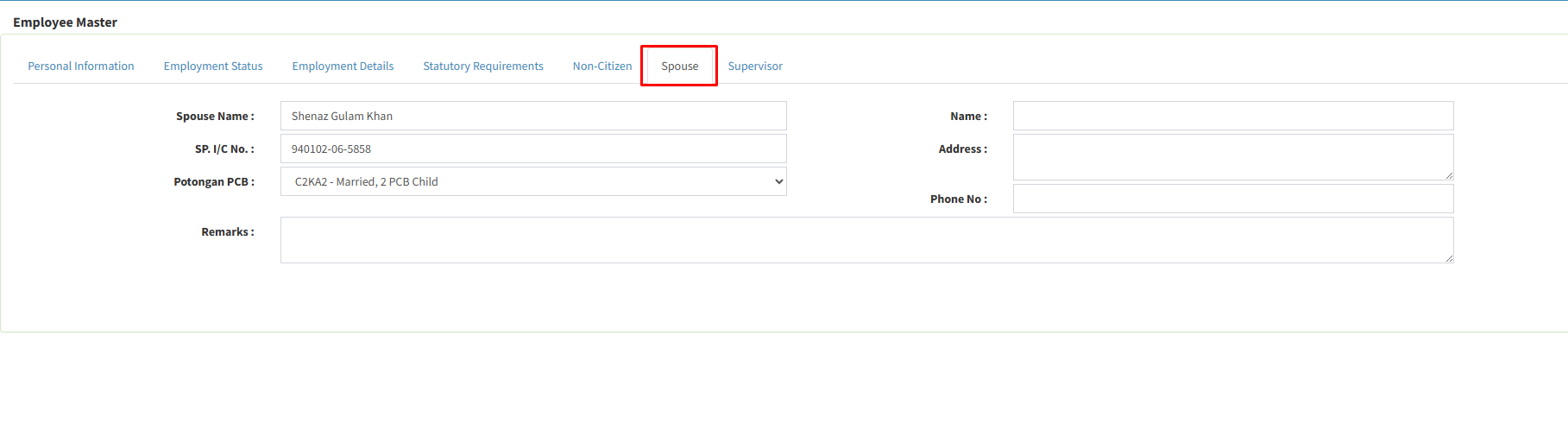
Step 7 : [ Spouse ] >> Spouse’s PCB information
Step 8 : [ Supervisor ] >> Supervisors email to approve employee’s e-Leave >> [ Save ]
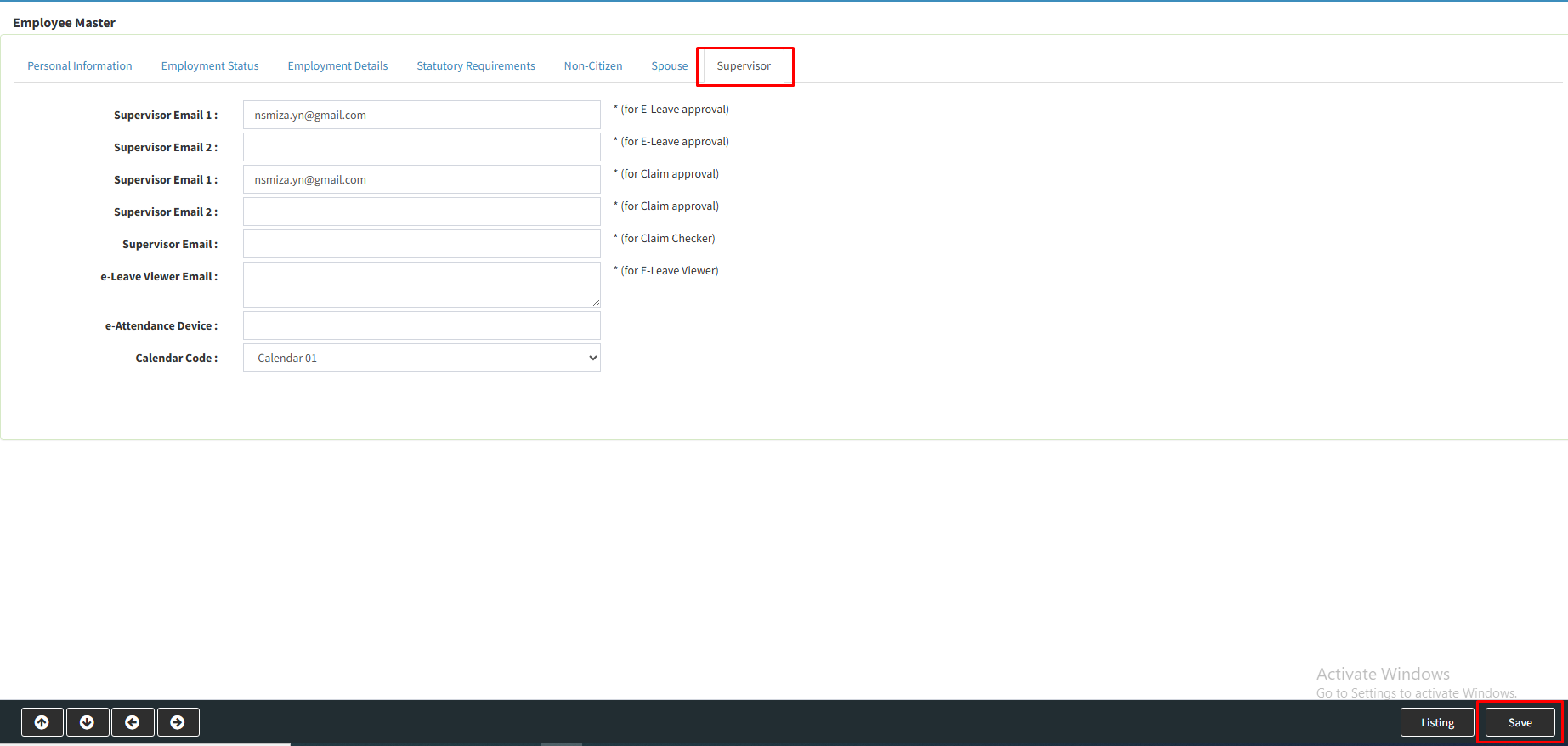
Your Employee Code is successfully created.