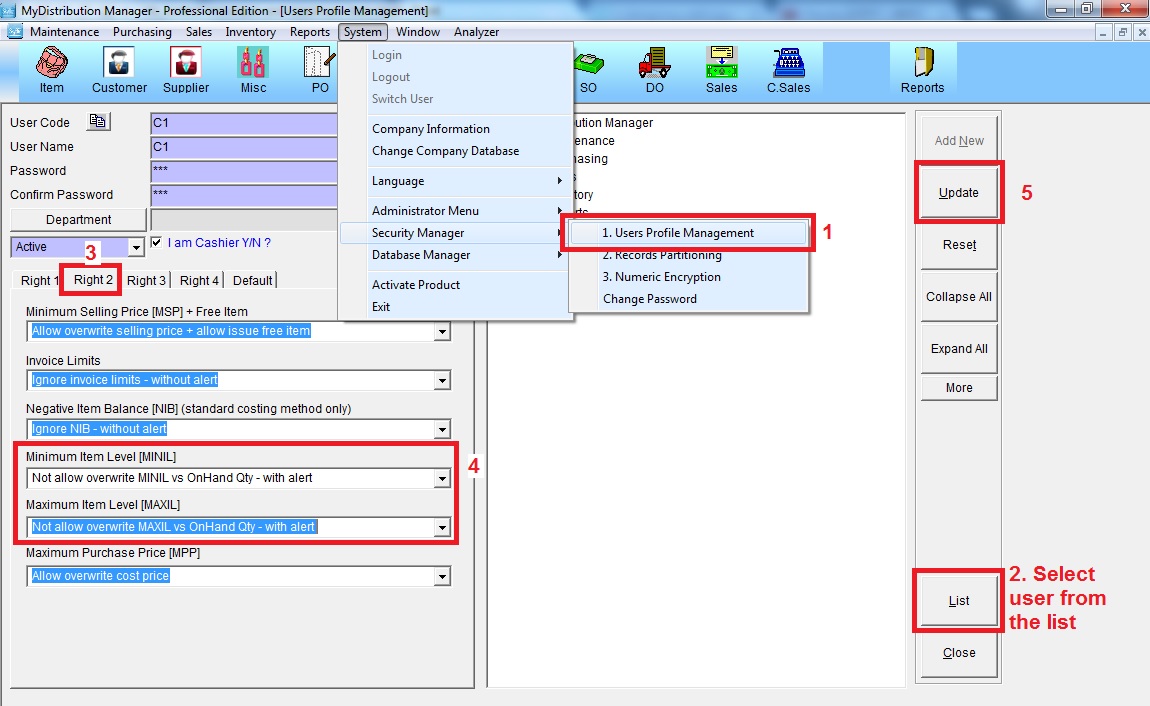
Below are guideline(s) to Control Minimum and Maximum Item Level :
1. Go to System >> Security Manager >> User Profile Management
2. Choose user ID from list
3.- Minimum item level (MINIL) choose “not allow overwrite Minil vs Onhand qty – with alert”
– Maximum item Level (MAXIL) choose “not allow overwrite Maxil vs Onhand qty – with alert”
4. Click “Update”