Below are guideline(s) to amend existing chart of payroll :
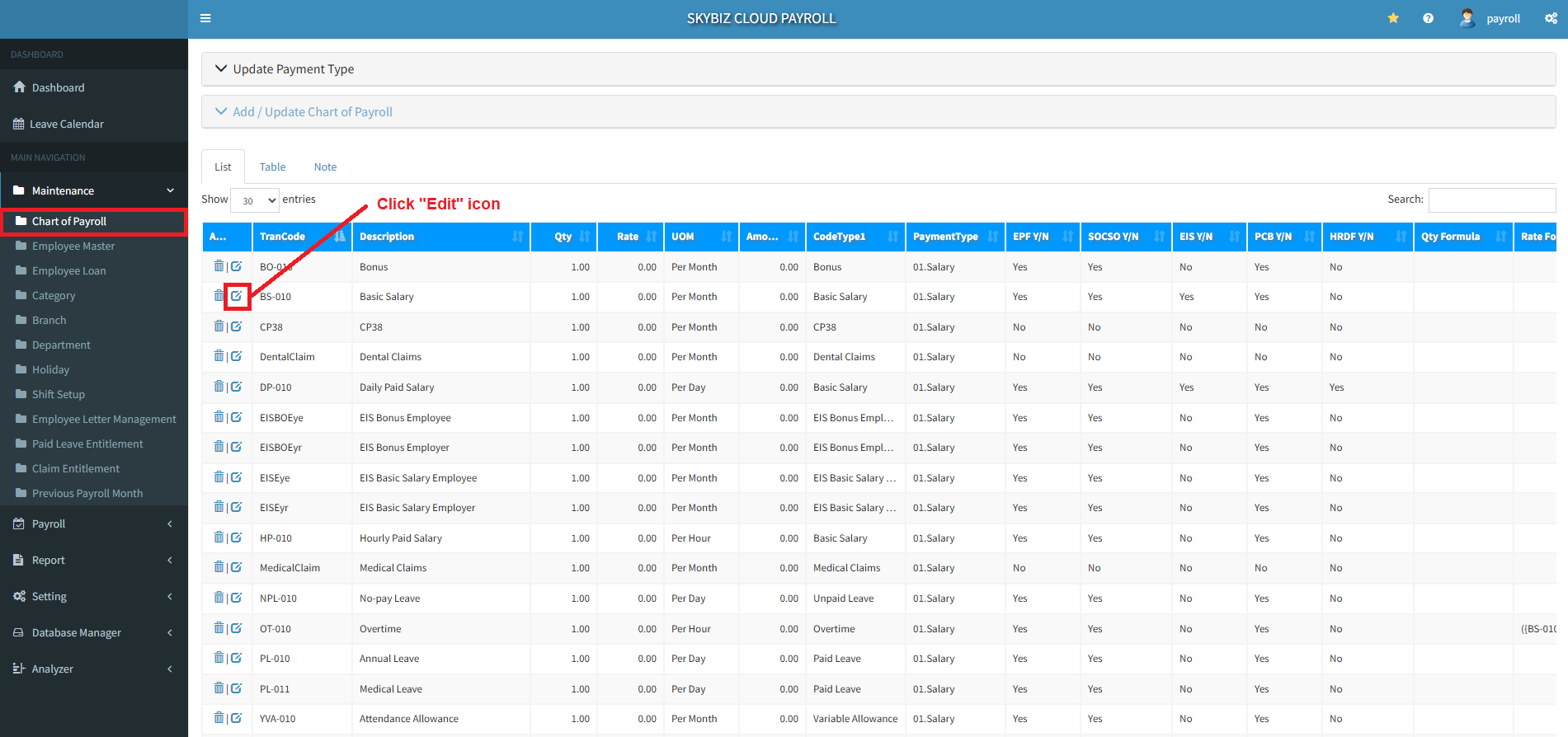
1. Login to Payroll Management portal and then go to menu “Maintenance >> Chart of Payroll“.
2. Select Code and click an Edit icon to be amend.
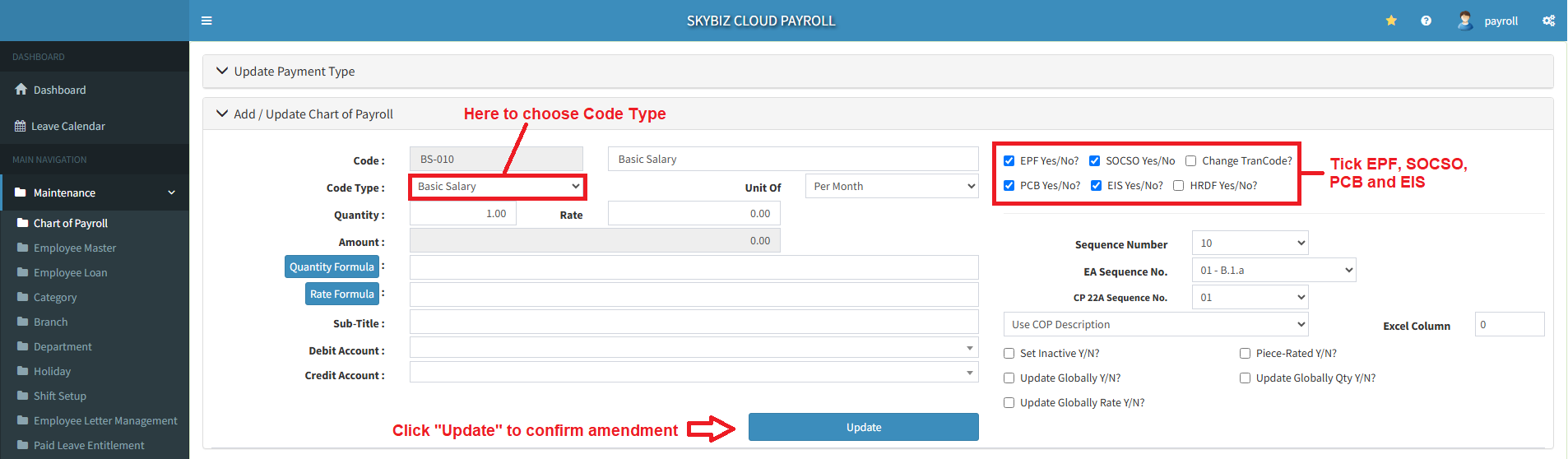
3. Choose the Code Type that you want to amend and make sure to tick the box of EPF, SOCSO, PCB and EIS if include.
4. Click “Update” to confirm amendment.
Powered By : SKYBIZ ® Beyond Cloud ™