Below are guideline(s) to Change User Profile Password :
Step 1: Go to System >> Security Manager >> User Profile Management
Step 2: Choose user from the list >> change password >> click “Update”
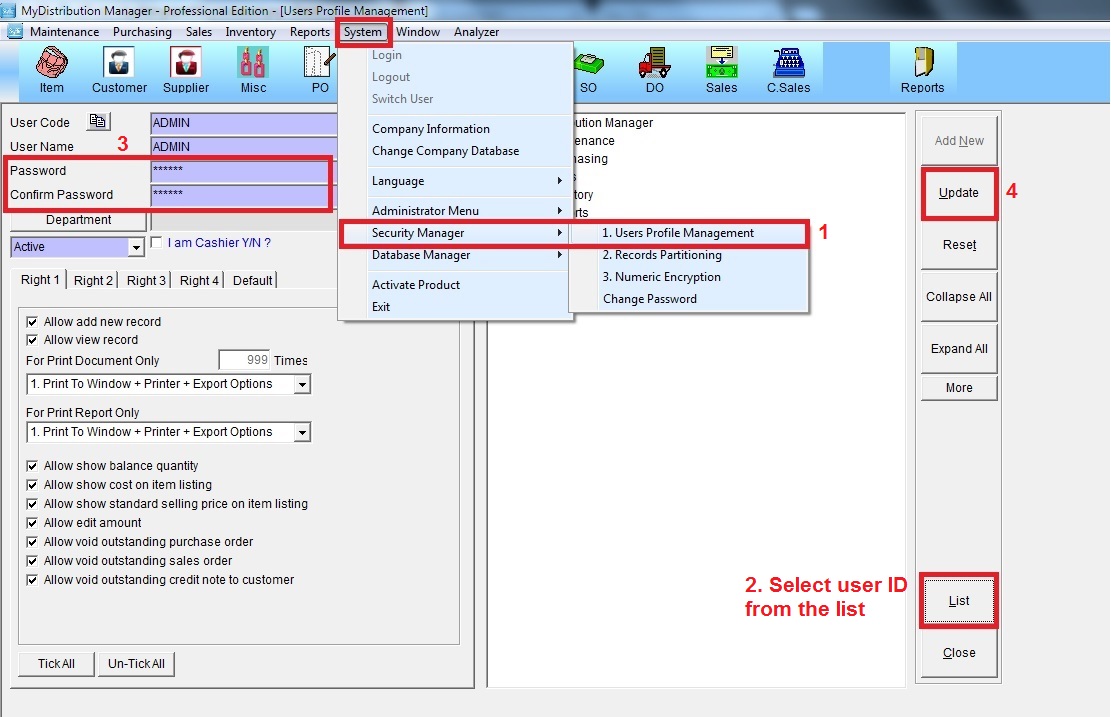
Below are guideline(s) to Change User Profile Password :
Step 1: Go to System >> Security Manager >> User Profile Management
Step 2: Choose user from the list >> change password >> click “Update”