Below are guideline(s) for user block “delivery order” entry if customer outstanding has reach limit
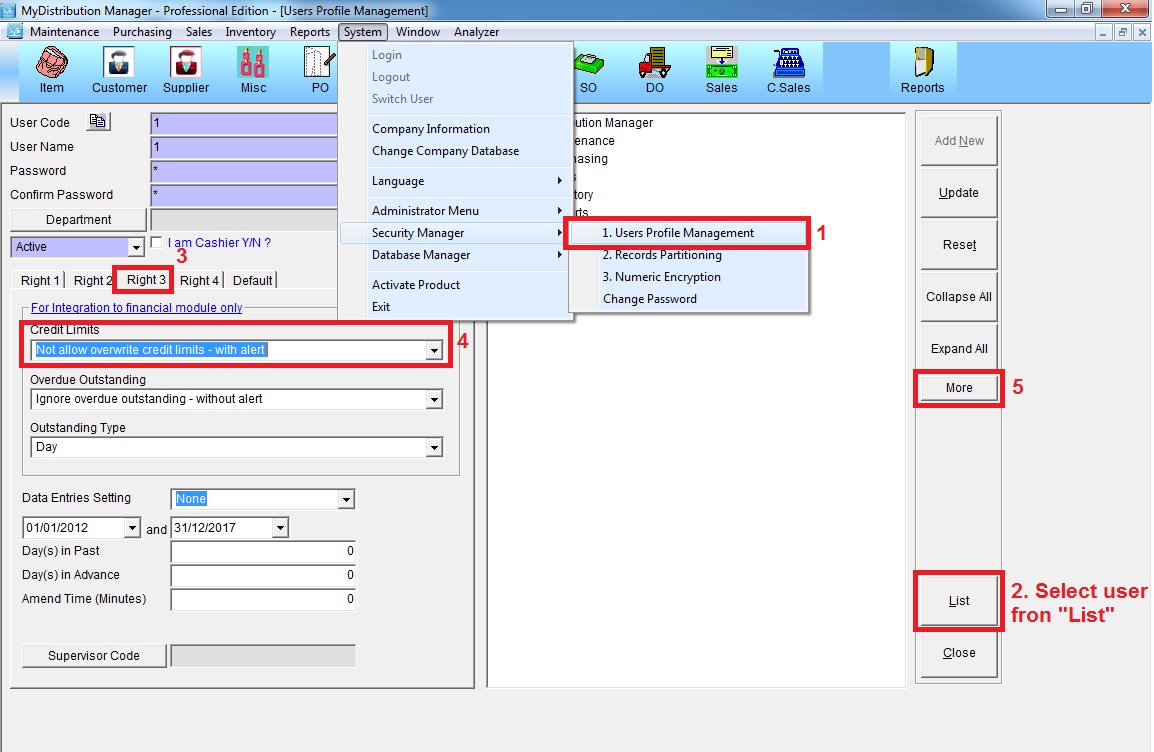
Step 1 : Go to System >> Security Manager >> User Profile Management
Select user ID from “List” >> go to “Right 3” >> select “Not allow overwrite credit limits – with alert” >> click “More”
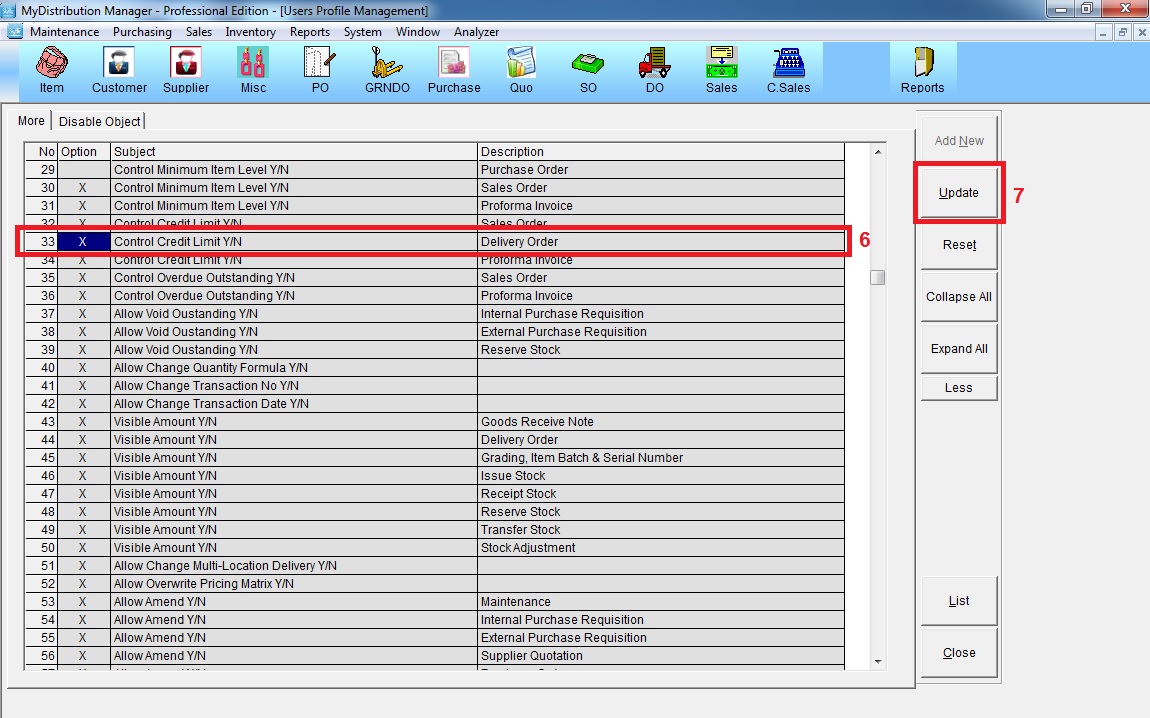
Step 2 : Mark “X” to activate blocking control limit on Delivery Order >> click “Update”