Below are guideline(s) to eAttendance Clocking Setup :
1. Go to Play Store install “SkyBiz eLeave“app.

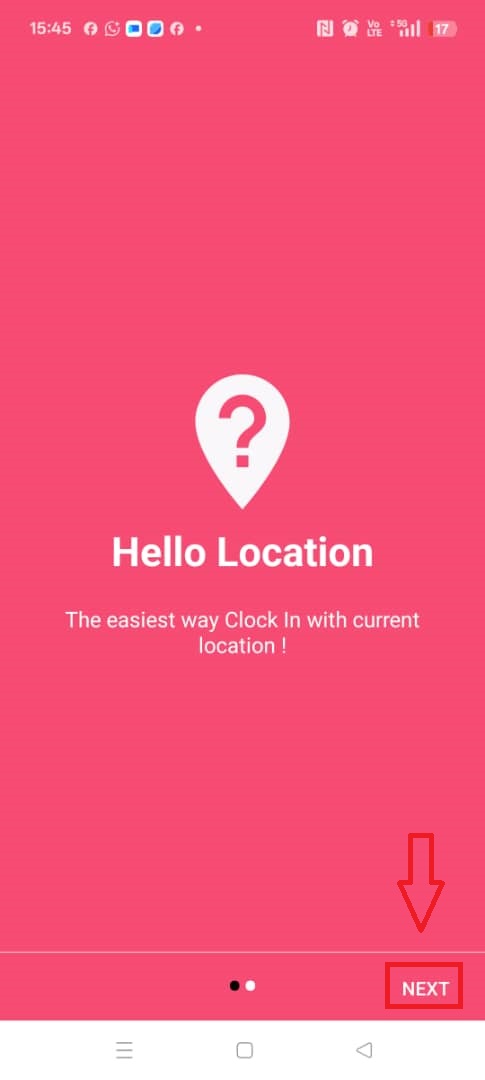
2. Enter SkyBiz eLeave app, click the “NEXT” at the bottom.
3. People without a project use the store code and client secret, while those with a project use the store code “payrollproject“.
4. Click “START”

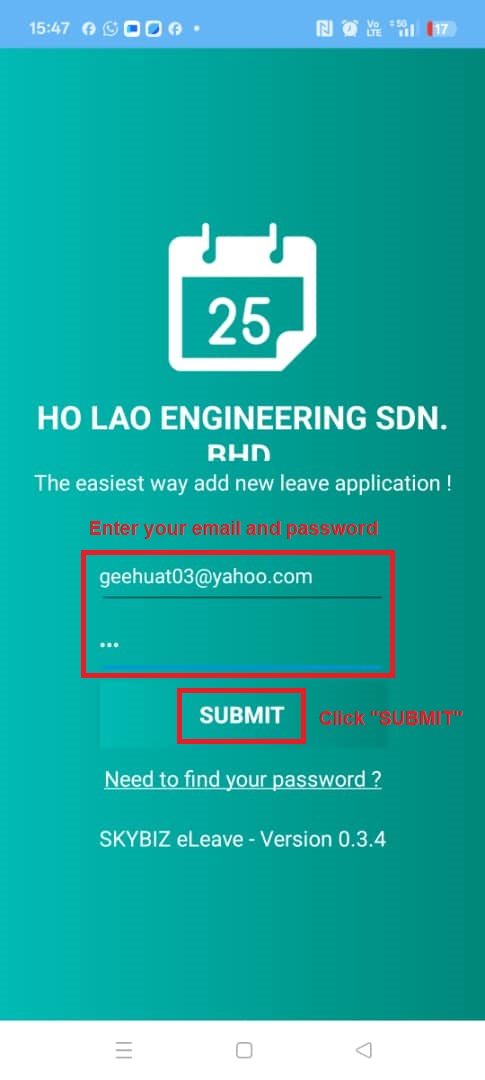
5. Fill in your email and password “123“. After that, click “SUBMIT“.
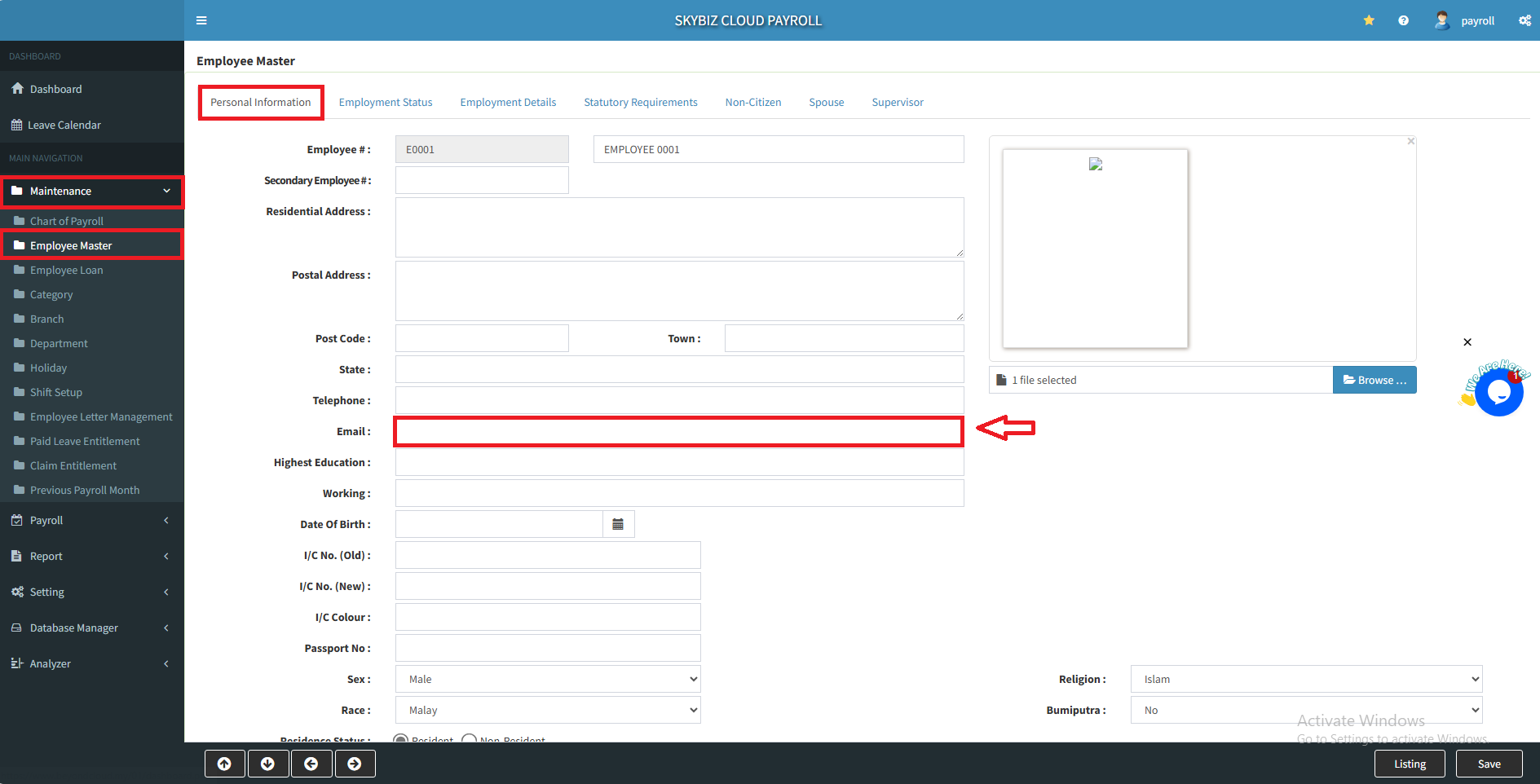
6. For the email, you may go to “Maintenance” >> “Emplayee Master“, in the Personal Information refer your email there.
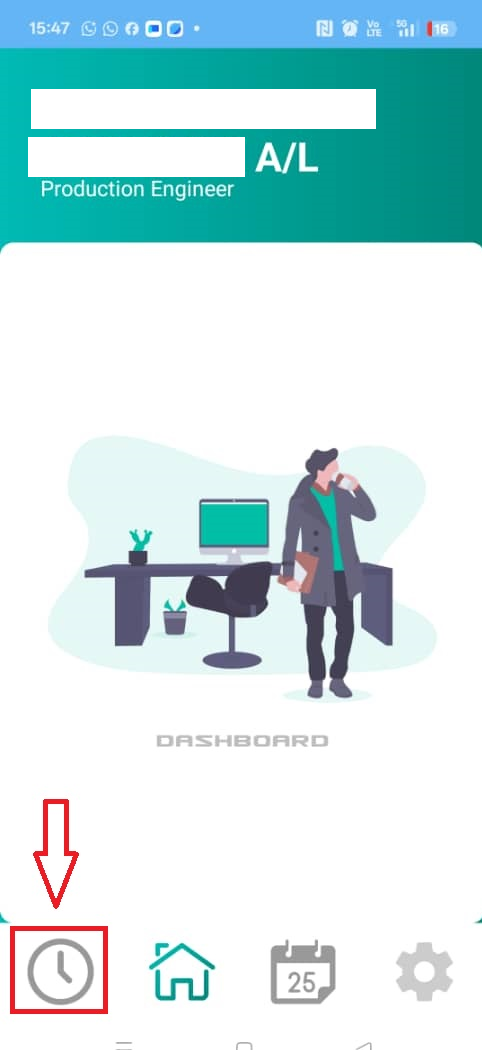
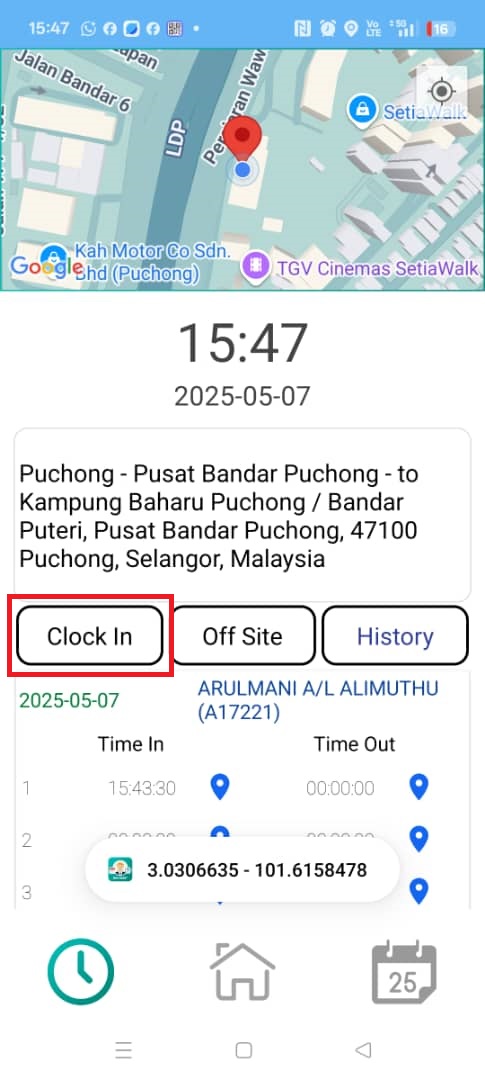
7. After login, click the clock icon.
8. Click “Clock In“.
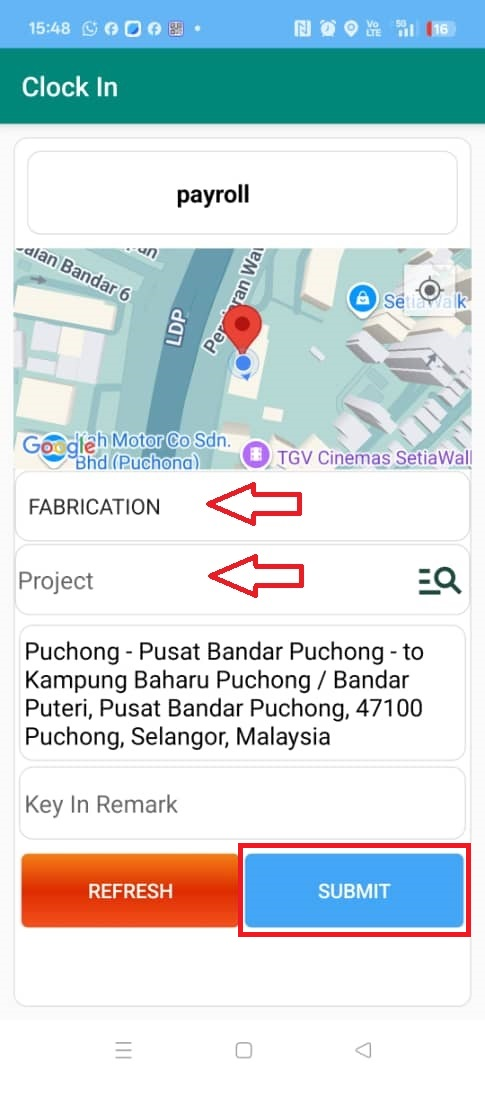
9. Select your Job Type and Project. Last, click “SUBMIT“.
Powered By : SKYBIZ ® Beyond Cloud ™