Below are Guideline(s) to Setting Leave Days in advance or backward date :
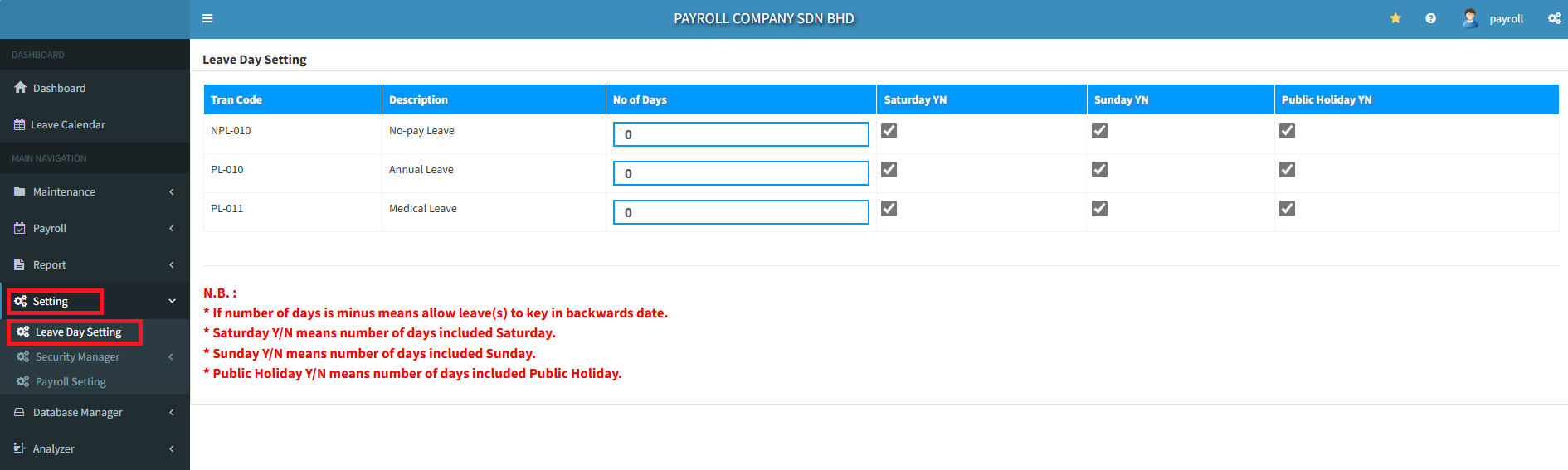
- Click menu “Setting>>Leave Day Setting“.
- If number of days is minus means allow leave(s) to key in backward date.
- Saturday Y/N means number of days included “Saturday“.
- Sunday Y/N means number of days included “Sunday“.
- Public Holiday Y/N means number of days included “Public Holiday“.
Powered By : SKYBIZ ® Beyond Cloud ™