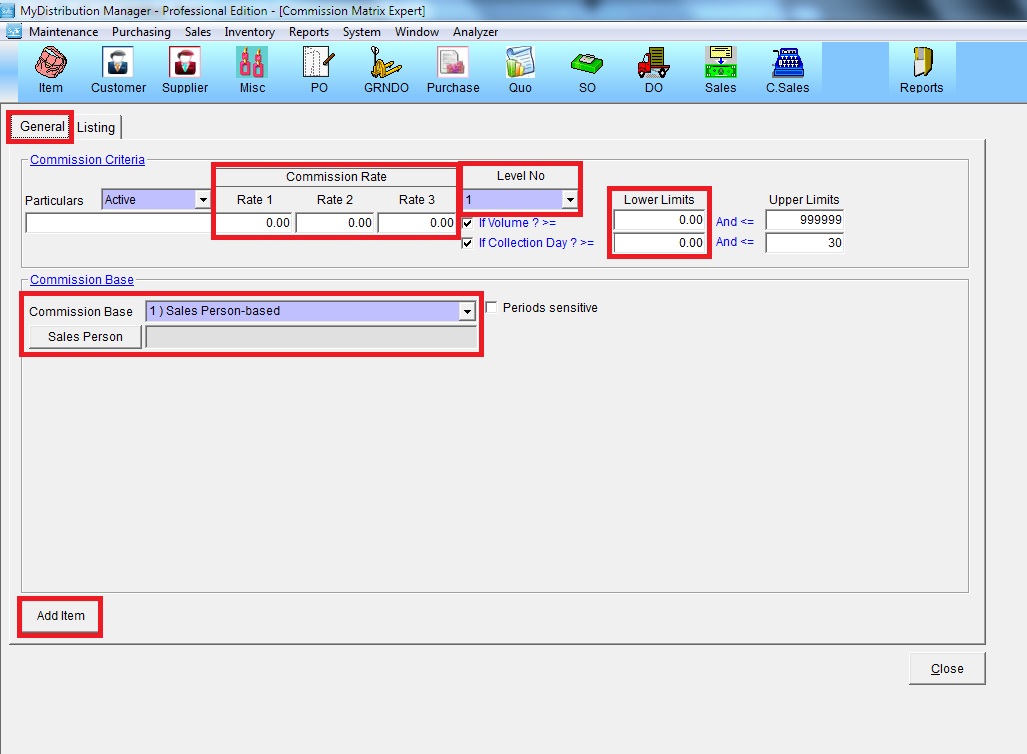
Below are guideline(s) to Set Commission Matrix Expert
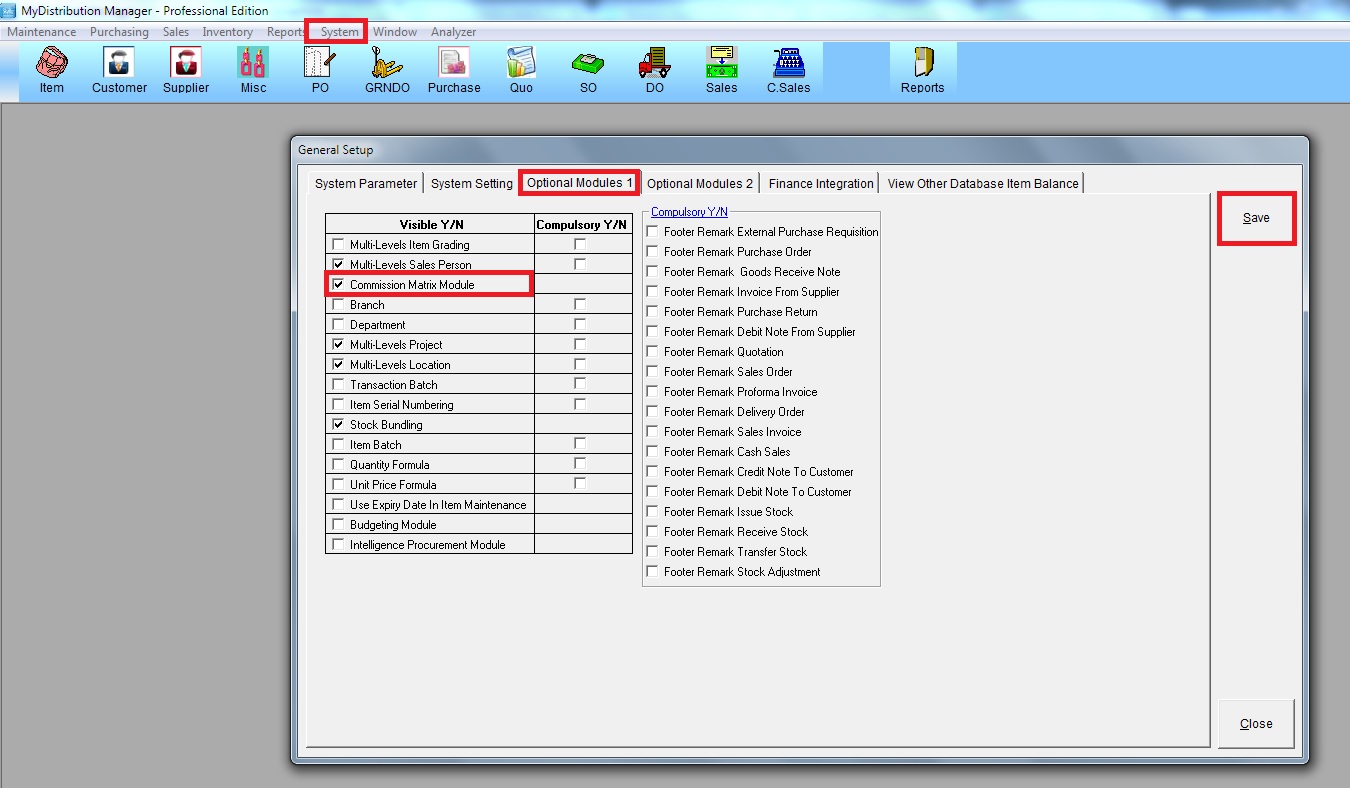
Step 1: Go to System >> Administrator Menu >> General Setup >> Optional Modules 1
Tick “Commission Matrix Module” >> click “Save”
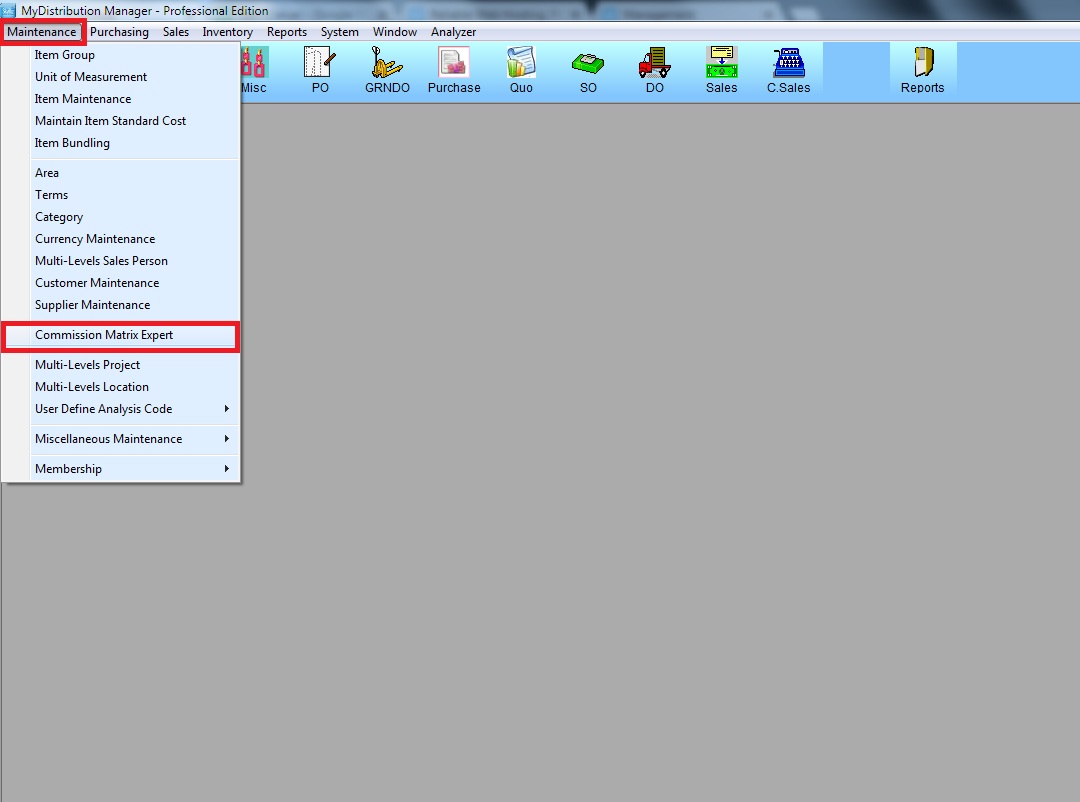
Step 2: Go to Maintenance >> Commission Matrix Expert
Step 3: Go to “General”, key in all the required information
a. Commission Rate
b. Choose Level No
c. Lower Limits
d. Choose Commission Base and Sales Person
then, click “Add Item”