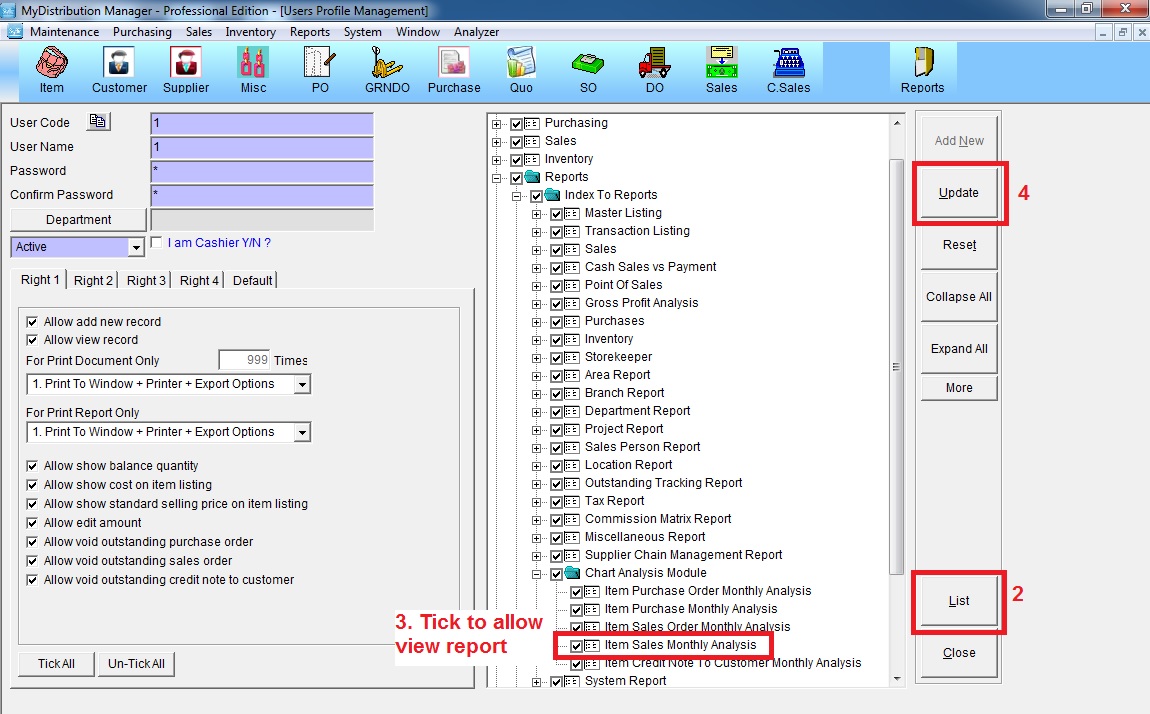
Below are guideline(s) to set Authorities for User to Access Item Sales Monthly Analysis Report :
Step 1 : Go to System >> Security Manager >> User Profile Management

Step 2 : Select user ID from “List” >> expand “Reports” >> “Index to Reports” >> “Chart Analysis Module” >> tick “Item Sales Monthly Analysis” to allow access >> click “Update”