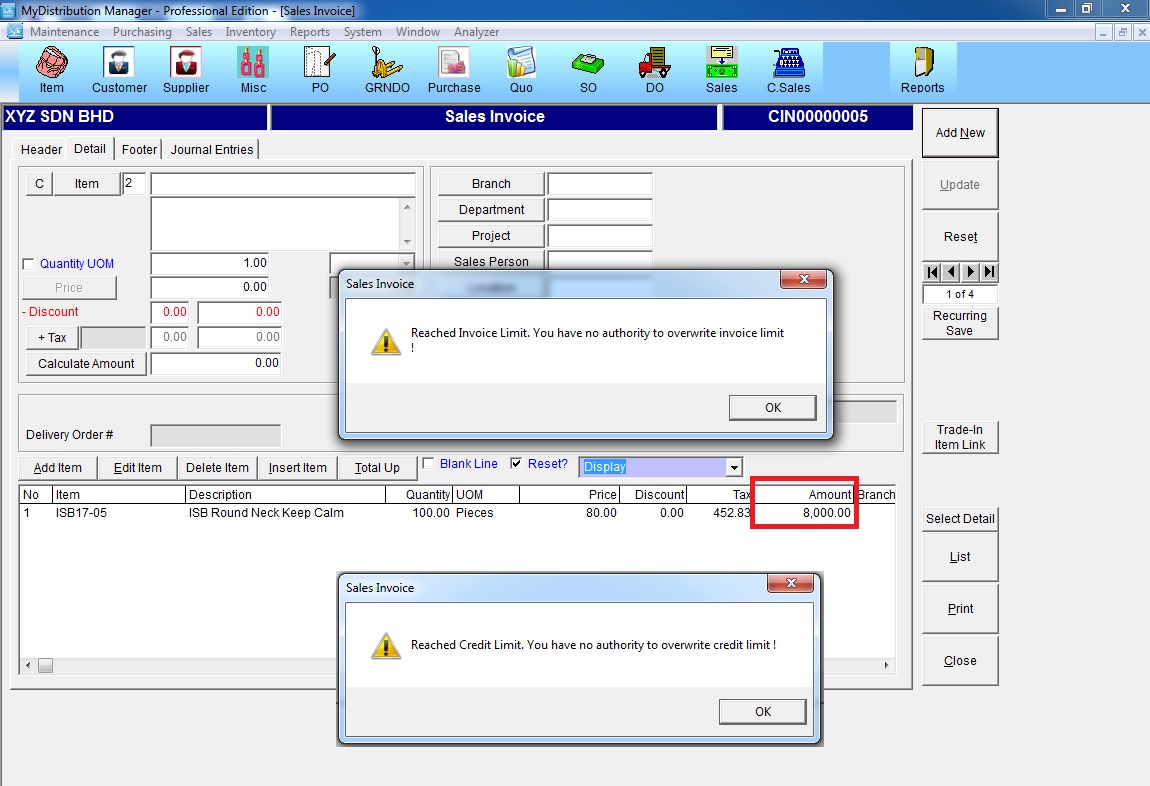
Below are guideline(s) to control Credit Limit & Invoice Limit in Sales Invoice :
Step 1: Set authorities for user to overwrite invoice / credit limit
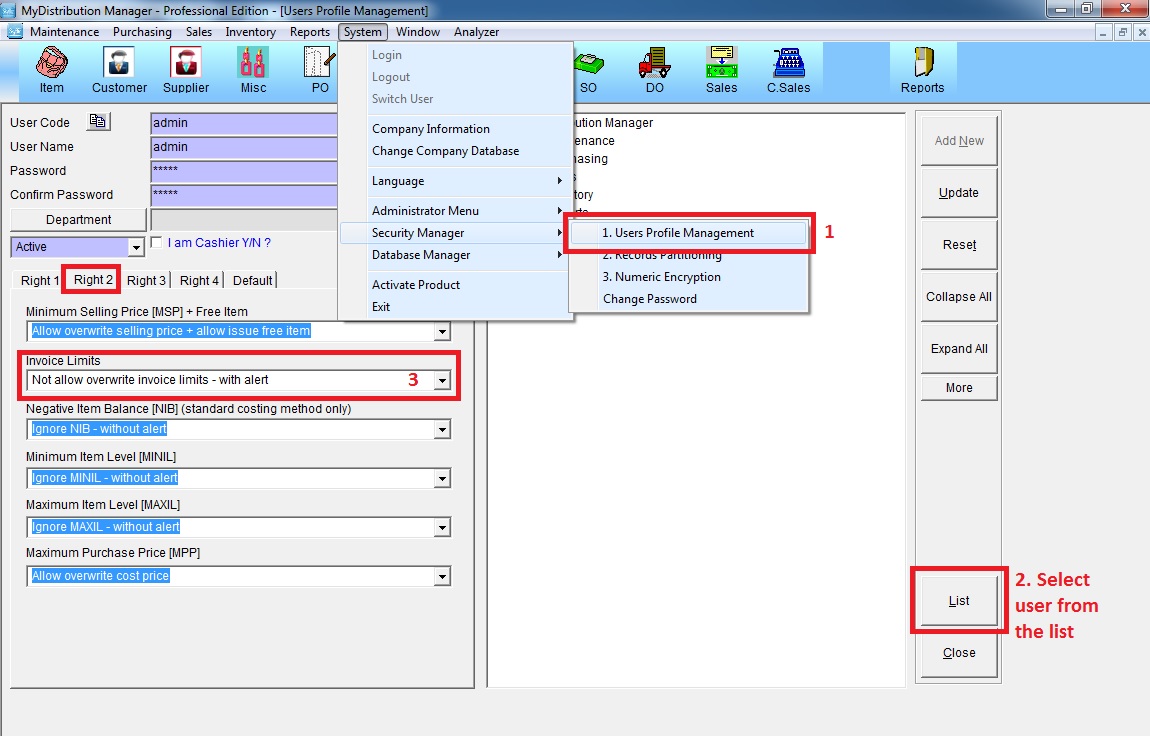
a. Go to System >> Security Manager >> User Profile Management
b. Choose the user from the list
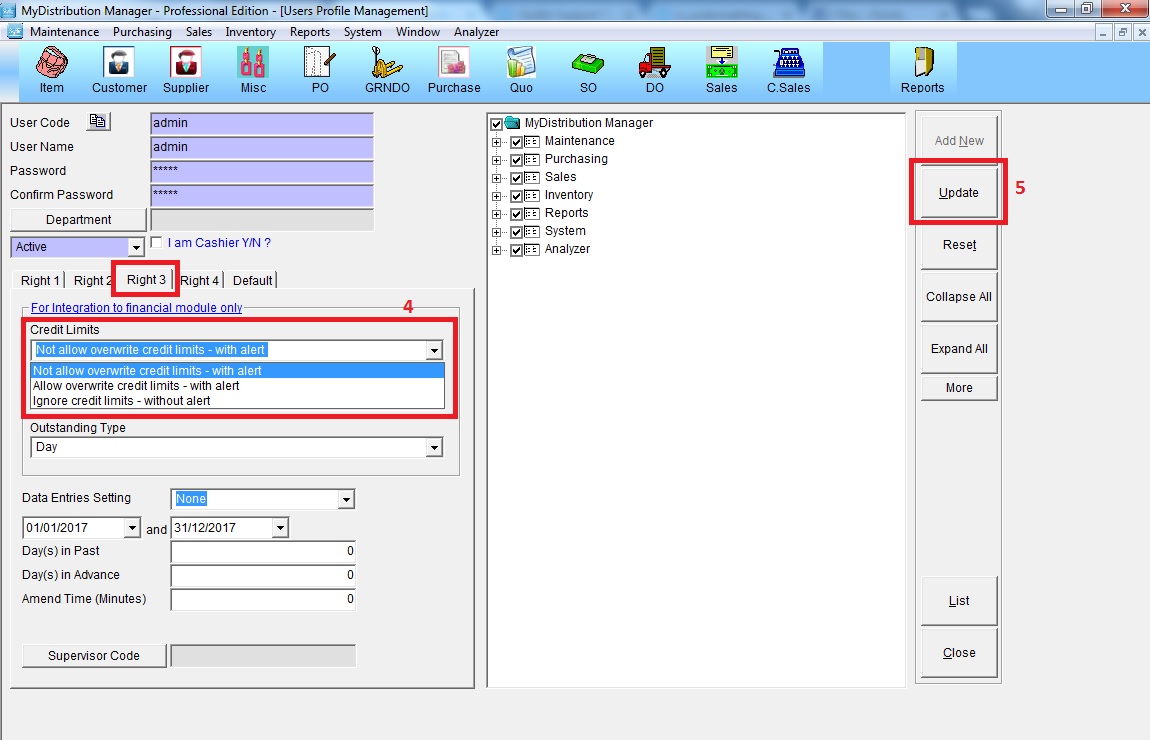
c. Go to “Right 2″ and Right 3” >> select the allowance to overwrite Invoice / Credit limit
d. Click “Update”
Step 2: Fill in amount of Invoice & Credit limit for each customer
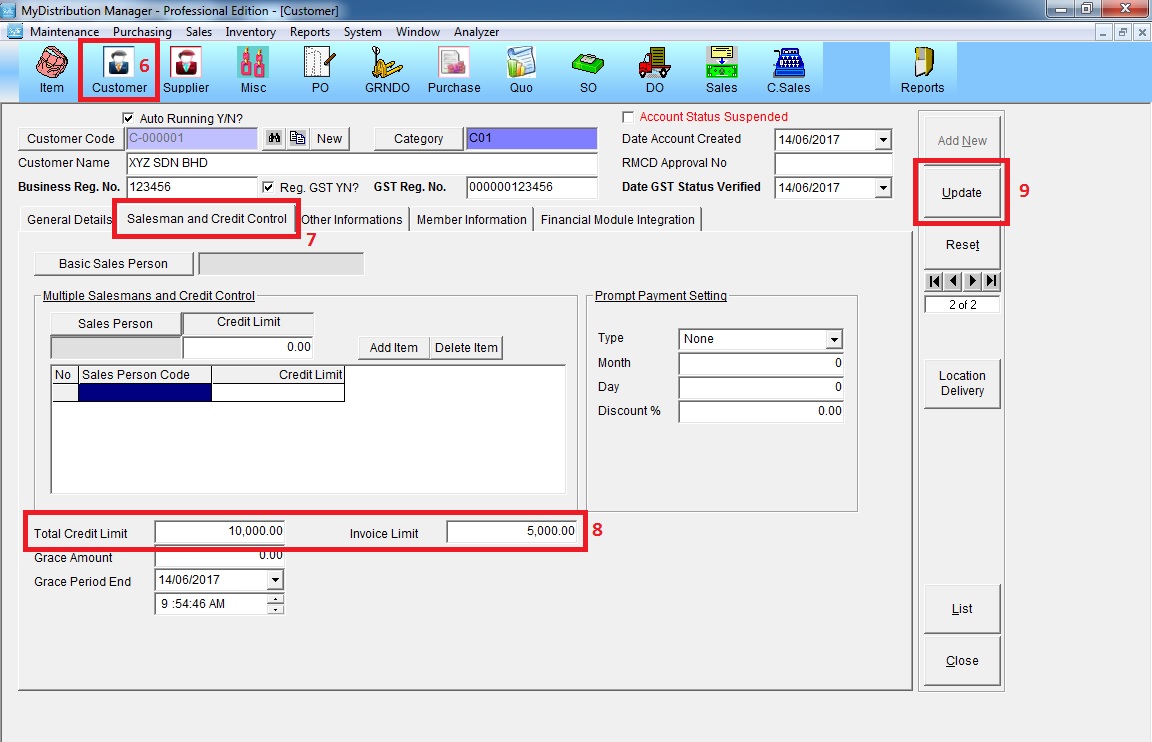
Go to Customer >> Salesman and Credit Control >> key in amount of invoice and credit limit >> click “Update”
Step 3: if invoice price overwrite invoice limit or credit limit, an alert message will show “Reached invoice Limit” or “Reached Credit Limit”