This module is to allow you create any allowances (such as attendance, transport allowance) or deduction (such as lateness deduction) to staff.
Below are guideline(s) to Create Chart Of Payroll :
1. Go to “Maintenance >> Chart of Payroll>>Expand tab Add / Update Chart of Payroll.
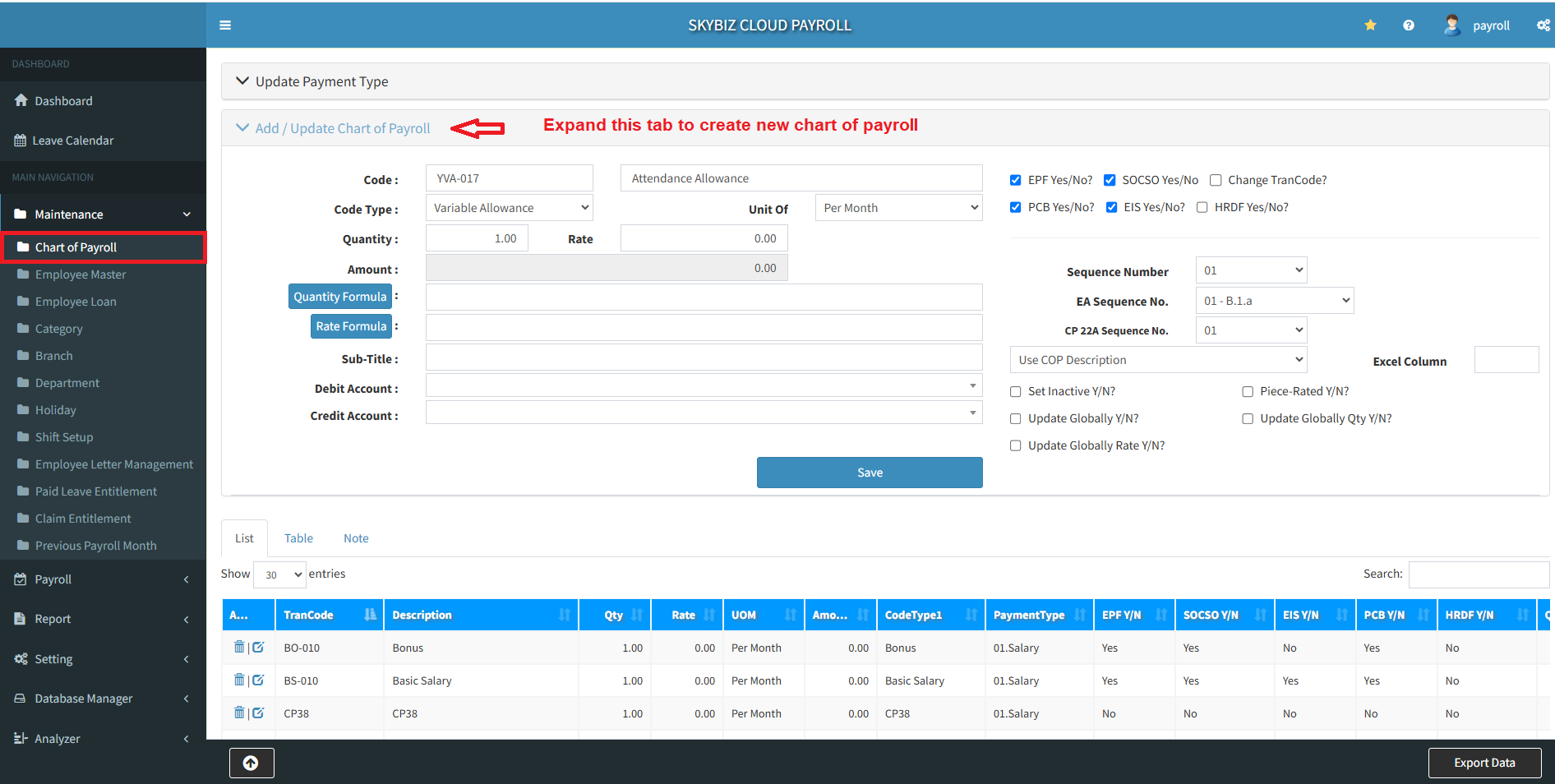
2. Preset the Code, Payroll Description, Tick (EPF, SOCSO, EIS, PCB and HRDF) to get calculated into the salary calculation.
3. Define the Code Type (such as Variable Allowance/Fixed Allowance). Variable Allowance is a non-fixed allowance, the amounts can vary from month to month. Please take note that PCB calculation results will have a minor differences between variable allowance and fixed allowance.
4. Click button Save to proceed new chart of payroll.
Powered By : SKYBIZ ® Cloud Payroll