Below are Guideline(s) to Create New User ID on Payroll
Step 1 : LOGIN SKYBIZ PAYROLL >> go to [ Setting ] >> [ Security Manager ] >> [ User Profile Management ] >>
Step 2 : Fill in New user information & Create Password >>
Step 3 : Tick which modules/ Rights and Category that allowed user to access >>
Step 4 : On the lower part Tick the [ user ] that you are allowed to view.
Step 5 : Click [ Add New ]
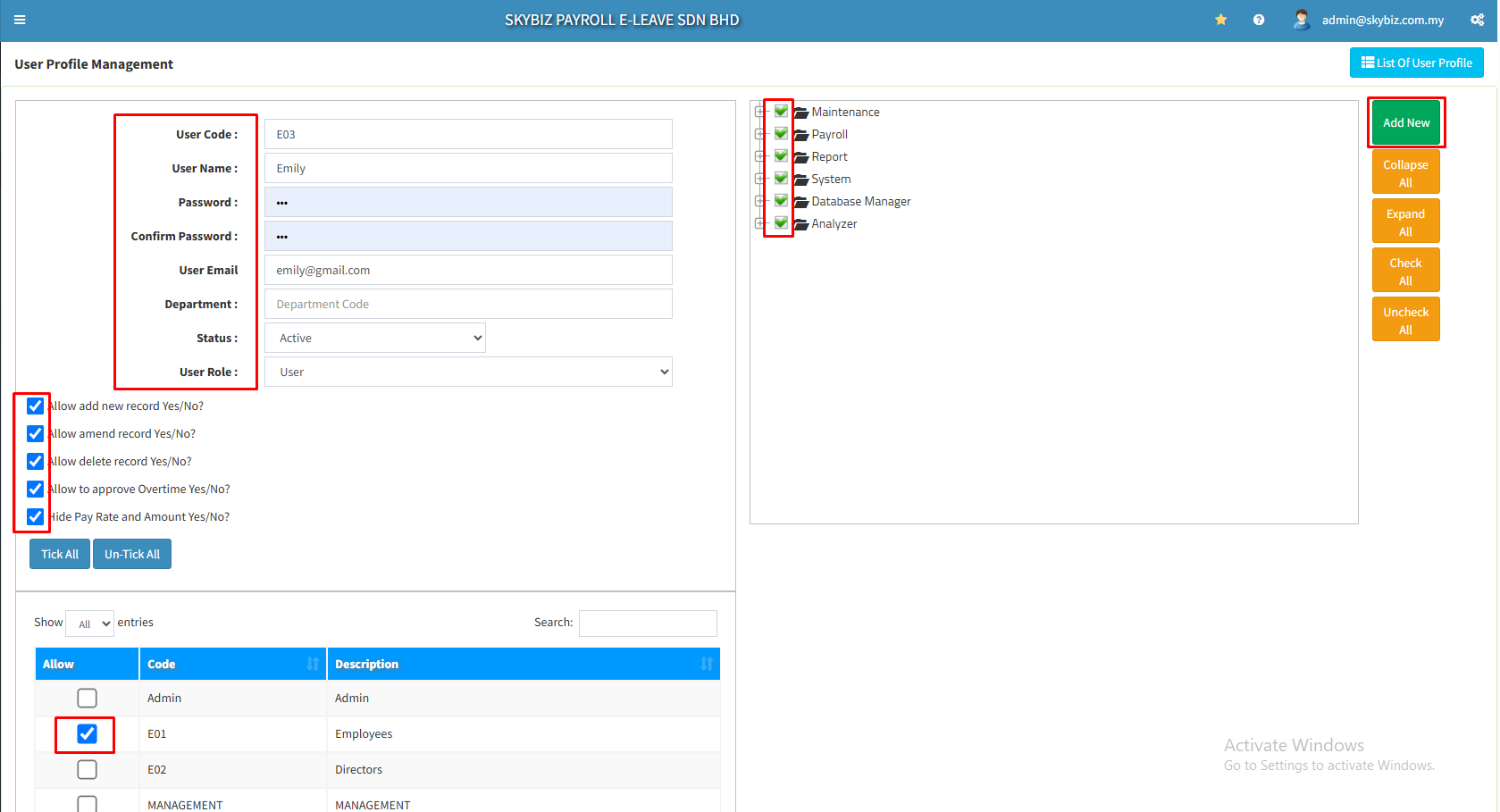
Your New User is successfully created.