Below is a guideline(s) is showing how to upgrade the SkyBiz System on V1.
On your device, go to the browser “https://www.skybiz.my/” and then Key in the email address and password.
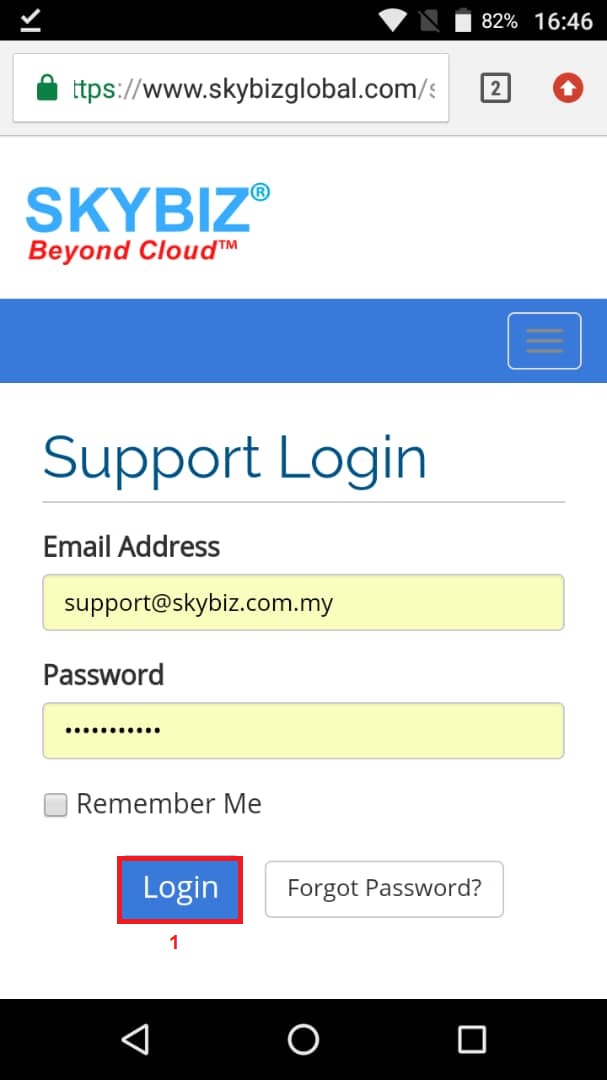
Login Support
After login choose “Other Download”
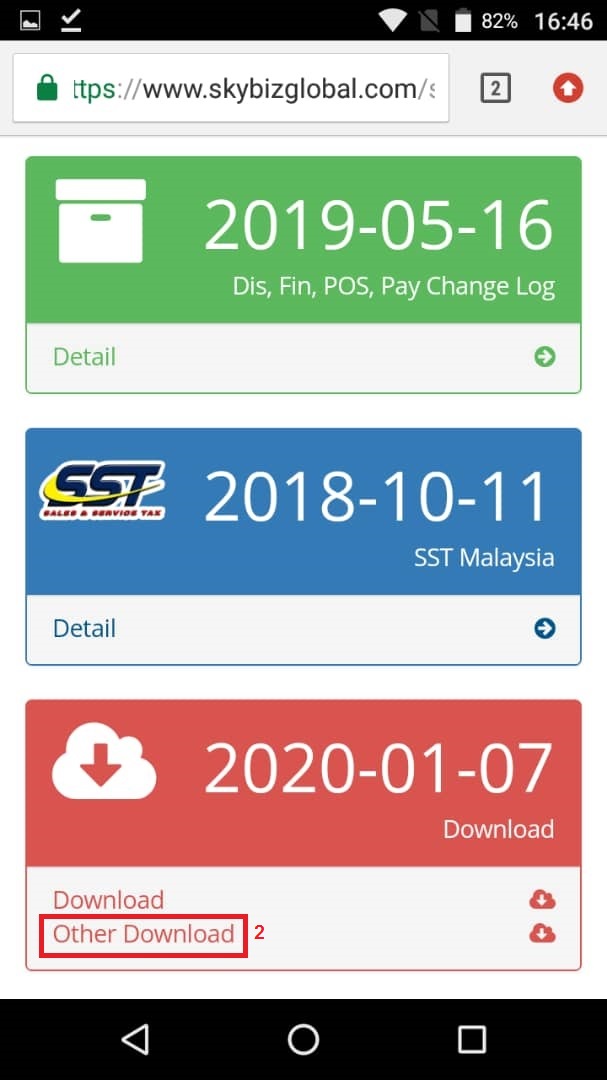
Other download
Find and_skybiz_cash_vf.apk and download.
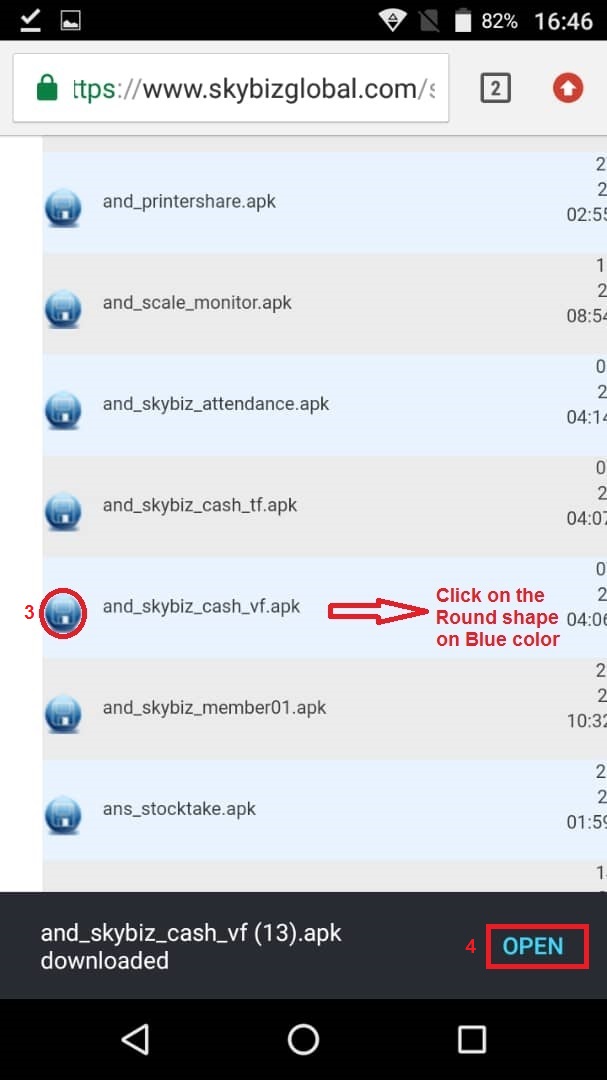
and_skybiz_cash_vf.apk
After download, click on OPEN
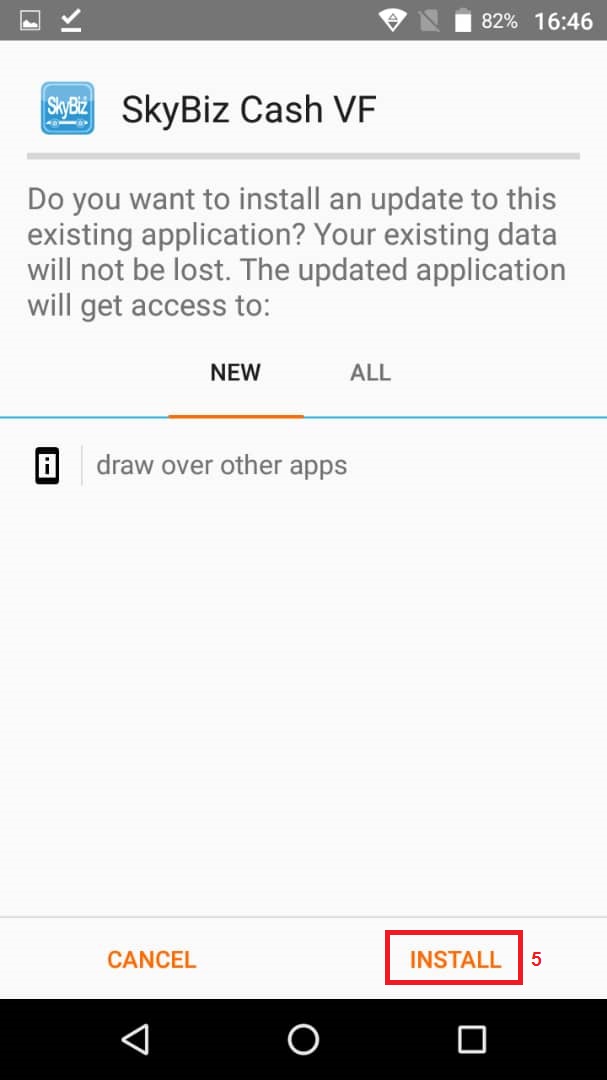
Install
Click Install and wait
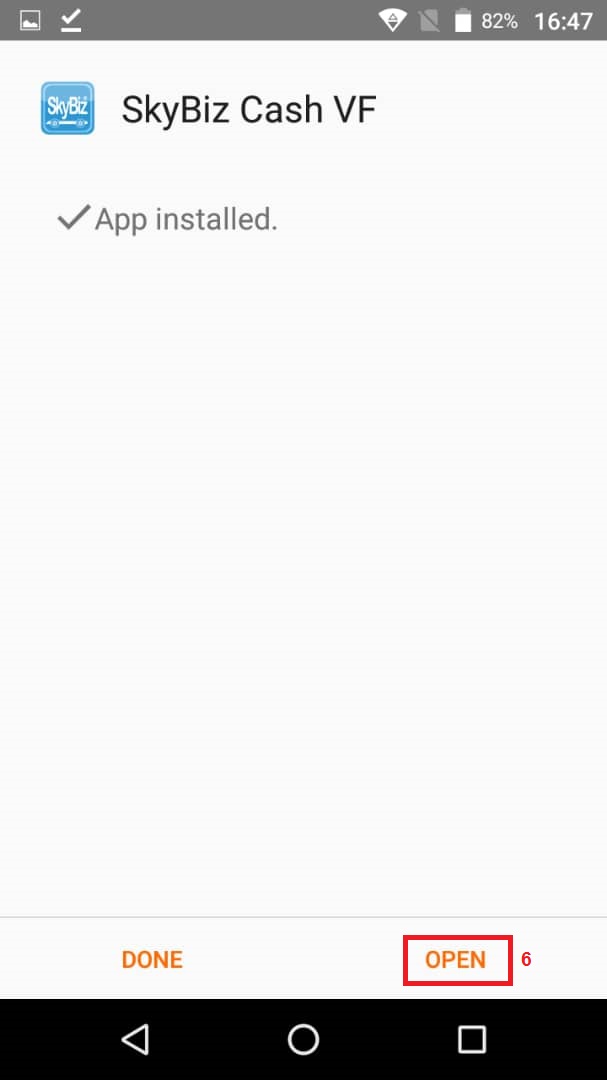
Open
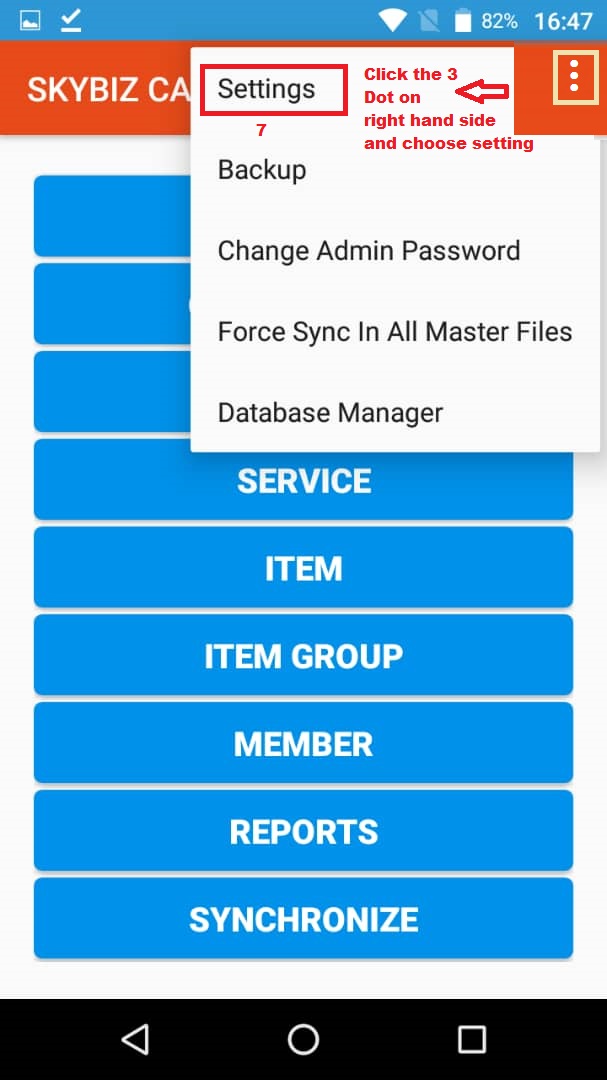
Setting
After upgrade, the New Version click on the 3 Dot on the right-hand side and choose Setting
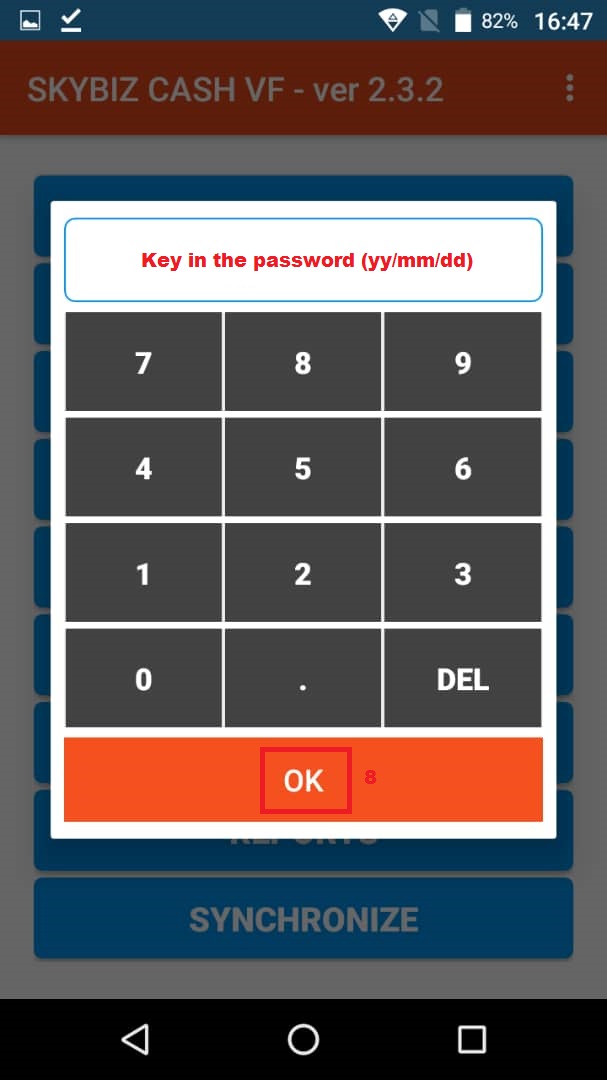
Password
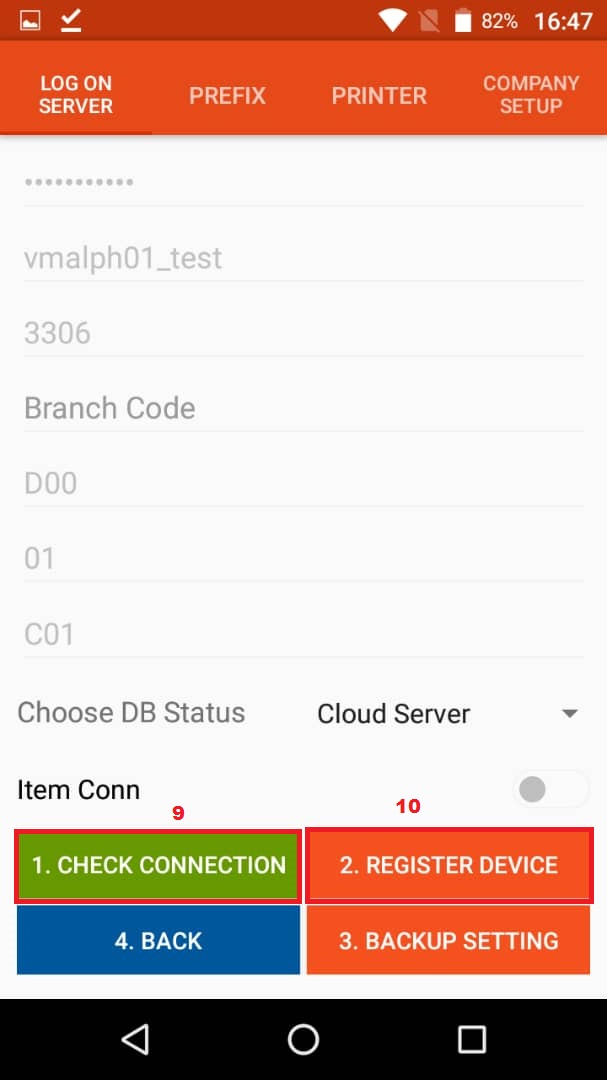
Server Setting
After coming to this screen please press on 1. CHECK CONNECTION
and wait until a message appears that says “You Have Successful Connection”
Then press on 2. REGISTER DEVICE.
Powered By : SKYBIZ ® Beyond Cloud ™