This menu is meant to transfer stock items from one location to another.
Below are guideline(s) to entry and view :
1. Go to Inventory >> Transfer Stock Out
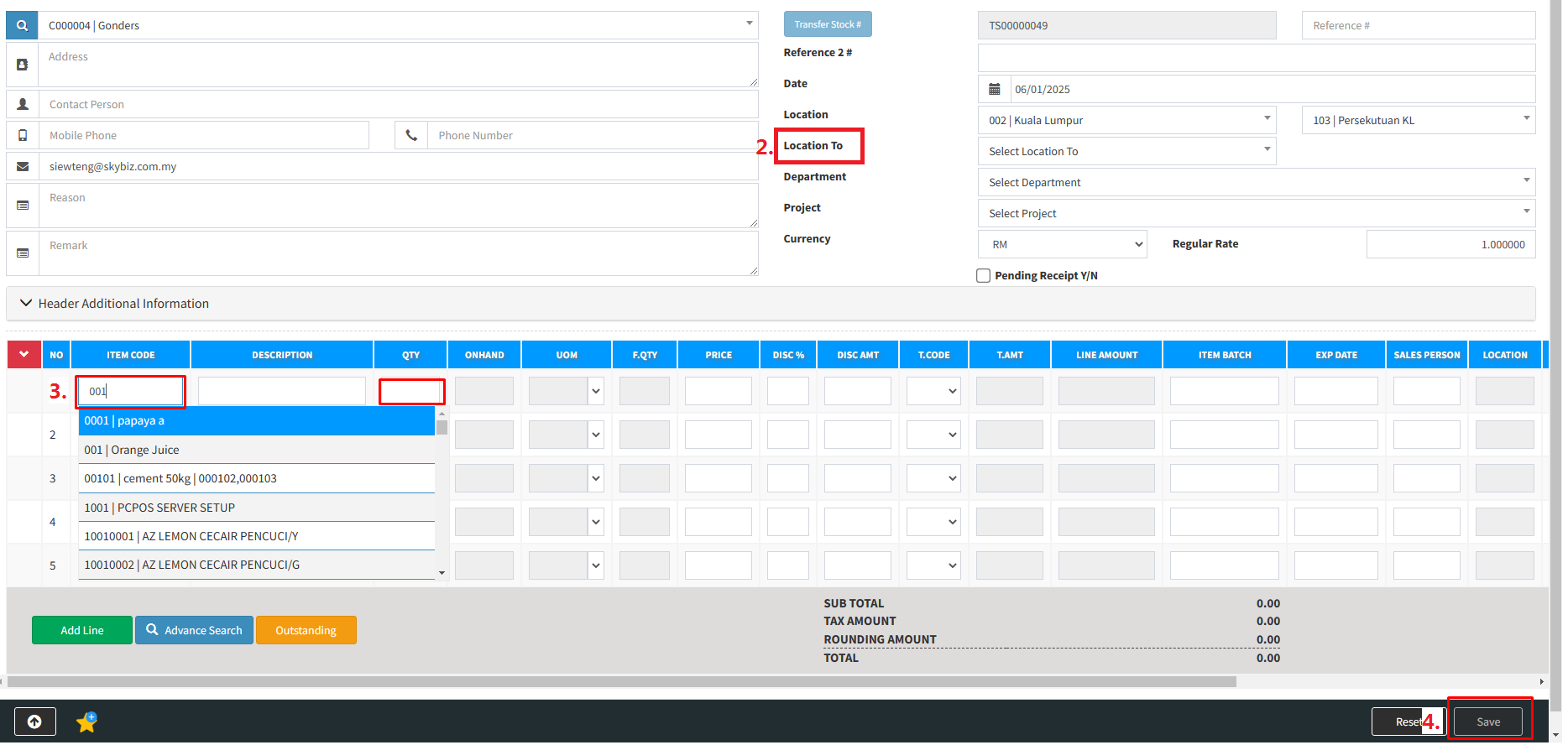
2. Choose location to
3. Select Item >> key in quantity
4. Click “save”
This menu is meant to transfer stock items from one location to another.
Below are guideline(s) to entry and view :
1. Go to Inventory >> Transfer Stock Out
2. Choose location to
3. Select Item >> key in quantity
4. Click “save”