Below are Guideline(s) on How to Set Tariff Code
“Every Company must know their own Tariff Code and Tariff Description”
Step 1: Login MyDistribution to Add Tariff Code
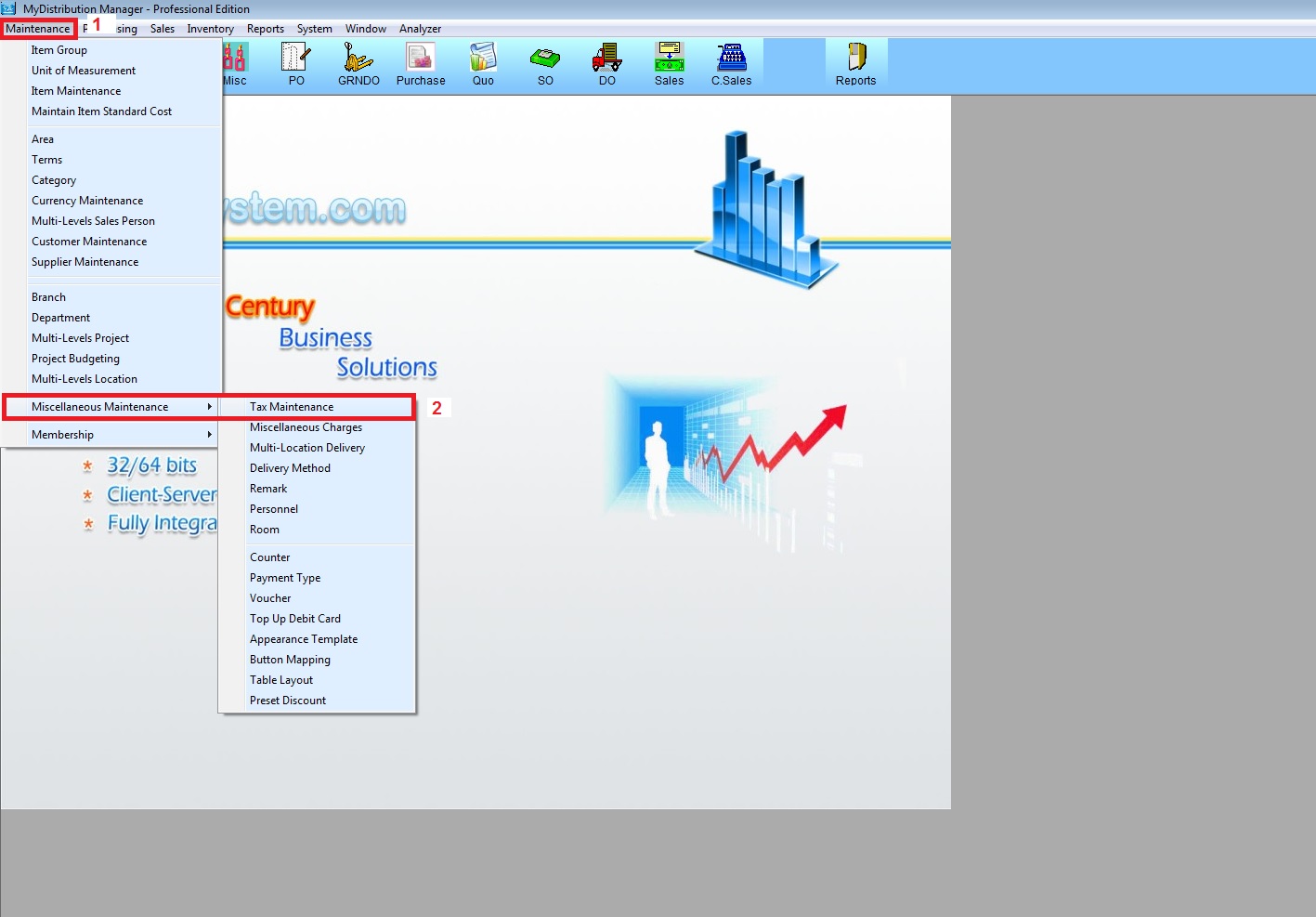
- 1.a) Go to Maintenance
- 1.b) Miscellaneous Maintenance > Tax Maintenance
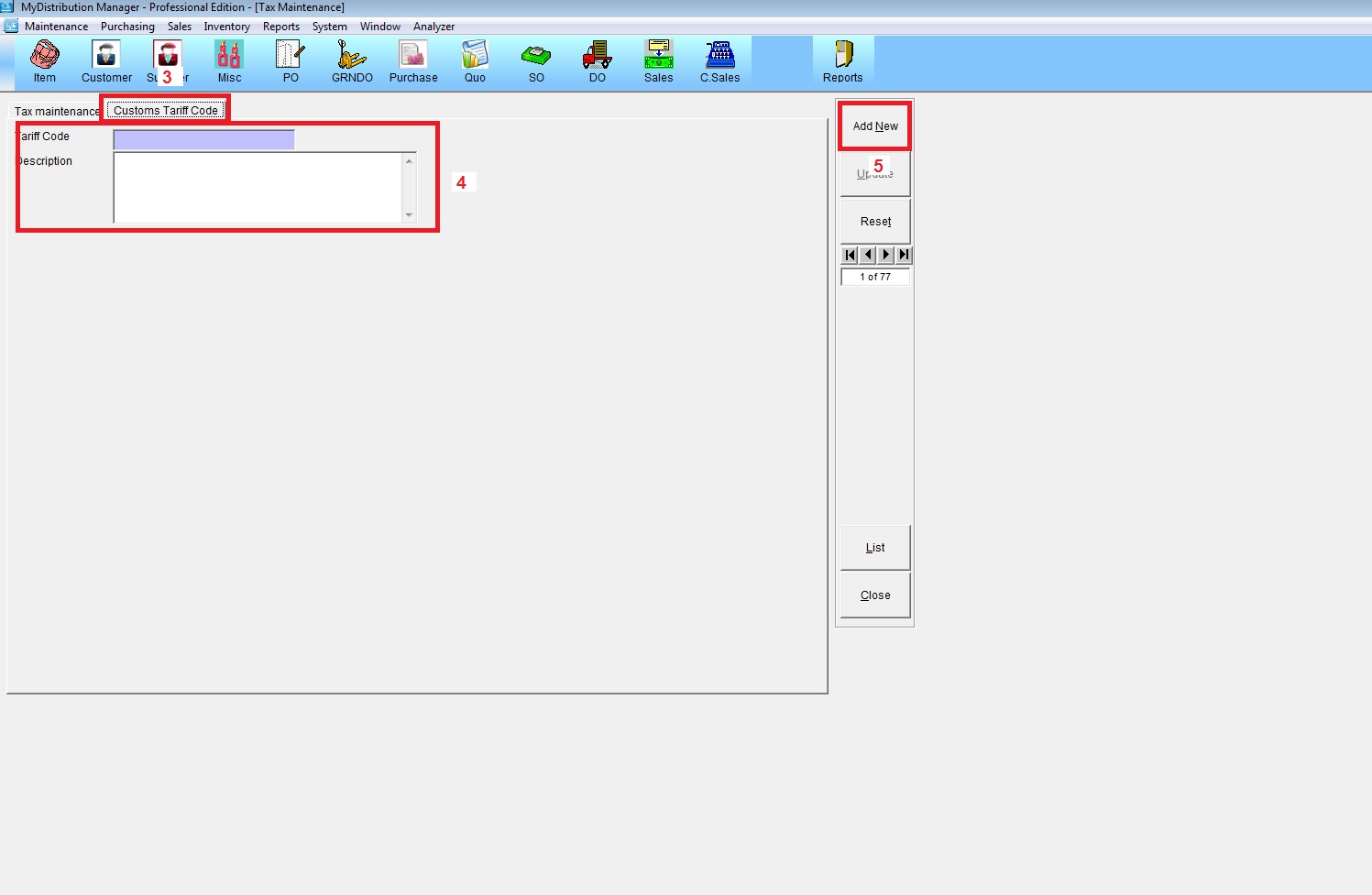
- 1.c) Customs Tariff Code
- 1.d) Key in Company Tariff Code and Description
- 1.e) Add New
Step 2. Setting Tariff Code on Item Maintenance
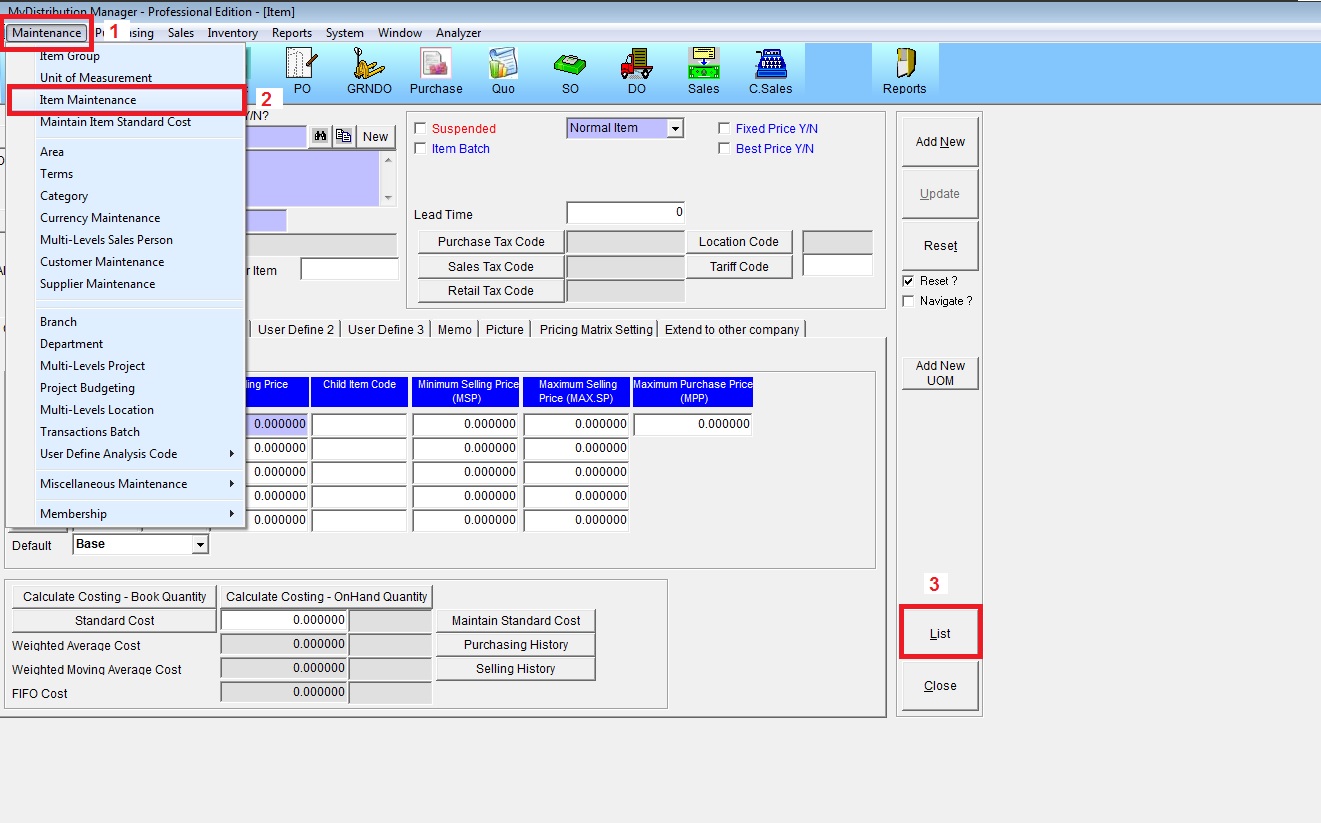
- 2.a) Go to Maintenance
- 2.b) Item Maintenance
- 2.c) List then Select the Item with Tariff Code
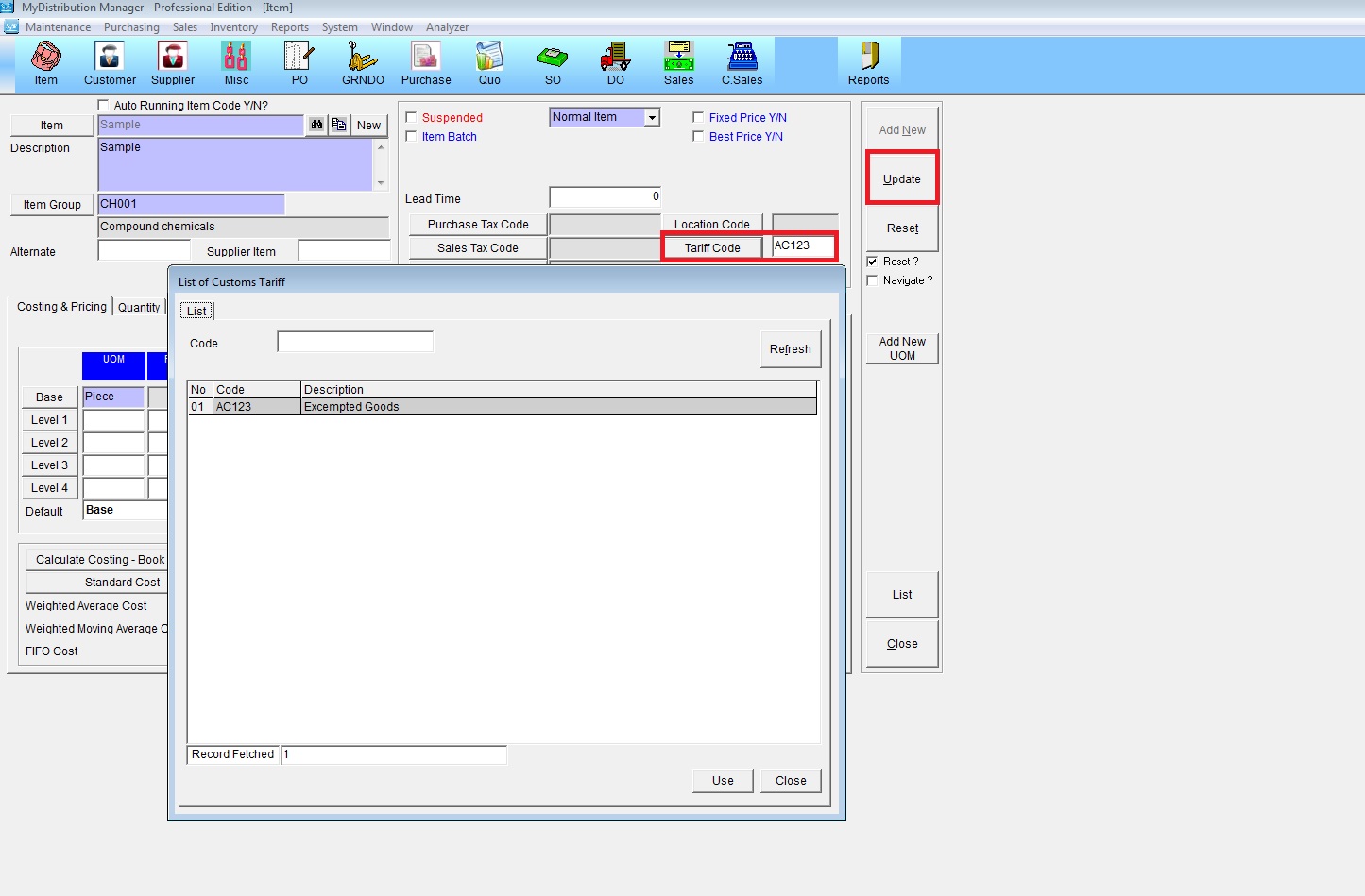
- 2.d) Select Tariff Code
- 2.e) Update
Step 3. Setting Tariff Code on Miscellaneous Charges Maintenance
- 3.a) Go to Maintenance
- 3.b) Miscellaneous Maintenance > Miscellaneous Charges
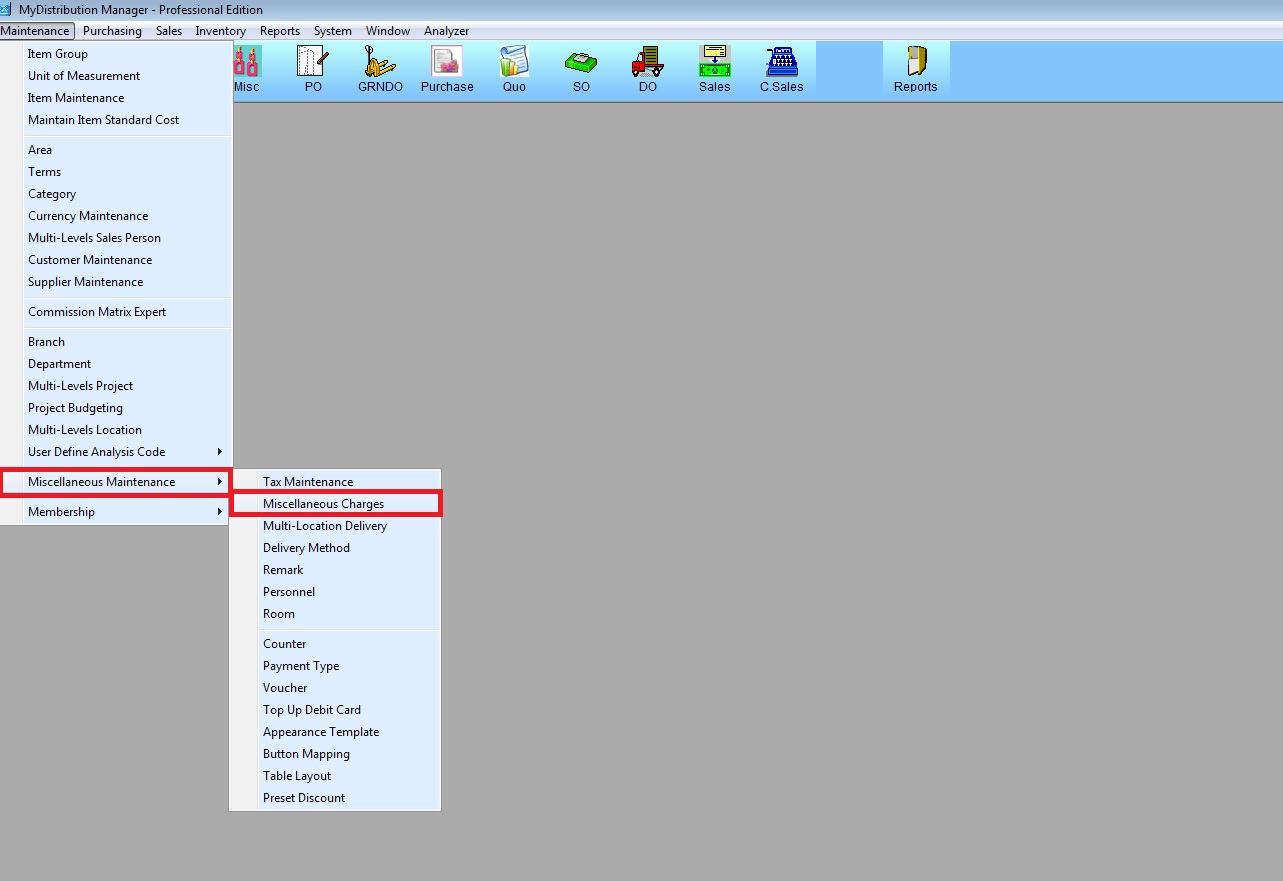
- 3.1) List then Select the Miscellaneous Charge Code with Tariff Code
- 3.2) Click Tariff Code to select the tariff code for Misc Code
- 3.3) Update
