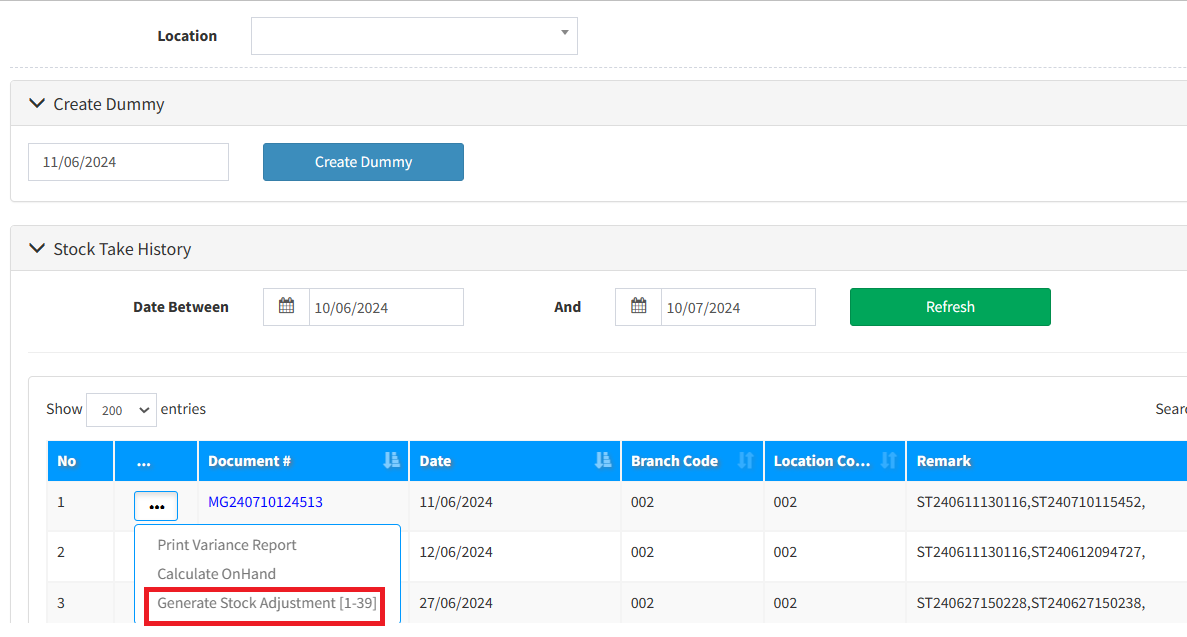
SKYBIZ Stock Take module include below 4 major steps :
Major step 1 : Stock Take, user can either use stock take device to capture items physical quantity or use the Stock Take screen to capture items physical quantity. After this process complete, you may proceed to next Major step 2.
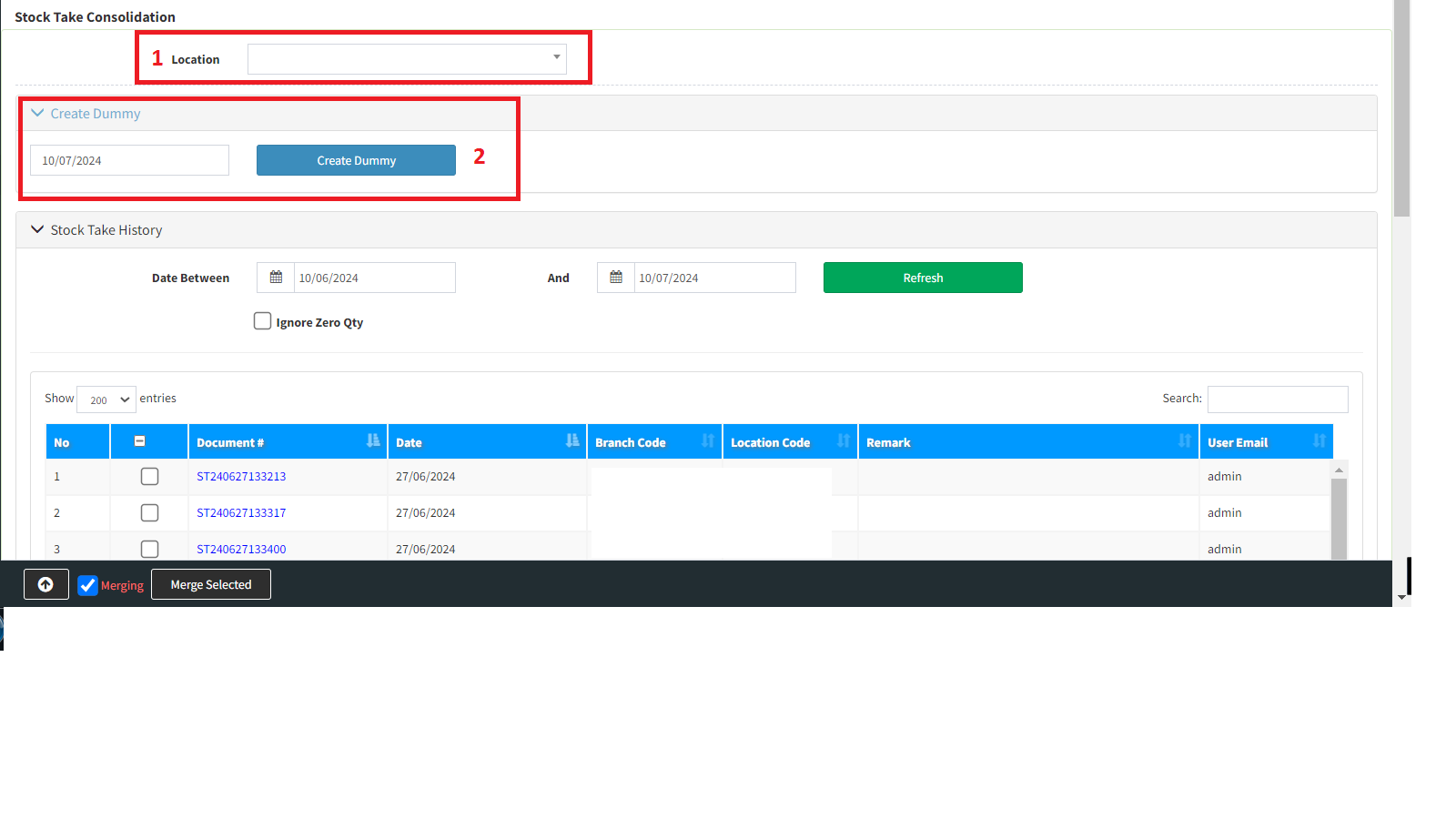
Major step 2 : Firstly, user can decide whether proceed to [create dummy] or not, the purpose to [create dummy] is take into consideration for those zero physical quantity items which user cannot do any scanning when doing stock take during Major step 1. User may follow below steps to [create dummy]
Step 1 : Please choose your location
Step 2 : Please create dummy
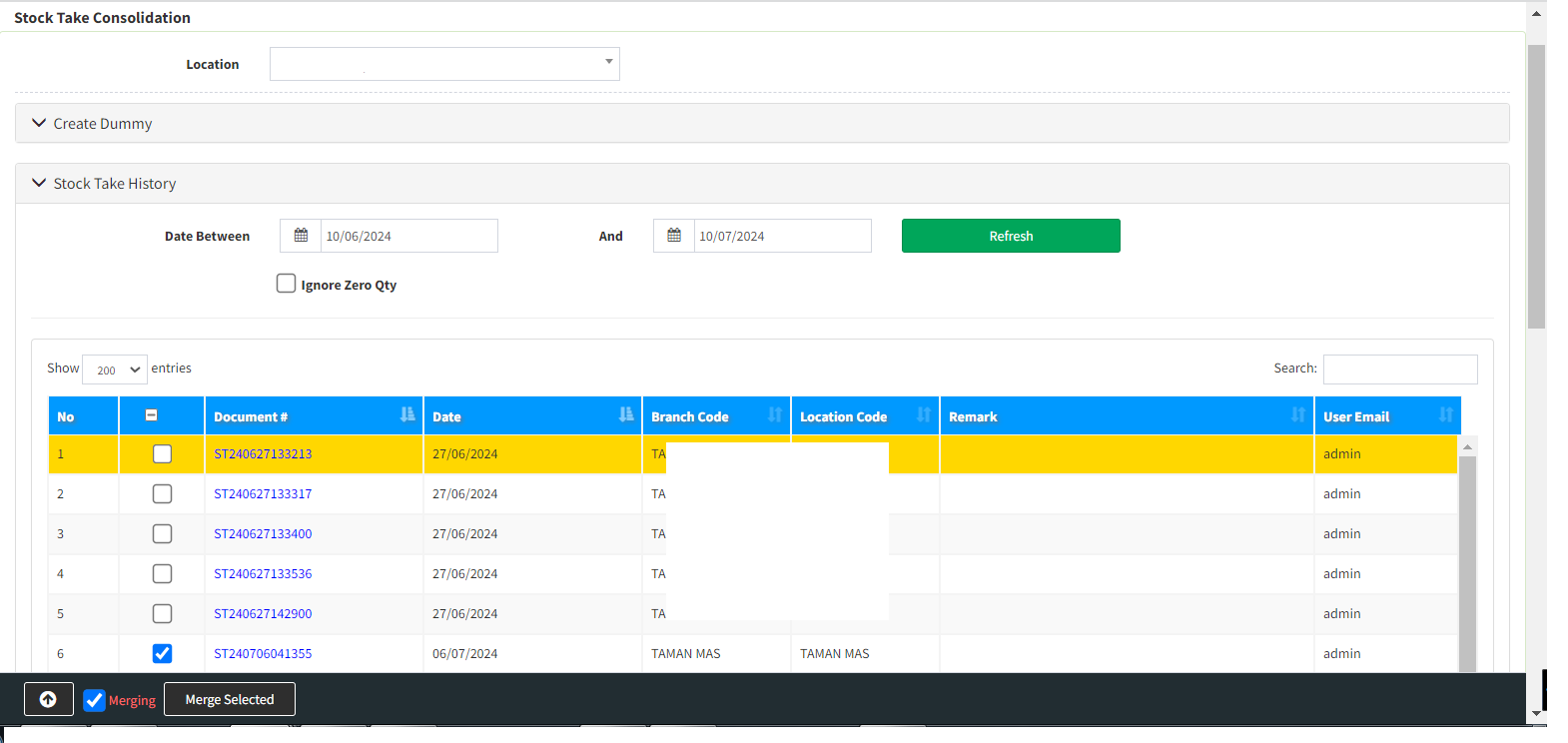
Major step 3 : Files merging. The intention of files merging is due to user may do various physical items scanning in different locations, system trying to merging and resolve the issue due to same items may located in same or different locations. User can also tick the dummy file, if user wish to take into consideration those zero physical quantity items.
Major step 4 : Stock Adjustment. This final process is to make physical stock adjustment into the system. System will calculate and make necessary stock adjustment upon those related items quantity. System will auto create a new stock adjustment document for every stock adjustment process.