SKYBIZ Tax module can handle for SST, GST, VAT, etc.
Below are guideline(s) SST setup.
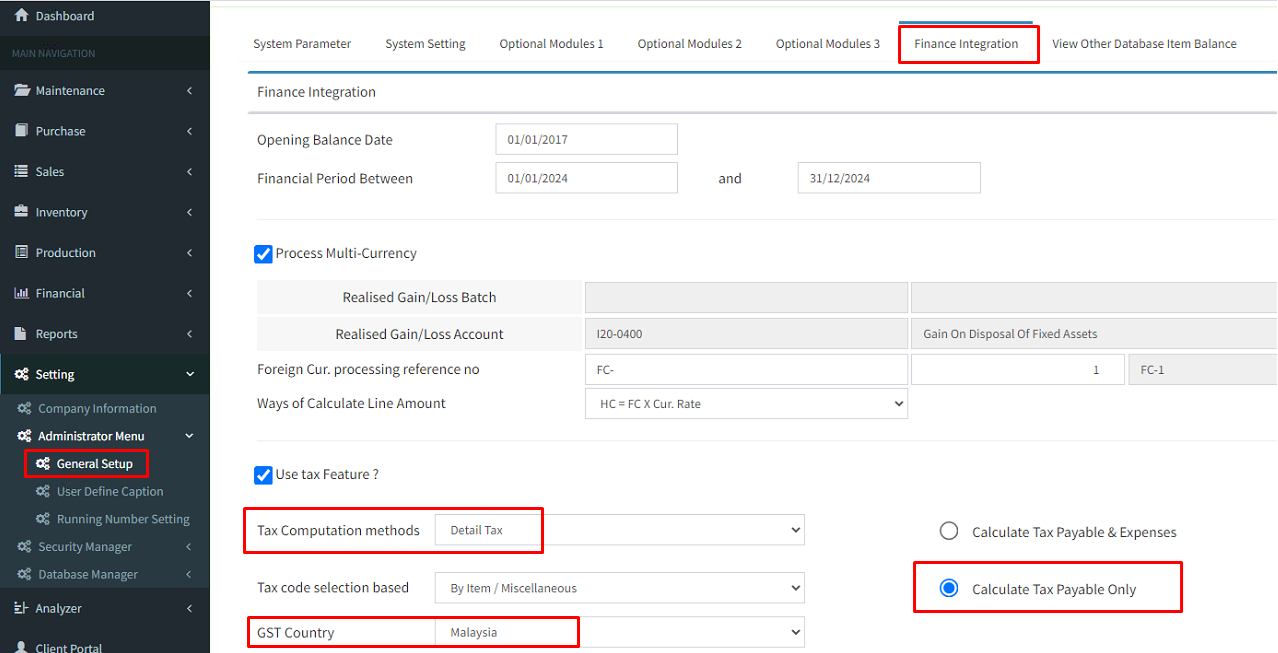
1) Tax module activation, please go to General setup > and follow below guide to do setting.
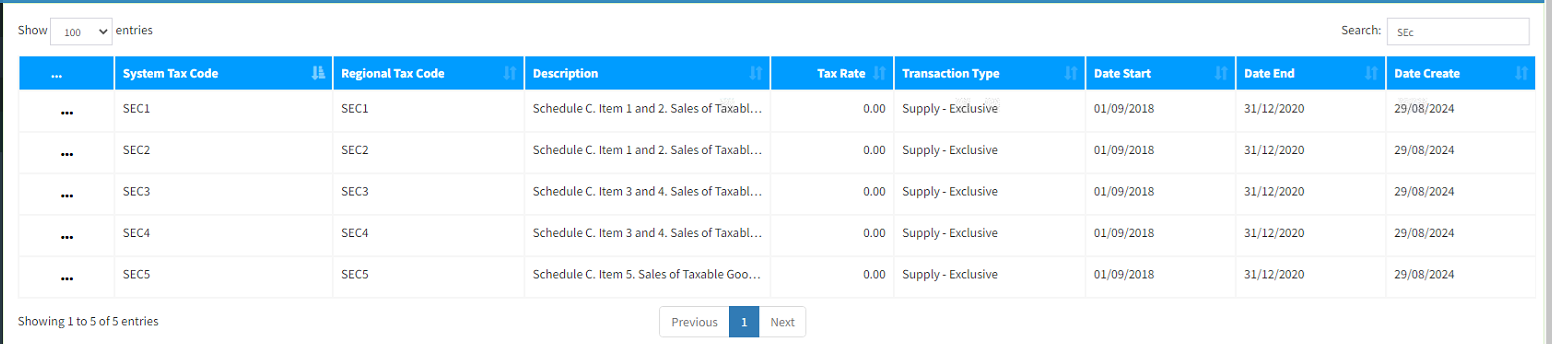
2) Make sure Tax maintenance have show tax code.
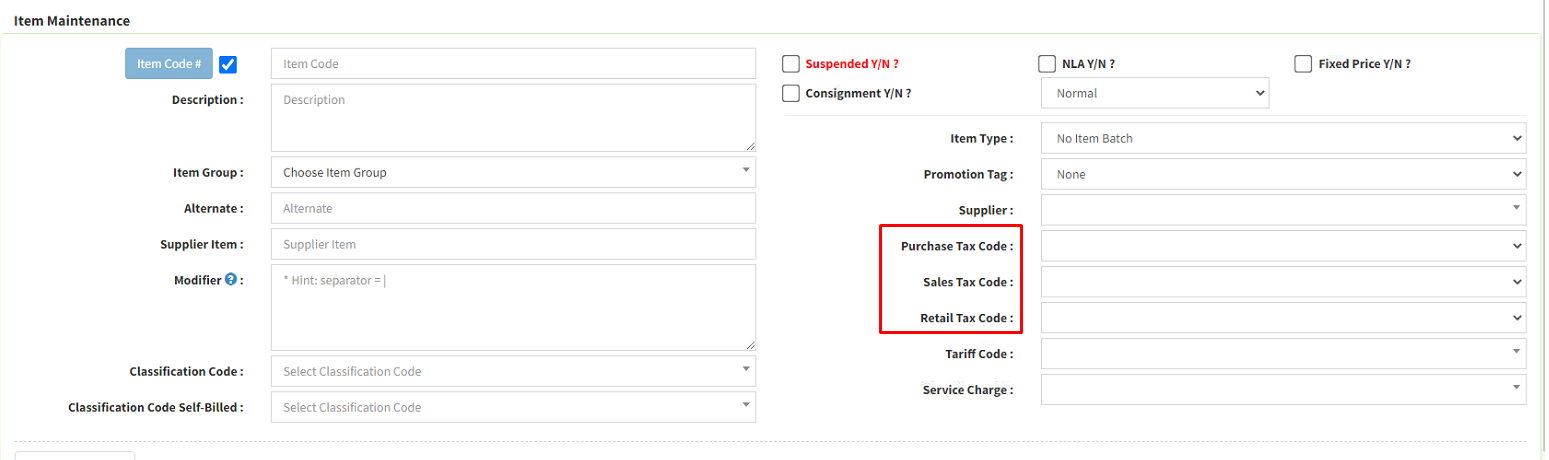
3) Item maintenance tax code setup. Here you choose and setup default tax code for each item.
4) Miscellaneous maintenance tax code setup. Here you choose and setup default tax code for each miscellaneous code.
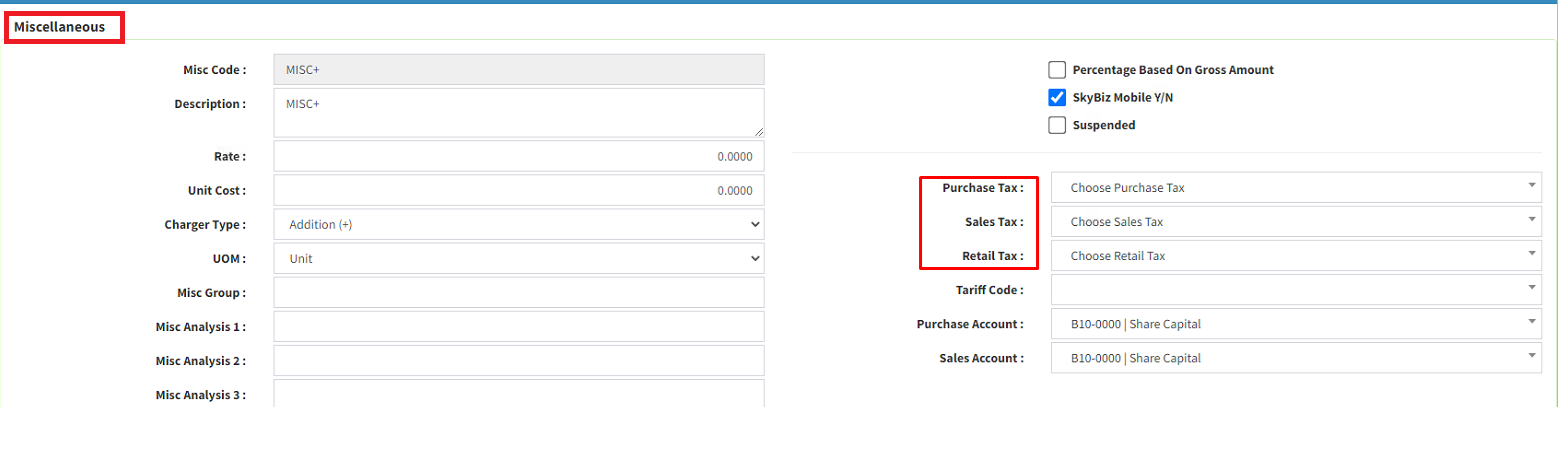
{Key In the Purchase Tax Code, Sales Tax Code and Retail Tax Code.}
Assign Default Tax code
Make sure to assign these tax codes as the default for your sales, purchase, and other transactions.
As a result, it will ensure automatic calculations and applications of SST in all relevant transactions.
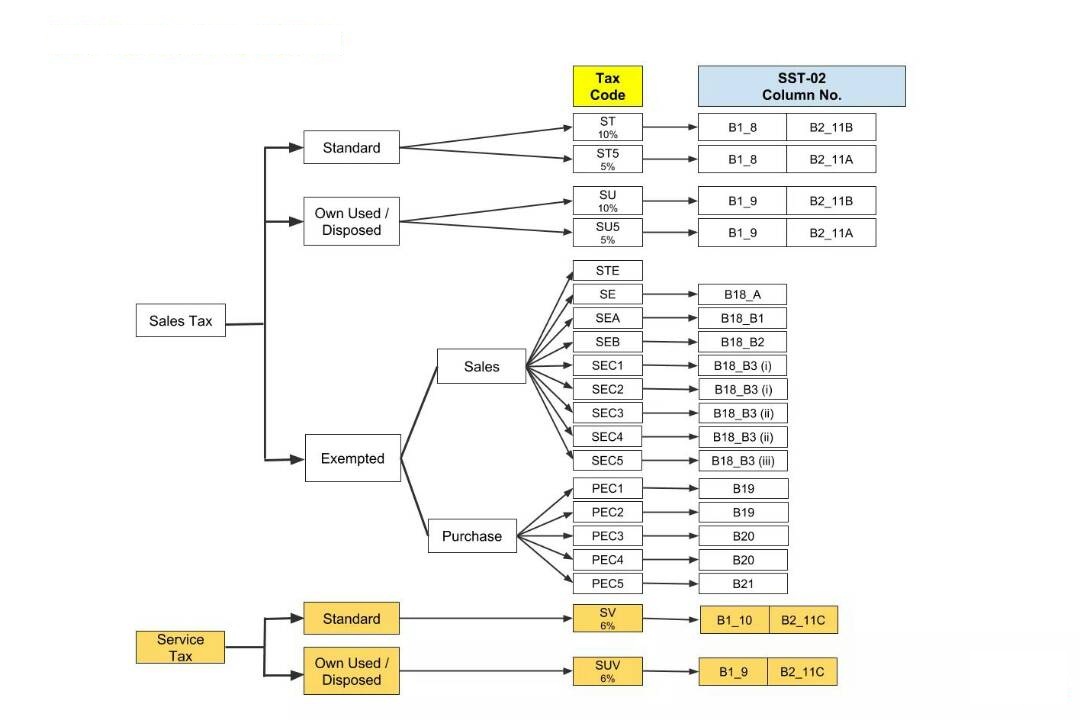
5) ONLY Choose the Invoice Items Code and Select Tax Code as below:
***Dear valued customers,
Important Update: Revision to SST (Effective 1 July 2025)
The Ministry of Finance has announced several adjustments to the expanded Sales Tax and Service Tax (SST) based on public and industry feedback:
1️. No Sales Tax on Essential Items & Selected Imported Fruits
Daily essentials like rice, flour, sugar, vegetables, meat, eggs, fish, and seafood—whether imported or local—remain exempt from Sales Tax, including frozen, chilled, or fresh forms.
Additionally, imported apples, oranges, mandarin oranges, and dates (Kurma) are now exempted from Sales Tax.
2️. Higher Threshold for Service Tax on Rental & Financial Services
The annual threshold has been increased from RM500,000 to RM1 million . Only businesses exceeding RM1 million in total annual sales need to register for Service Tax in these categories.
3️. Beauty Services Excluded from Service Tax Expansion
The proposed Service Tax on beauty services like haircuts, manicures, pedicures, and facials will not proceed.