Records Partitioning module allows user to control different users from viewing or accessing selected items, selected customers, selected locations as well as selected branches records.
Below are guideline(s) for Records Partitioning setting :
Step 1: Go to System >> Security Manager >> Records Partitioning
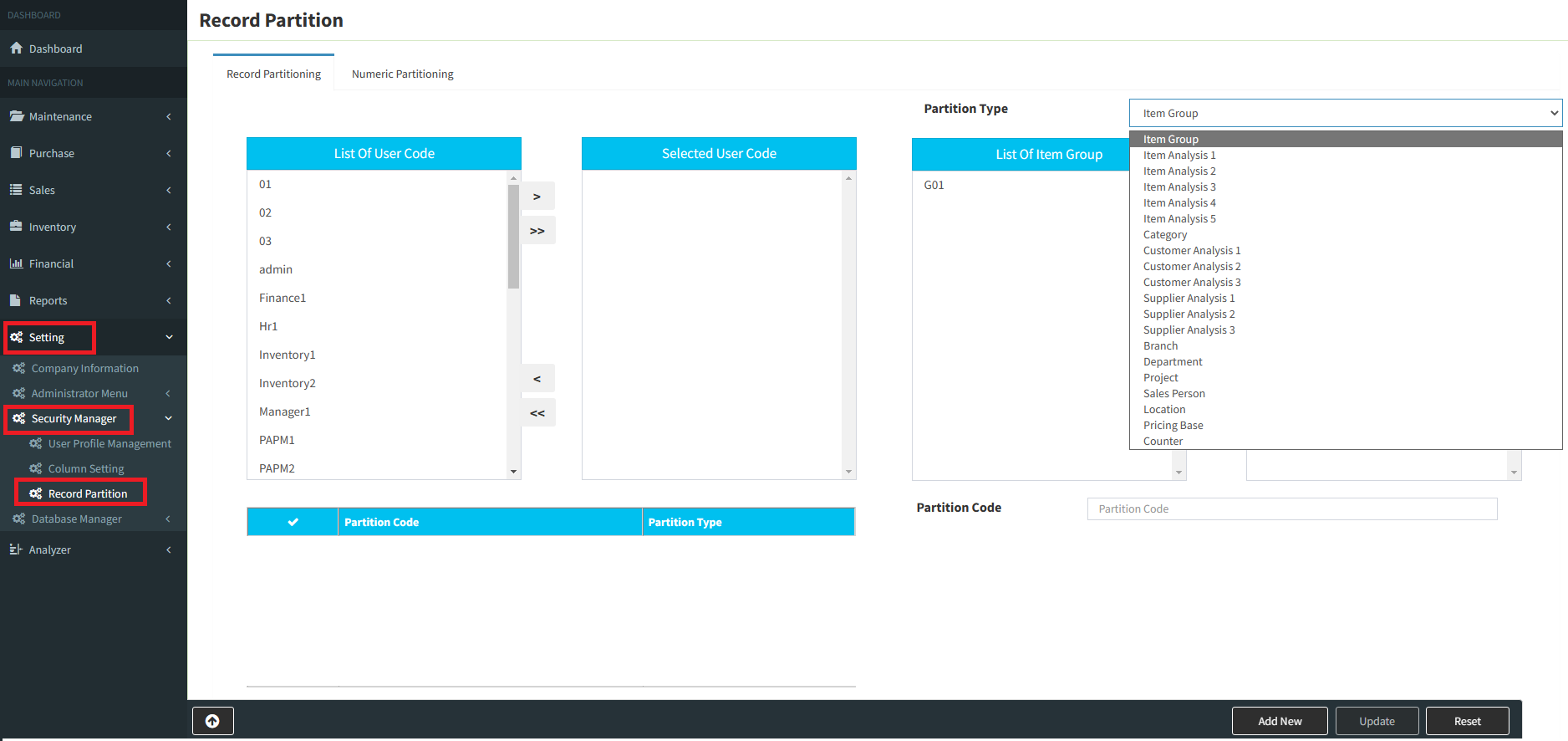
Step 2:
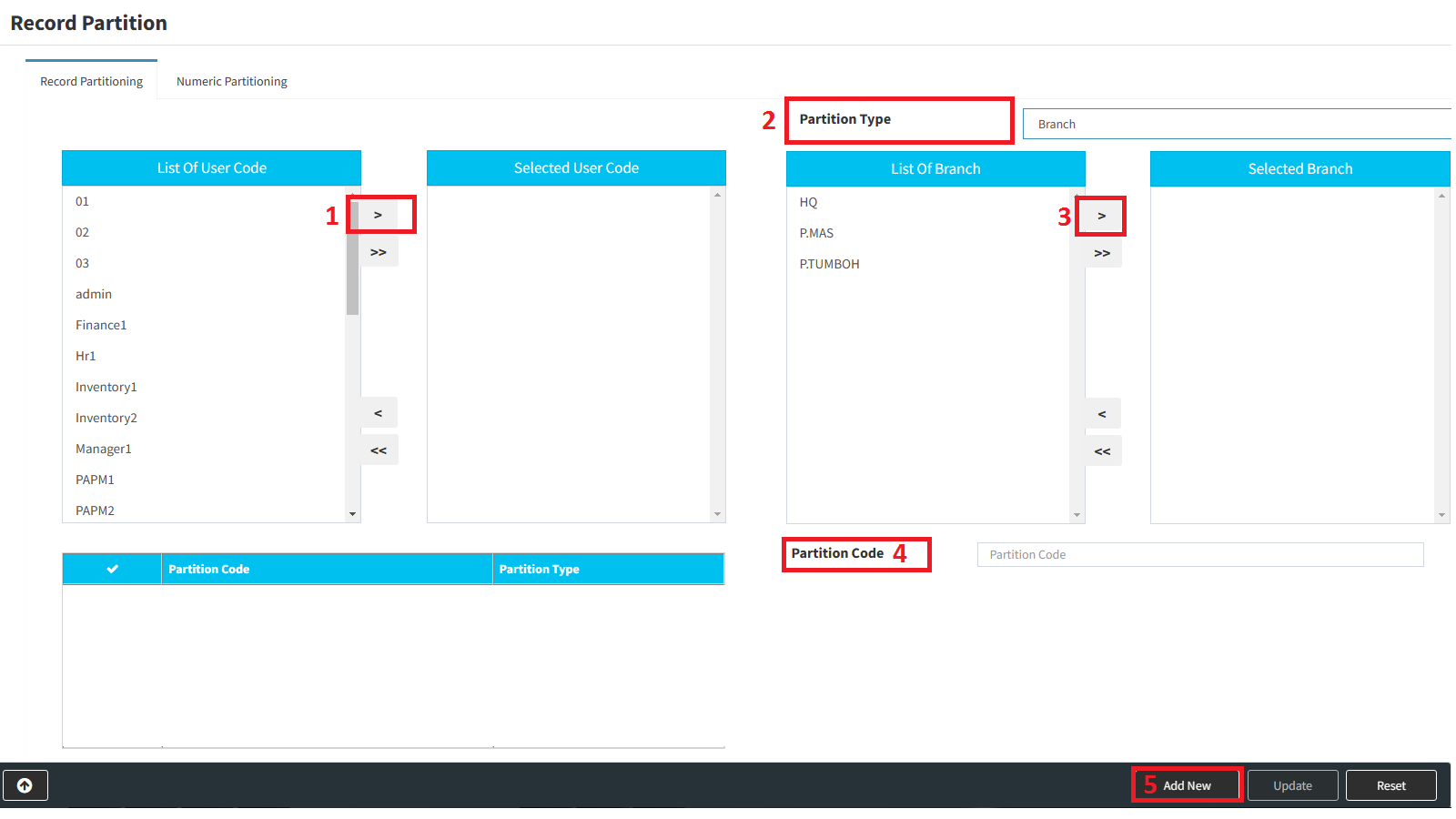
1. From “List of User Code”, choose users to allow accessing and click “>” button to transfer these user to “Selected User Code”
2. Choose the Partition Type. (Eg: Branch, if you want control by Branch)
3. From “List of Branch”, choose branch to allow accessing and click “>” button to transfer these code to “Selected Branch”
4. Key in Partition Code for naming purpose.
5. Click “Add Item” to save the setting.
Powered By : SKYBIZ ®