Below are guideline(s) to key in the SST in MyDistribution & MyFinancial:
a) Login to My Distribution and then click to “Window>>Tariff Code“.
b) Key In the Custom Tariff Code
c) After that, for Items SST click button Items as below:

Items
1. Key In Tariff Code and then,
2. Click button Close
d) Next, to key in the Purchasing or Purchase Order refer print screen as below.
3. Click button Select Detail to choose which items want to put SST. But usually Purchase Order does not have Tariff Code.
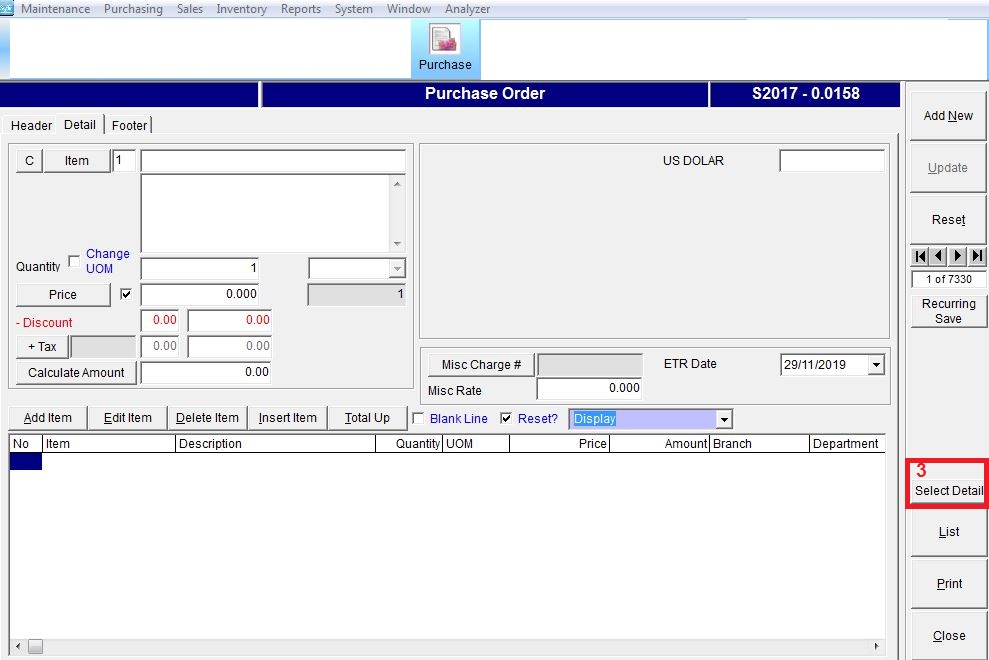
Purchasing or Purchase Order
e) ONLY Choose the Invoice Items Code and Select Tax Code as below:
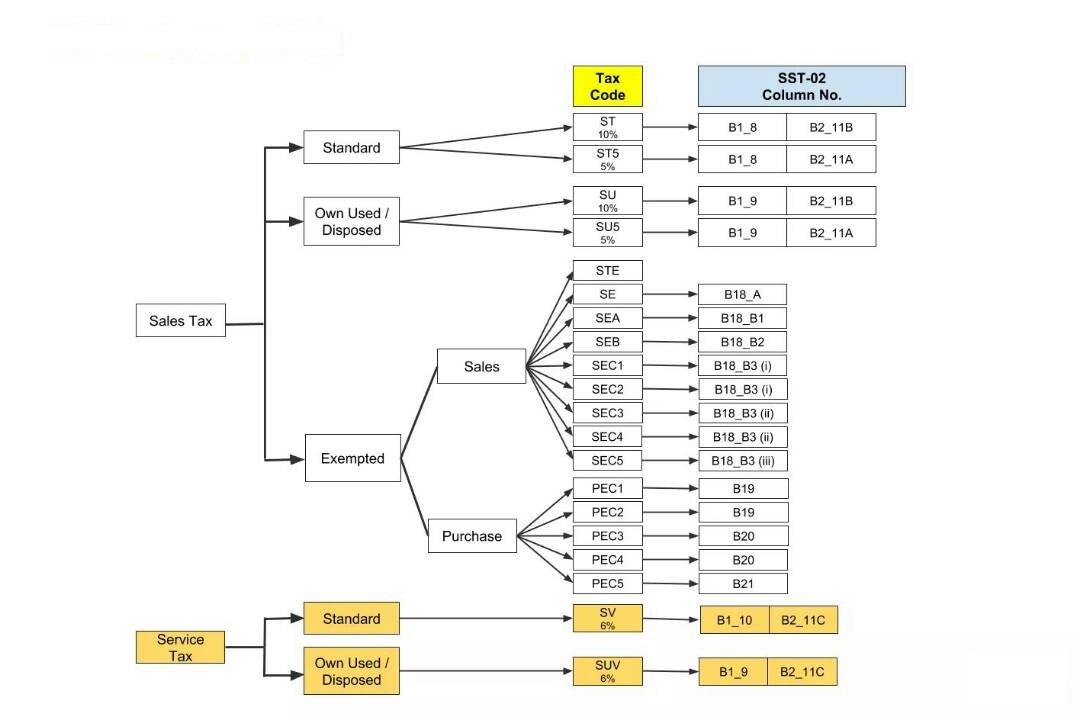
Tax Code Table Chart
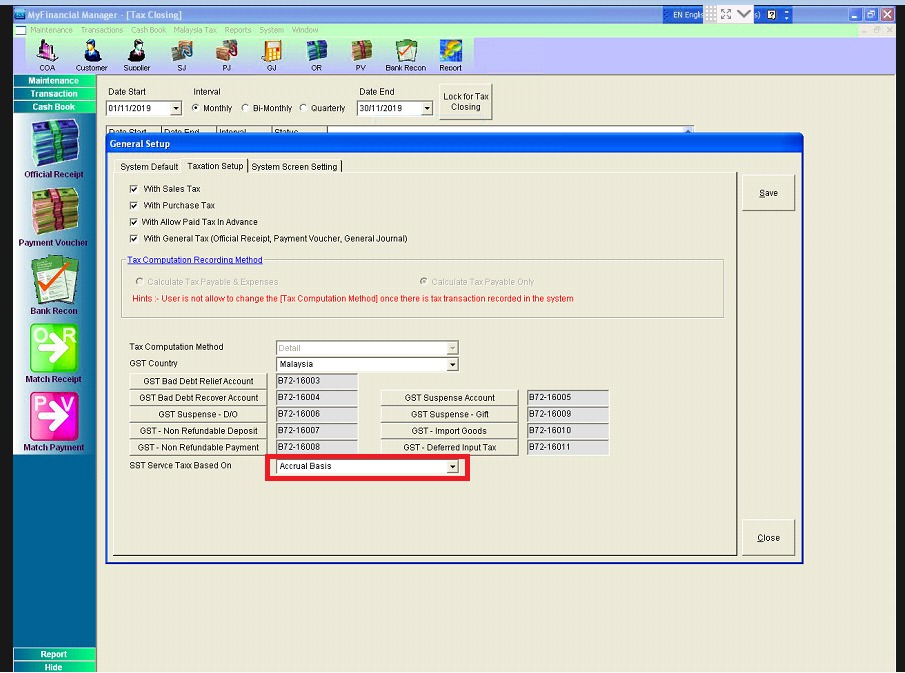
Taxation Setup
f) Close My Distribution Program, and then open My Financial Program and click button Taxation Setup:
For SST Report just go to menu System>>Administrator menu>>General Setup. Change it to “Accrual Basis” as picture above.
g) Malaysia Tax>>Tax Closing as below:
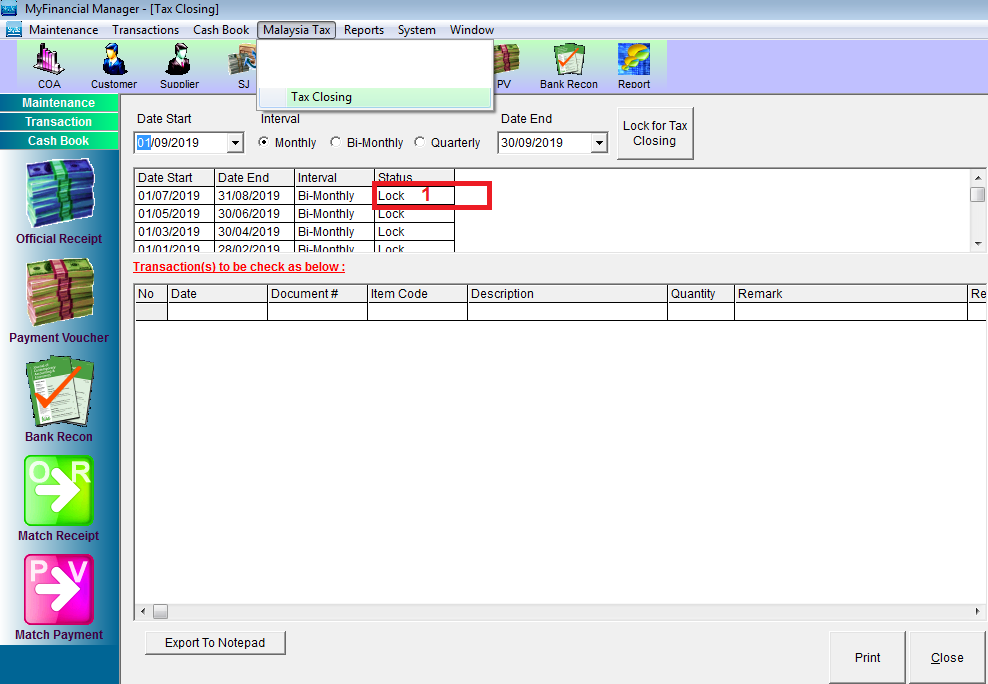
1. To Lock or Unlocking Tax Period,
2. Need to Validate SST,
3. Then, MUST click Close SST.
4. Click PRINT as document record.
h) Lastly, MUST PRINT Form as below:
20180928_Penyata SST-02