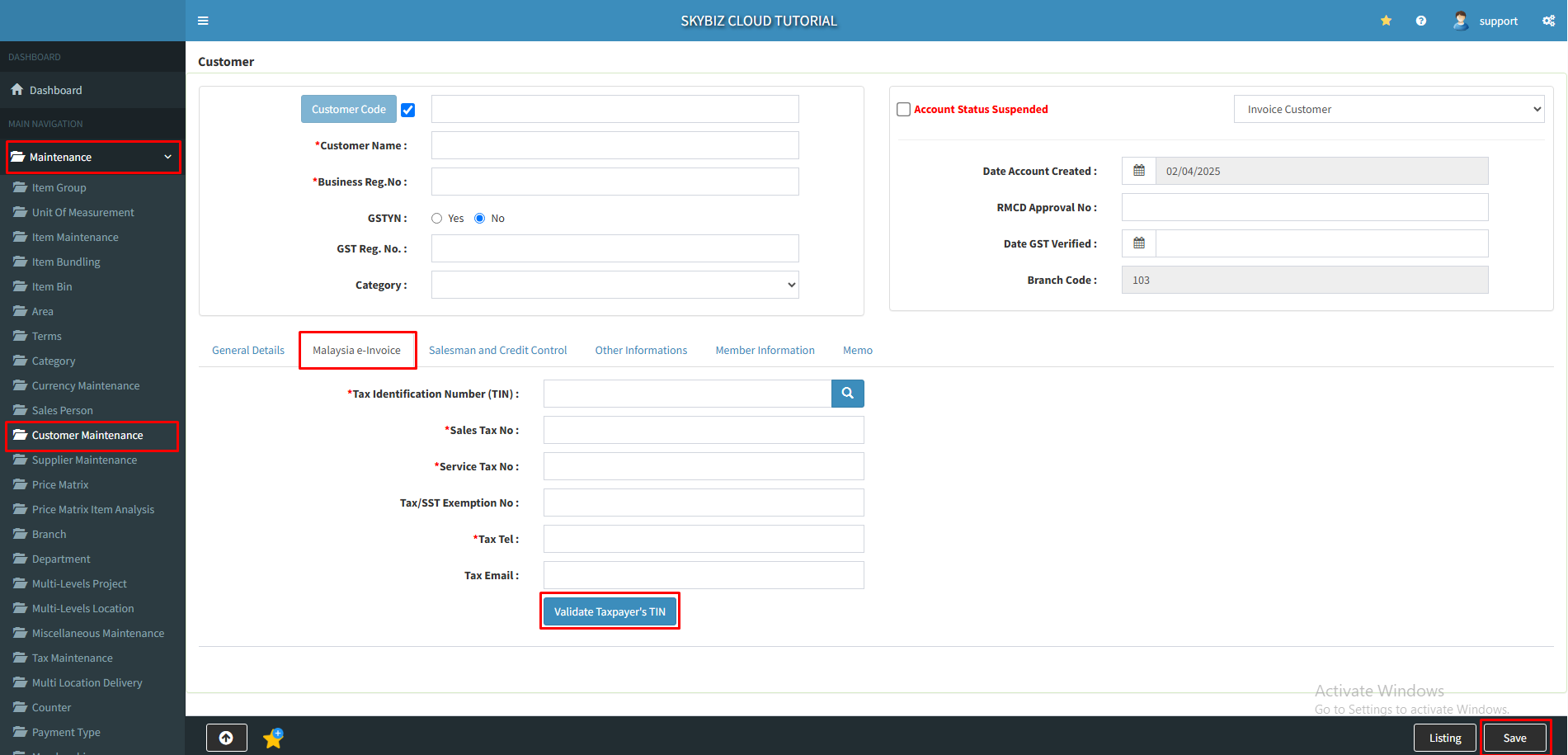
SECTION C2 : SKYBIZ Malaysia E-Invoicing “Customer Information”
Step 1 : Update Customer Information go to >> [ Maintenance ] >> [ Customer Maintenance ] >> [ General Details ] You are required to update some additional information into SKYBIZ customer module and click [ Save ]
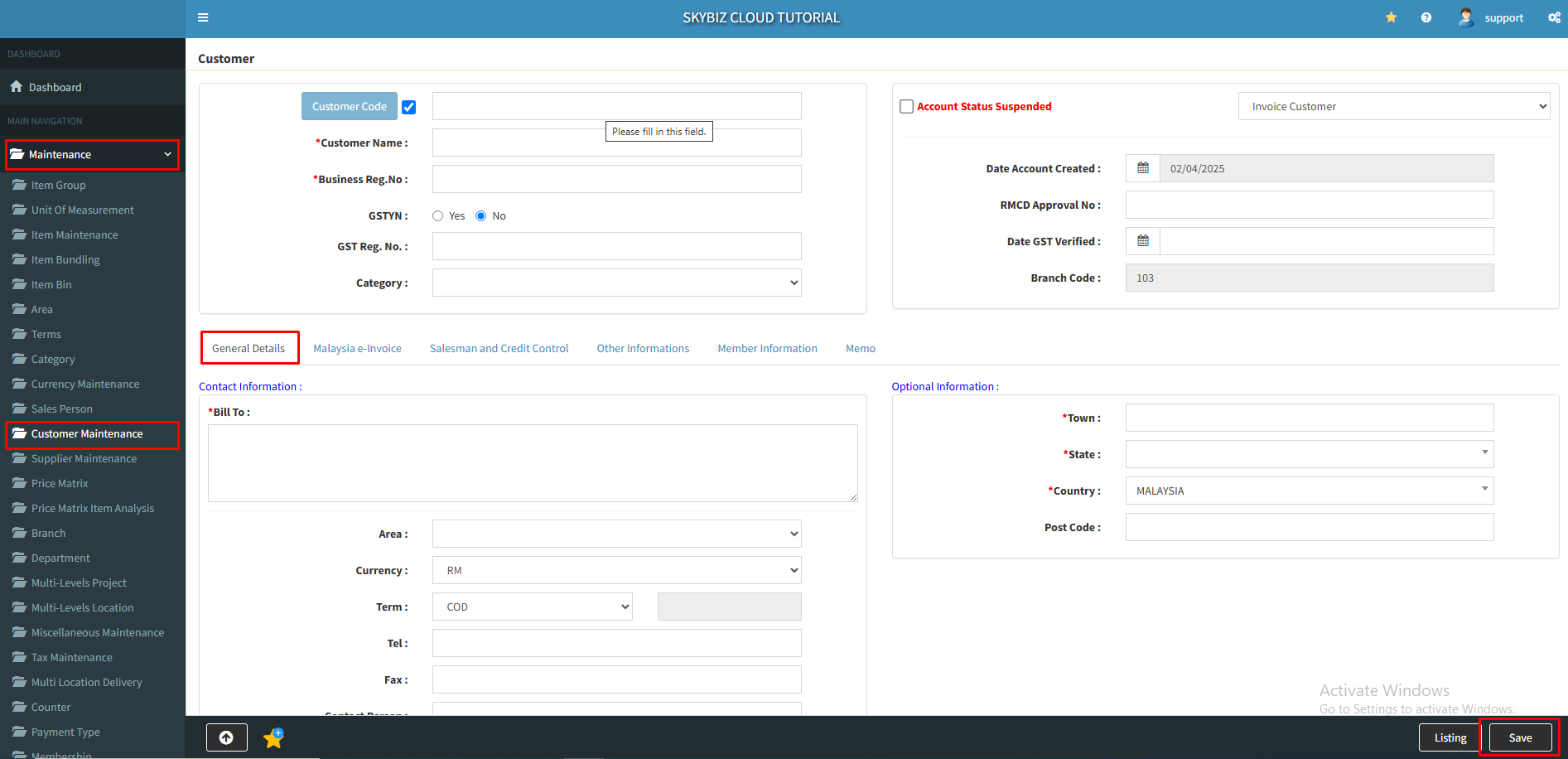
a. Customer Name
b1. Business Registration No (Current) :
b2.Business Registration No (New) :
c. Customer Business Address : (compulsory fill up Town, Country, State, Postcode)
d. Tax Identification Number (TIN) : https://www.hasil.gov.my/media/1iblexbc/malaysia-tin.pdf
e. SST Registration No. : (compulsory if customer is SST registered, else put N/A if Not Available)
f. E-Invoice Contact Tel. No. :
g. E-Invoice Contact Email Address :
Step 2 : After fill in the customer information go to >> [ Malaysia e-Invoice ] key in the tax information and click [ Validate Taxpayer’s TIN ] and click [ Save ]