Introduction to SKYBIZ Sales Order
A Sales Order is an official document issued by a seller to confirm the details of a customer’s purchase request. It outlines important information such as the products or services ordered, quantities, prices, delivery schedules, payment terms, and other relevant conditions. Once a customer accepts a quotation or places an order, the sales order serves as a formal record authorizing the fulfillment of that order. In accounting, sales orders help track sales commitments, manage inventory levels, and generate invoices accurately. They are essential for ensuring clarity between the seller and the customer throughout the sales process.
A Void Outstanding Sales Order is a critical administrative action used in order management systems to nullify a sales order that has been partially processed or remains open but will no longer be fulfilled. This process is essential for maintaining accurate inventory and financial records, as an “outstanding” order typically reserves stock or allocates resources that are not actually being converted into a finalized sale. By voiding the order, you effectively release those committed items back into your available stock pool and clear the pending transaction from your accounts receivable projections without deleting the historical record of the document itself. This is commonly utilized when a customer cancels their request after the order has been entered, when items are indefinitely out of stock, or when a clerical error was made during the initial entry that cannot be corrected through simple editing. Unlike a “delete” function, voiding leaves an audit trail that shows the order existed but was intentionally invalidated, which is vital for internal transparency and ensuring that sales performance metrics are not inflated by ghost transactions that will never result in actual revenue.
How to Void Outstanding Sales Order?
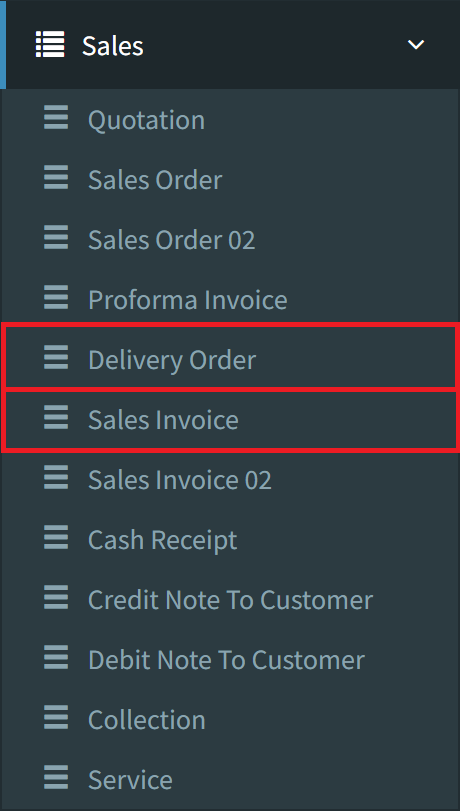
Step 1: To Void Outstanding Sales Order, navigate to Sales > Sales Invoice or Delivery Order
Step 2: Click the Outstanding button at the footer to view your outstanding documents. Requirement: For Sales Invoices, ensure a customer is selected first to enable this feature.

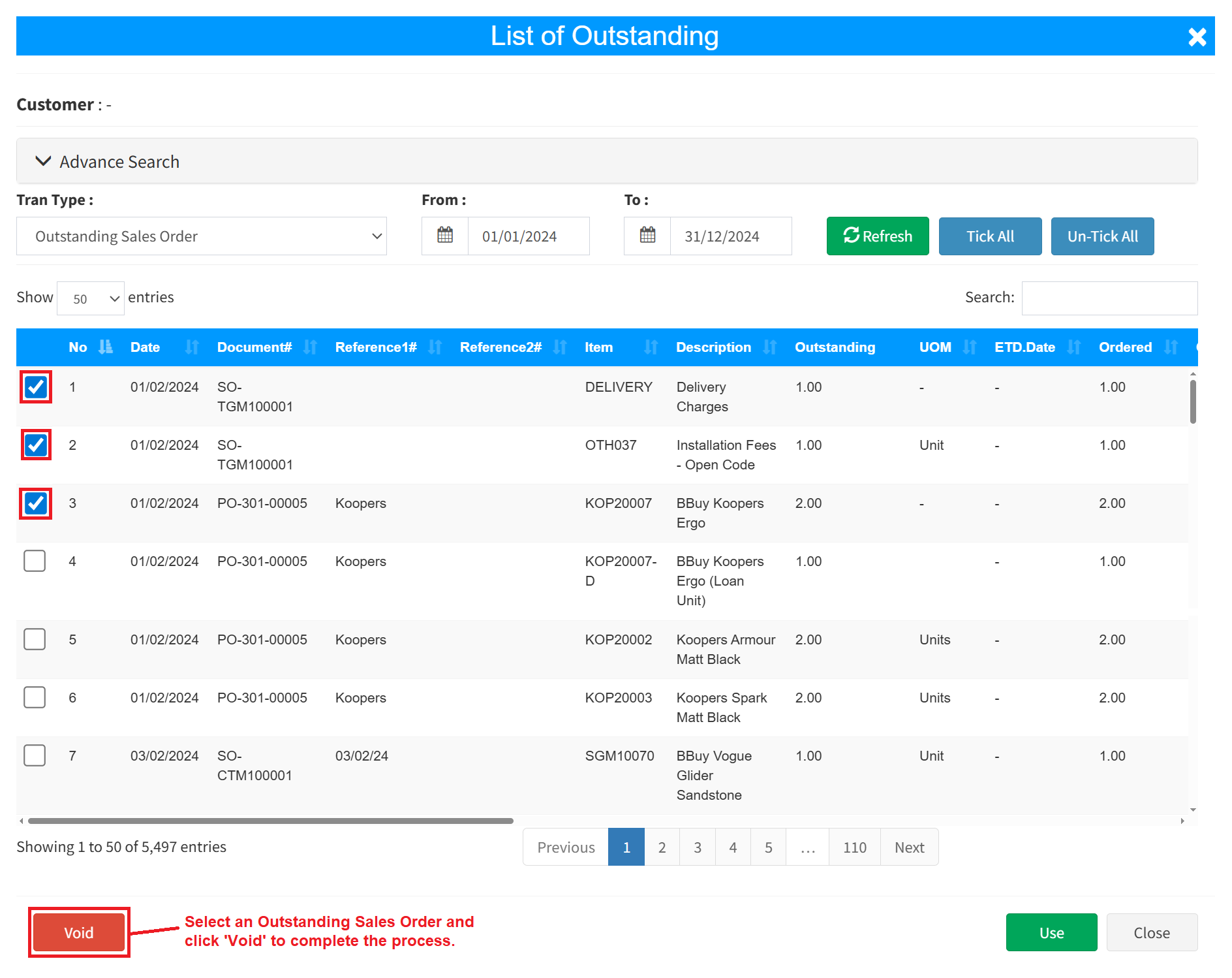
Step 3: Choose the Outstanding Sales Order you wish to cancel, then click the Void button, then click OK to proceed.
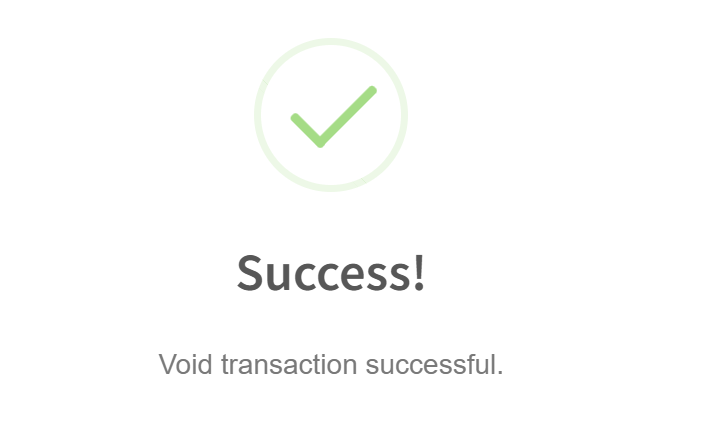
Step 4: A confirmation pop-up will show that the sales order has been successfully voided.
Conclusion
In conclusion, a sales order is a vital document that formalizes a customer’s purchase request and guides the fulfillment process. It ensures that both the seller and the buyer have a clear and mutual understanding of the transaction details, such as product specifications, pricing, and delivery terms. Effective management of sales orders not only streamlines sales and inventory operations but also supports accurate invoicing and financial reporting, contributing to the overall efficiency and reliability of a company’s sales process.
Powered By: SKYBIZ ®