Introduction to SKYBIZ Sales Invoice
A Sales Invoice is an official financial document issued by a seller to a buyer after goods or services have been delivered. It serves as a formal request for payment and includes essential details such as the invoice number, date, customer information, description of goods or services, quantities, unit prices, taxes, total amount due, and payment terms. In accounting, the sales invoice acts as proof of a completed transaction and is recorded as revenue for the seller and an obligation to pay for the buyer. It also serves as a key reference for financial reporting, tax filing, and audit purposes.
How to Create a Sales Invoice?
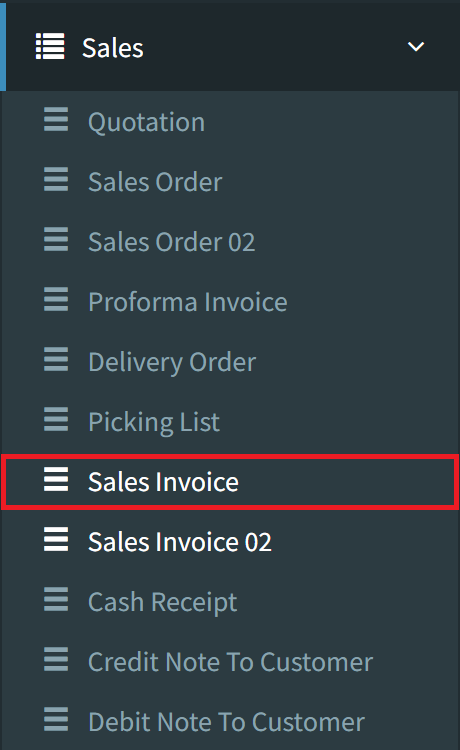
Step 1: To create a Sales Invoice, navigate to Sales > Sales Invoice
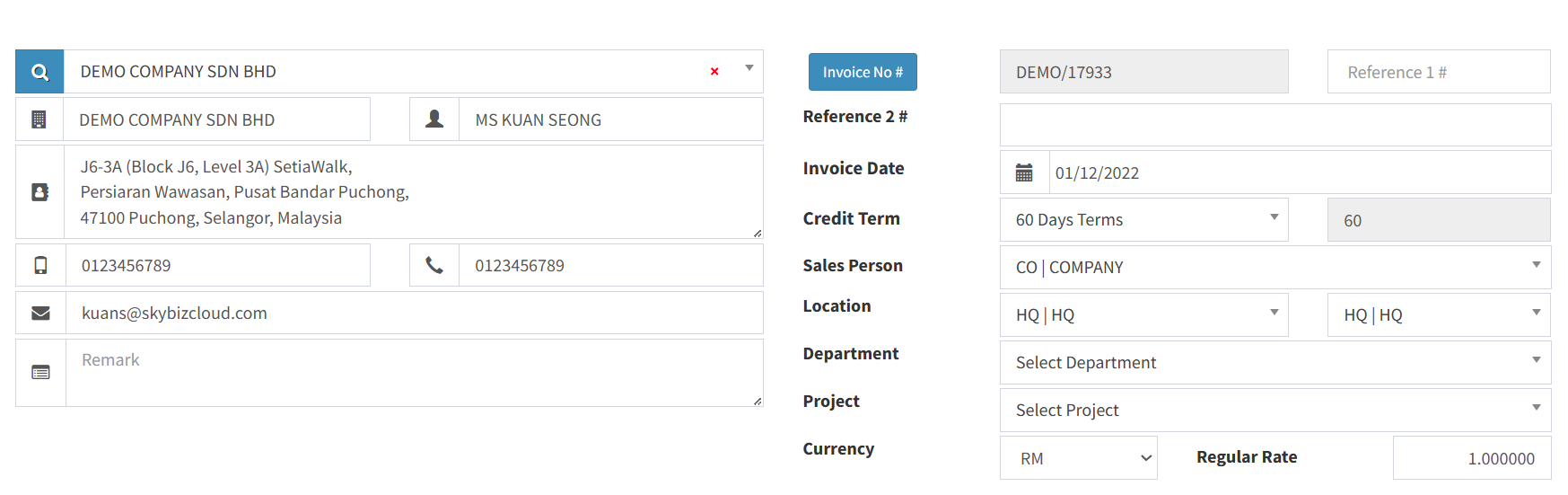
Step 2: Fill in all fields with your customer information
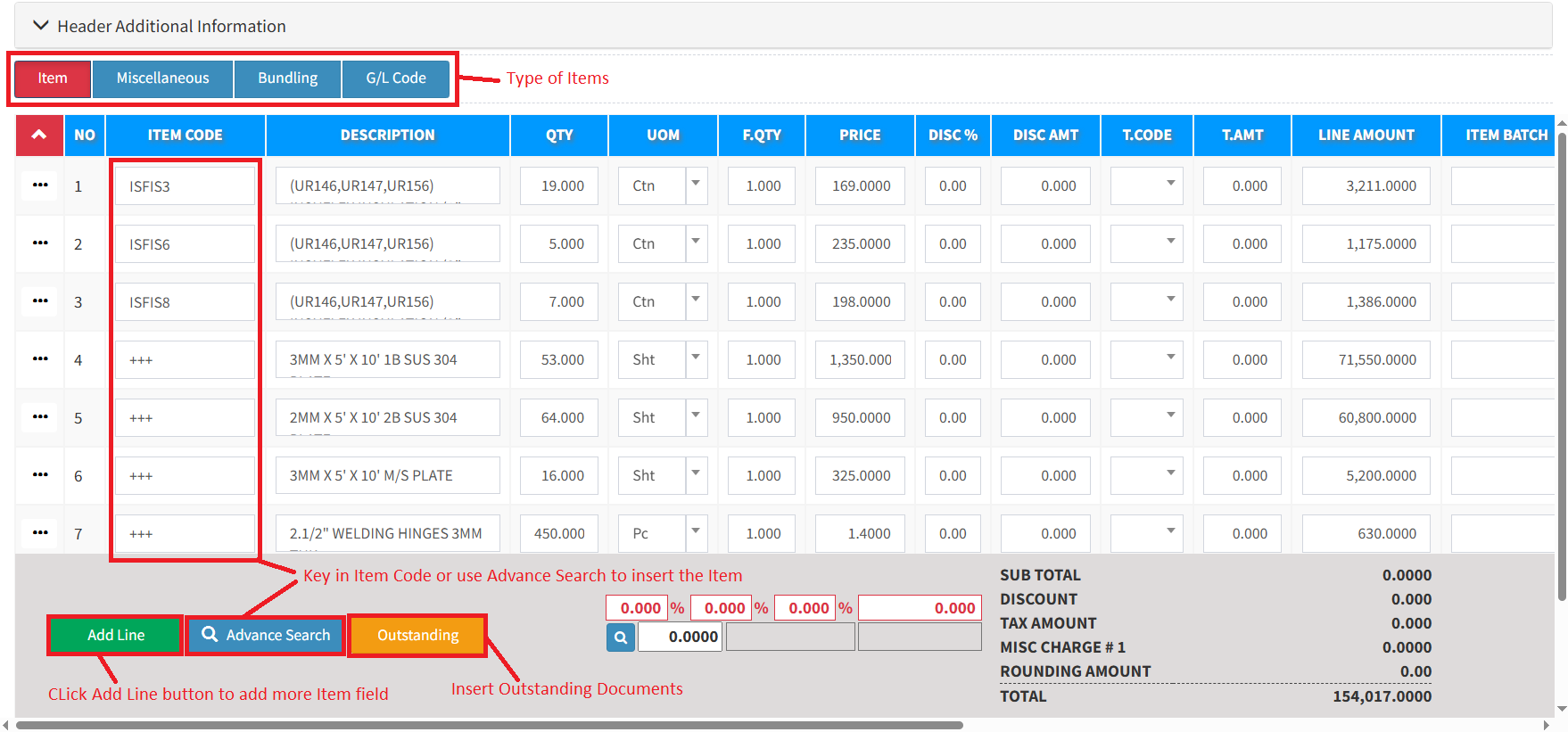
Step 3: Select the item type, then add all kinds of inventory items/miscellaneous/GL that you want to add:
- The Item = All general or standard inventory items. Basically, for every product that has stock.
- The Miscellaneous = All non-Inventory Items such as labour charges, transport charges, project services, and more.
- The Bundling = All bundling items that you have created.
- The G/L Code = Retrieve preset from the chart of accounts code.
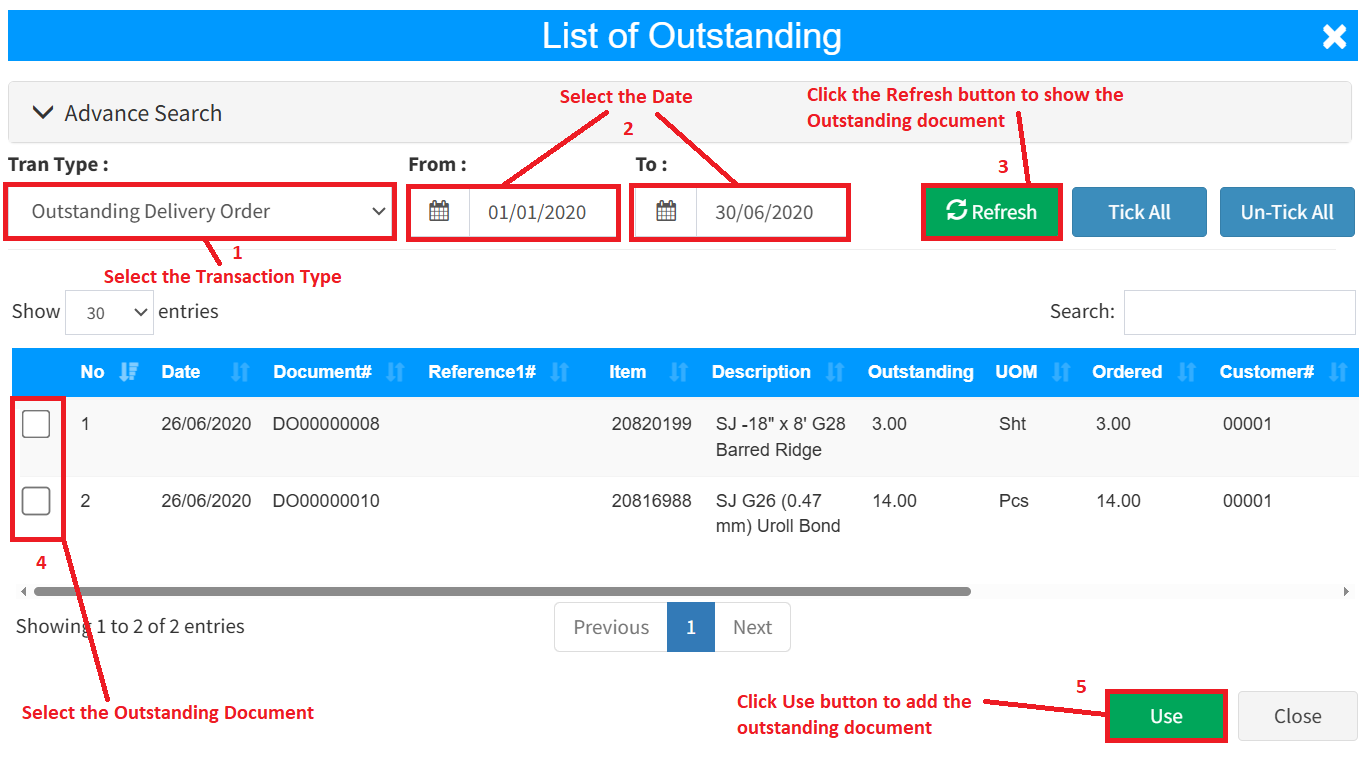
Step 4 (optional): If you want to retrieve the quotation, Outstanding Sales Order, Outstanding Delivery Order, Proforma Invoice, and Issue Stock, click the Outstanding button. On the List of Outstanding screen, select the transaction type and the document date period. Click the Refresh Button to show all outstanding documents, then tick the outstanding checkbox you want to retrieve. Click the Use button to retrieve the outstanding document for the sales invoice.
Step 5: On the bottom right, click the Save button to create your Sales Invoice, or click the Save and Print button to create and print your new Sales Invoice simultaneously.

Conclusion
In conclusion, a sales invoice is a vital document in accounting that formalizes the completion of a sale and serves as a legal record of the transaction. It ensures accurate billing, supports revenue recognition, and provides essential information for both financial reporting and tax compliance. By maintaining clear and accurate sales invoices, businesses can improve cash flow management, enhance customer trust, and ensure transparency in their financial operations.
Powered By: SKYBIZ ®