Introduction to SKYBIZ Quotation
A quotation in accounting and business refers to a formal document provided by a seller to a potential buyer, outlining the estimated costs, terms, and conditions for supplying goods or services. It typically includes details such as product descriptions, quantities, unit prices, total costs, payment terms, delivery timelines, and validity periods. A quotation serves as an offer that, once accepted by the buyer, can lead to a sales order or contract. It plays a key role in setting clear expectations between the buyer and seller and helps ensure transparency and accuracy in financial transactions.
How to Create a Quotation?
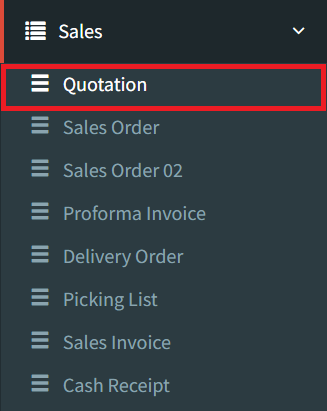
Step 1: To create a quotation, navigate to Sales > Quotation
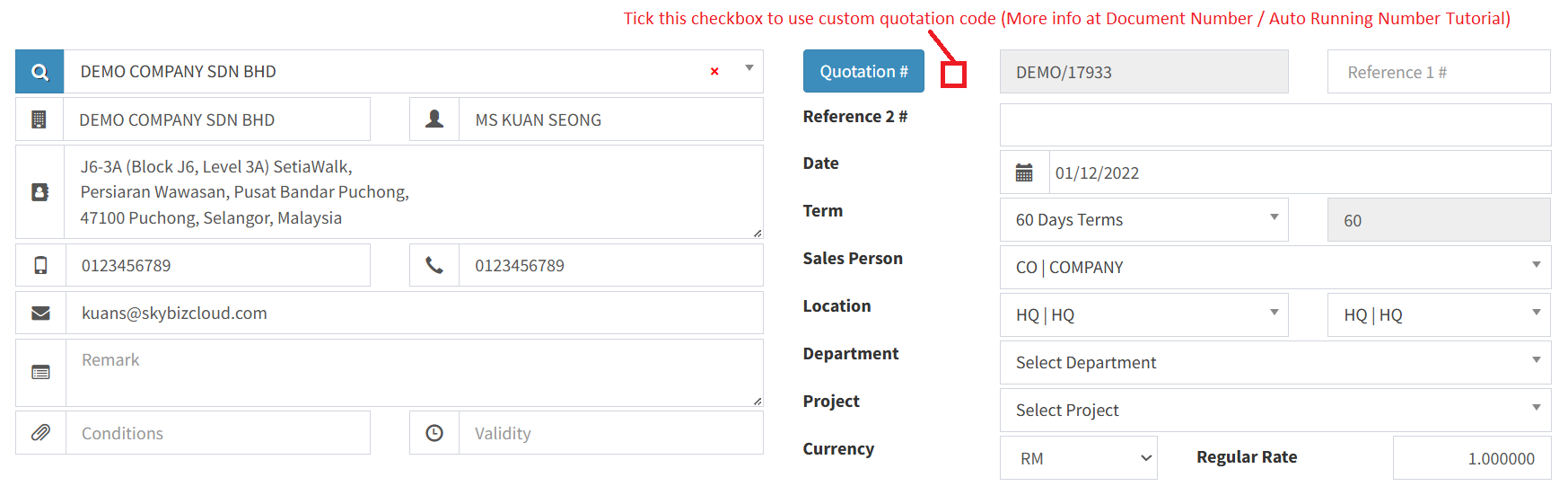
Step 2: Fill in all fields with your customer information
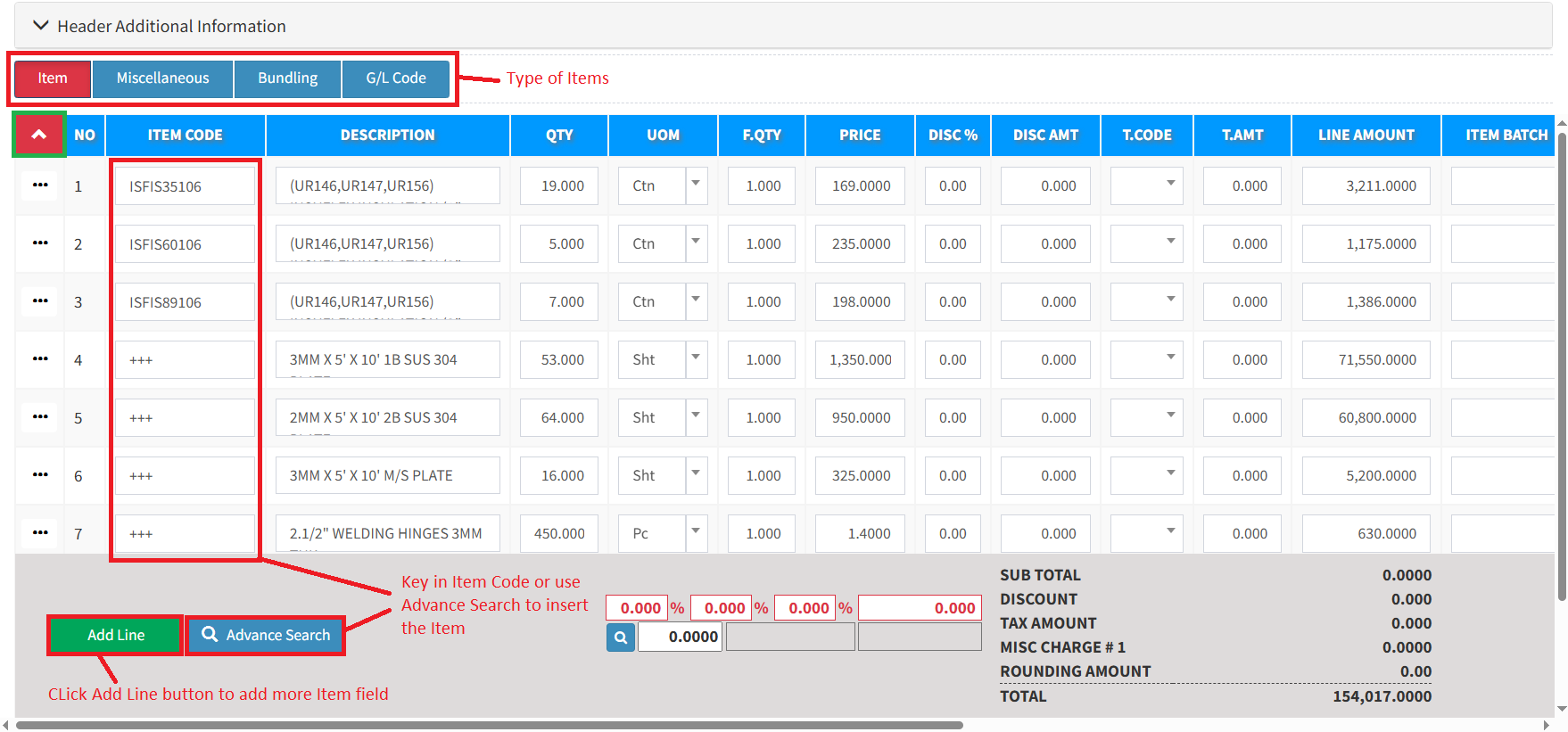
Step 3: Select the item type, then add all kinds of inventory items/miscellaneous/GL that you want to quote:
- The Item = All general or standard inventory items. Basically, for every product that has stock.
- The Miscellaneous = All non-Inventory Items such as labour charges, transport charges, project services, and more.
- The Bundling = All bundling items that you have created.
- The G/L Code = Retrieve preset from the chart of accounts code.
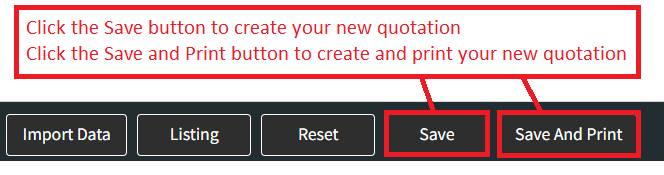
Step 4: On the bottom right, click the Save button to create your quotation, or click the Save and Print button to create and print your new quotation simultaneously
Conclusion
In conclusion, a quotation is a critical document in the sales process that establishes clear communication between a seller and a potential buyer regarding pricing, terms, and conditions. By providing accurate and detailed quotations, businesses can ensure transparency, avoid misunderstandings, and lay the groundwork for smooth and successful transactions. Proper management of quotations not only supports efficient sales operations but also contributes to accurate financial planning and customer satisfaction.
Powered By: SKYBIZ ®