Running Number are generated automatically to keep things more organized and avoid double numbering for each new document.
Below are guideline(s) to Purchase Order Preset Auto Running Number or Manual Running Number :
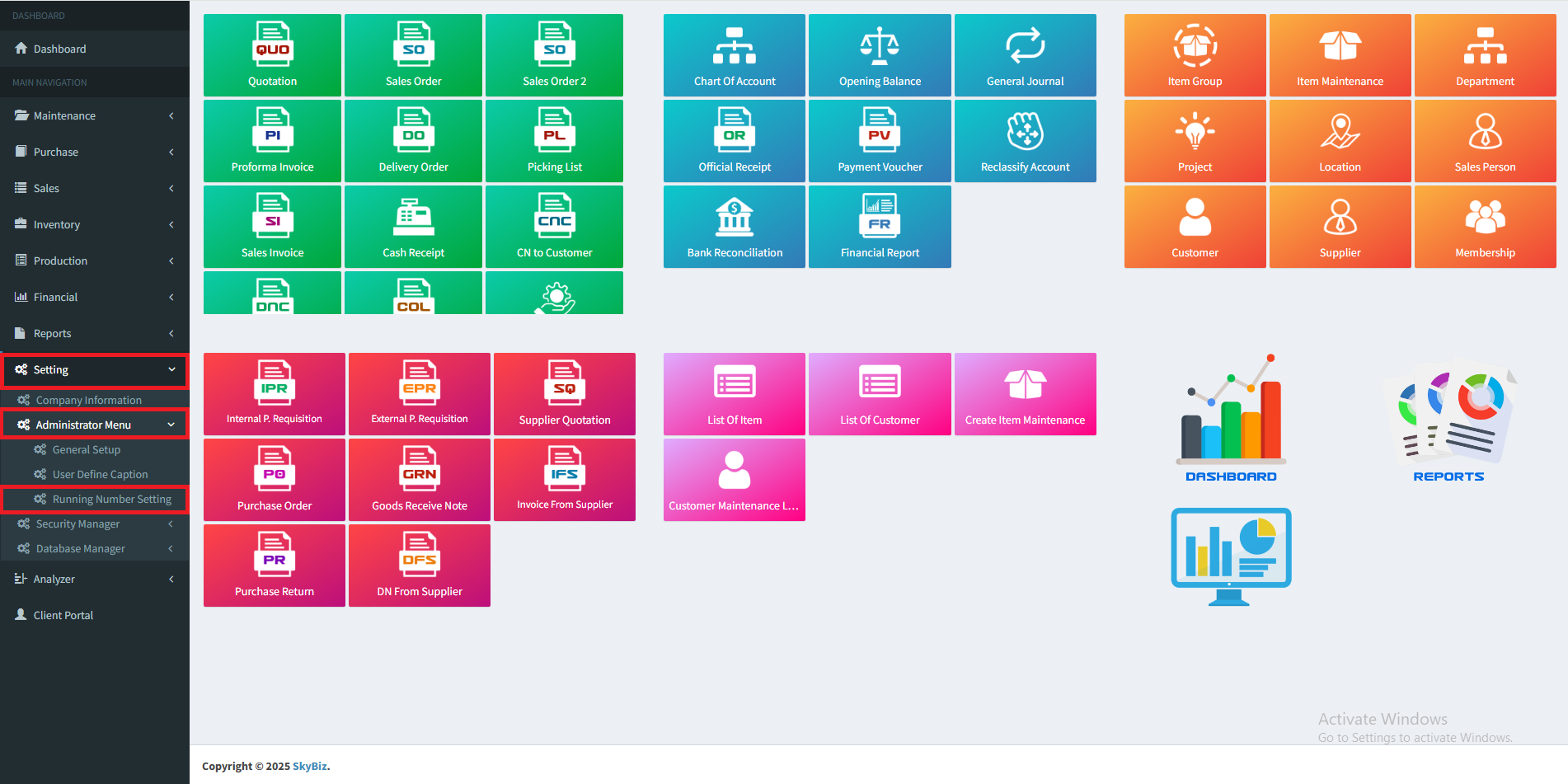
1. At menu Setting, click “Administrator Menu” >> “Running Number Setting”
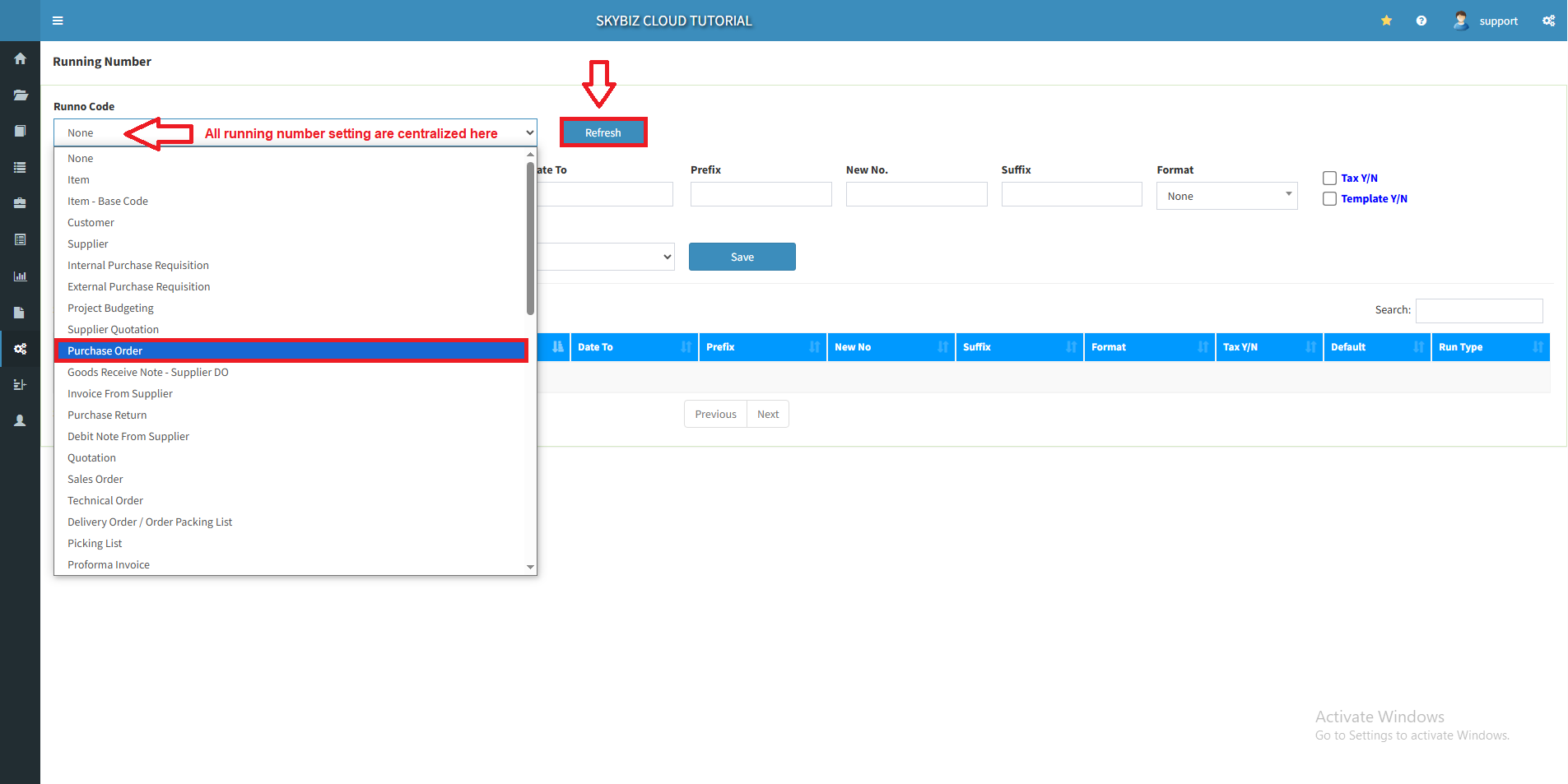
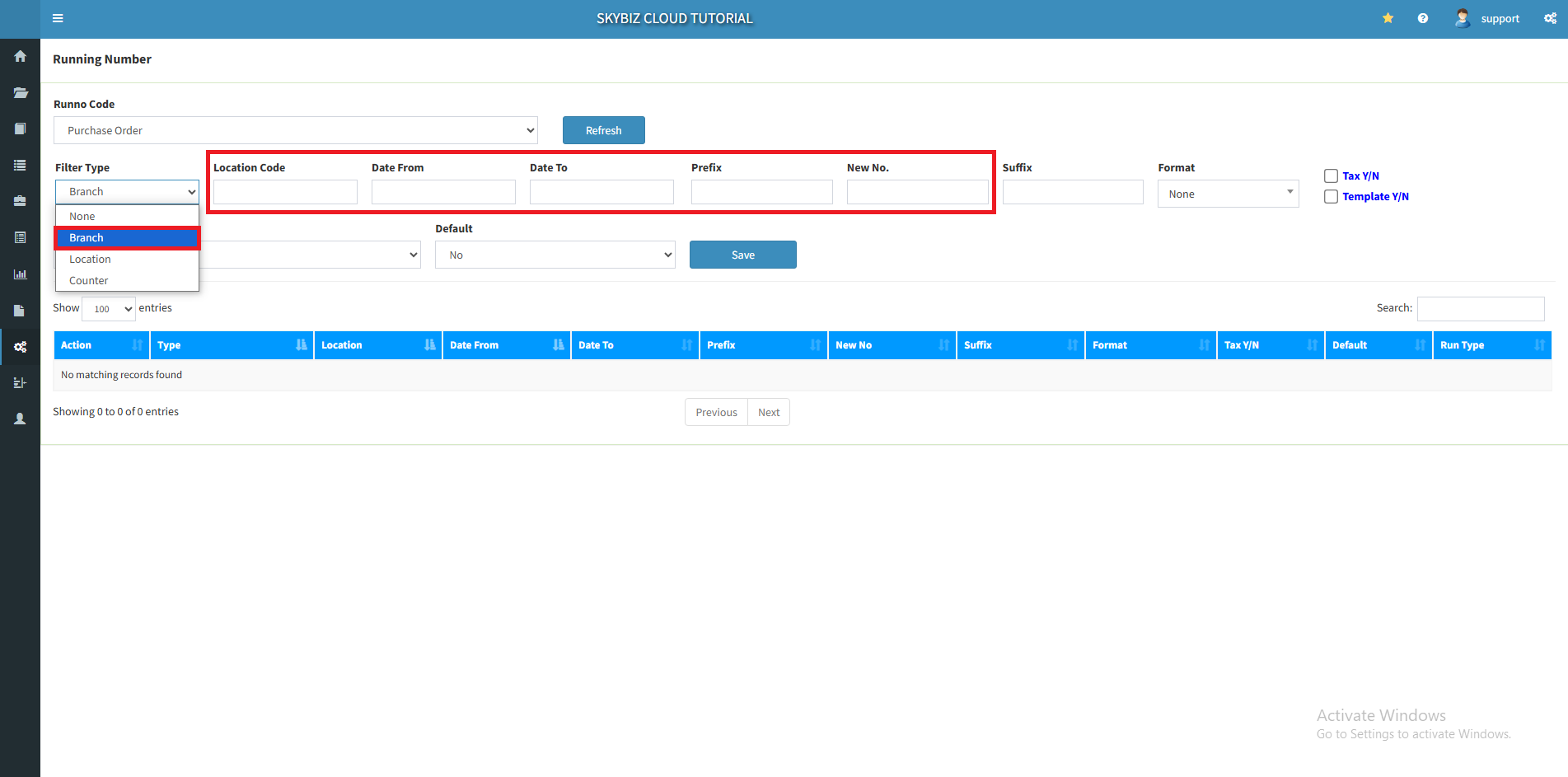
2. In Runno Code, select Purchase Order. Then, click “Refresh”
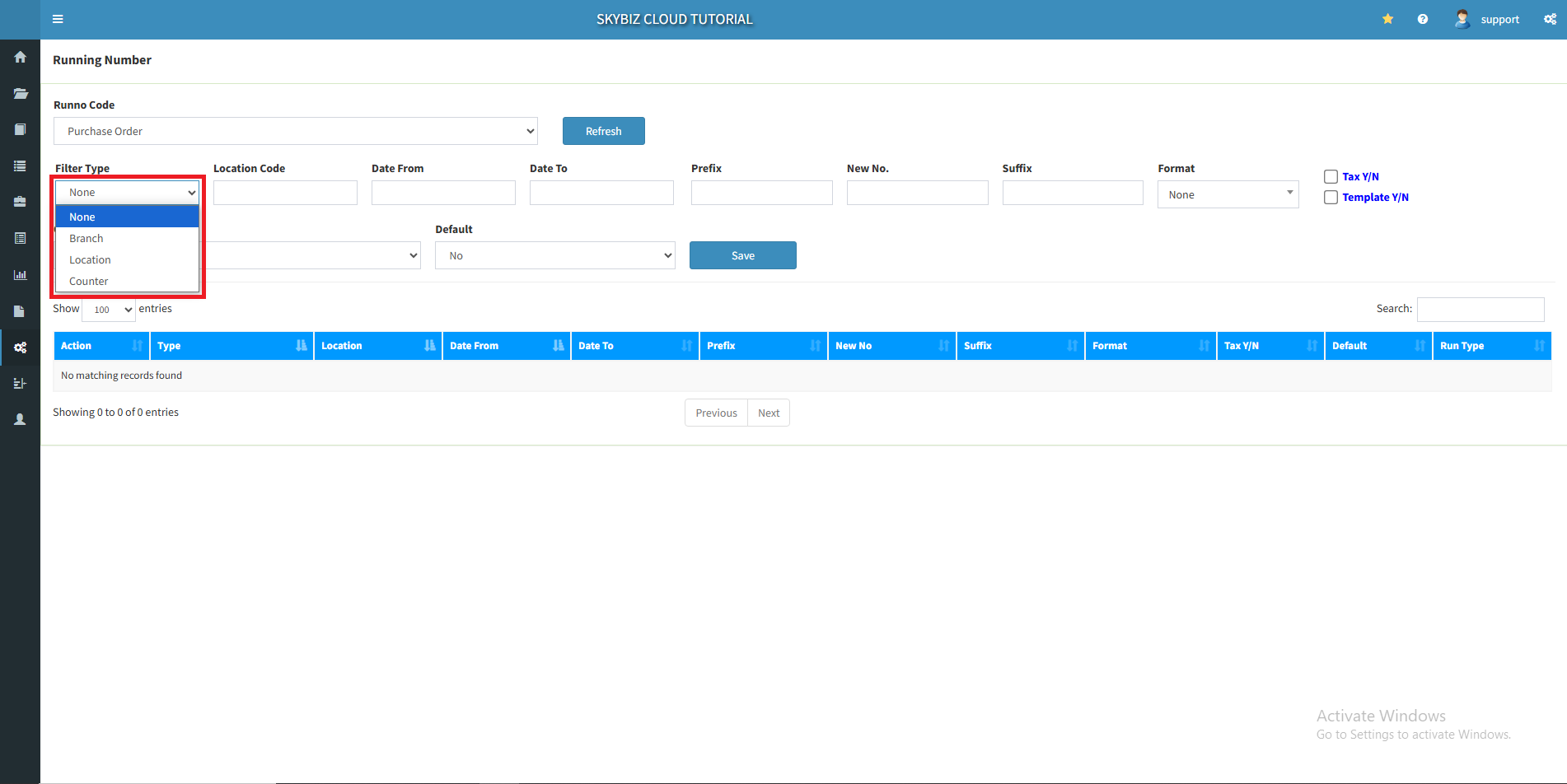
3. Select your Filter Type such as None, Branch, Location and Counter.
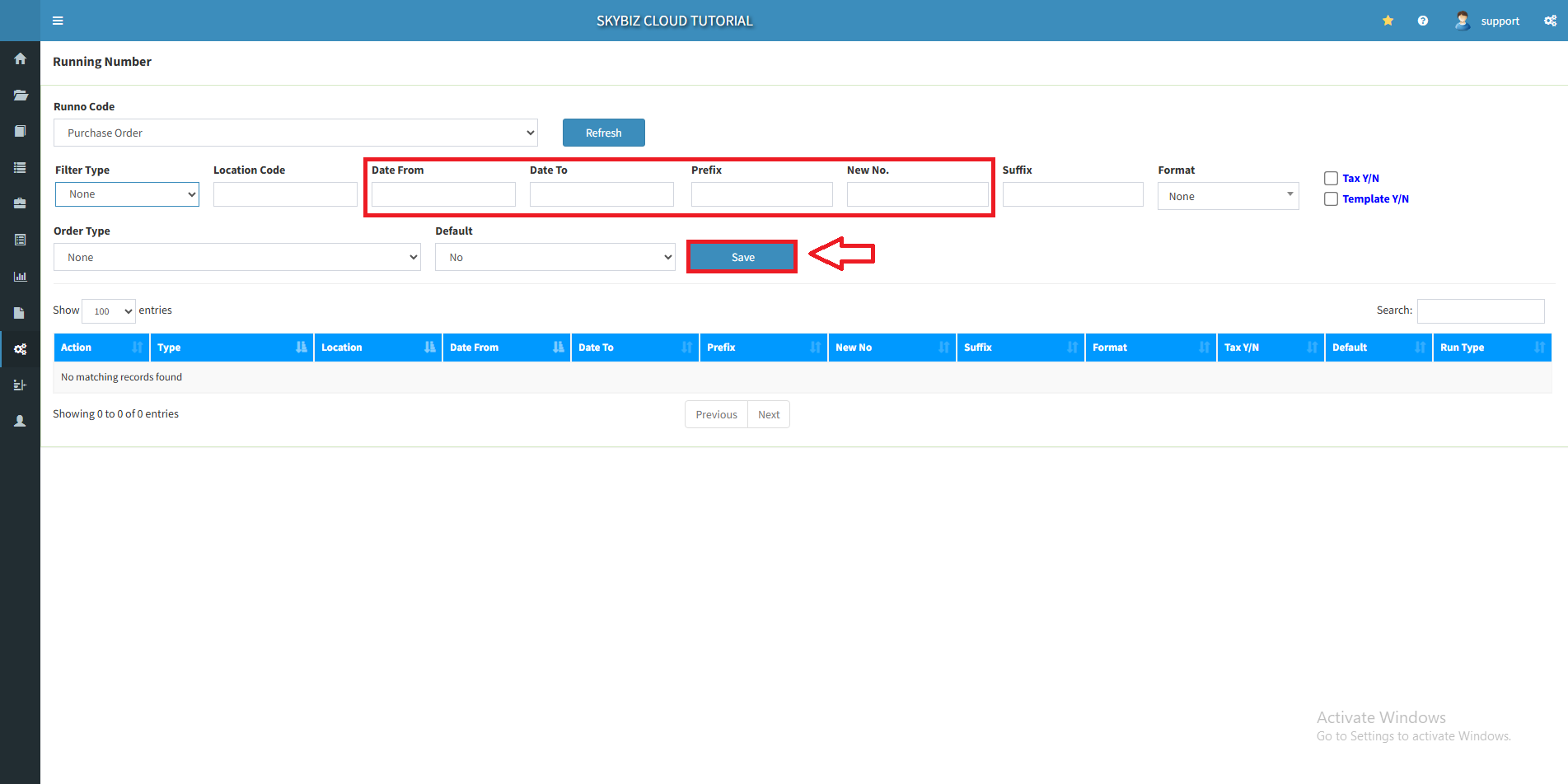
4. Fill up the Date From, Date To, Prefix and New No.Date From is the mass that started its use, Date To is the mass that ended its use. Prefix are usually unique letters that identify the category. “New No” connects the end of the prefix and this will be an auto-increment, after one is created.
5. After that, click “Save”
6. If the company has many branches and wants to differentiate their own purchase order prefix. In the filter type, select Branch and fill up branch code. For Date From and Date To, same as explained before. In the Prefix column, you can fill in as needed. In the New No. column, fill up for sequences number as explained earlier.
Powered By : SKYBIZ ® Beyond Cloud ™