Below are guideline(s) to Add Pricing Matrix Buy Any Promotion:
Follow the screenshot steps.
Cloud
- Click Maintenance>>Price Matrix
-
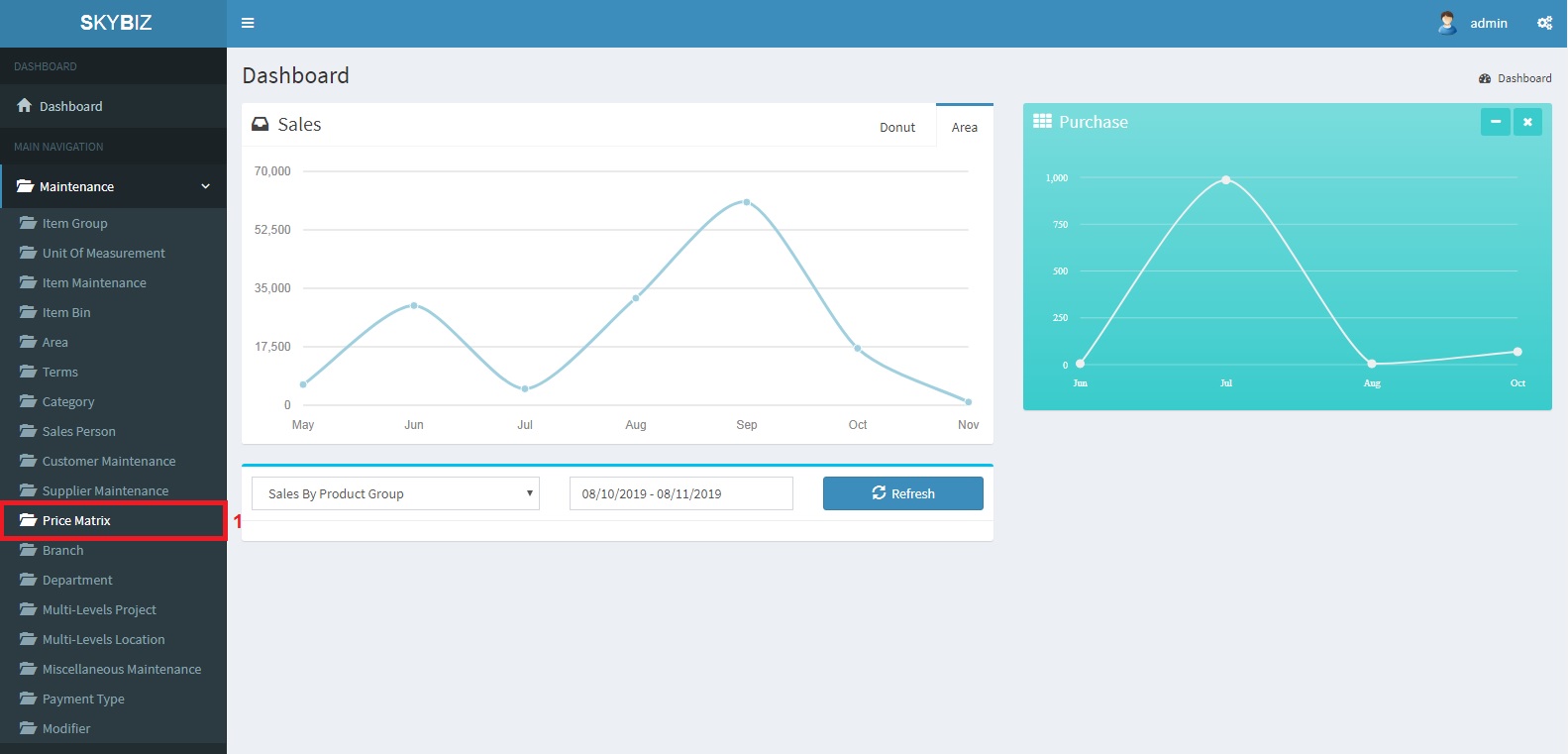
Price Matrix
- Choose Item based-Pricing
-
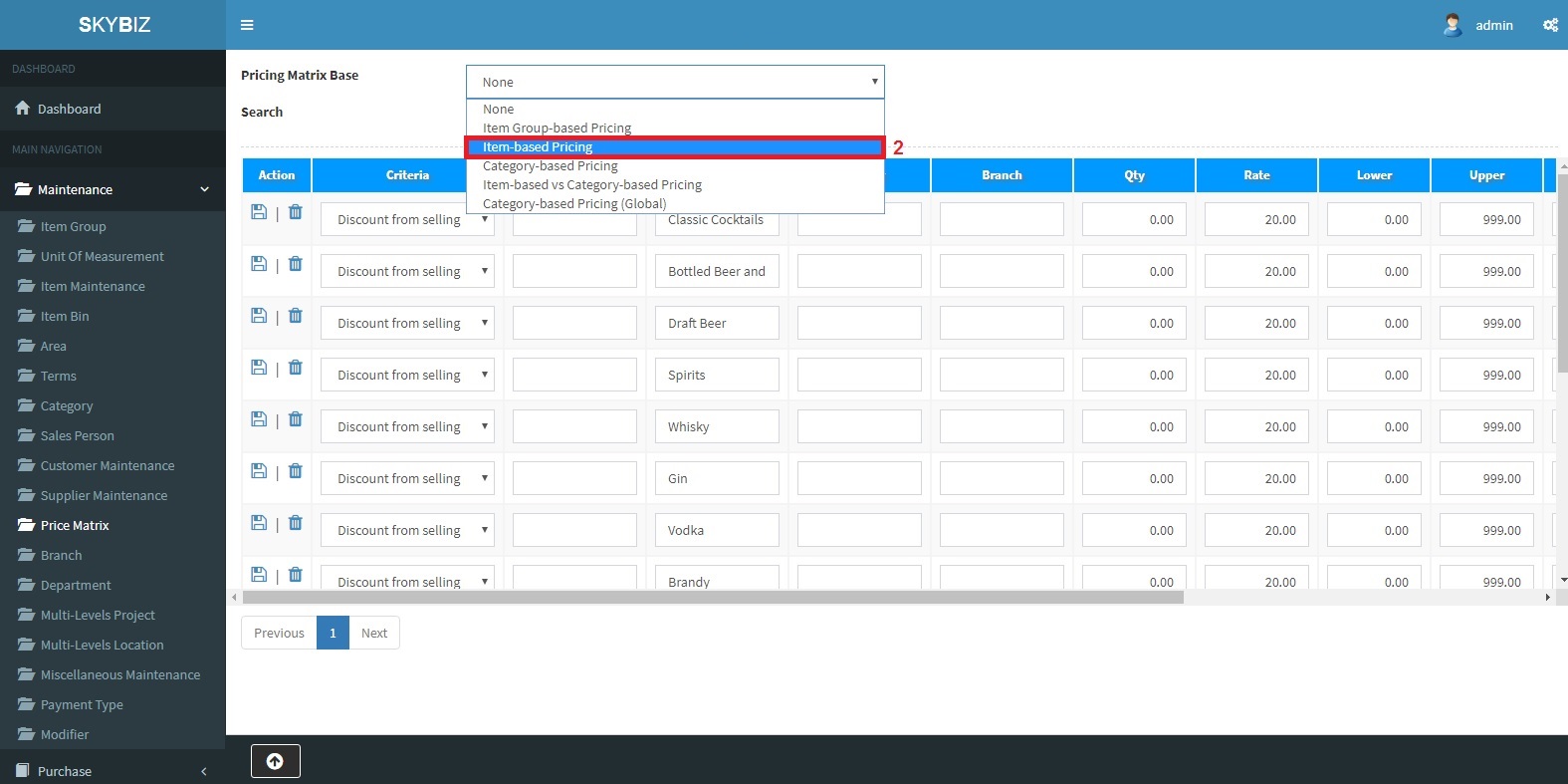
Item based-Pricing
-
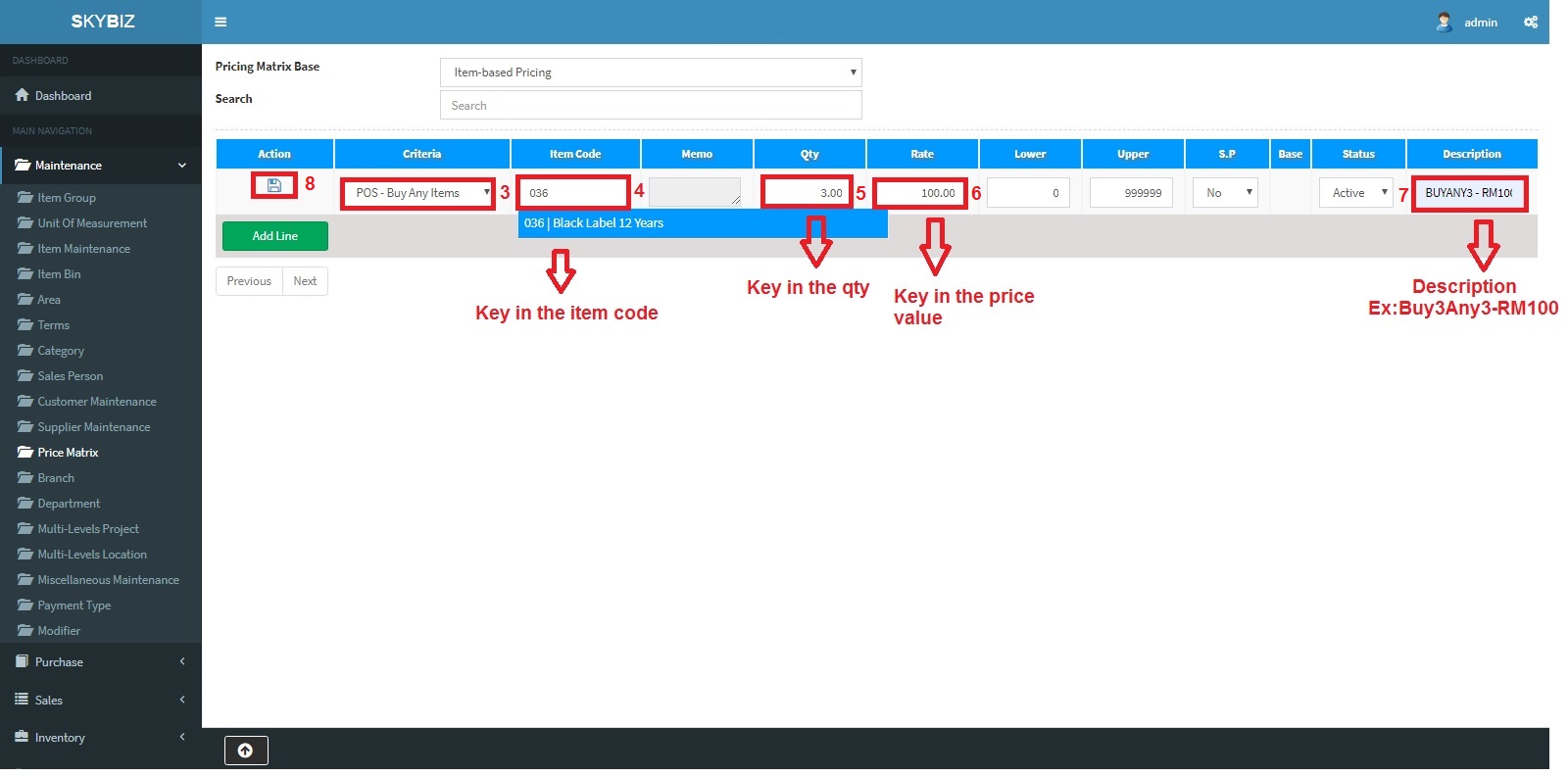
Fill up the Pricing Matrix Columns
- Criteria>> Choose Pos-BuyAnyItem
- Item code>>Key in the first Item Code
- Qty>>Key in the Qty of the item (Ex:3 optional)
- Rate>>The total amount after discount for the 3 items (Ex: Buy any 3 items total RM100)
- Description>>Ex:BuyAny3-RM100
- Save
-
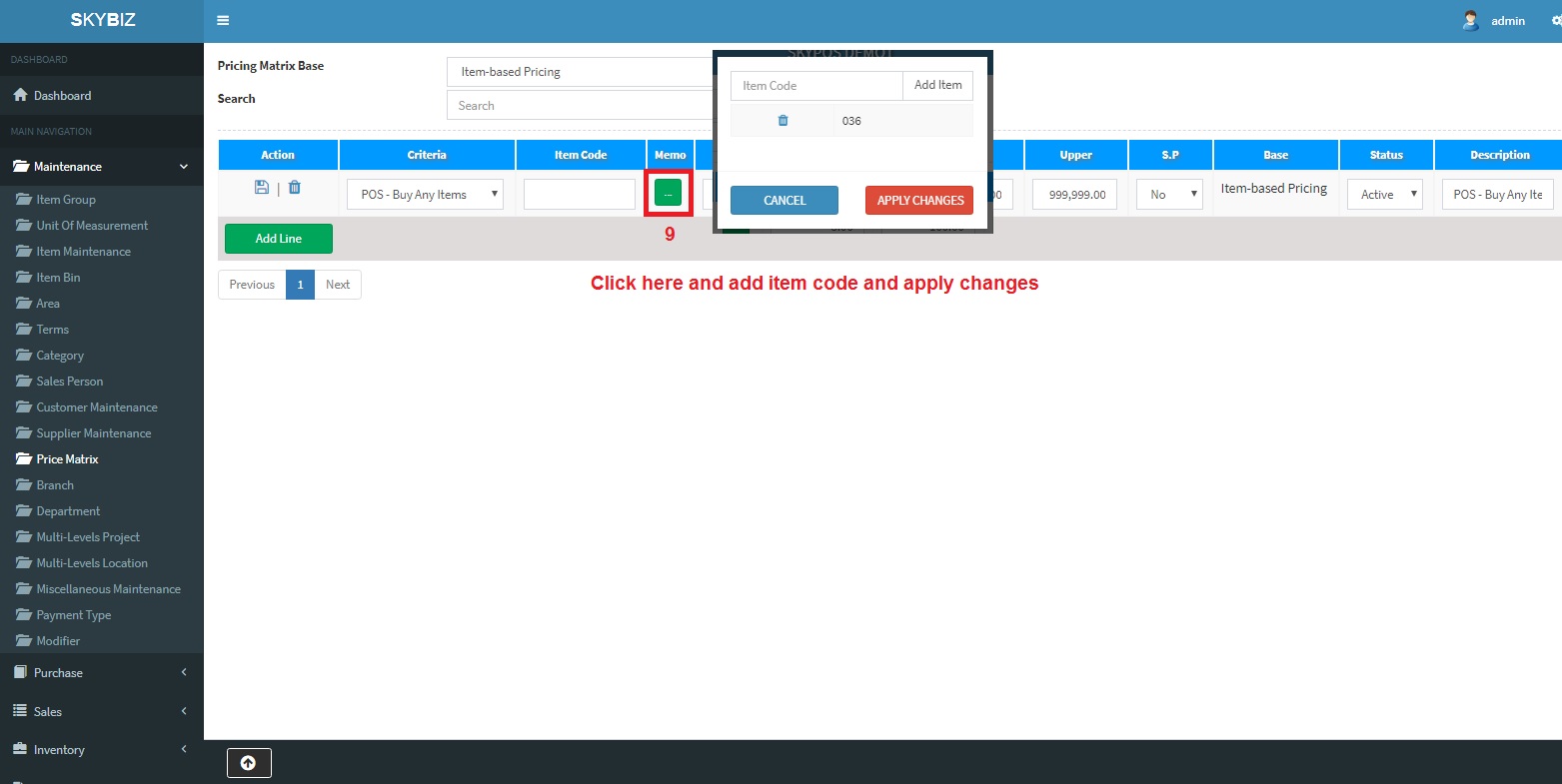
Memo
- Click on the MEMO >> Add the more Item Code and Apply Changes
Android
- Select the Item
-
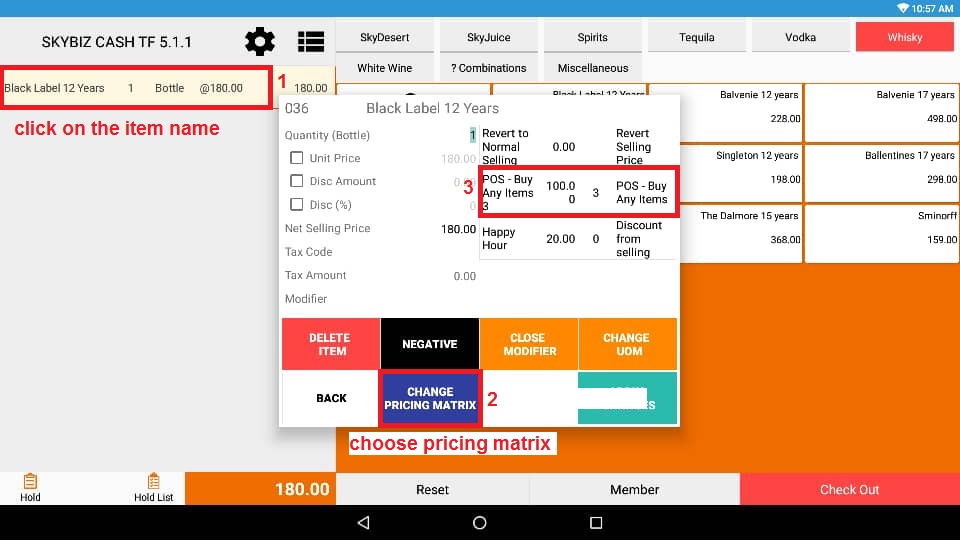
Click on the item
- Choose>>Change Pricing Matrix
- Choose>>POS-BuyAny3
-
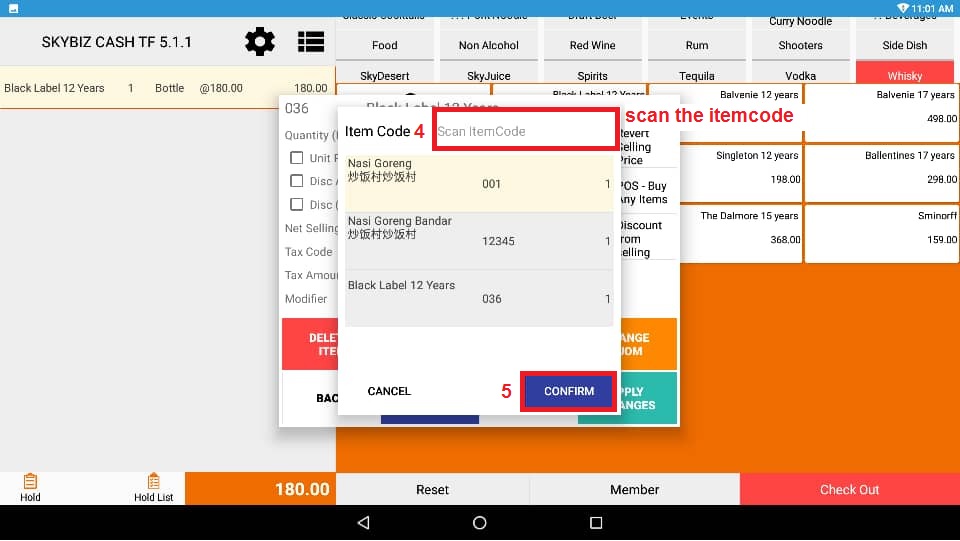
Scan the item code
- Click>>Save
-
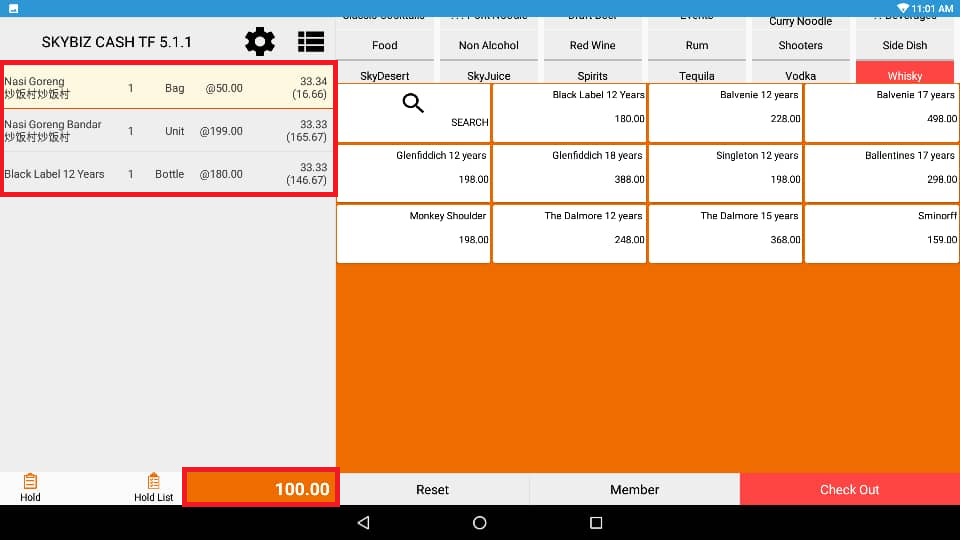
Total Promotion Price
Powered By : SKYBIZ ® Beyond Cloud ™