Introduction to SKYBIZ Miscellaneous Maintenance
Miscellaneous are used as Non-inventory items, which refer to goods or services purchased or sold by a business but are not tracked as part of its inventory stock. These items are not stored in a warehouse or counted on inventory reports. Instead, these items are usually directly expensed or used for immediate sale or consumption. Examples include office supplies, maintenance services, or shipping costs for goods purchased or sold. In accounting systems, non-inventory items help businesses manage costs and purchases that do not require inventory control, ensuring accurate expense tracking and financial reporting.
How to Create a Miscellaneous?
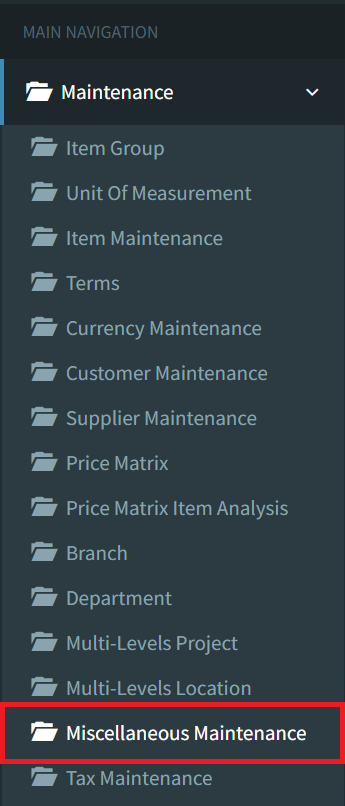
Step 1: To create a miscellaneous, navigate to Maintenance > Miscellaneous Maintenance
Step 2: Click the Create button on the bottom left to create a new miscellaneous

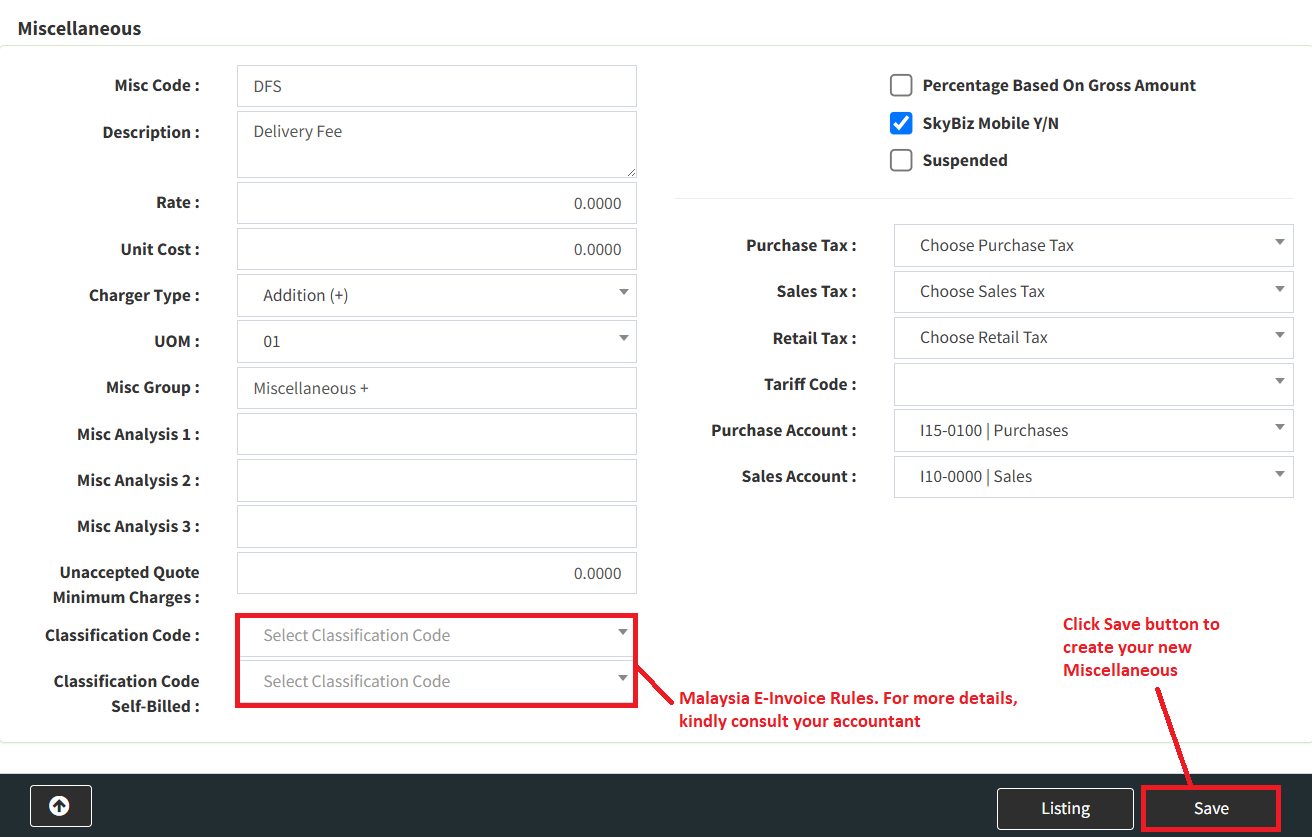
Step 3: Fill in all fields with your miscellaneous details, then click the Save button to create your new miscellaneous
Conclusion
In conclusion, Miscellaneous play an important role in accounting by allowing businesses to accurately record and manage goods or services that are not tracked as part of inventory. Proper handling of non-inventory items ensures that expenses are correctly classified and reported, supporting clearer financial statements and better cost control. By distinguishing these items from inventory stock, companies can streamline purchasing processes and maintain an accurate view of their operational expenses.
Powered By: SKYBIZ ®