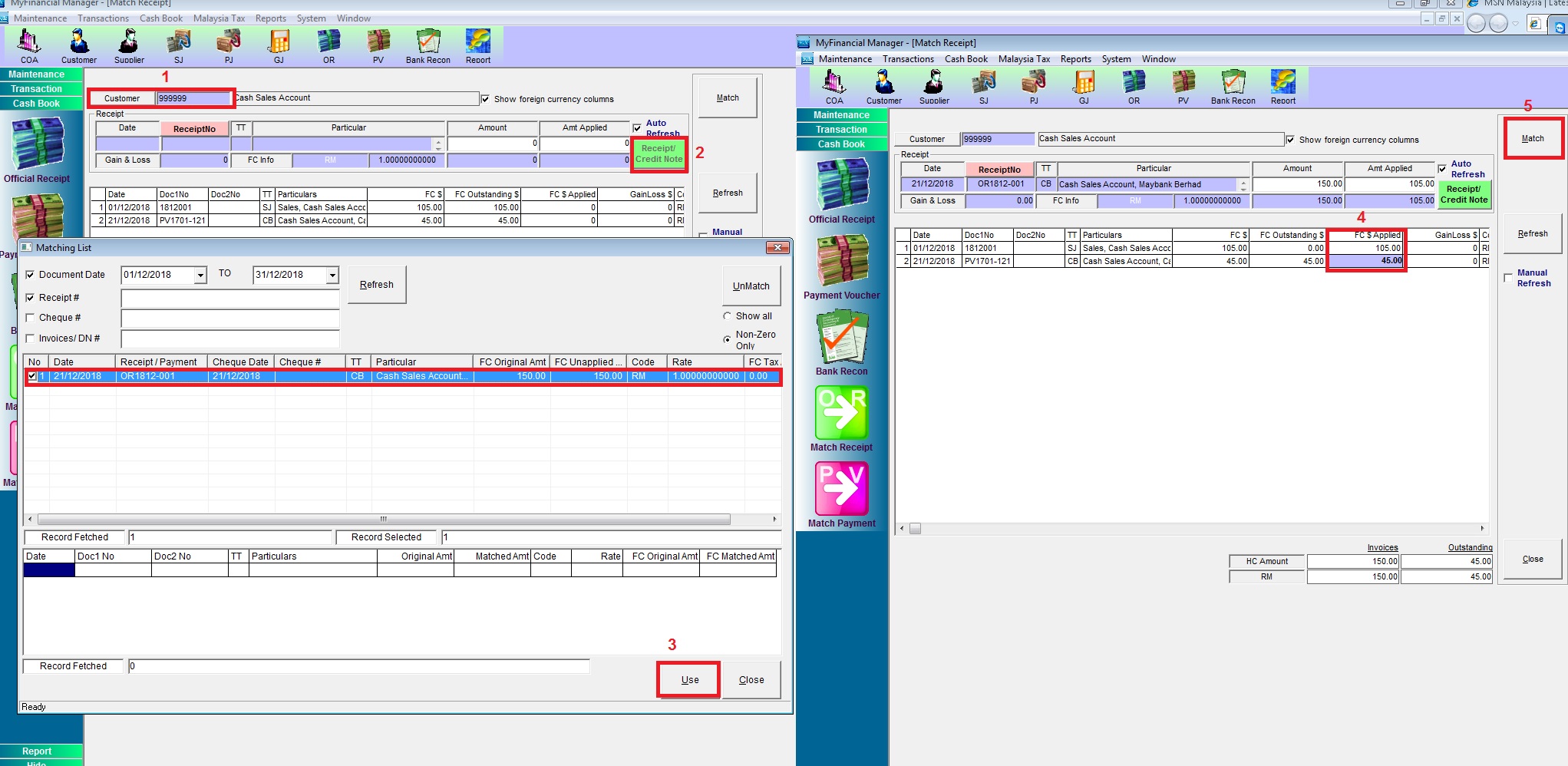
Below are Guideline(s) on how to Match back the un-matched Official Receipt
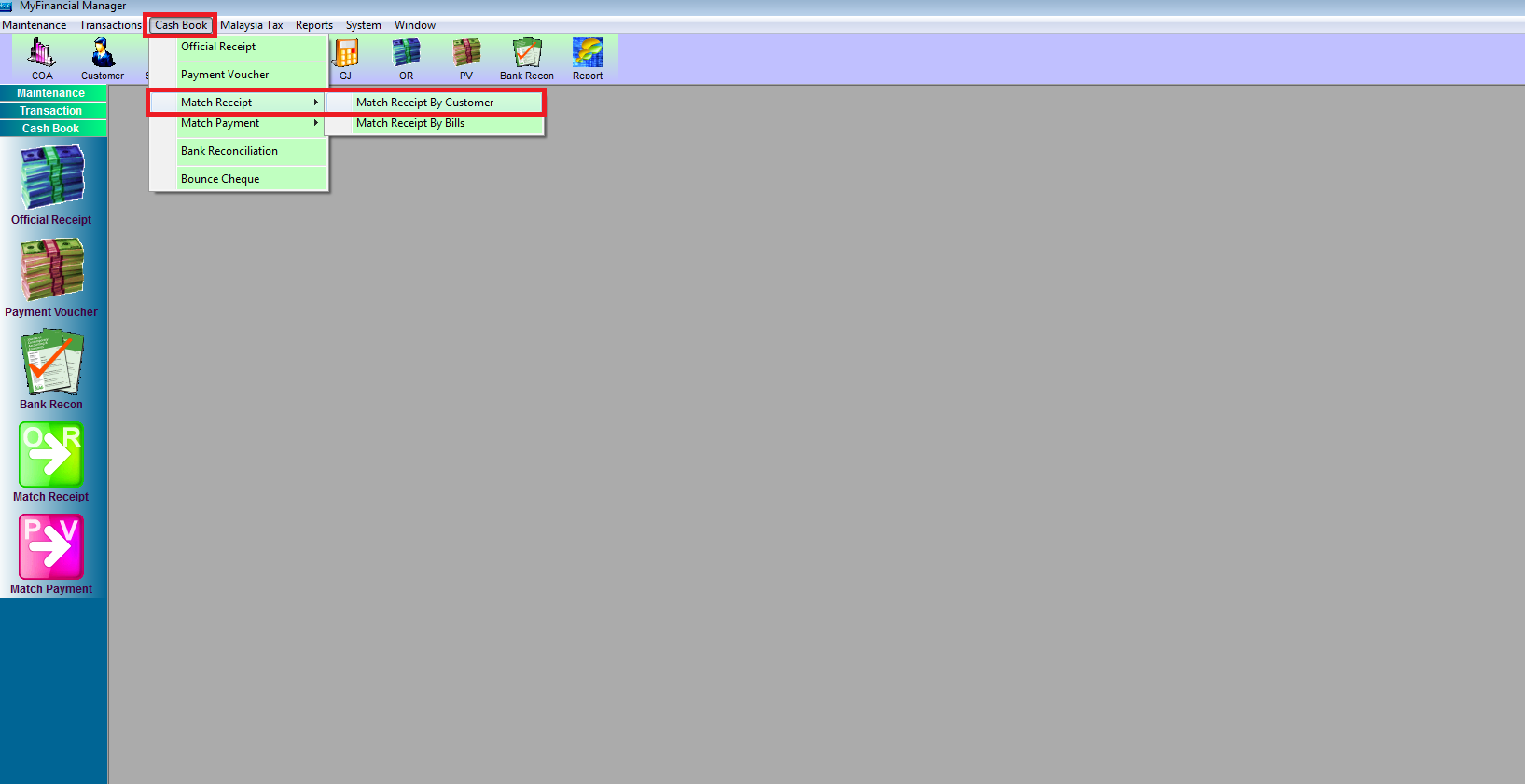
Step 1: Go to Cash Book > Match Receipt > Match Receipt By Customer
- 1. Select the Customer Code
- 2. Click Receipt/Credit Note
- 3. Select the OR then use
- 4. Apply the amount
- 5. Match