An item maintenance is a record of all information about a particular item. This could include a short description, dimension of size and weight, costs and as well as information about current stock levels.
Below are guideline(s) to create new item code or SKU:
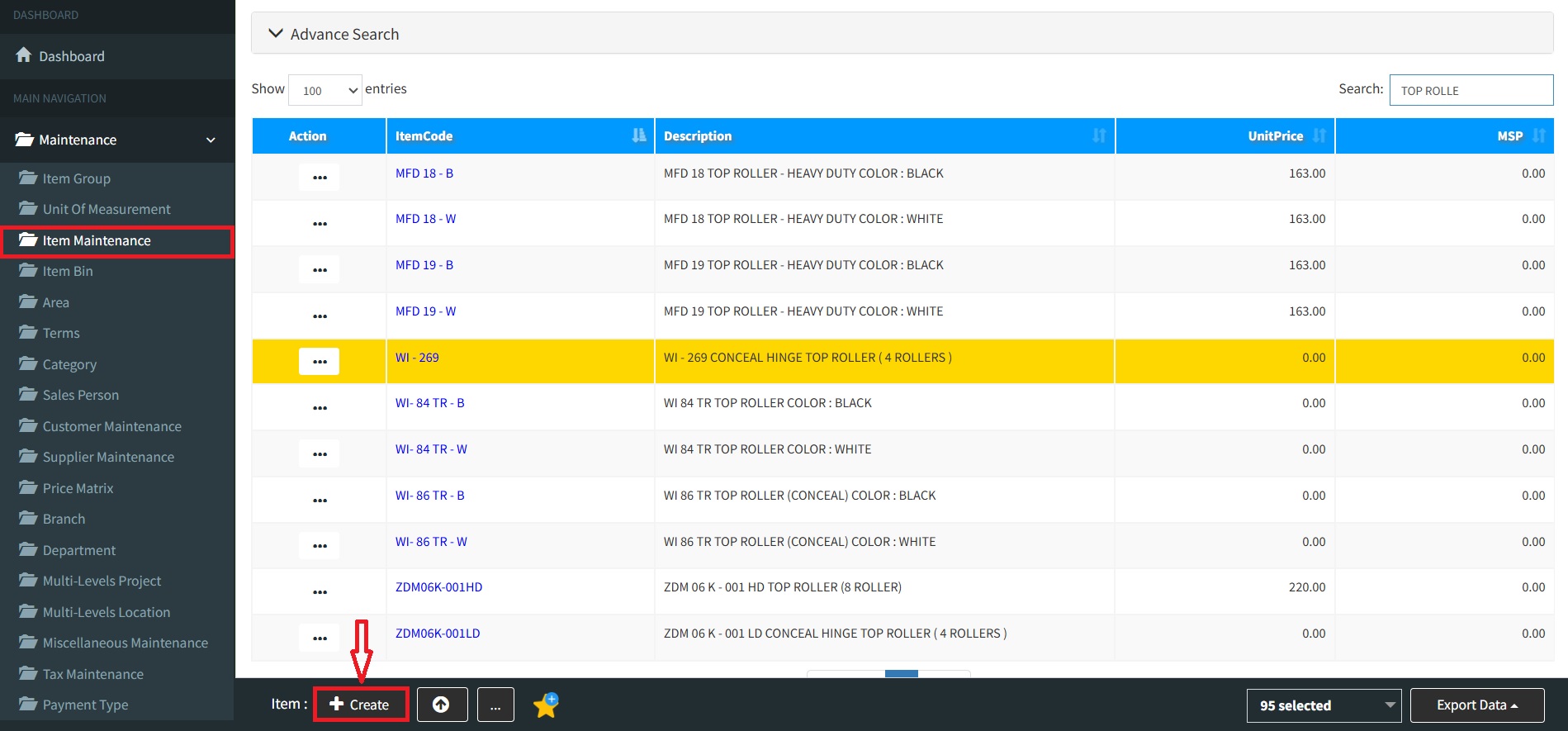
Step 1: Click on side menu>>Maintenance>>Item Maintenance
Step 2:
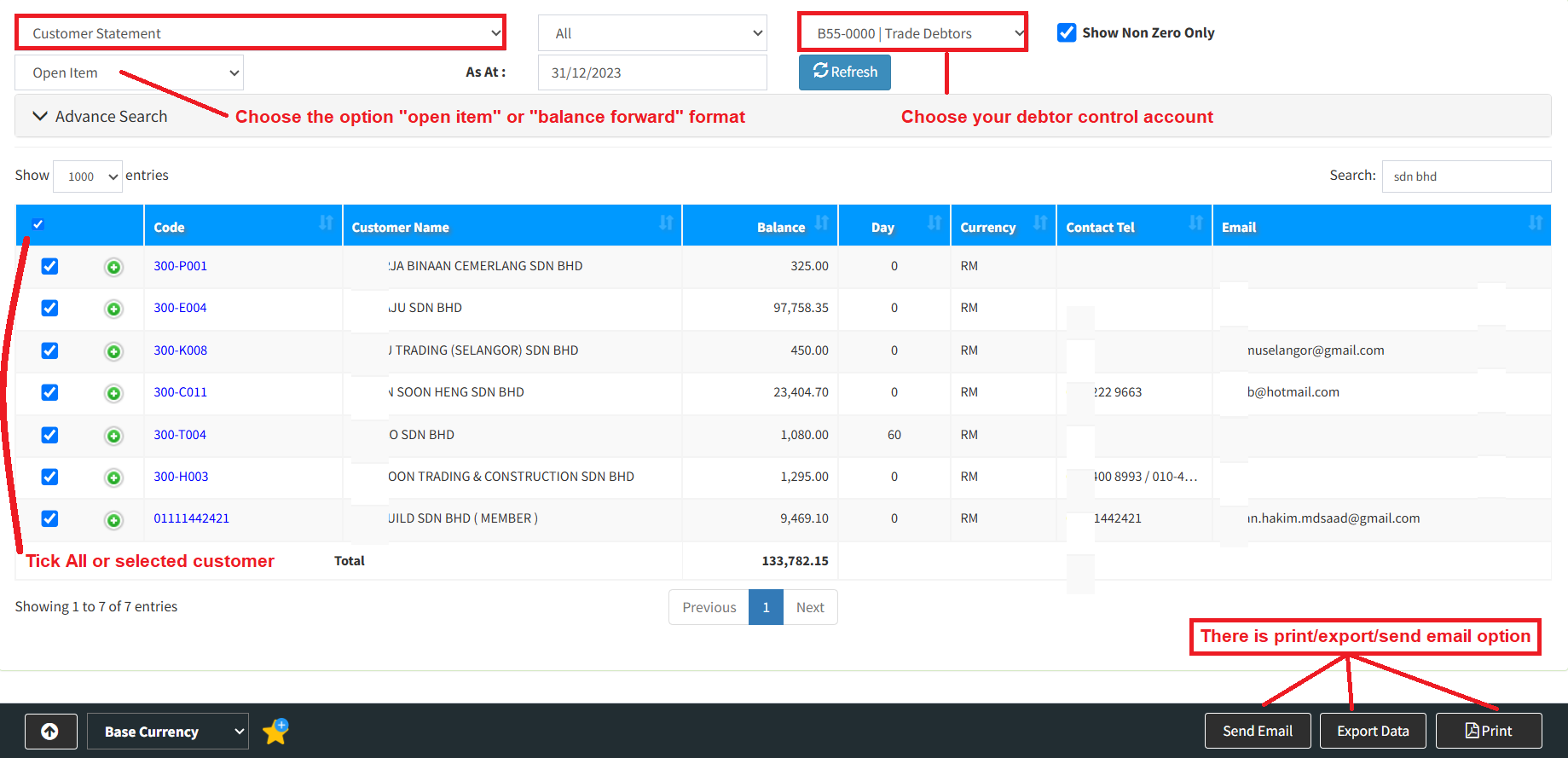
a. Choose customer statement
b. Define statement date, debtor control account, format type open item or balance forward format.
c. User may print or send email to your customer,
Powered By : SKYBIZ ®
Item Maintenance provides the functionality to maintain the store database of items and kits that are available in the store. A kit is a collection of items grouped under one price.
Below are guideline(s) how to add item barcode in the Back Office:
1. Click Maintenance>>Item Maintenance
2. Click Create

Item Maintenance
You can avoid manual entry by connecting a barcode scanner to your PC or tablet and simply scanning in the barcodes. Click the Barcode field and then scan the code from the item.
Powered By : SKYBIZ ®