Introduction to SKYBIZ Item Maintenance
Item Maintenance, also known as product maintenance, refers to the ongoing process of managing and updating item information within a system or database. This includes activities such as creating new item records, modifying existing details (e.g., price, description, unit of measurement), deactivating discontinued items, and ensuring data accuracy across inventory, sales, and procurement systems. Effective item maintenance is crucial for seamless business operations, as it helps prevent errors, supports accurate inventory control, and ensures that all departments are working with up-to-date product data.
How to delete an item on Item Maintenance?
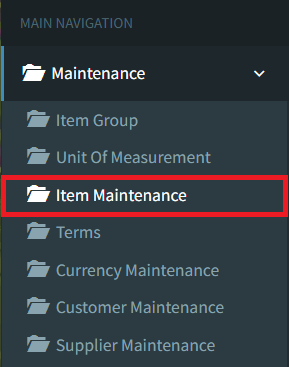
Step 1: To delete an item on Item Maintenance, navigate to Maintenance > Item Maintenance
Step 2: Click the Listing button on the bottom right to view all items

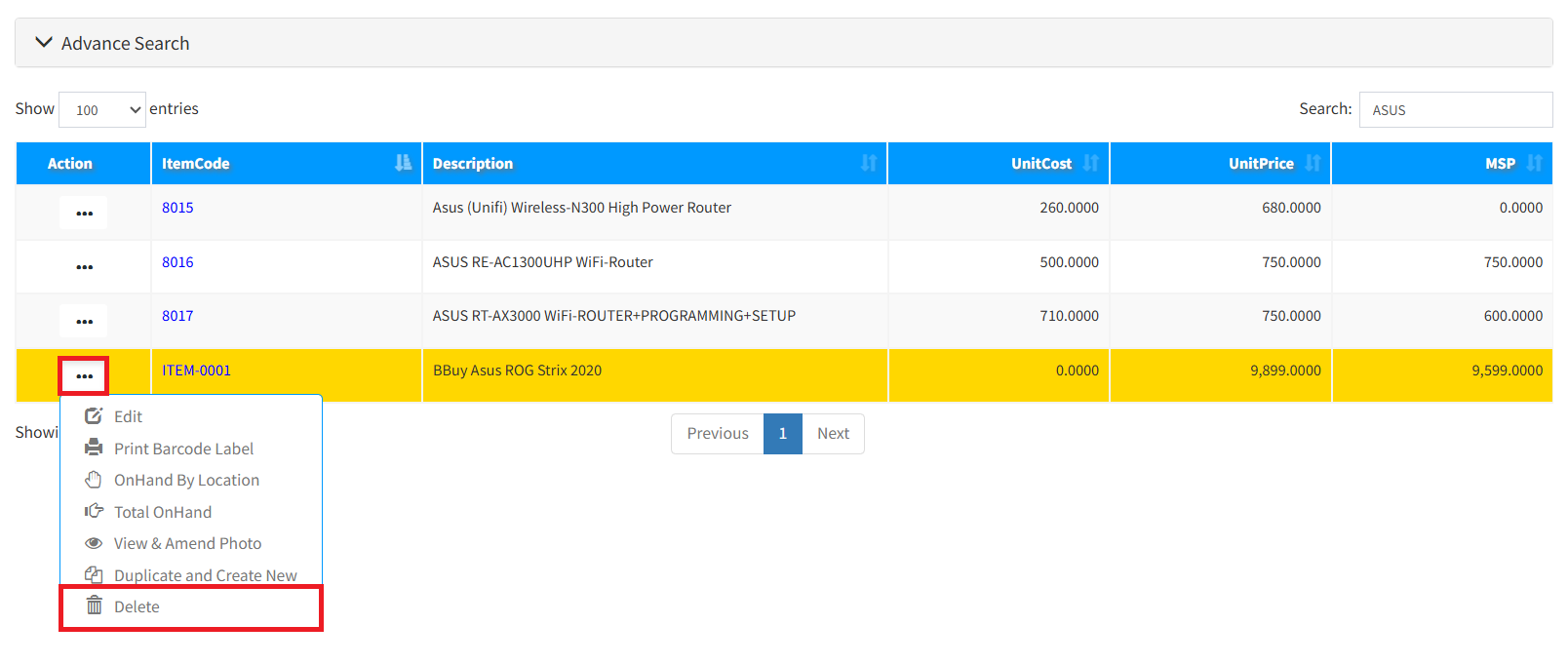
Step 3: Click the 3-Dots icon, then click Delete to remove your Item
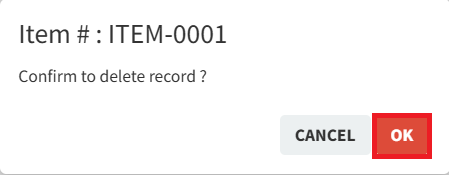
Step 4: Click the OK button to continue removing your item
Conclusion
In conclusion, Item Maintenance is a critical function that ensures the accuracy and reliability of product information within an organization. By regularly updating and managing product data, businesses can avoid costly errors, streamline operations, and maintain consistency across departments. Proper item maintenance not only supports efficient inventory and sales processes but also enhances decision-making and customer satisfaction. As such, it is a key component of effective product and data management.
Powered By: SKYBIZ ®