Introduction to SKYBIZ Internal Purchase Requisition
An Internal Purchase Requisition (PR) serves as the formal starting point for procurement, acting as an official request from an employee or department head to the organization’s finance or purchasing team. Its primary function is to document a specific need—whether for physical assets, software licenses, or external services—and provide a structured trail for internal oversight. By requiring a detailed description of the items, their estimated costs, and a clear business justification, the requisition ensures that all requested resources align with the organization’s current operational goals and technical requirements. This process acts as a vital internal control, preventing unauthorized or redundant spending while allowing the procurement department to consolidate orders and negotiate better terms with vendors based on centralized data.
Furthermore, the requisition process is essential for maintaining accurate financial planning and inventory management across various departments. Once a request is submitted, it typically triggers an automated workflow where budget holders can verify that funds are available before any financial commitment is made to an external supplier. This level of transparency is particularly crucial for tracking asset lifecycles and service records, as it creates a permanent digital footprint of why, when, and for whom a resource was acquired. By streamlining these requests through a standardized system, an organization can transform a complex purchasing cycle into a transparent, audit-ready procedure that minimizes delays and ensures that every team has the necessary tools to maintain peak performance.
How to Create an Internal Purchase Requisition?
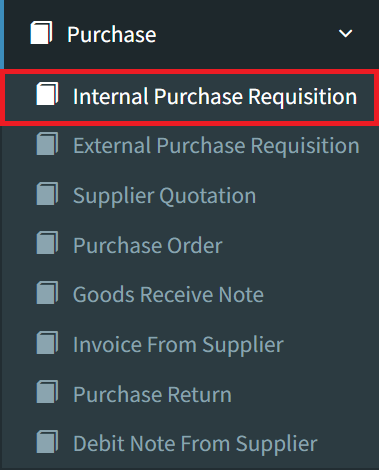
Step 1: To issue an Internal Purchase Requisition, navigate to the Purchase menu and select the Internal Purchase Requisition option.
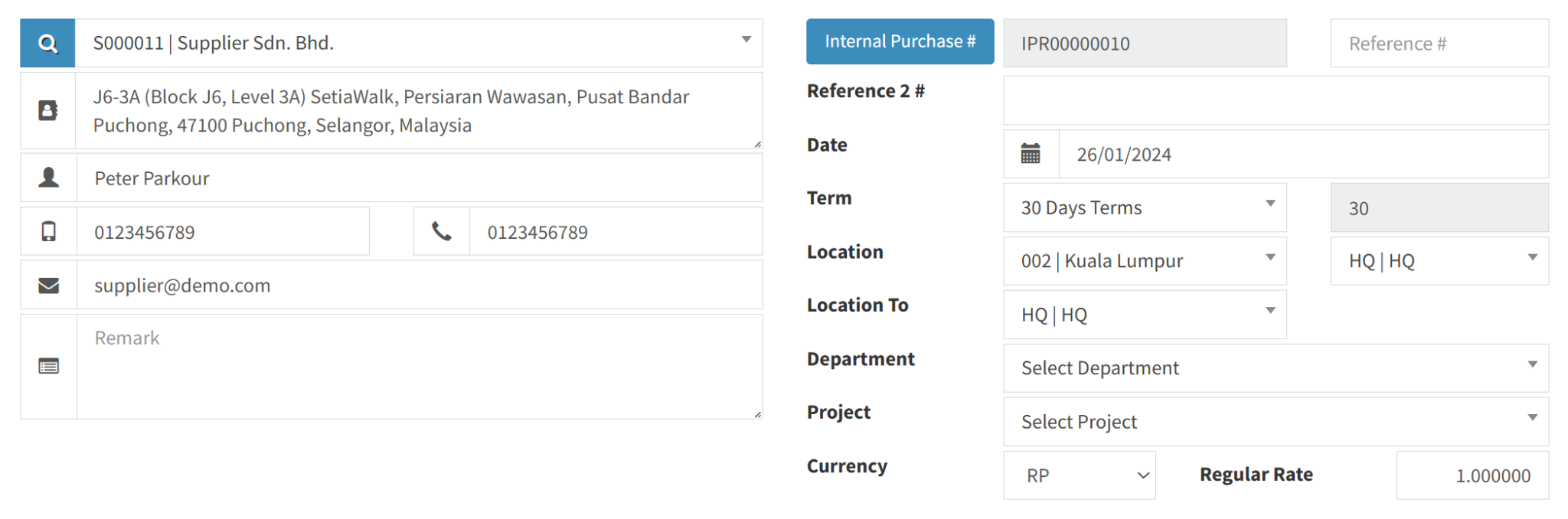
Step 2: Please provide all required fields with the relevant Supplier Information, ensuring the profile details are accurate.
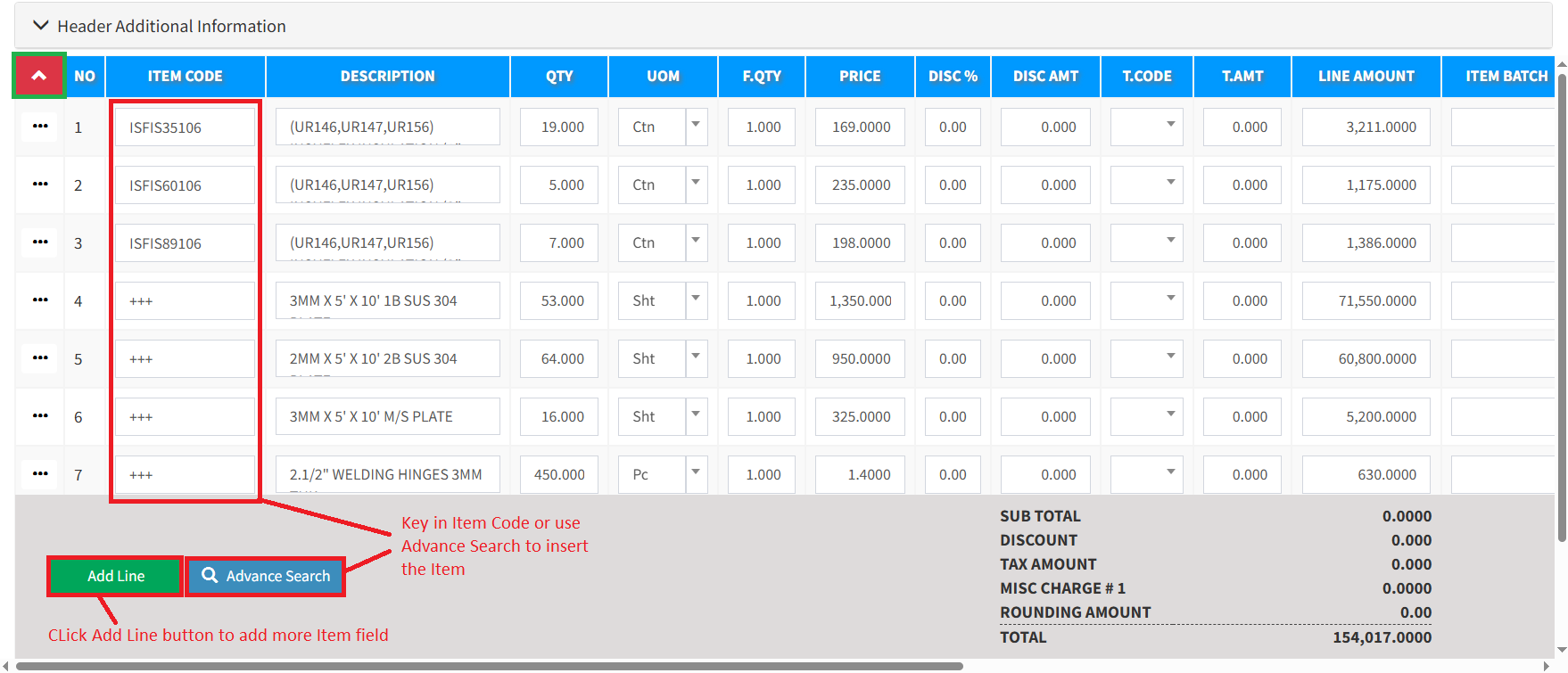
Step 3: Choose the specific items required for the purchase requisition from the provided list.
Step 4: Once you have reviewed the details, click the Save button in the bottom-right corner to store your Purchase Requisition. If you require a physical copy right away, please use the Save and Print option to complete both actions at once.

Conclusion
In conclusion, the internal purchase requisition is a strategic tool that bridges the gap between a department’s operational needs and the organization’s fiscal responsibility. It serves as the primary mechanism for budget enforcement and resource allocation, ensuring that every acquisition is documented, justified, and approved through the proper channels. By centralizing these requests, businesses can gain better visibility into their spending patterns and maintain a high standard of accountability. Ultimately, a well-implemented requisition process does more than just authorize a buy; it provides the data necessary for long-term financial health and ensures that the organization’s infrastructure and assets are managed with precision and clarity.
Powered By: SKYBIZ ®