General Ledger is the core of a company’s accounting system. It records and summarizes all financial trasnactions across various accounts, ensuring the accuracy and integrity of financial reporting.
Below are guideline(s) to Print General Ledger with Format Comparison :
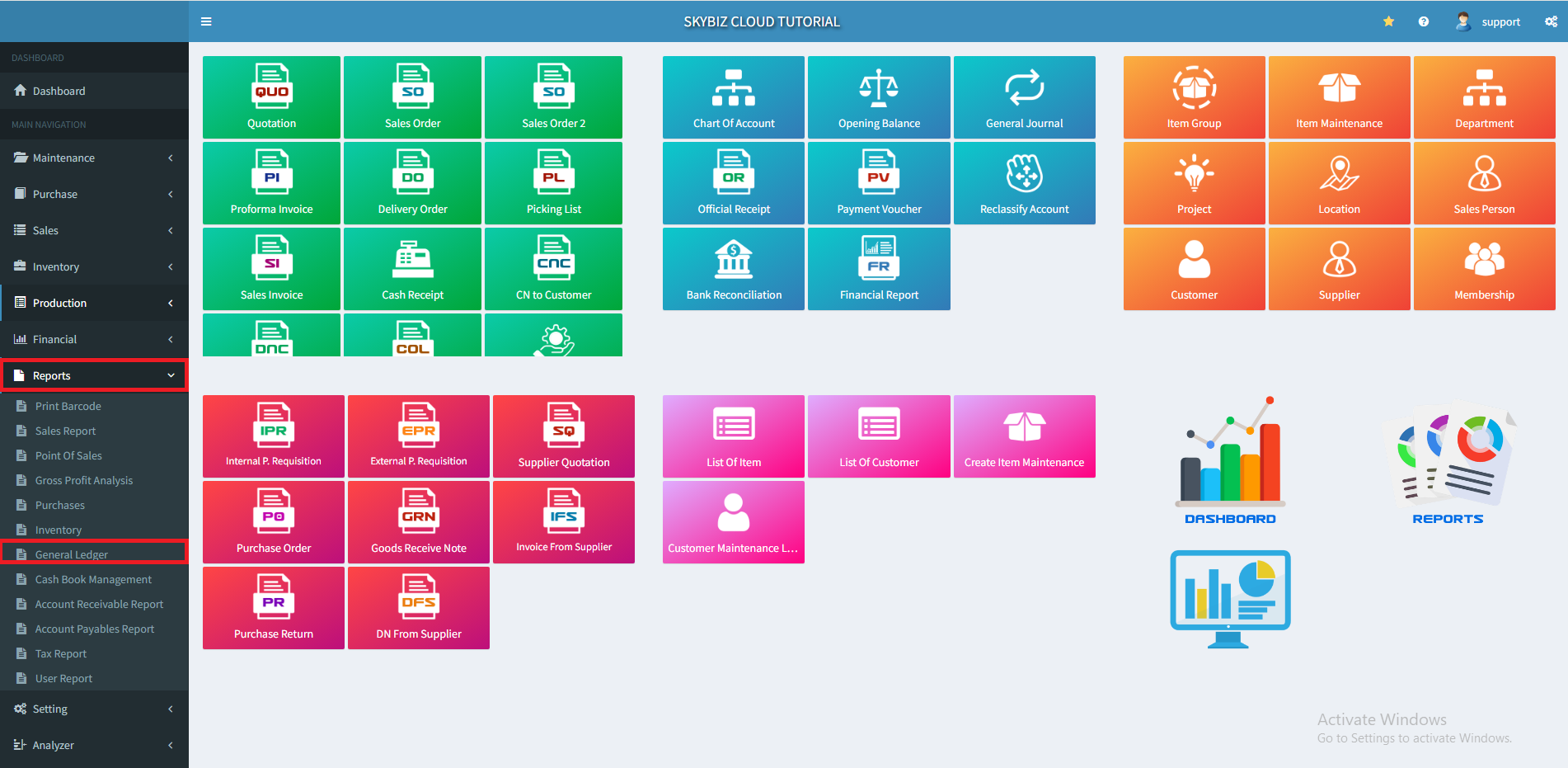
1. At menu “Report” >> “General Ledger”
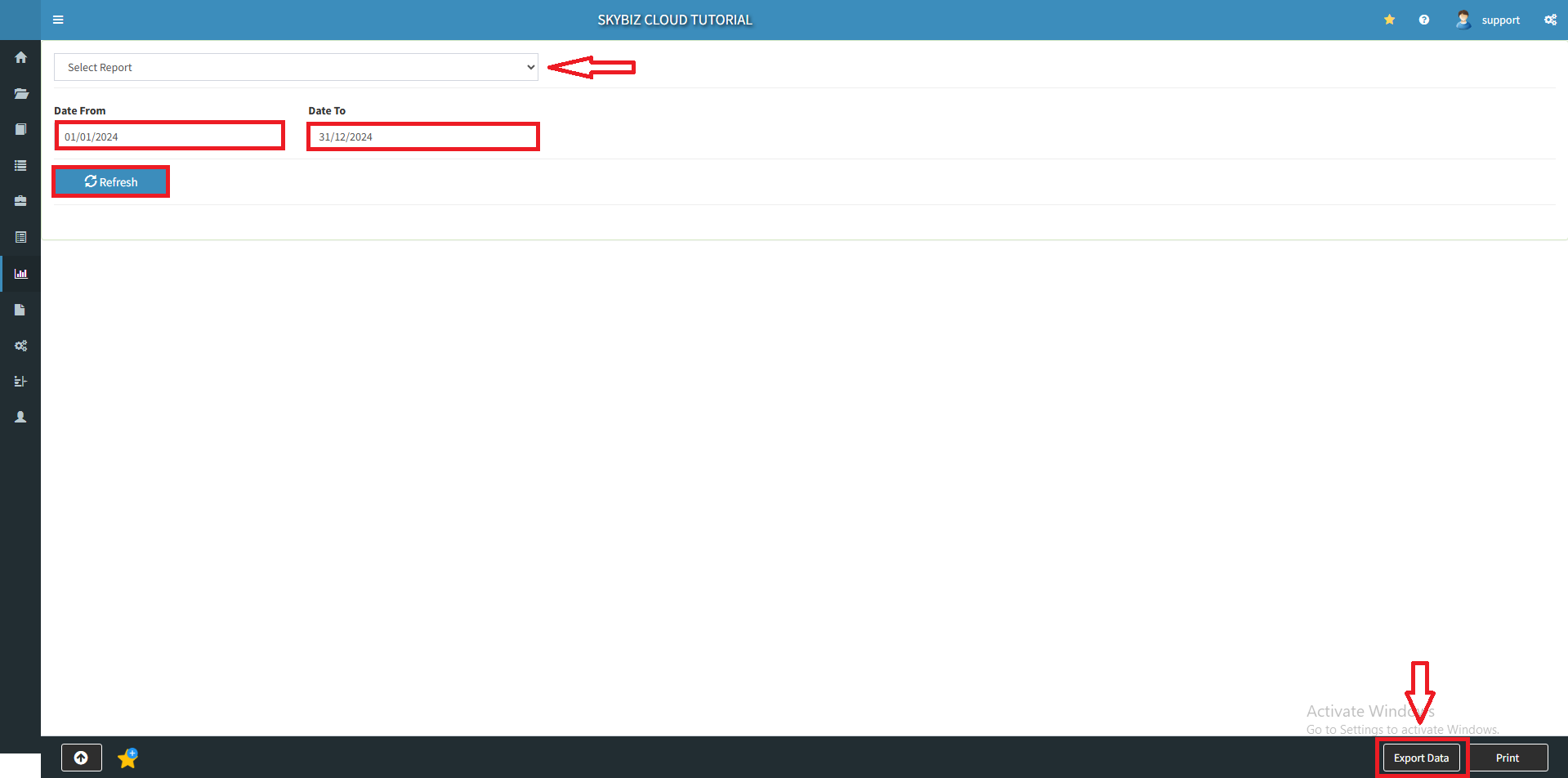
2. In the “Select Report“, choose “Income Statement”
3. Select the date you want to review.
4. Click “Refresh“, then click “Export Data”
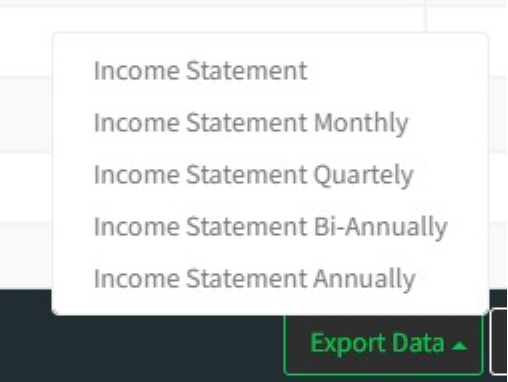
5. Select the statement format, you can make a comparison by Monthly, Quartely, Bi-Annually or Anually. Then, you may download to review your Income Statement.
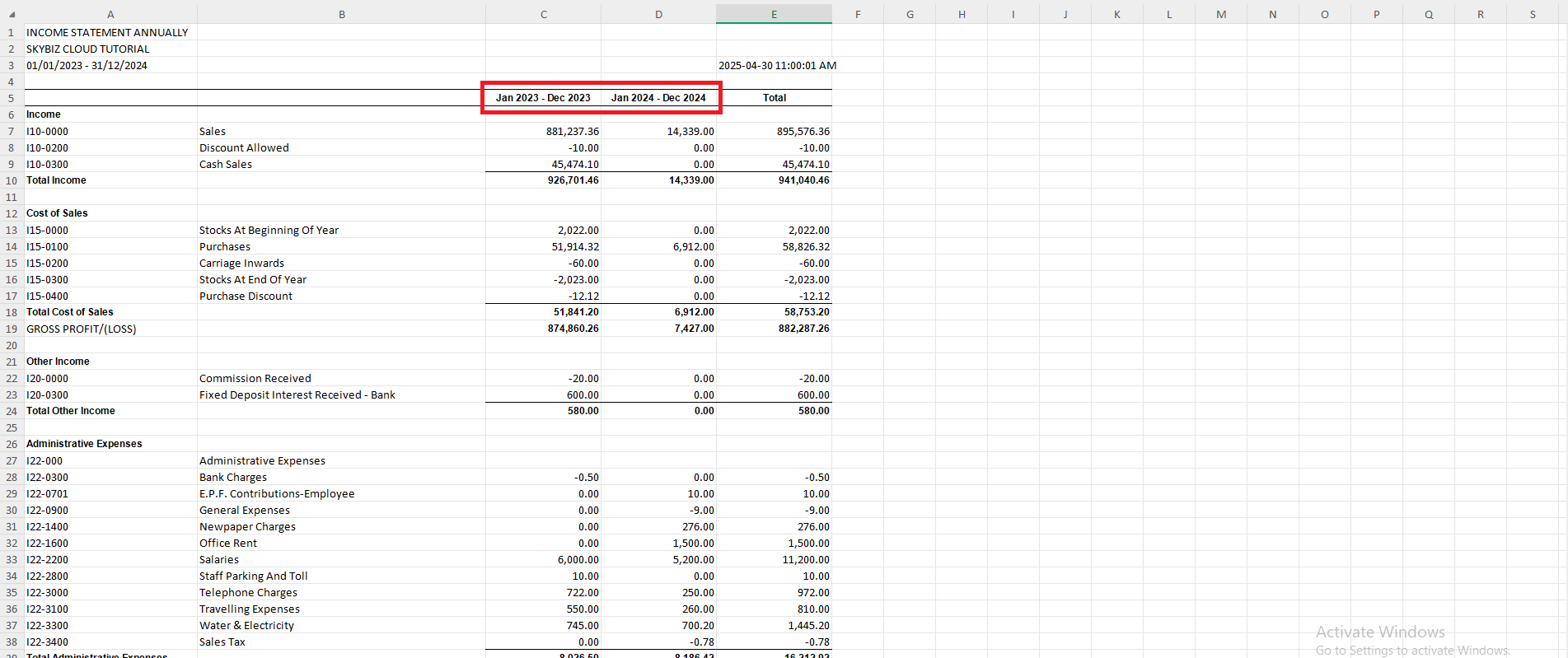
5. You may review your Income Statement with format comparison.
Powered By : SKYBIZ ®