Below are guideline(s) to Import Customers :
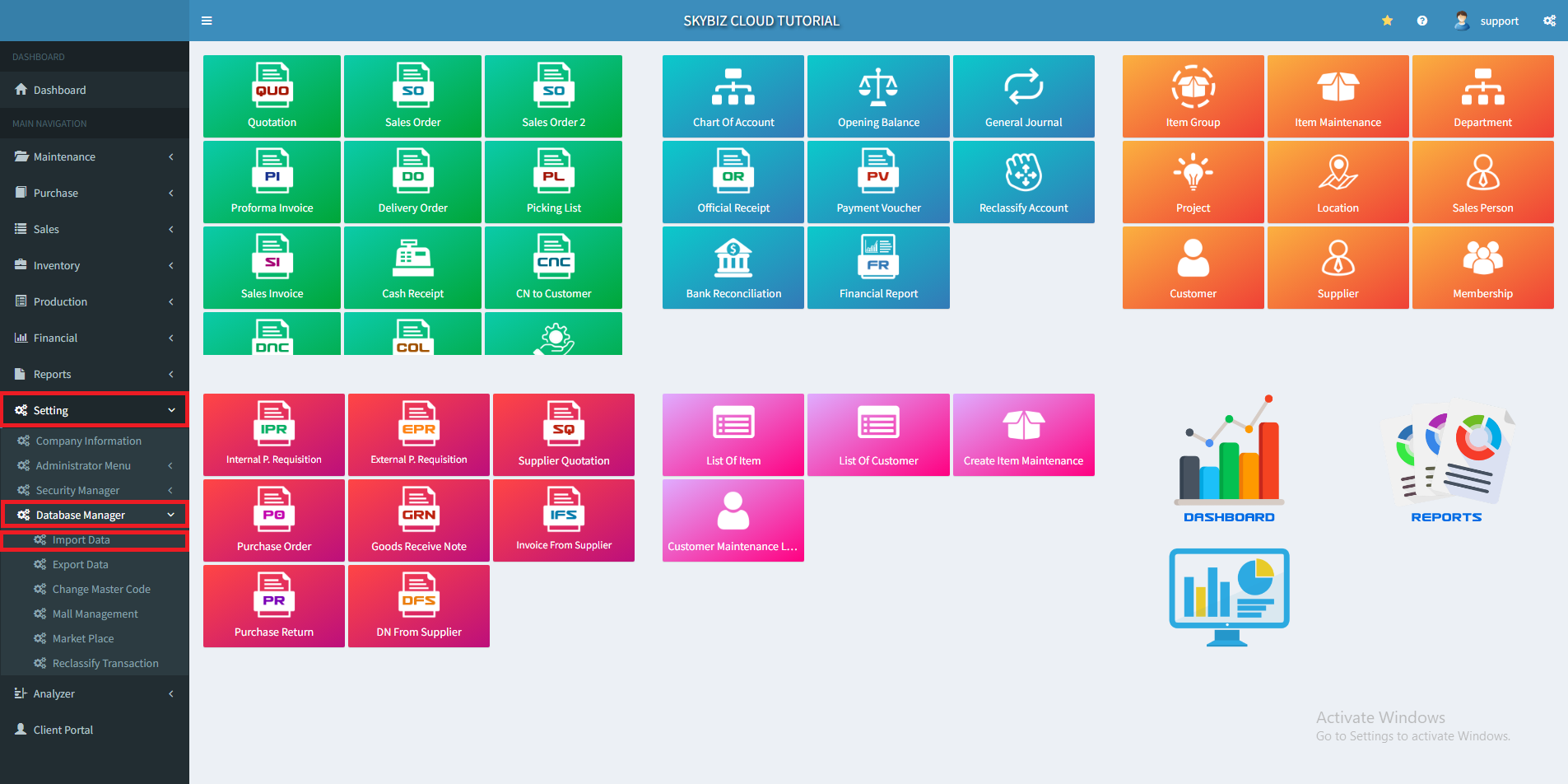
1. At menu Setting, click “Database Manager” >> “Import Data”
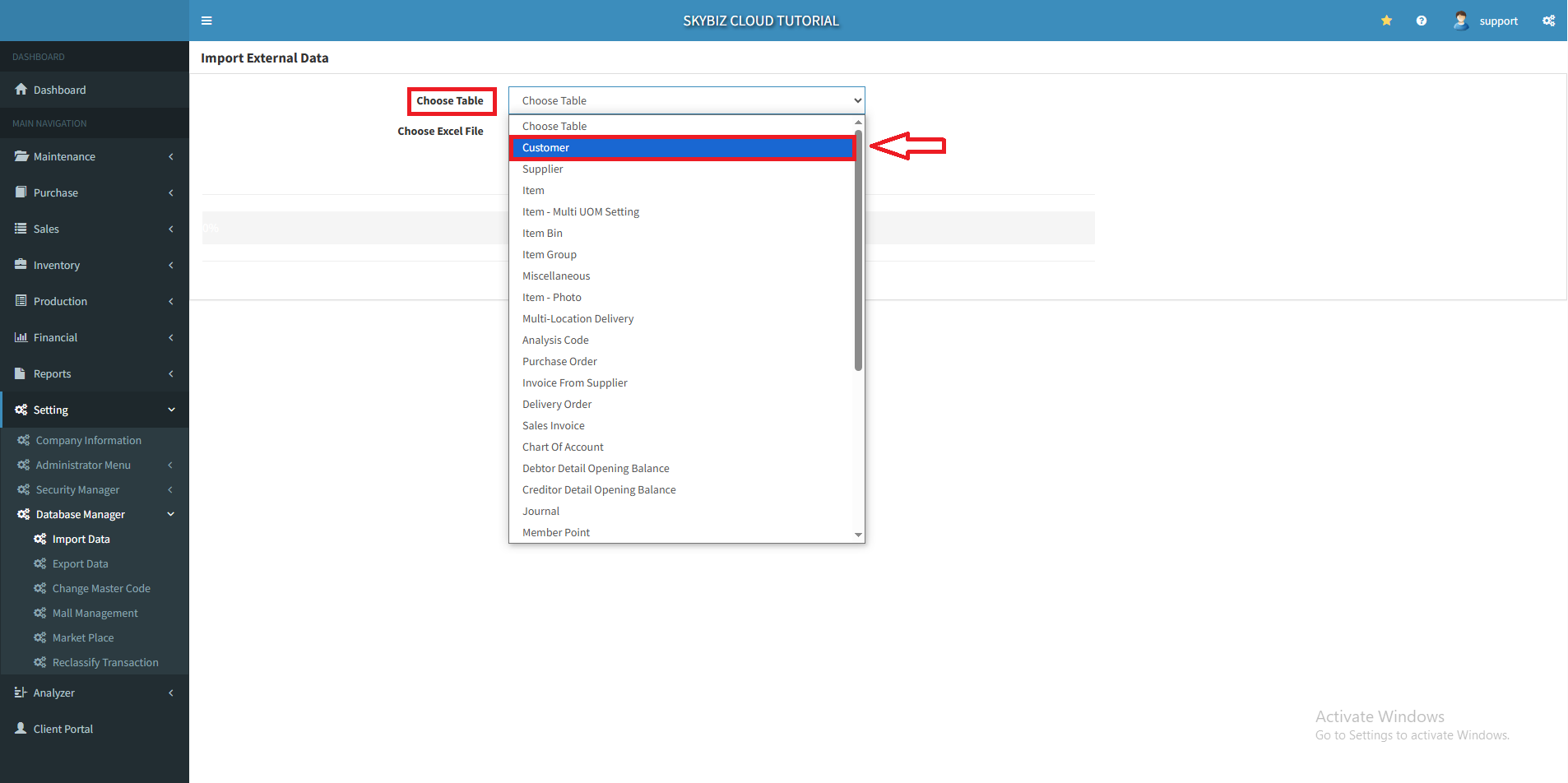
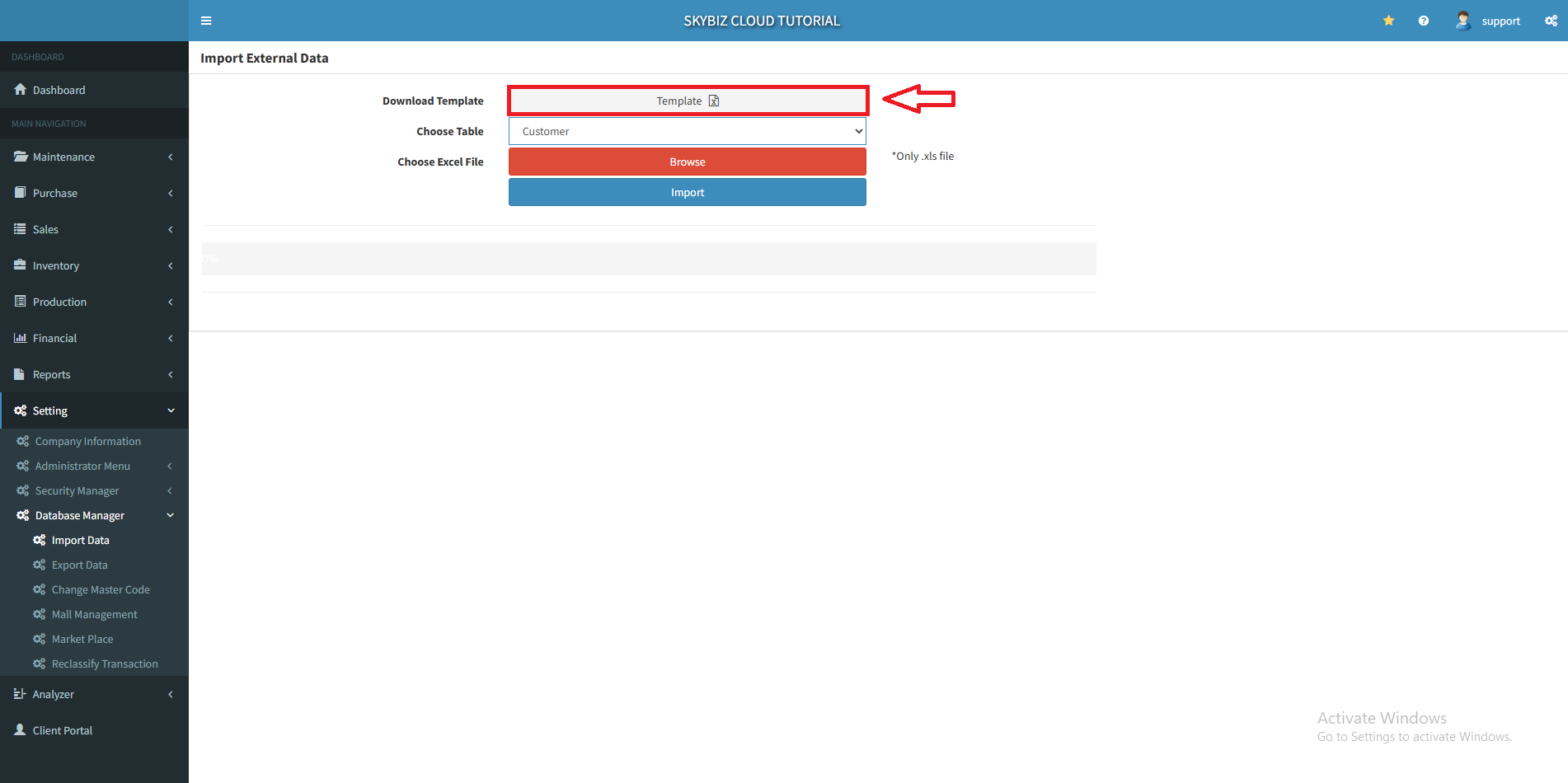
2. In Choose Table select Customer table then click “Template” to download. It’s an excel(.xlsx) file.
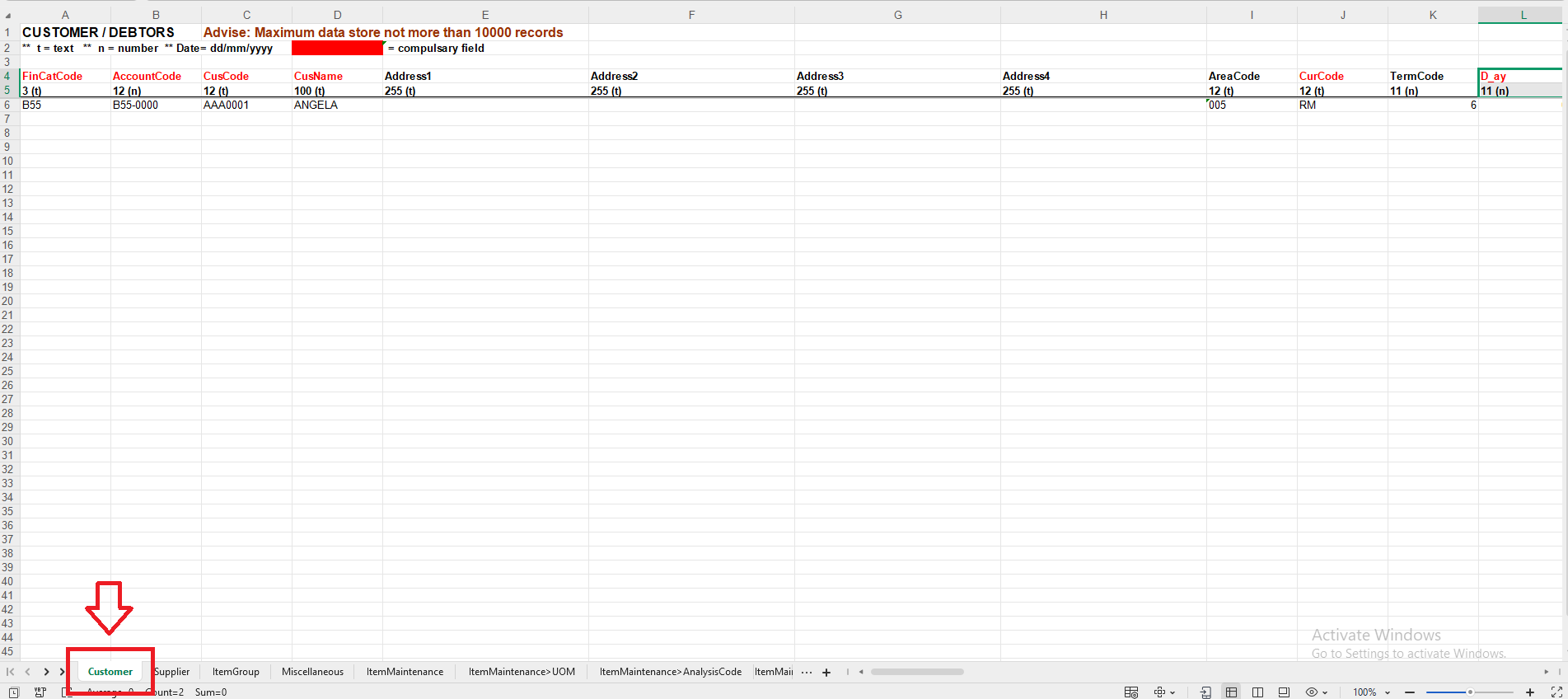
3. Open the file and make sure the selected sheet name is “Customer” and fill in your customer information.
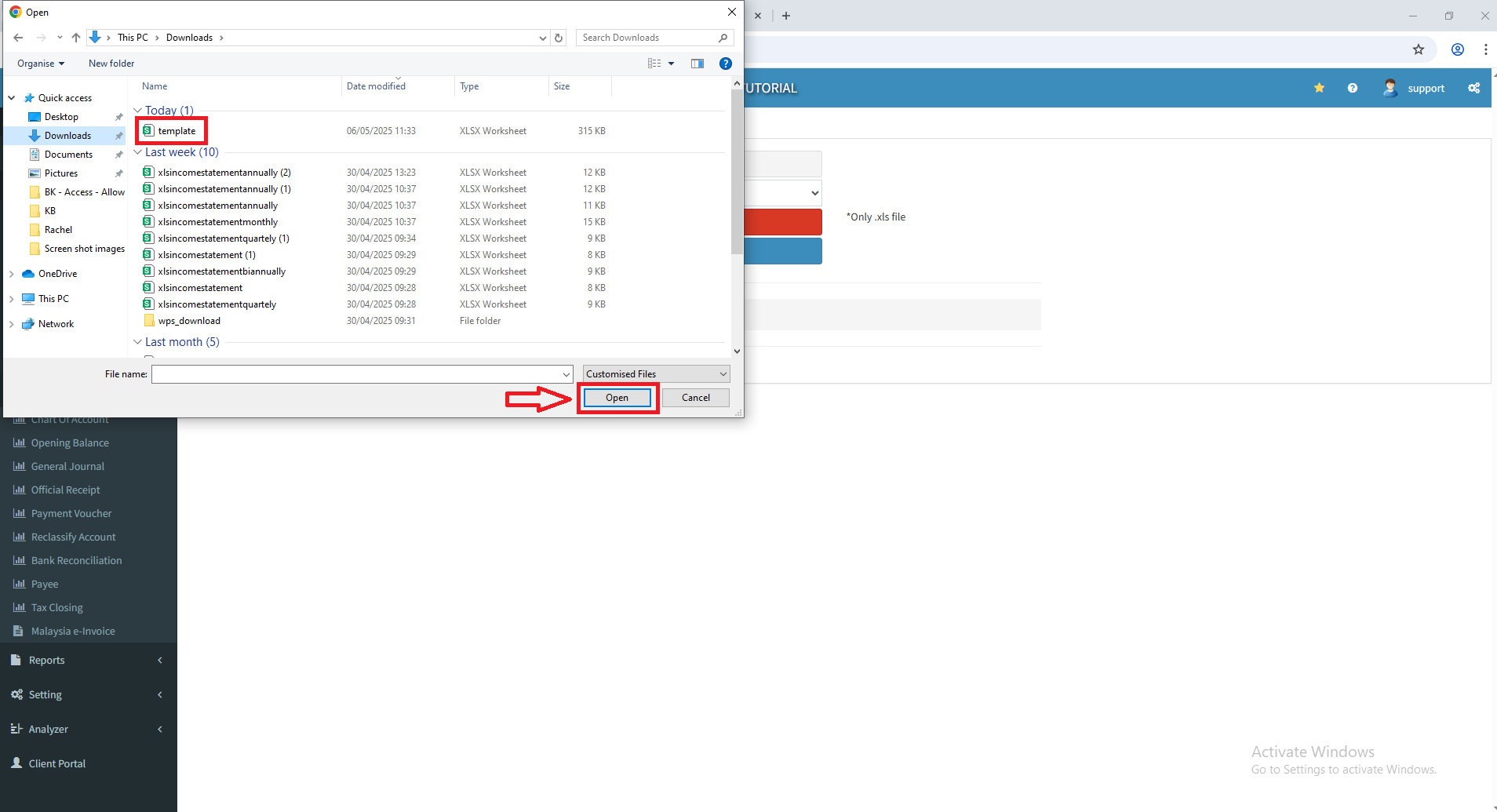
4.After that, go back to SKYBIZ Cloud and click “Browse” to locate your file.

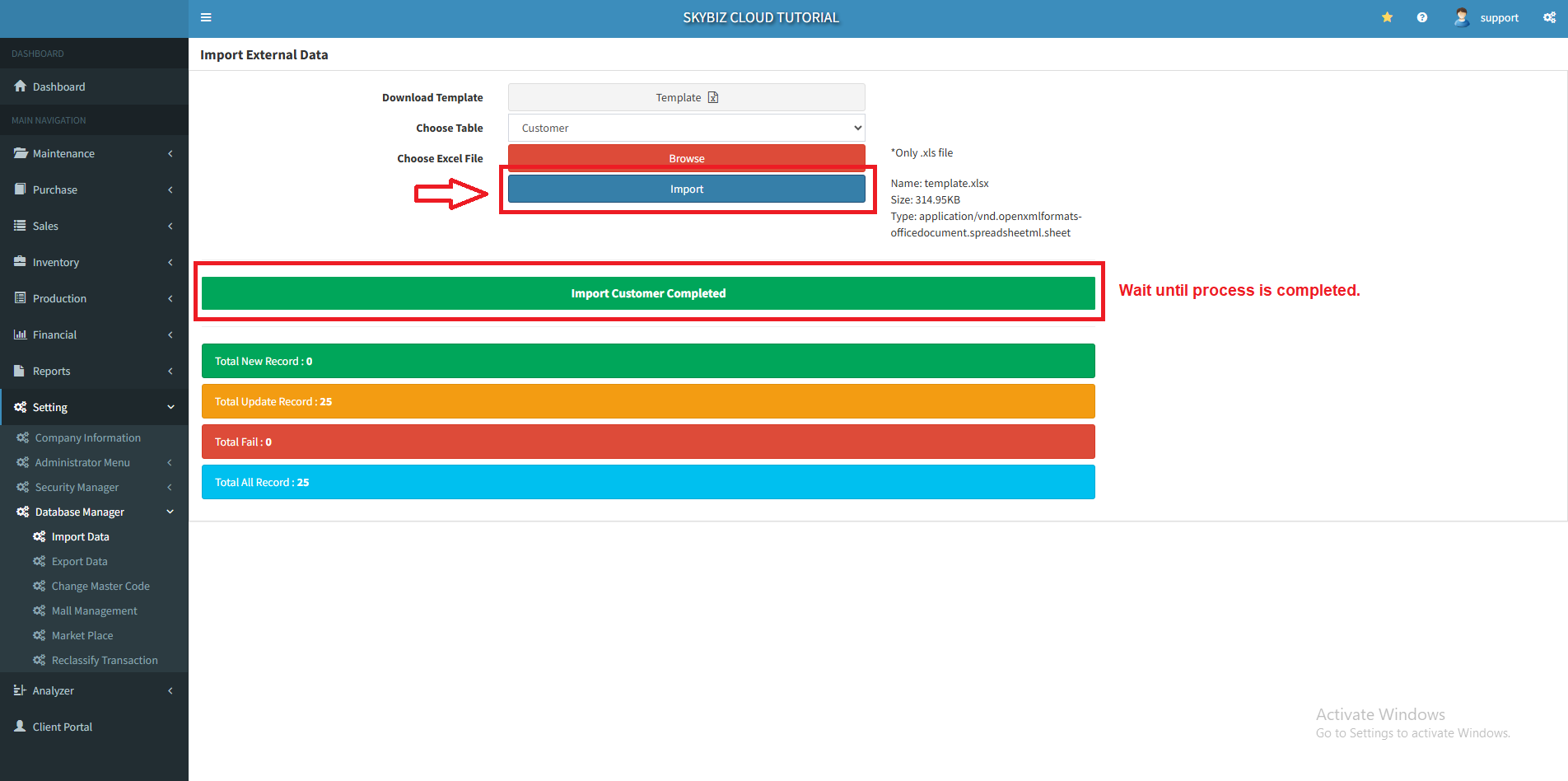
5. Click “Import” to import your customer and wait until the process is completed.
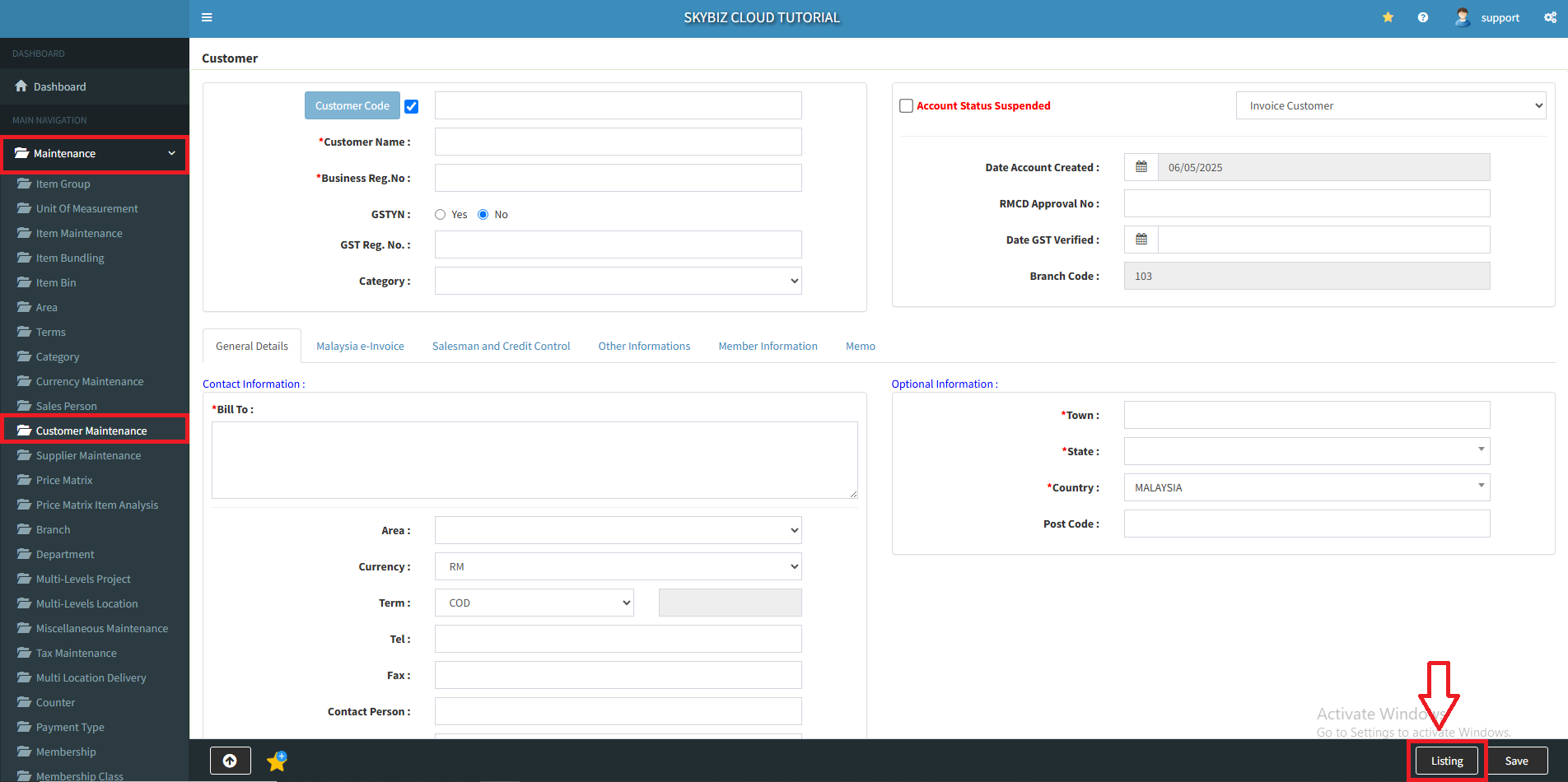
6. To view your imported customer, go to Customer Maintenance and click “Listing“.
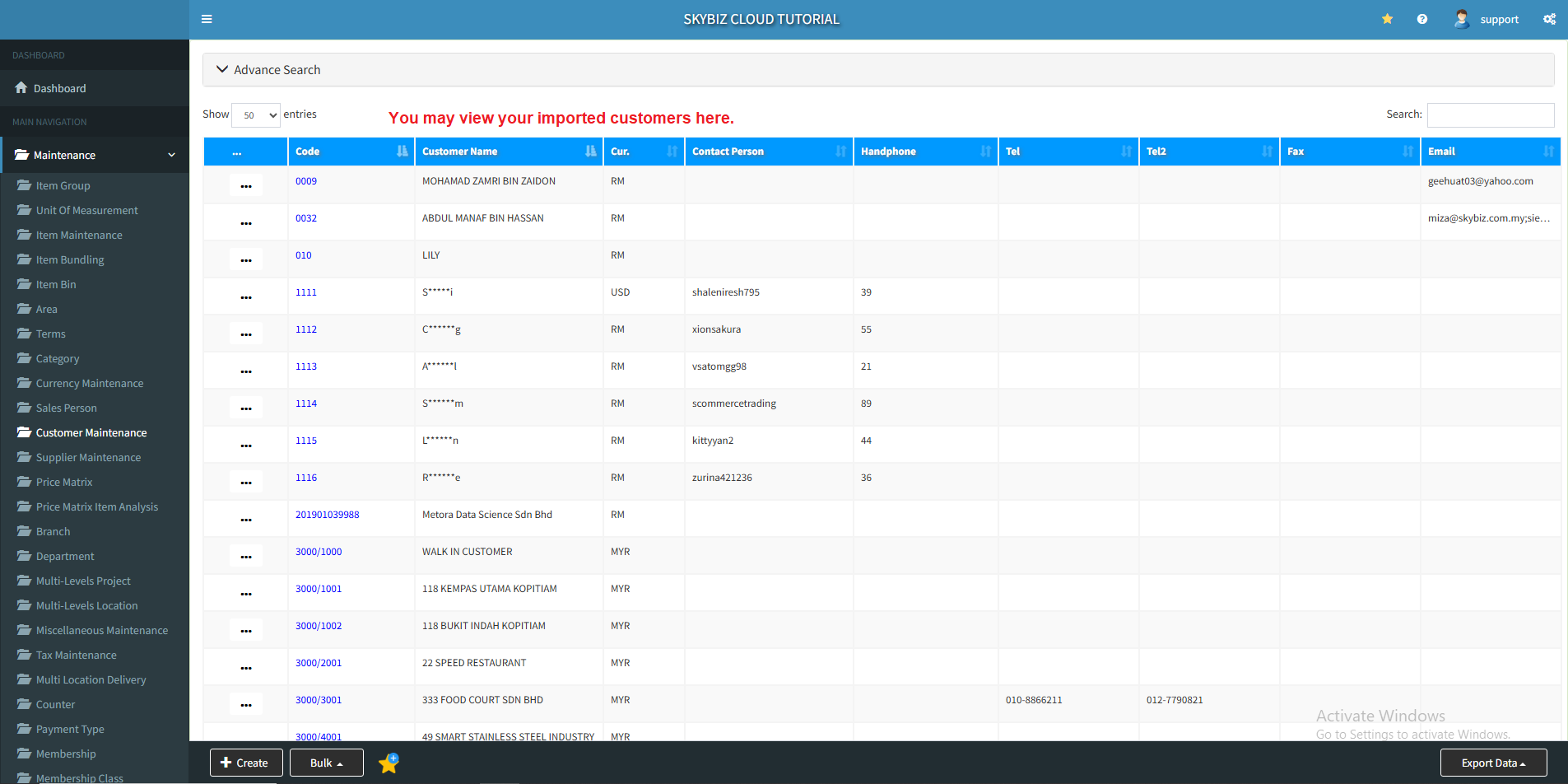
7. You may view your imported customers here.
Powered By : SKYBIZ ® Beyond Cloud ™