Below Are Guideline(s) on how to add and setting user rights.
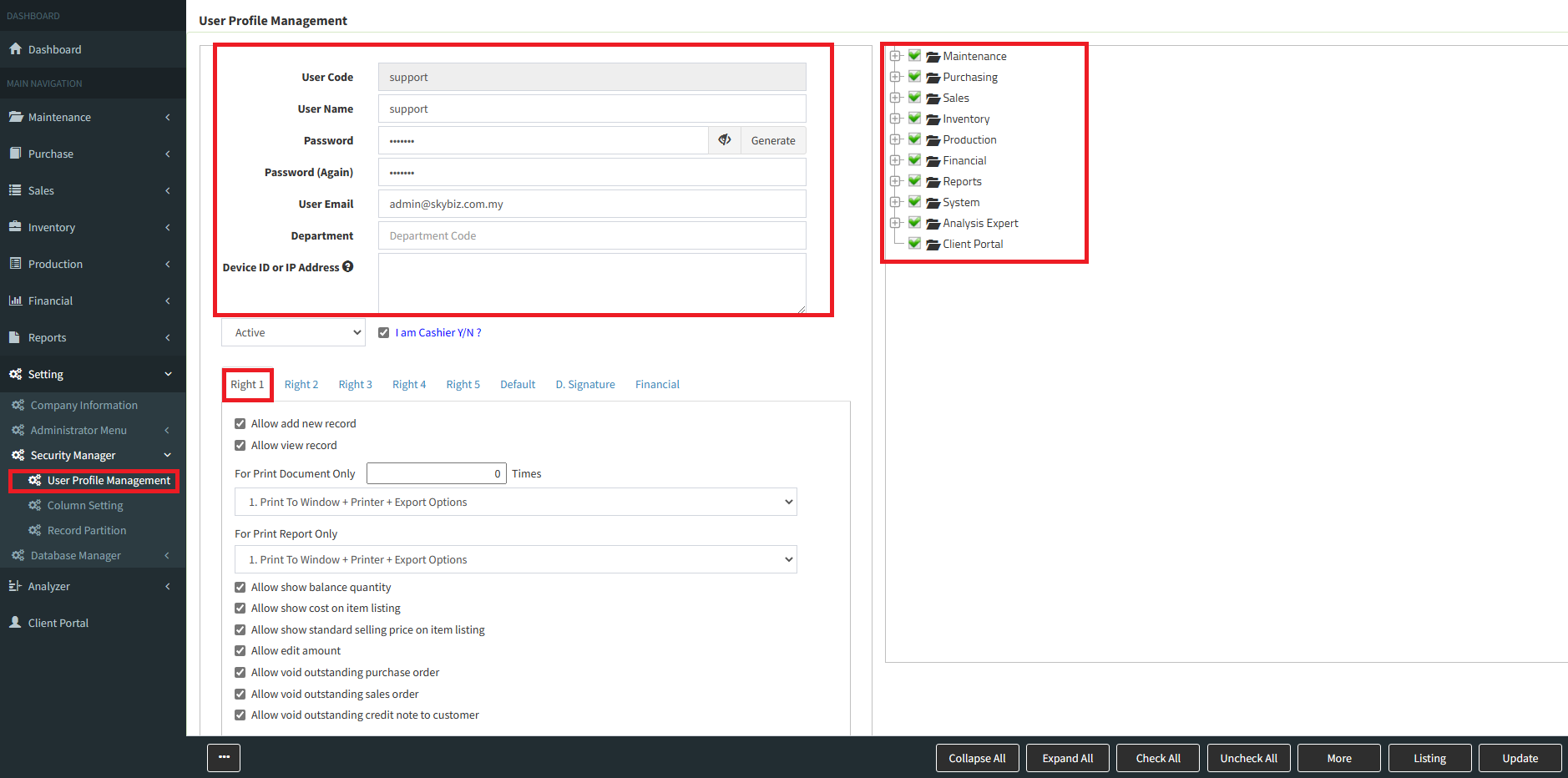
Step 1 : Go to System > Security Manager > User Profile Management
Step 2 : Key in User Code, User name, Password and user email address for password recovery and system notification purpose. After that, right hand side please choose and tick related modules for the user. Then from below menu, you can choose and assign appropriates user rights for that user.
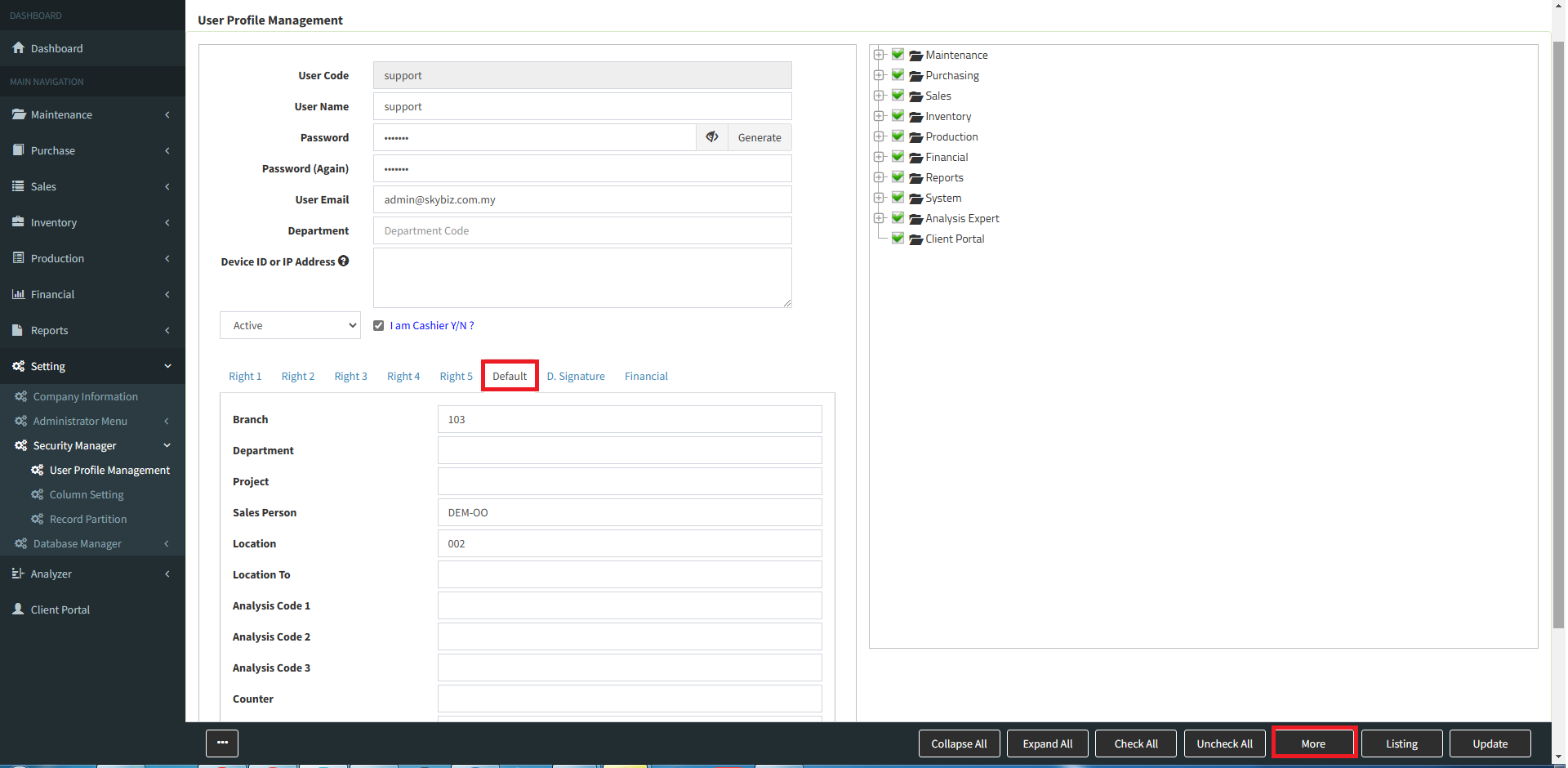
Step 3 : [Default]: here you can assign few default parameters such as branch, location, sales person and counter. [More]: here you can further check more user rights options.
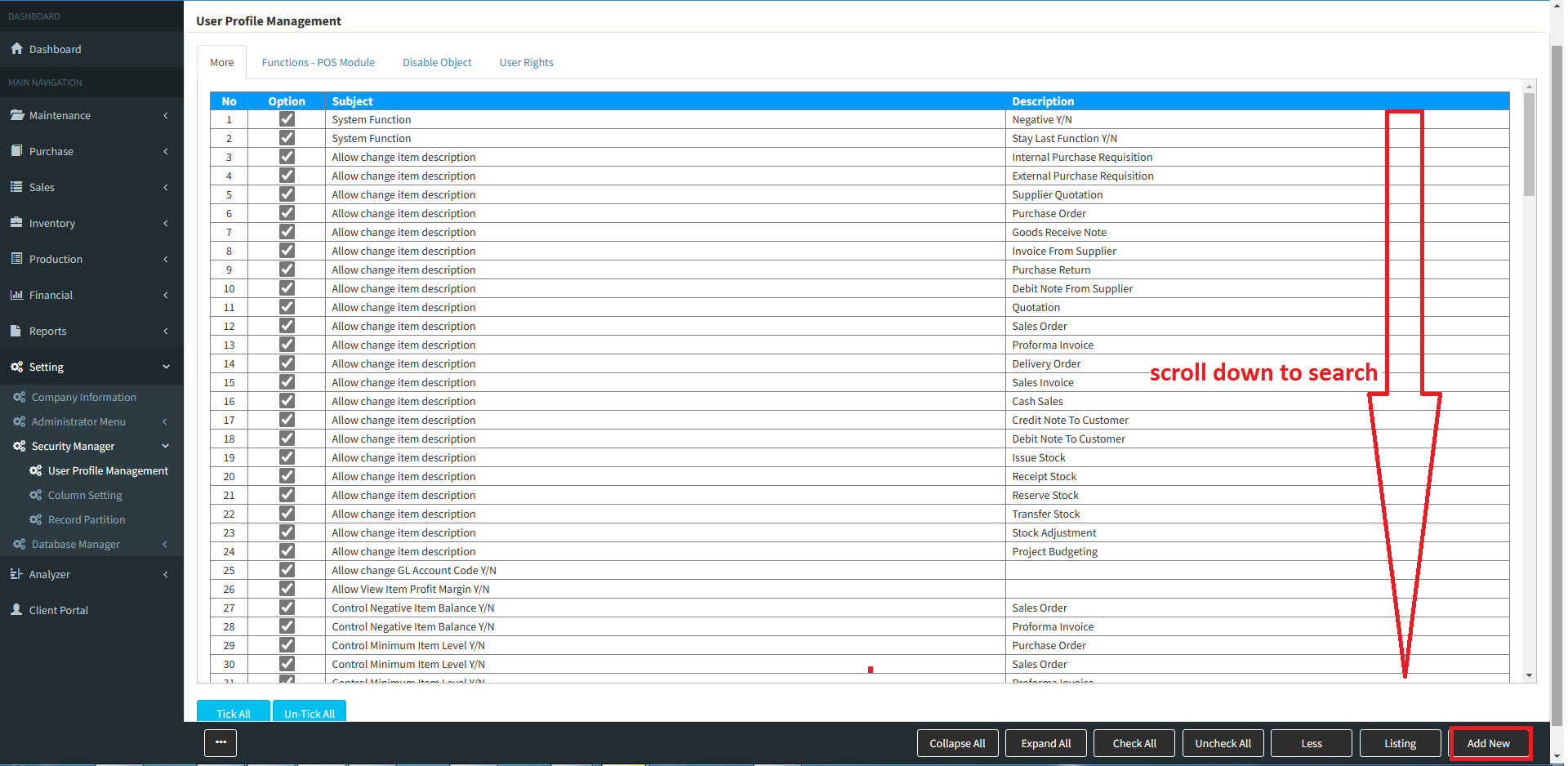
Step 4 : Choose and tick option to allow or un-tick to disallow user rights.
Powered By : SKYBIZ ®