Please be informed that appointing a service provider as an Intermediary in the Pre-production and Production Environment can be done through the MyInvois Portal. The Director or Representative that have the permission to manage Intermediary may refer to the below steps for details:
(If your status under Intermediary section is blocked, please inform us.)
For Taxpayer/Client:
1. Log in to the MyInvois Portal as a director.
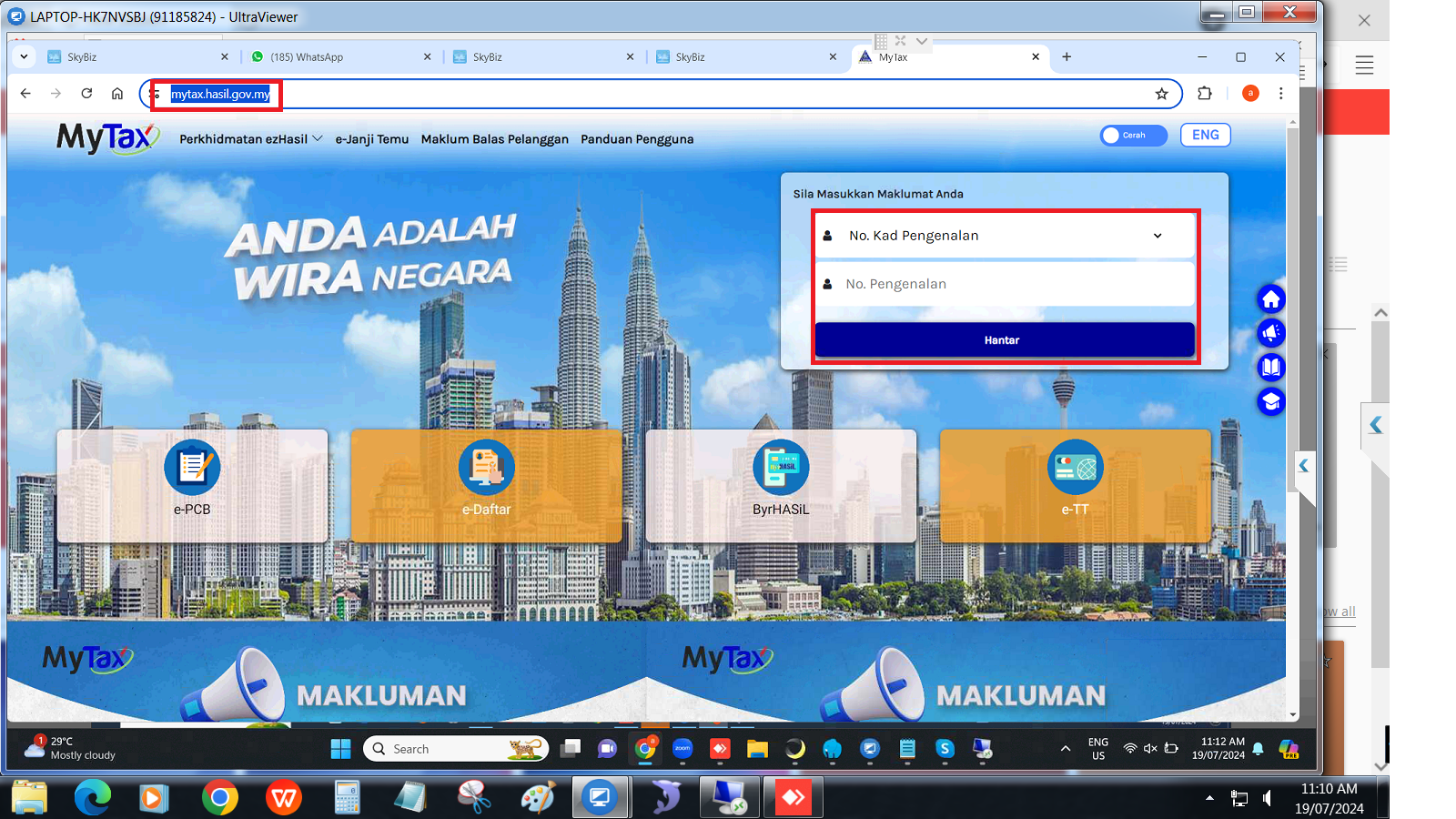
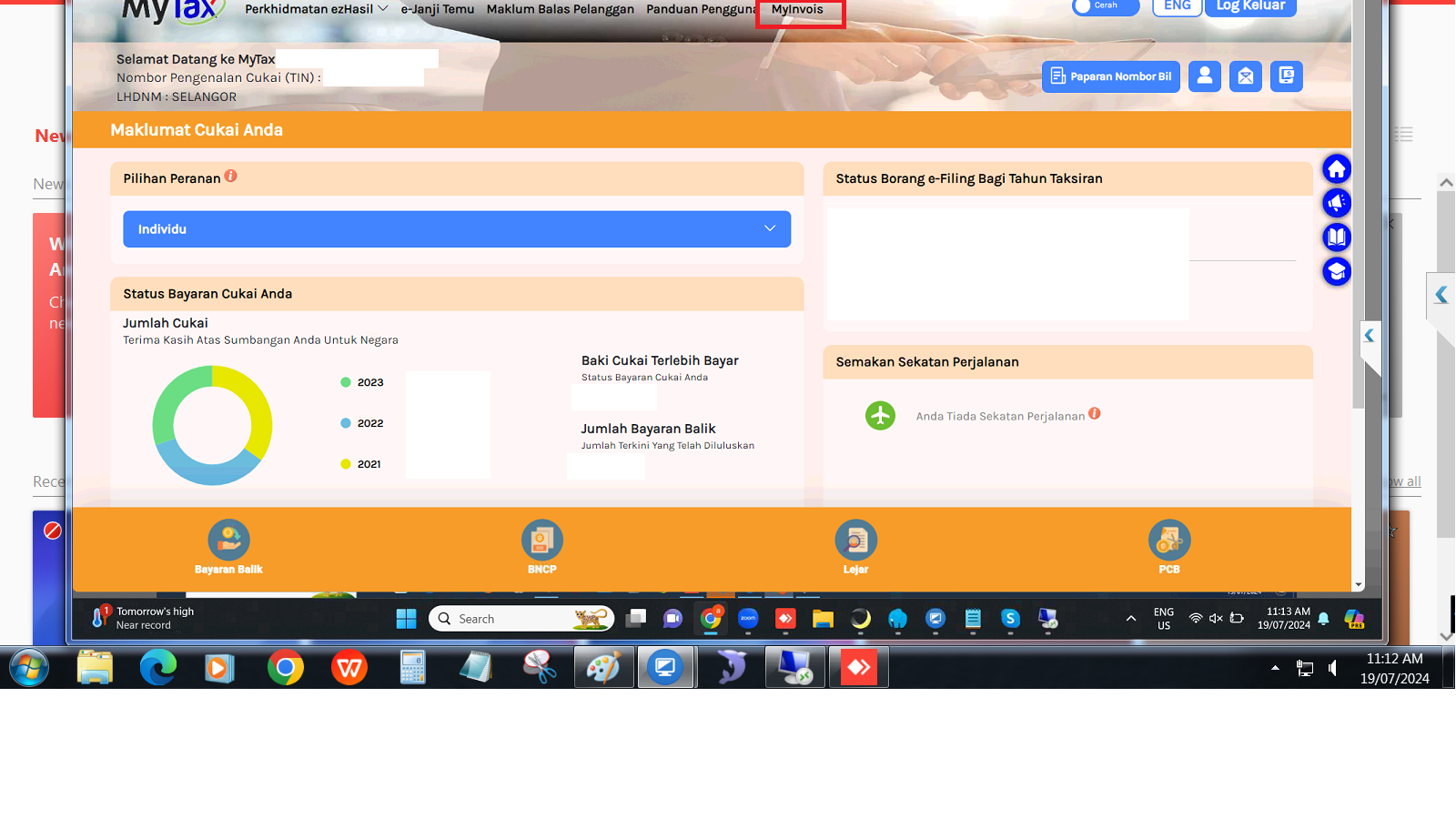
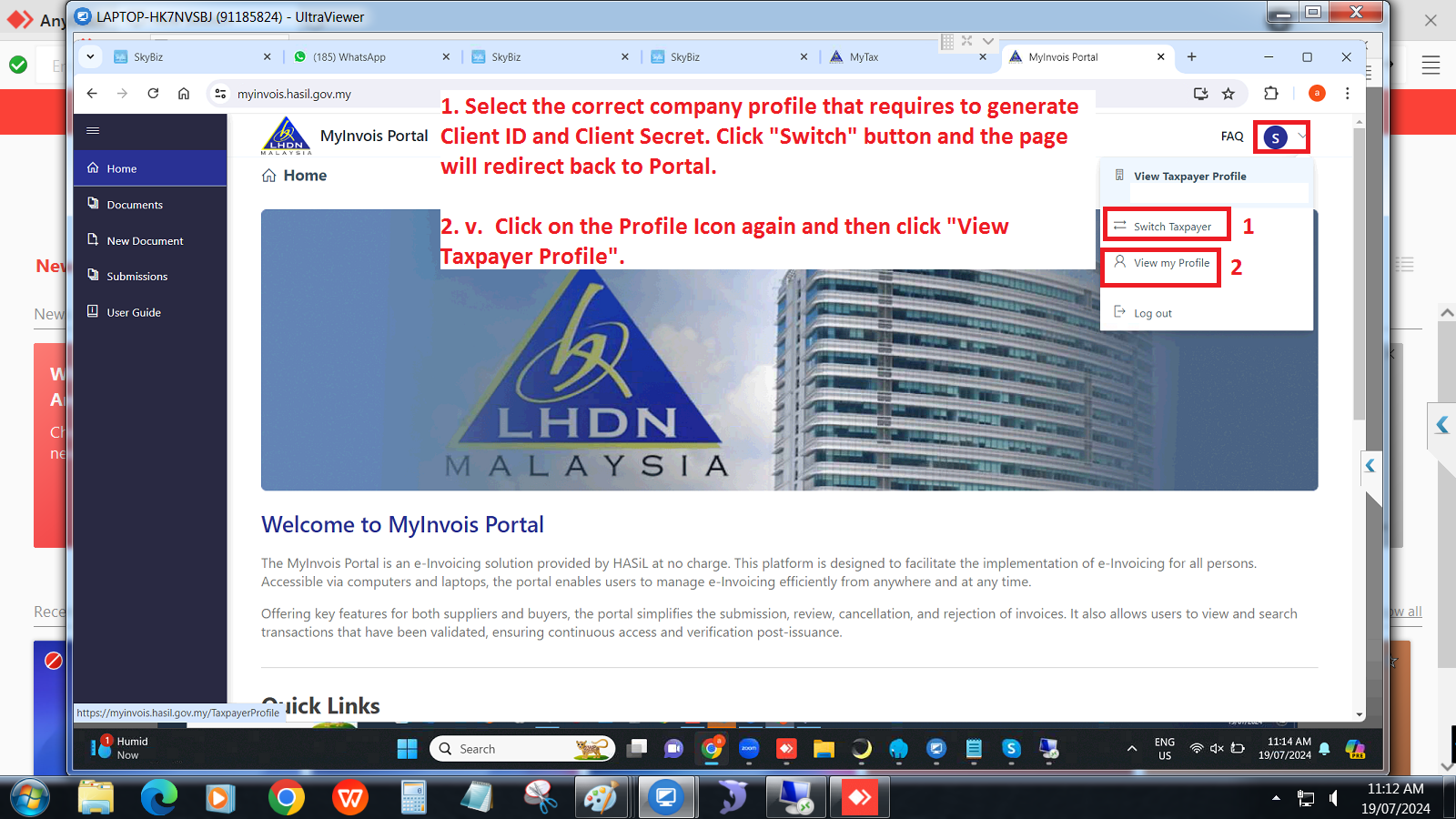
2. Click on the profile icon and select “Switch Taxpayer”, then choose the Company Profile
3. Click on the profile icon again and select “View Taxpayer Profile”
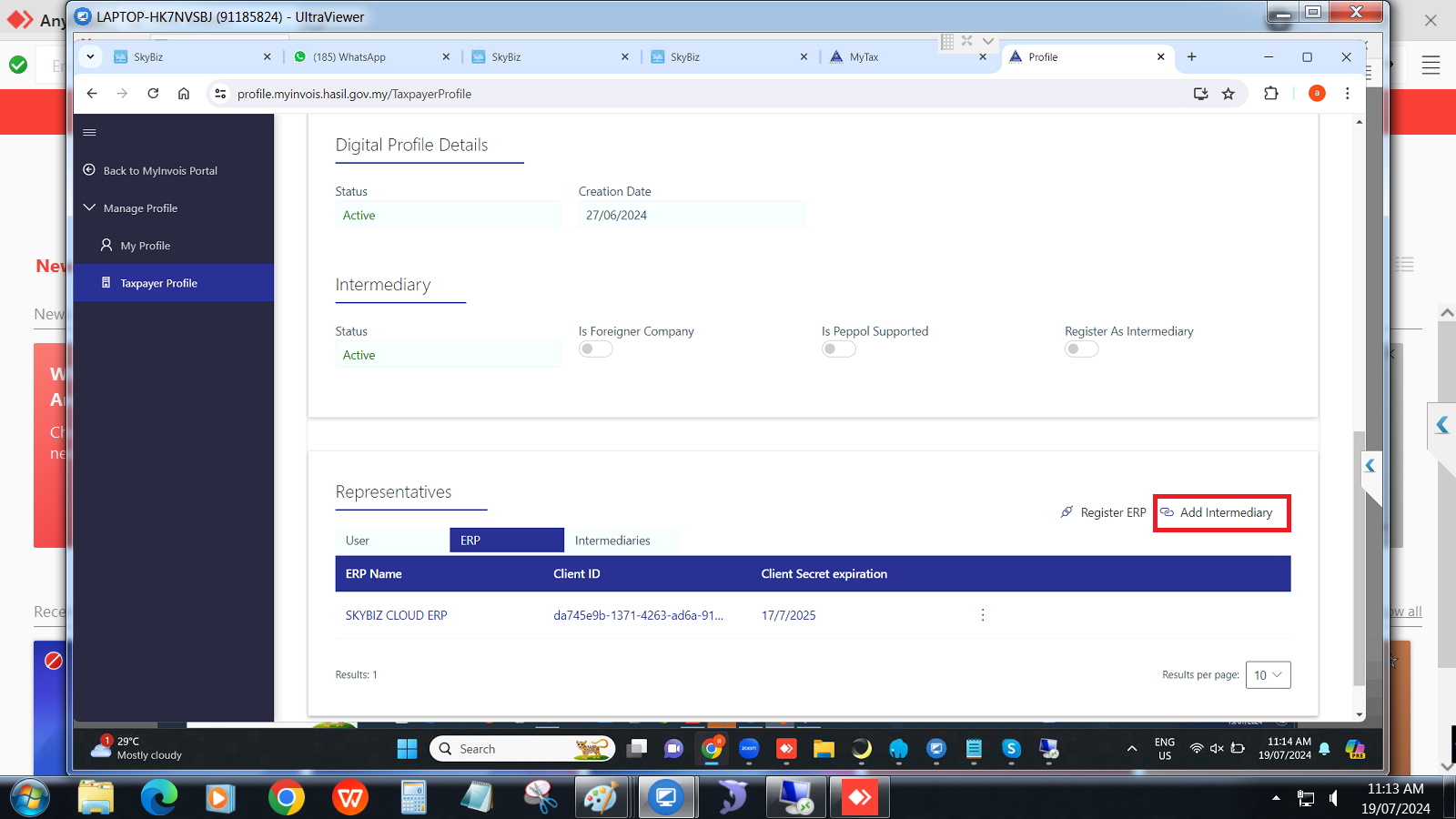
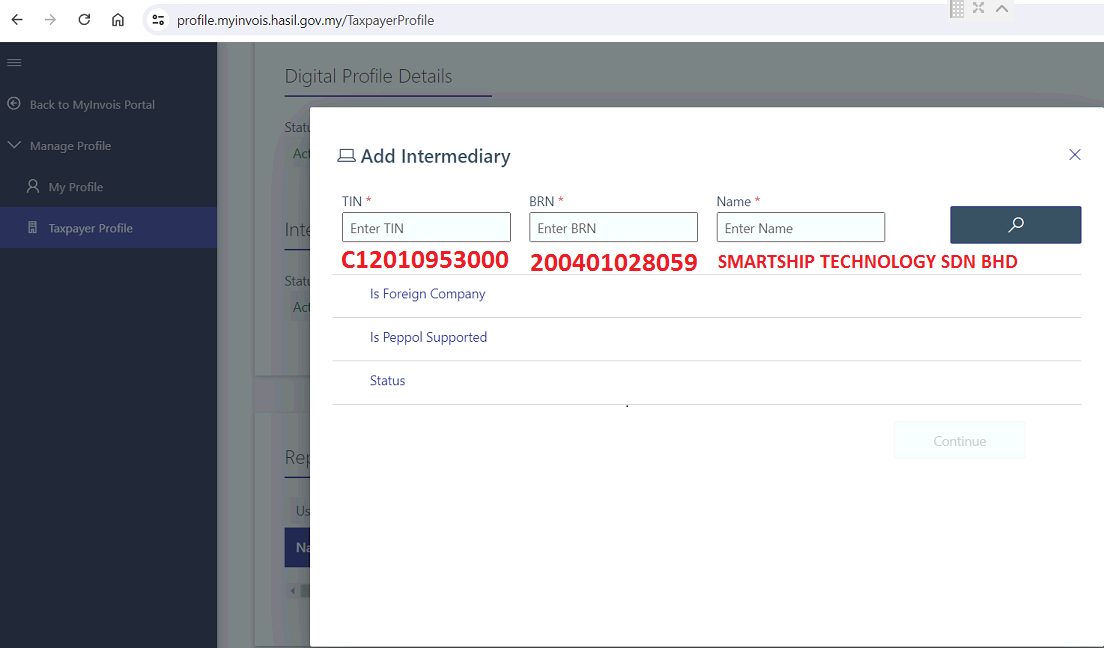
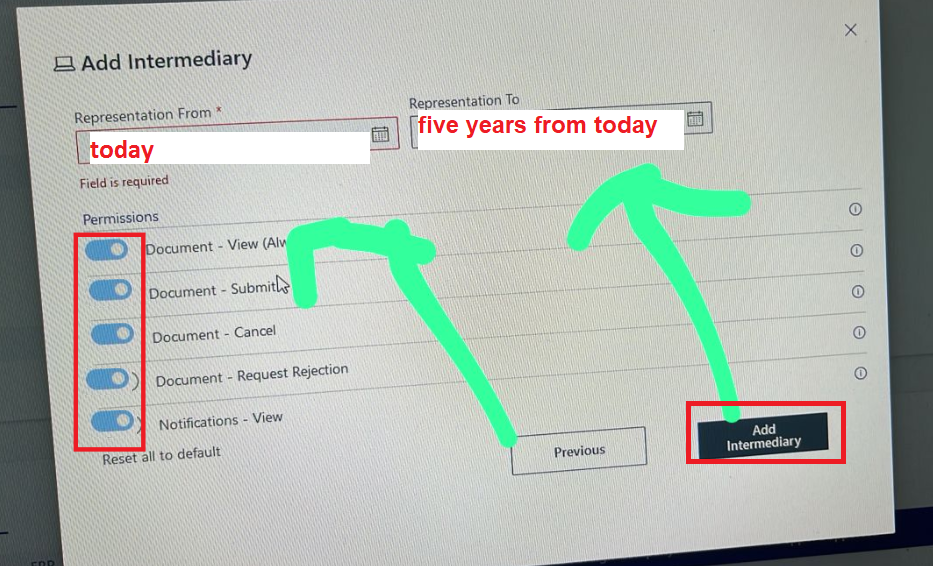
4. Scroll down to the “Representatives” section and click on “Add Intermediary”
5. Fill up the form based on the Service Provider’s Portal profile.
Name : SMARTSHIP TECHNOLOGY SDN BHD
TIN : C12010953000
BRN : 200401028059
If you have further enquiry, do not hesitate to reach us by using the e-Invoice Customer Feedback Form via the following link: https://feedback.myinvois.hasil.gov.my
Thank you.
Powered By : SKYBIZ ®