Below are guideline(s) to allow user to view Unit Cost and Unit Price.
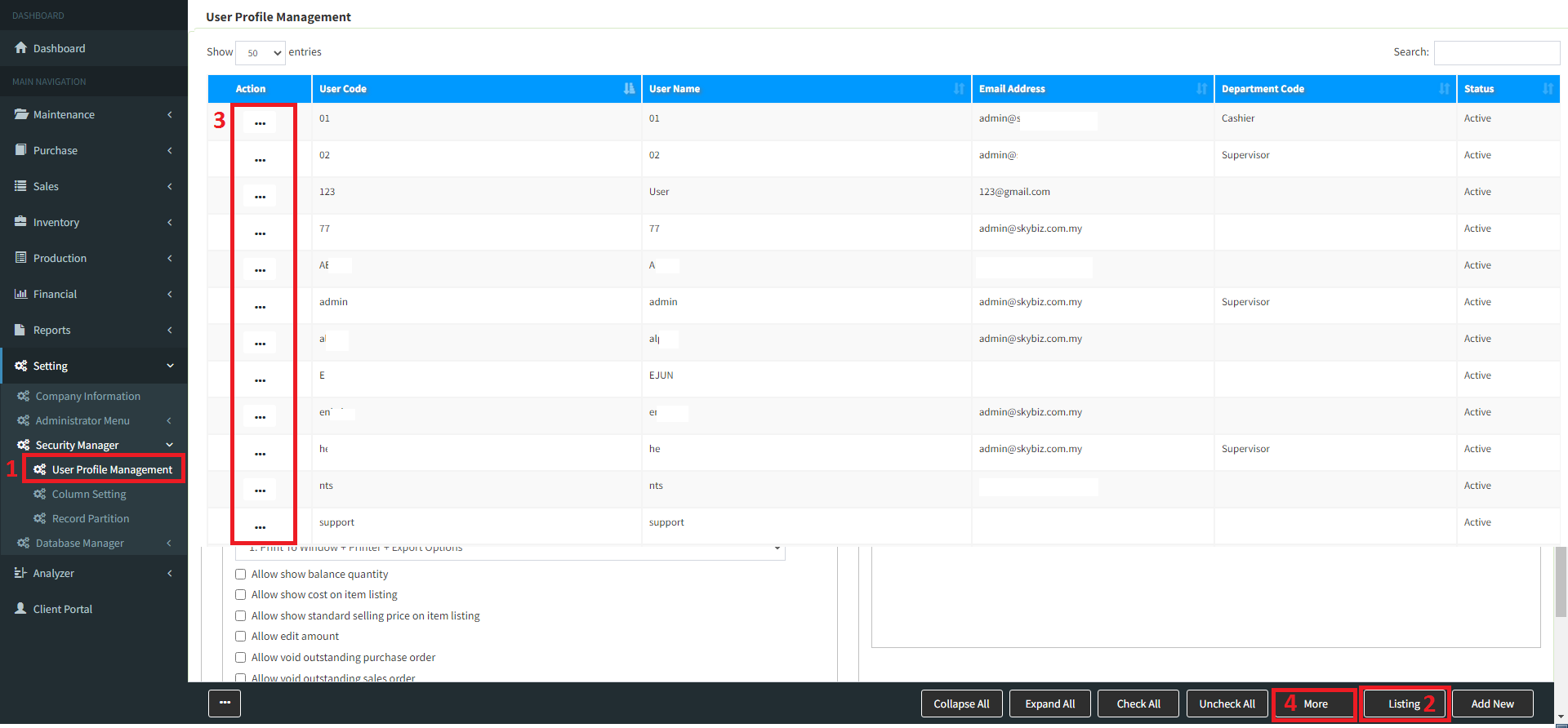
- You may go to “menu” >> “Security Manager” >> “User Profile Management“
- Go to “List” then select the user ID >> “More” [Follow screen shot below]
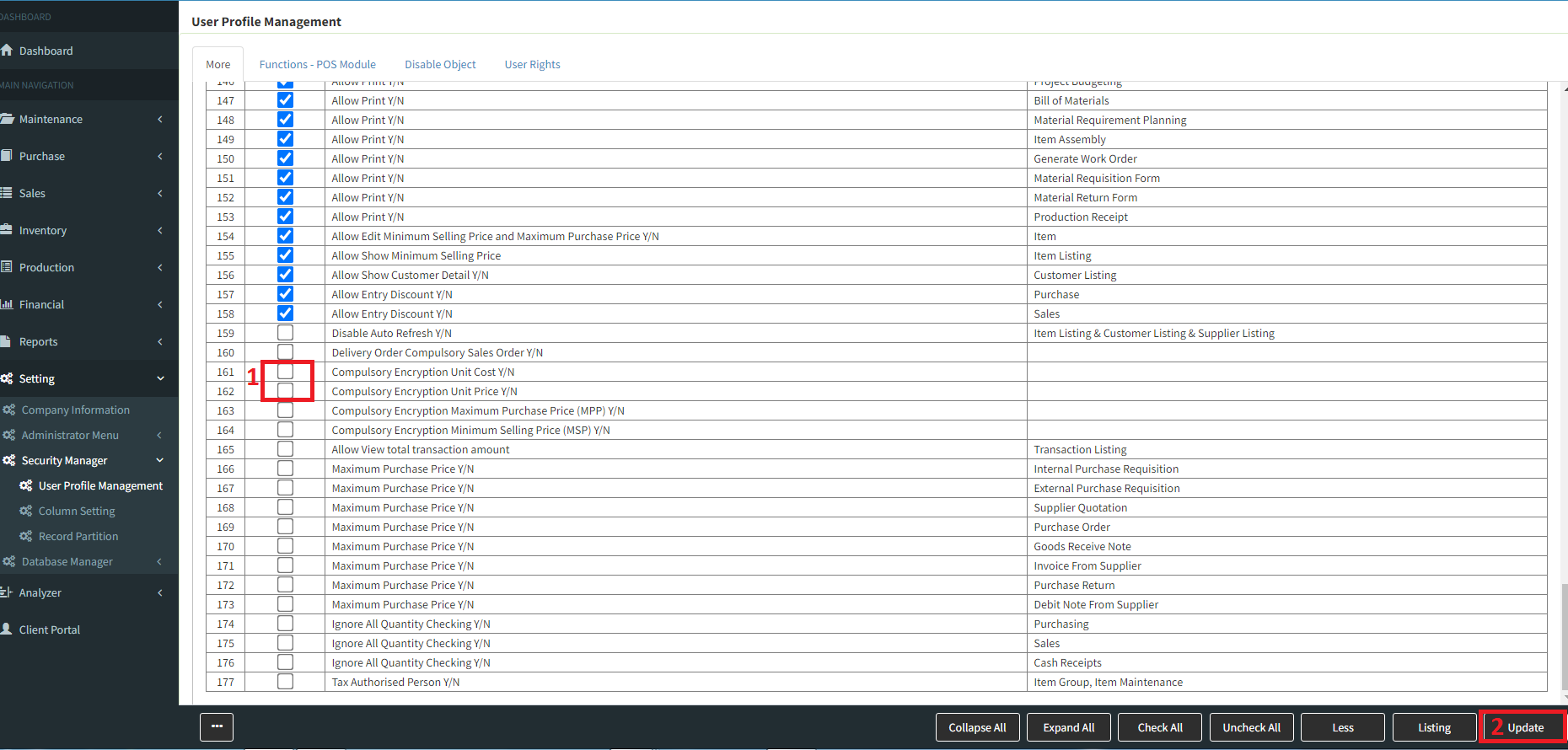
- “Untick” the column for which transaction that the user allowed to view Unit Cost and Unit Price >> Click “Update”
- “Tick” the column for which transaction that the user not allow to view Unit Cost and Unit Price >> Click “Update”
Powered By : SKYBIZ ®