Below are guideline(s) to do GST Closing :
Step 1 : Tax Reports Printing
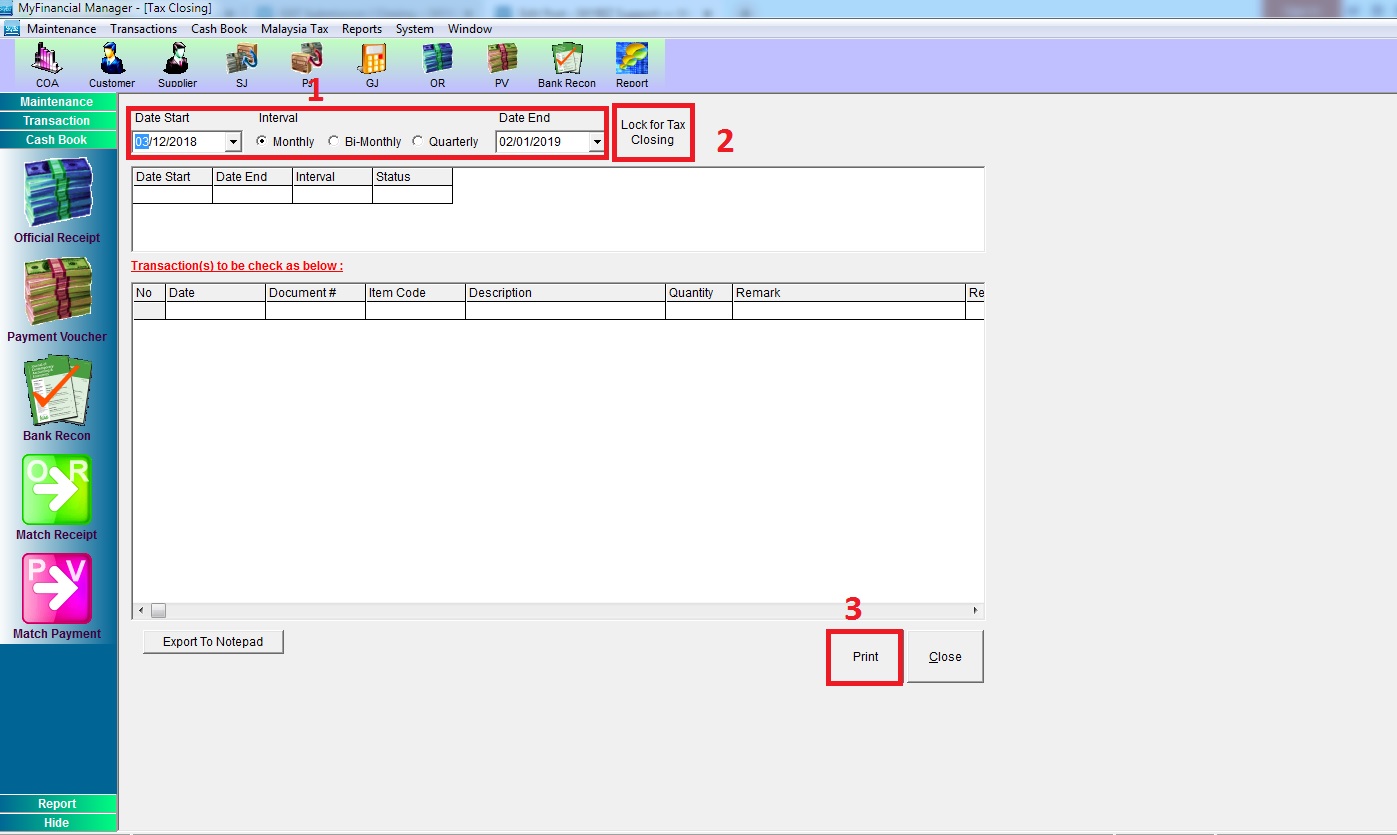
Step A). Go to menu “Malaysia GST/Malaysia Tax” >> click “GST Closing/Tax Closing”
1). Choose Interval, example :
*If your company is Monthly submission then choose “Monthly”
*If your company is Bi-Monthly submission then choose “Bi-Monthly”
*If your company is Quarterly submission then choose “Quarterly”
2). Lock Gst Period
3). Print
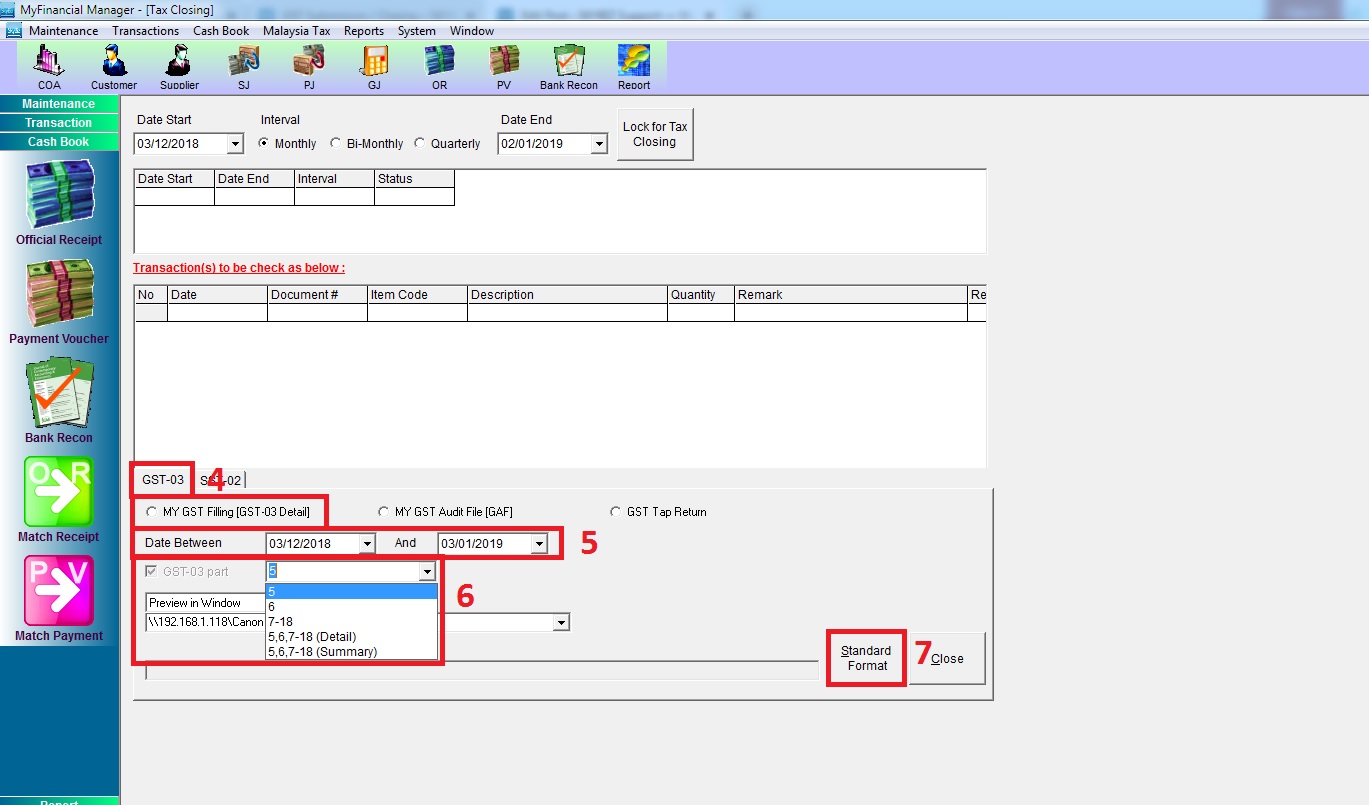
4) Select Type of Report – MY GST Filling [GST 03 Detail]
5) Select the Date of GST period that want to check for Submission
6) Select GST 03 Part of Report
7) Click Standard Format
Output Tax Reports:
1. GST-03 Detail Report (Part 5)
2. General Ledger Report (Output Tax)
3. Sales Tax Listing (at Distribution module)

Input Tax Reports:
1. GST-03 Detail Report (Part 6)
2. General Ledger (Input Tax)

N/B: GST closing is mandatory step for system to alert when further amendment on going after GST submission
Step 2: Login to your Taxpayer Access Point (TAP) account at https://gst.customs.gov.my/TAP/_/

Step 4 : Click account ID >> click “File Now” >> confirm the filling period >> click “Next”

Step 5 : Fill in Return Details
Fill in the output and input tax amount as shown in GST-03 Detail Report >> then click next until finish and make payment
