Below are guideline(s) on How to UnMatch Payment.
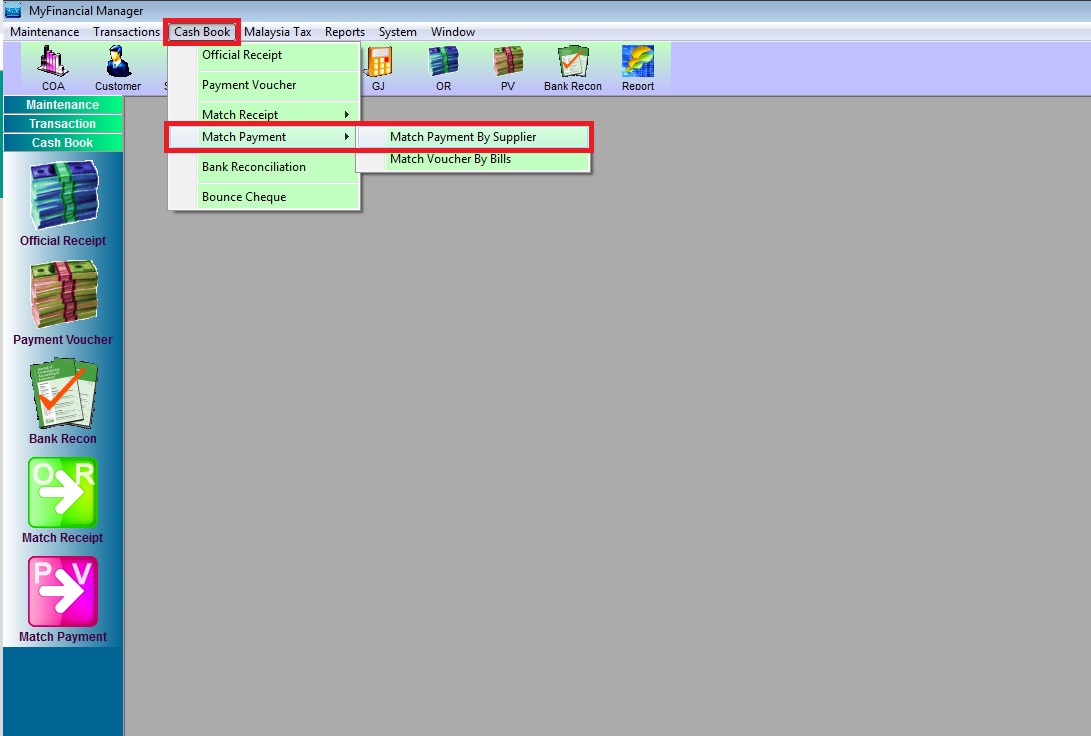
- Go to Cash Book >>Match Payment >> Match Payment by Supplier
-
Accounting
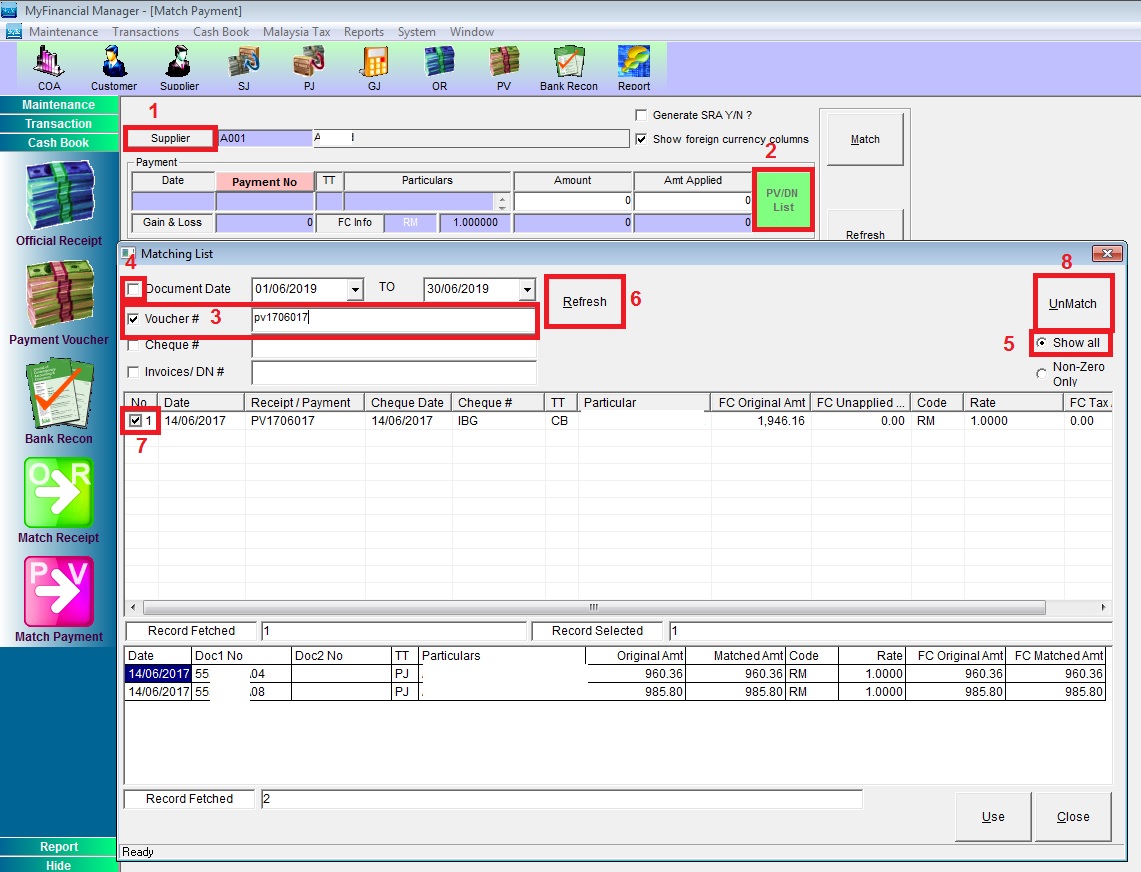
- Choose the “Supplier” >> click “PV/DN List“.
- tick “Voucher #” then type the payment voucher number.
- tick “Show all” >> un-tick “Document Date” then “Refresh“
- “Tick” the payment voucher record then “UnMatch” [Follow the screen shot below].
-
Accounting
Powered By : SKYBIZ ® Beyond Cloud ™