Below are Guideline(s) to export to PDF through TSPrint PDF:
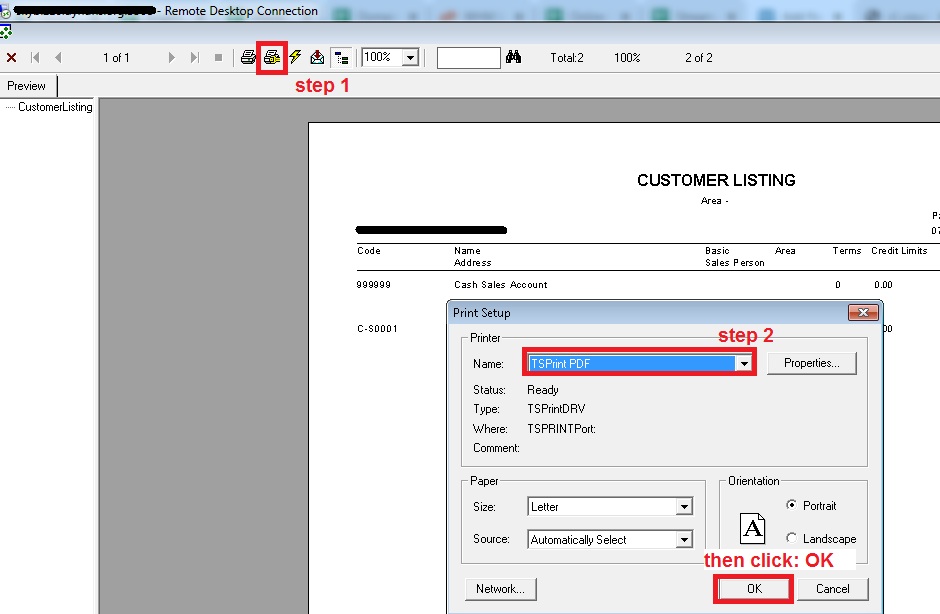
Step 1 : After user preview report, click on Printer Setting icon, then choose Printer Name: TSPrint PDF, after that click: OK.
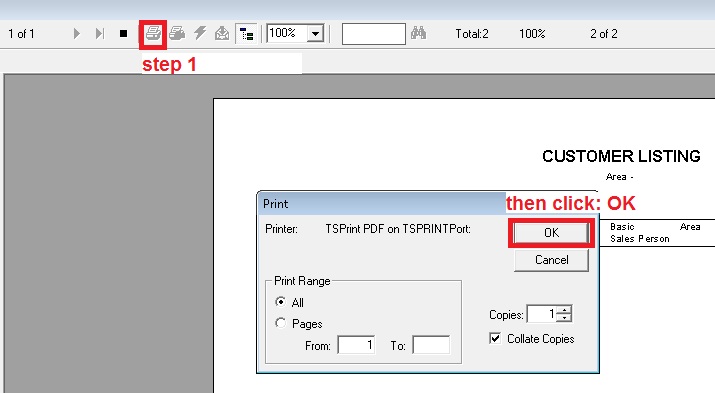
Step 2 : click: Print icon, then click: OK.
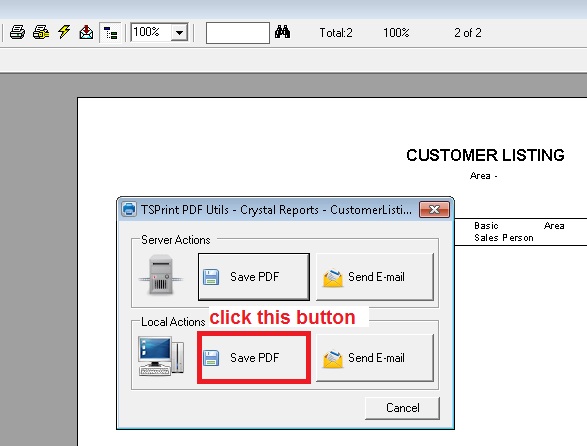
Step 3 : below small form will auto appear for user to choose the path to save the pdf file, user may click on Save to PDF in Local Action frame, after that it will show user computer resources for user to choose, bingo.